
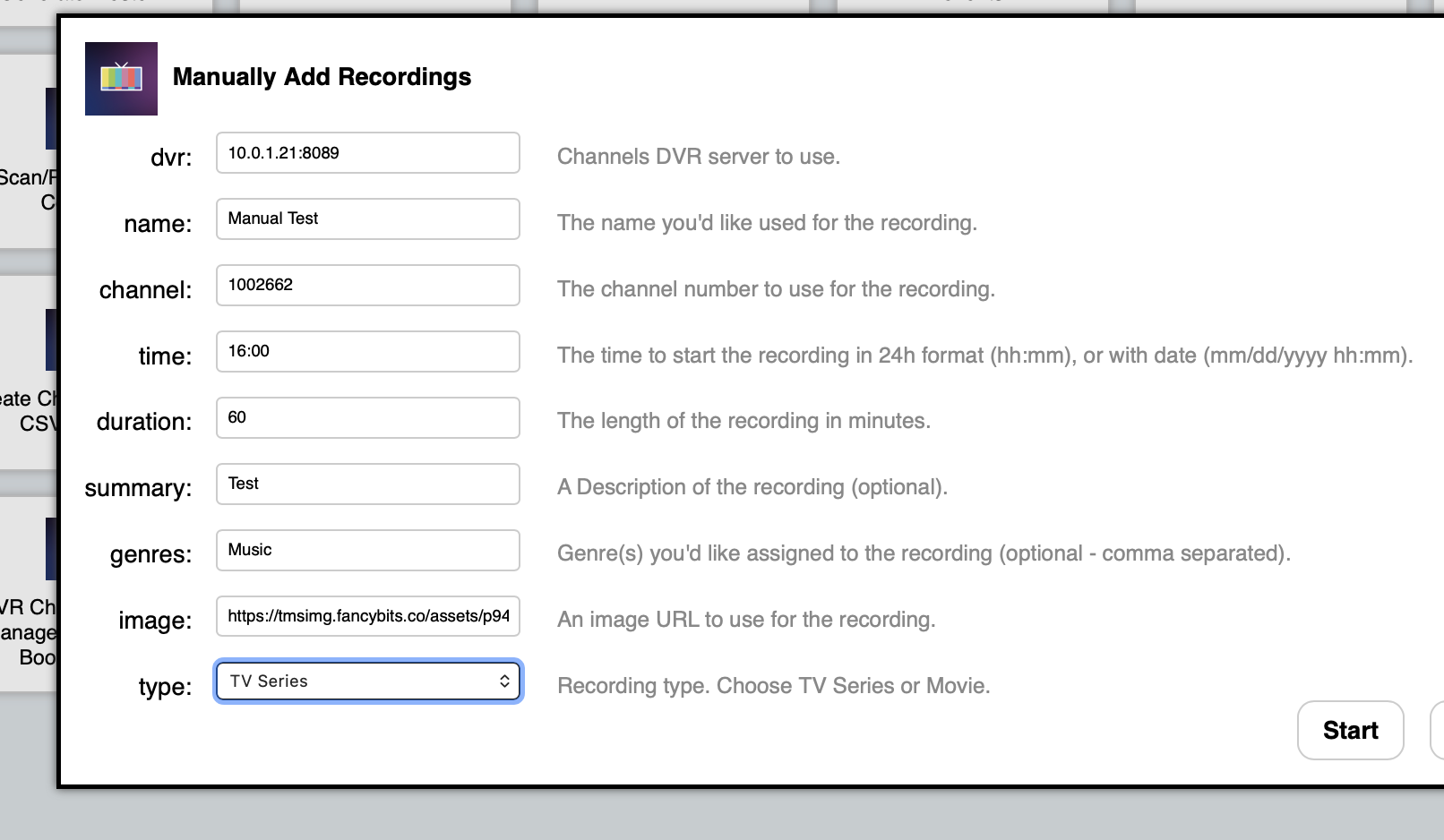
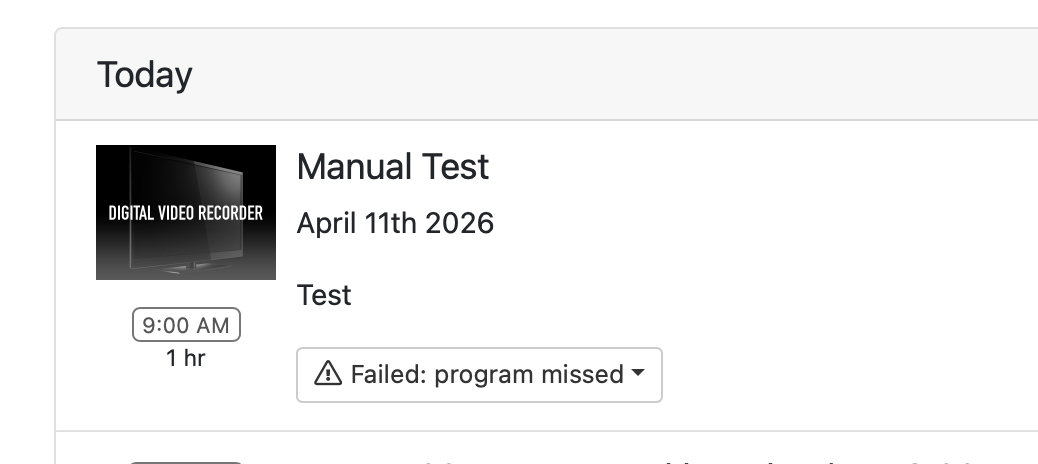
I tried the OliveTin function to "Manually Add a Recording" just now but the time assignment isn't translating properly. I want it to record at 4 PM so I enter 16:00 in the field as instructed but then when I check the DVR schedule I see that recording is scheduled instead for 9 AM, which is in the past. What am I doing wrong?
1 Like
It looks like the latest version of Debian (13 aka Trixie), has dropped support for time zones in the Country/Timezone format, and is now insisting on the Continent/City form. So, stop your OliveTin-for-Channels stack and change:
TZ=US/Pacific
to:
TZ=America/Los_Angeles
and you should be good to go.
Thanks for reporting this.
4 Likes
I think I'm running ubuntu, but I'll change mine to, I suppose Central to Chicago
The OliveTin container is running on Debian.
Choose the Canonical (primary, preferred zone) name for your zone.
Thanks for the quick fix! I changed my TZ setting, tested a manual recording just now and it's working fine. Much appreciated 
1 Like
Looks like some changes to the CDVR API's require updating your Remove Comskip Markers from a Recording action
marknocommercials.sh
Change line 18 from
curl -s -XPOST "http://$dvr/dvr/files/$fileID/comskip/edit?source=local" --data-raw "[]" >> $logFile
to
curl -s -XPOST "http://$dvr/dvr/files/$fileID/comskip/edit?source=standard" --data-raw "[]" >> $logFile
Change line 22 from
curl -s -XPUT "http://$dvr/dvr/files/$fileID/m3u8" >> $logFile
to
curl -s -XPUT "http://$dvr/dvr/files/$fileID/fingerprint" >> $logFile
No problem. I'll do that now, and let you know when it's published.
1 Like
@chDVRuser Pushed just now as bnhf/olivetin:latest (aka bnhf/olivetin:2026.05.23). Thanks for making it super easy!
1 Like
Thanks, That was quick!
1 Like
Hi - I'm trying to add an ah4c stack in Portainer via the projection-click and it errors out with he attached saying the path has too many colons. Is there something I can do to get around this?
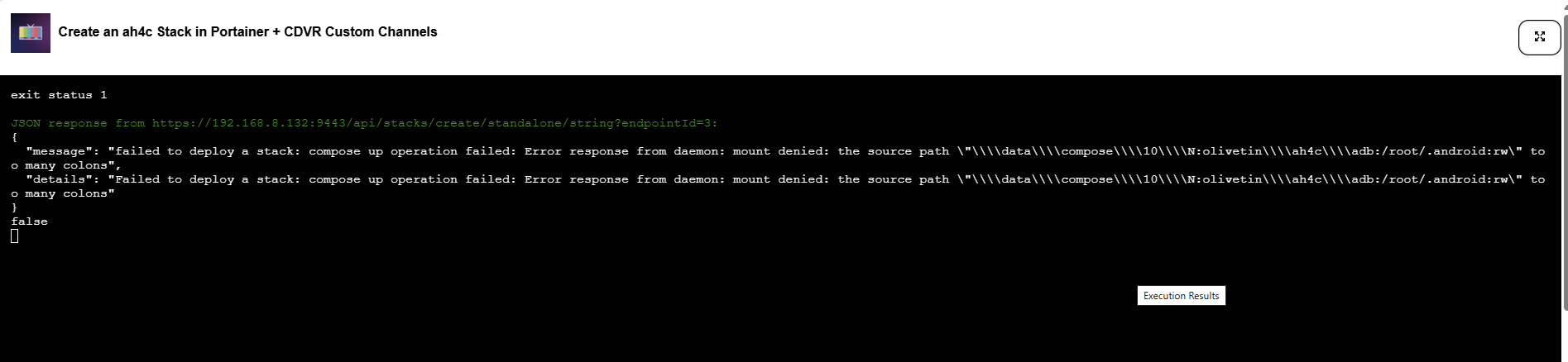
That's one I haven't seen before! Can you PM me the debug log from that? There's a separate Project One-Click Action to view it, and then you should be able to copy-and-paste it into a PM...
Just sent that over, thank you for taking a look!
This value is likely the issue:
HOST_DIR=N:olivetin
What OS is your Docker host computer running? Windows, MacOS, Linux or something else?
The host is running Windows 11
and the olivetin folder is in the root of the N drive
I'd suggest trying /mnt/n/olivetin, or a second choice would be n:/olivetin
1 Like
/mnt/n/olivetin. did the trick, I'm up and running - thank you!!
Hi!
I have been running the Olivetin action "Channel Lineup Change Notifications" set to 30 minute intervals.
Since my last lineup change earlier today, I have been receiving duplicate notifications every 30 minutes.
Channels DVR server URL: http://192.168.1.100:8089
Channels DVR version: 2026.06.26.2353

------------------------------

New source with 1 channels: "ADBTuner - app_cbs"
See file /config/192.168.1.100-8089_data/ADBTuner_-_app_cbs.log for the full lineup.
I will try disabling and restarting the action and will advise if the notifications persist.
UPDATE: still sending duplicate notifications after killing and restarting the process.
Just as a reference.
I have 7 of them running. One for each of my servers. 720 minute intervals and they're working fine.
OliveTin for Channels 2026.05.23