I'm pretty sure it's no big deal to install Portainer on Synology -- I think @chDVRuser said it took him about a minute. I'm pretty confident it would make your life easier.
But, as to your question:
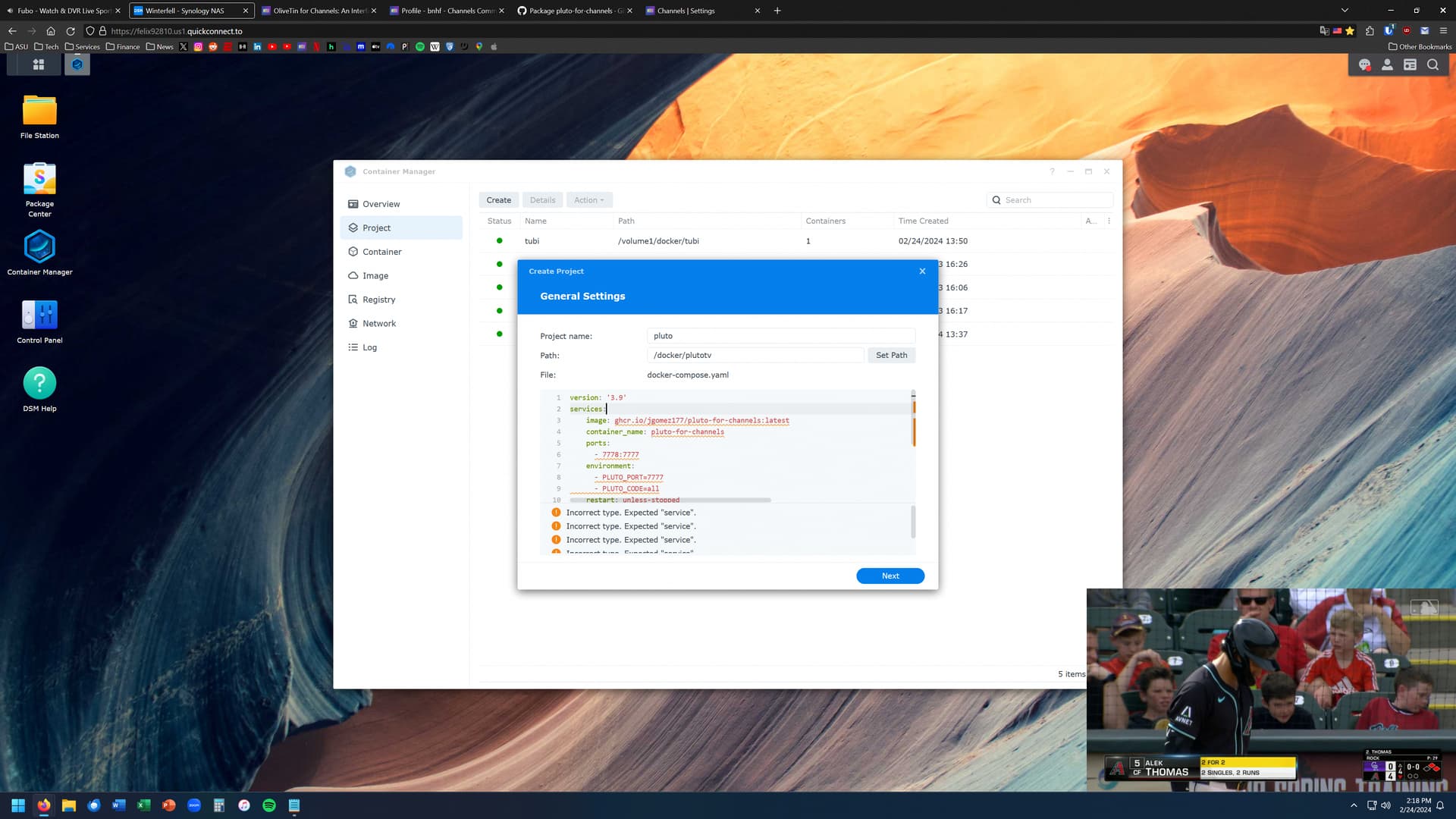
The environment section is wrong in your screenshot. Here's my recommended docker-compose that I posted yesterday:
version: '3.9'
services:
  # GitHub home for this project with setup instructions: https://github.com/jgomez177/pluto-for-channels
  # Docker container home for this project: https://ghcr.io/jgomez177/pluto-for-channels
  pluto-for-channels:
    image: ghcr.io/jgomez177/pluto-for-channels:${TAG}
    container_name: pluto-for-channels
    ports:
      - ${HOST_PORT}:${PLUTO_PORT} # Use the same port number the container is using, or optionally change it if the port is already in use on your host
    environment:
      - PLUTO_PORT=${PLUTO_PORT}
      - PLUTO_CODE=${PLUTO_CODE} # ALLOWED_COUNTRY_CODES: us_east - United States East Coast, us_west - United States West Coast, local - Local IP address Geolocation, ca - Canada, uk - United Kingdom,
    restart: unless-stopped

  # Default Environment variables can be found below under stderr -- copy and paste into Portainer-Stacks Environment variables section in Advanced mode
With these environment variable examples:
TAG=latest
HOST_PORT=7779
PLUTO_PORT=7777
PLUTO_CODE=local,us_west,us_east,ca,uk
You can, of course hard code the env var values into the compose, which would look like this in my example:
version: '3.9'
services:
  pluto-for-channels:
    image: ghcr.io/jgomez177/pluto-for-channels:latest
    container_name: pluto-for-channels
    ports:
      - 7779:7777 # Use the same port number the container is using, or optionally change it if the port is already in use on your host
    environment:
      - PLUTO_PORT=7777
      - PLUTO_CODE=local,us_west,us_east,ca,uk
    restart: unless-stopped
Much more elegant, and easier to manage, using Portainer with env vars though!