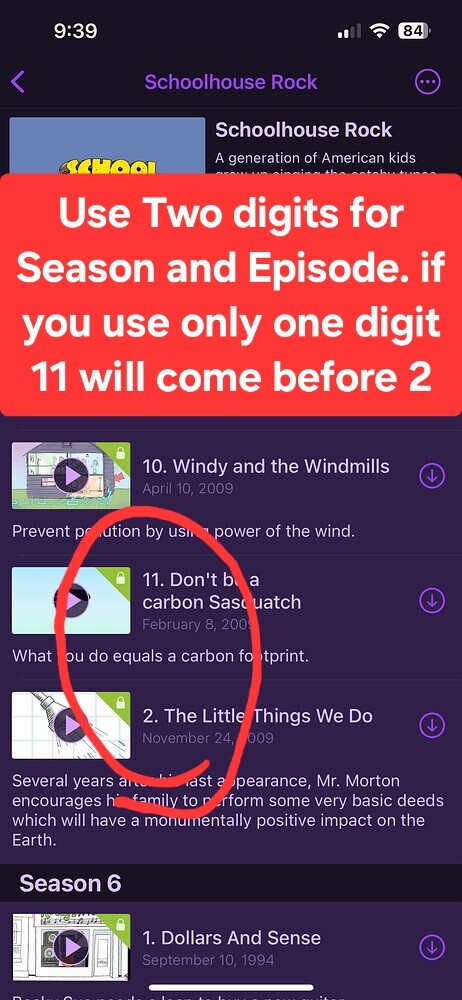
I've been using Channels for a while now as a DVR and I'm finally beginning to make the move to importing some personal media from a soon-to-be-retired TiVo. I wanted to import some simple stuff first so I'm sure I know what I am doing and how it works before I go ahead and transfer a bunch of stuff.
So I started off small with some old Schoolhouse Rock videos that my kids watch. There were 73 of them with filenames numbered sequentially 01 thru 73 in the order they were released. But I could not get Channels (at least in the server view) to display them in order by number, which would have been alphabetical. So per the personal media support docs I tried renaming the first 10 or so in the SxEx convention and I was surprised and pleased to find that not only were they then displayed in the right order but the metadata auto-populated. For a cartoon from the 70's, I was shocked!
After some research I discovered that they were actually released as 7 separate seasons, so I renamed them that way. Unfortunately, it turned out that Gracenote only matched seasons 1-6, but with great help from Channels support I learned how to switch the indexer to TMDB and all 7 seasons matched.
Now here's where the problems come in.
First off even though there are 73 files/episodes and I even counted them in the server UI, Channels insists there are only 70. The little number in the top right corner says 70.
Second, despite my early success the display order is still off. I am baffled by how sorting works, as it seems to be completely irrational and not even consistent across platforms.
In the server UI, seasons 1-7 are displayed in order as are the episodes in each season. Then there are a 8 extras which are named S0Ex which appear after season 7 in Extras. Within that group however they are in no particular order: S0E18, S0E20, S0E19, S0E08, S0E21, etc. They matched with TMDB and the matched titles appear, but they are not sorted alphabetical by filename or by matched title. The metadata does not contain release dates, so they are not chronological either.
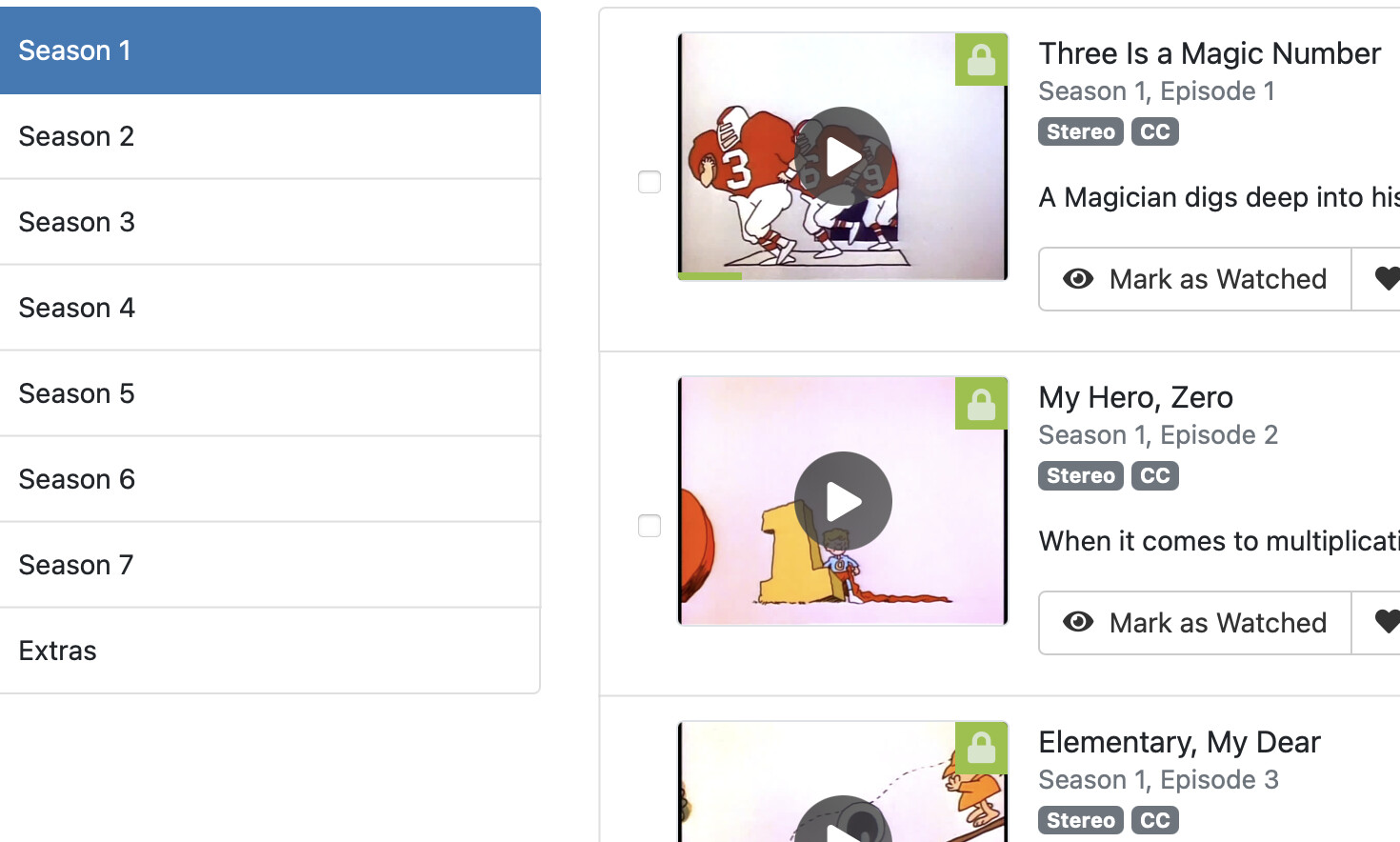

In the iPad app, seasons 1-7 are inexplicably in reverse order, so 7 is at the top. Within the seasons the individual episodes are also in reverse order, but only for seasons 1-6. In Season 7 the order seems completely random. In the Extras they are in the same order as in the server UI, but reversed.
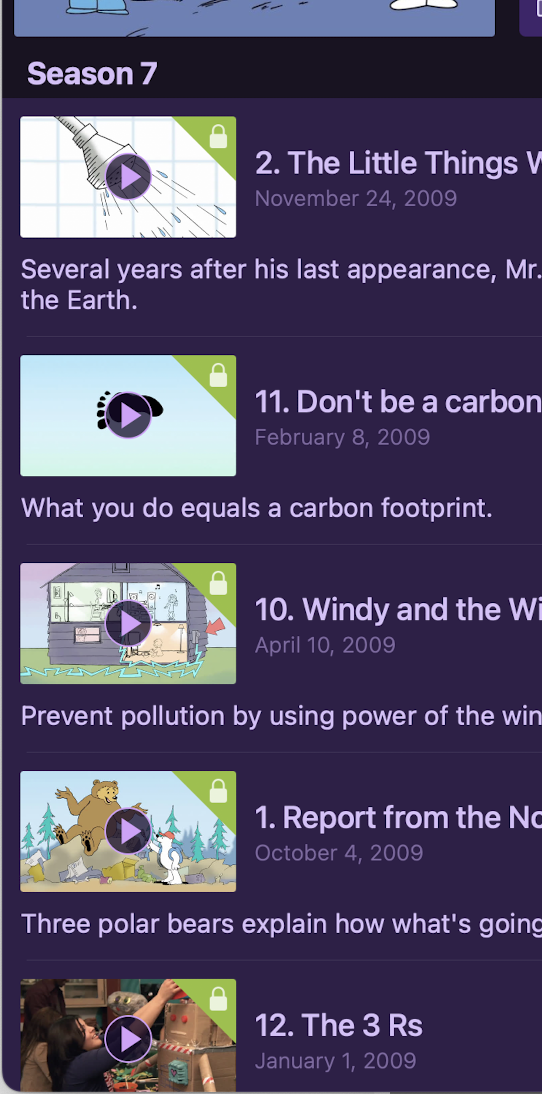
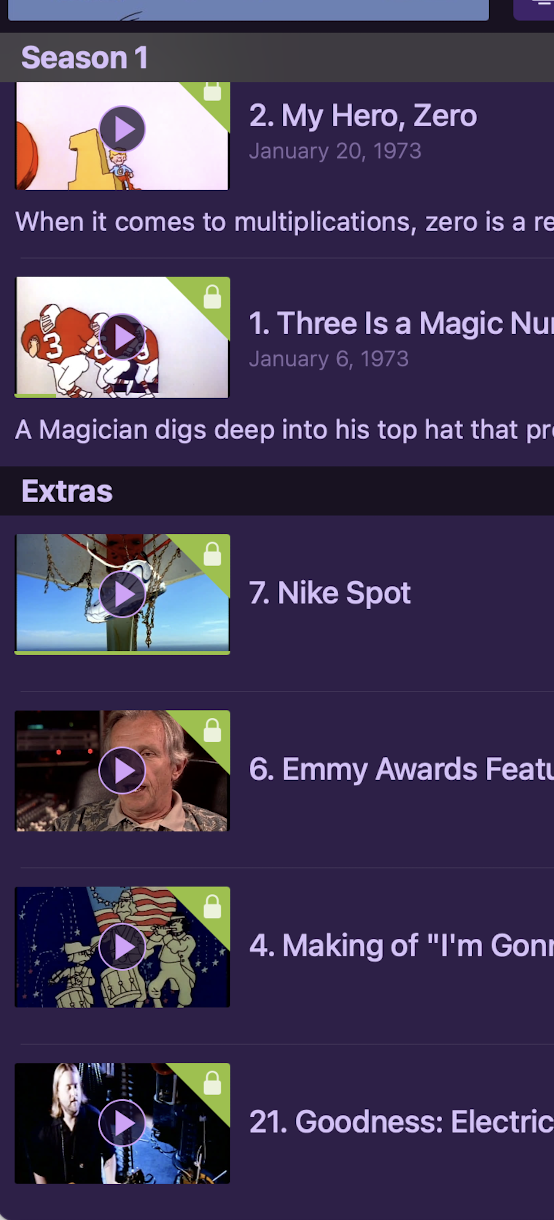
In the iPhone app, seasons 1-5 are displayed correctly starting with 1 at the top and the episodes within are in correct order. Then after season 5 comes season 7 with episodes in the same seemingly random order as in the iPad app but reversed. Then comes season 6, in the correct order, followed by the Extras in the exact same order as the iPad and the server, and not even reversed.
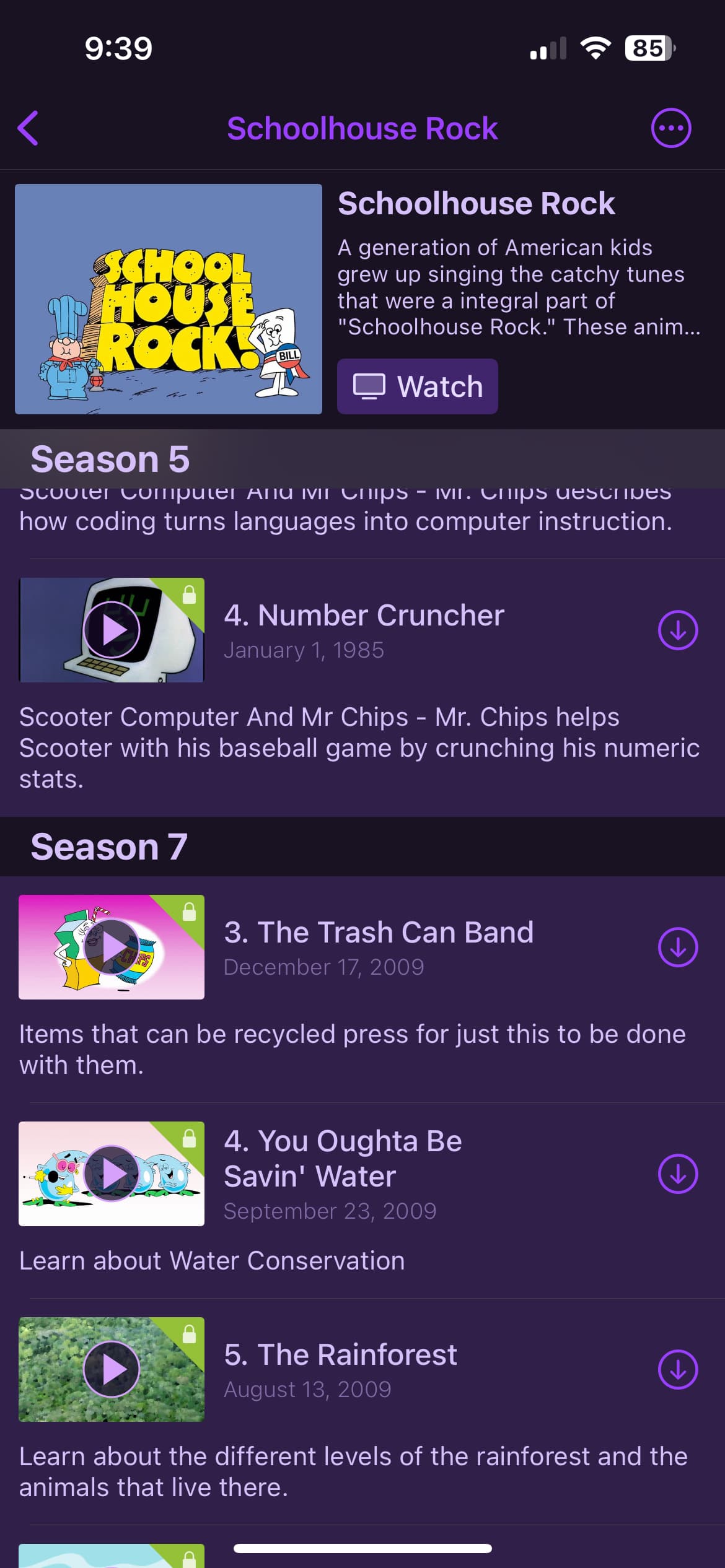
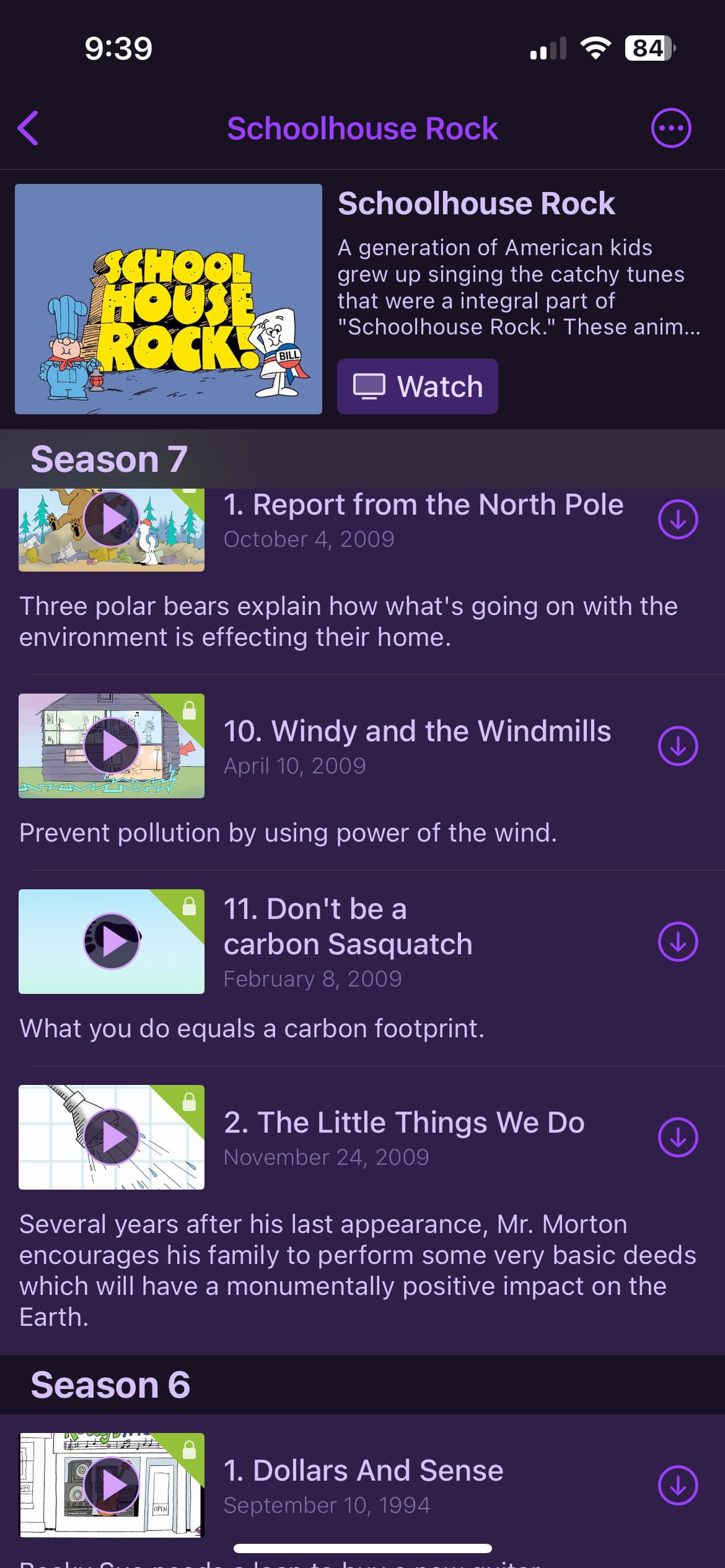
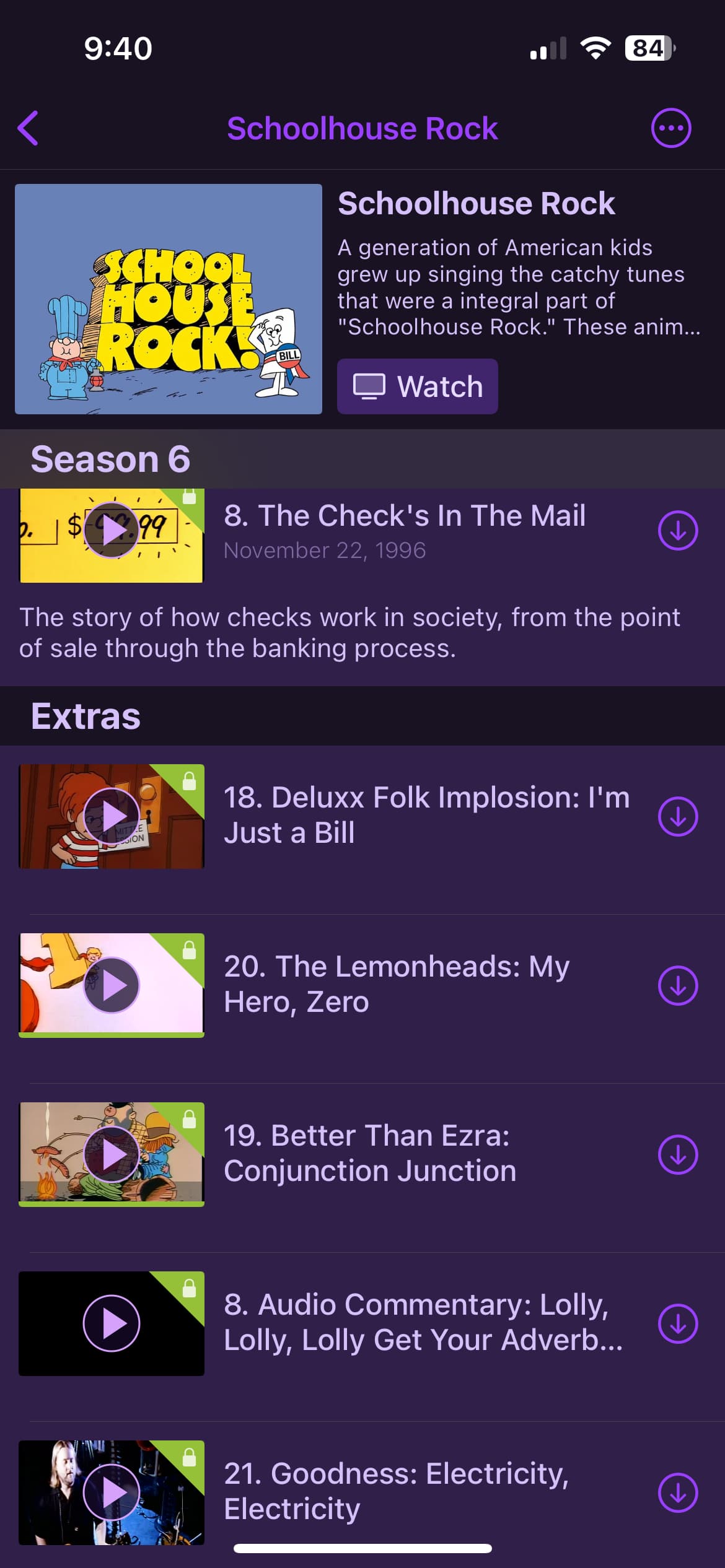
So I figured I'm much less likely to use the iPad or iPhone apps anyway, I could live with this weirdness as long as the Apple TV app was correct. Unfortunately the ATV app was the worst of all. I can barely describe it, I will have to list it:
S1E1-11
S2E1-9
S3E1-12
S4E1-9
S5E1-3
S7E3-9
S5E4
S6E1-6
S7E12
S6E7-8
S7E1
S7E10-11
S7E2
Extras (Same odd order as other platforms)

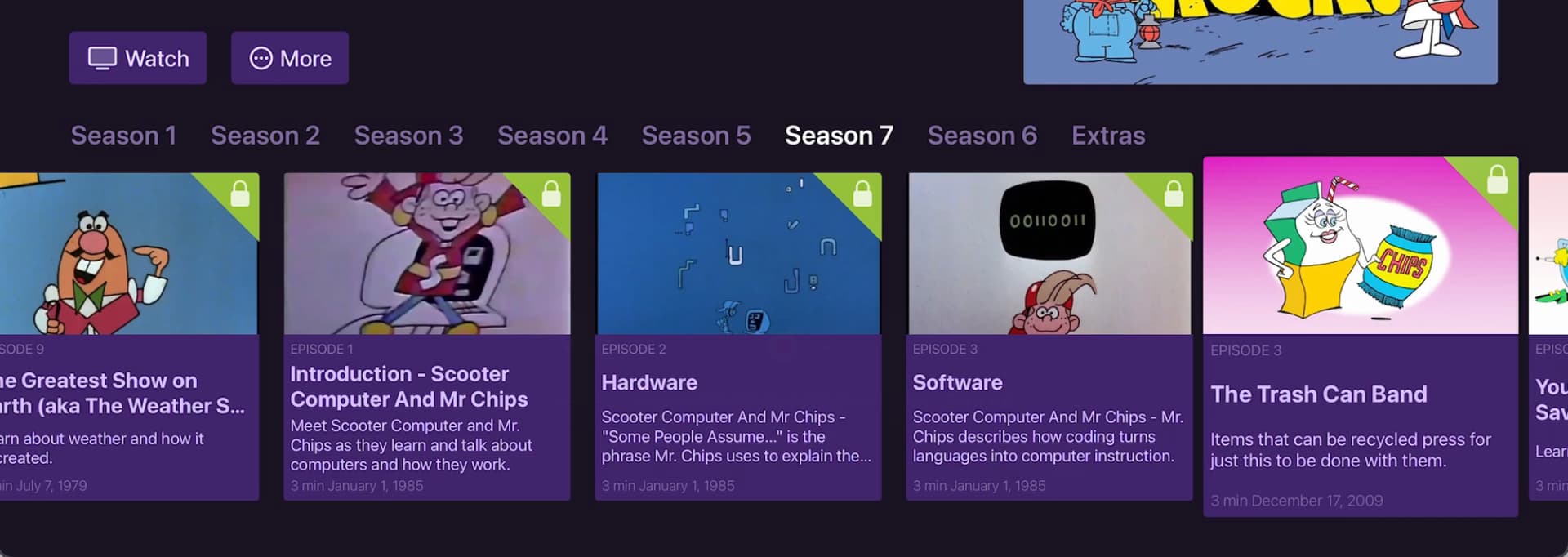
Can anyone shed some light on what's happening here? What am I doing wrong or how do I correct it? Please keep in mind that I have no burning need to get this fixed for Schoolhouse Rock, my issue is that this was my test import so I really need to get this right or I fear I will experience it over and over again.
Thanks in advance!