pfSense, unraid, and ChannelsDVR not working with Remote access

Hello all,

My ChannelsDVR is installed in my unraid server. The remote access was working fine before moving my router from a crappy ASUS to a pfSense machine.

Can anyone help me getting remote access to work with pfSense? I tried port forwarding 192.168.1.2:8089 but it didn’t work at all. In my unraid server, for some reason, the docker doesn’t have a port assigned to it. I thought maybe this was the issue but it use to work fine with my ASUS router. I have no clue what to do next. Please help!

Thank you for your help.
cc @teladog01 @plaintoast

I’m guessing you had UPnP enabled on your old router. You will have to properly forward the ports or can enable UPnP for your server’s port range on pfSense. Here is a guide I have for Xbox, but it still applies to other devices. Please limit what ports you allow as UPnP can be risky - don’t do this if your server has anything important. Let me know if this works or you have any issues.

** You must adjust your ACL entries to match your IP and ports**

Another option would be to configure OpenVPN on your network (this is how I had it setup). Then you simply VPN in and can access everything like you are on your home network. You should be able to find a guide for this on Google – unfortunately, I haven’t written a guide on this.

Pretty simple though:

  1. Setup OpenVPN
  2. Install openvpn-client-export package
  3. Create User and cert
  4. Use openvpn-client-export to export user config
  5. Add config to device
  6. Login

plaintoast is probably right about UPnP being enabled on the old router while it’s not enabled by default on pfSense. I have left UPnP disabled on my pfSense and simply added a NAT port forward rule…

https://www.dropbox.com/s/8lbcxmoxmqssmd3/Screenshot%202018-07-15%2013.43.56.png?dl=0

To add this rule from scratch, just click one of the two green Add buttons at the bottom of the page and configure as pictured, with the blurred out bit set to your own Channels DVR LAN IP.

I just re-read the first post and realized that unRAID and Docker are in play here, neither of which I use or have any experience with. Does the ChannelsDVR Docker have it’s own IP address? Or does it share the unRAID IP?

The docker is run in net=host mode which means it shares the host IP.

The issue here is probably more on the unraid side, so maybe @r0ndL or @SquelchOil have some idea.

Ok, so then the blurred out bit in the screenshot above should be the unRAID IP. @Luigi408, let us know if this NAT port forward rule in pfSense fixes it. If not we need to look at the unRAID side of things.

1 Like

Just be sure to assign a static IP first. Honestly the UPnP method is easier IMO.

  • edited because I thought all devices were exposed at first glance.

Hello all,

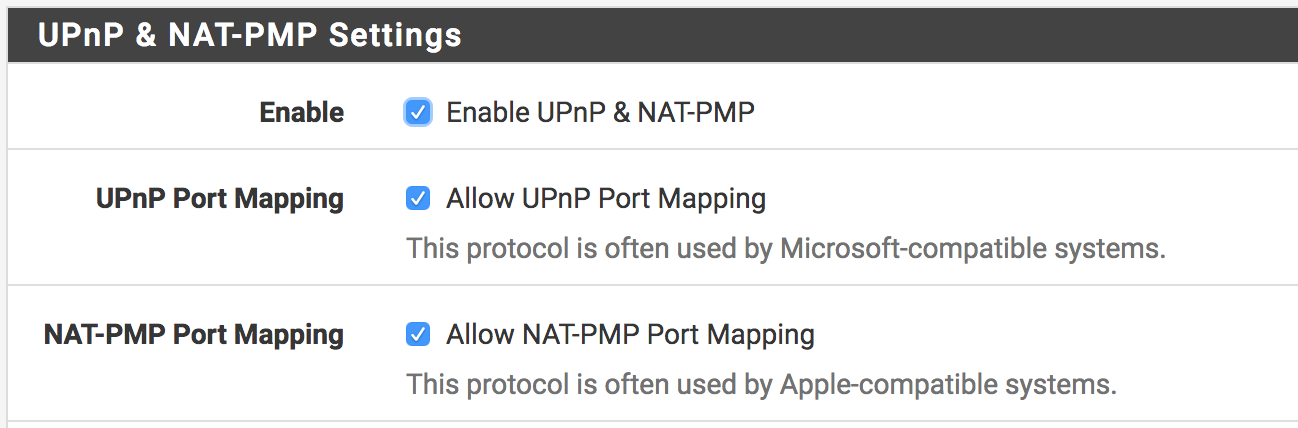
Thanks for your help. I previously did do the port forwarding on my pfSense and that didn't work. I have it exactly as you do @teladog01. I already had UPnP enabled on my pfSense as well. These settings did nothing at all to open up the port to allow the Channels DVR unRaid docker to work with Remote Access.

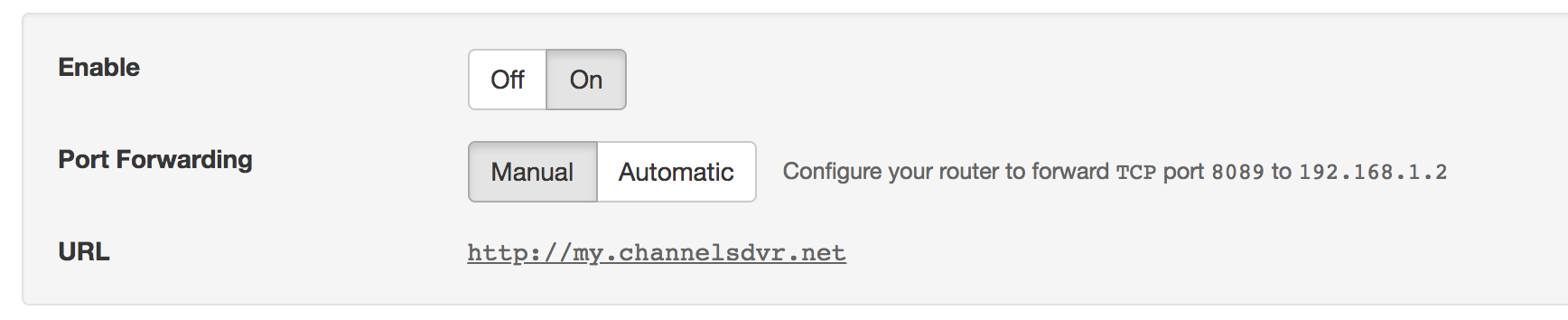
Inside the Channels DVR settings, I have also tried both automatic and manual port forwarding.

I have included screenshots of my settings.

I also think it could be the unRaid server and the Channel Docker not working correctly. All my other Docker apps (such as Plex) work fine over my network. They can automatically assign ports on my pfSense through UPnP. The only thing I had to do with my Plex was add a private-domain: "plex.direct" to my DNS resolver setting (DNS rebinding) to make it work internally. (I reinstalled the Channels DVR docker and redid all my settings, but it installs that way anyways without the port showing up like all the other Dockers).

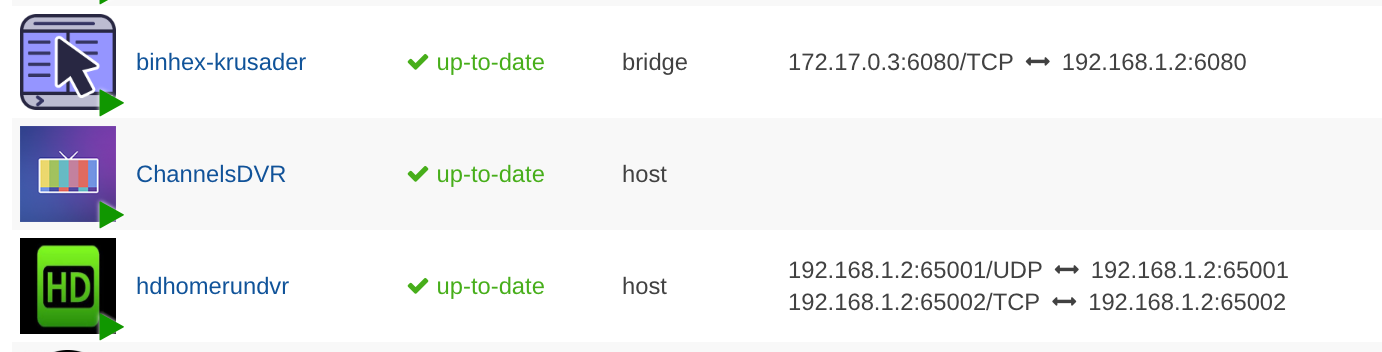
I noticed that the Channels DVR doesn't have a port assigned to it like my other Dockers (as shown in the picture). Could this possibly be the issue why I can't port forward successfully? This is the only thing I can think of right now.

Does http://192.168.1.2:8089 load the DVR page? If so everything on the unraid side is fine.

Yeah, it does work when I go to that address.

If this works then I would just setup OpenVPN and access it remotely that way.

@Luigi408 Did you add a manual rule to your pfSense like in @teladog01’s screenshot?

I have pfSense and like plaintoast use VPN, the difference is I access our house PBX remotely (but not tried Channels) from iPhone/iPad and there is no need for OpenVPN. You never mentioned your access device, if it’s an IOS or other IPSec capable device, it’s a snap to setup VPN on pfSense and should solve your issues (and give you bonus access to your LAN!)