Pixelation with "strong" OTA channels - DVR and live

I've been experiencing pixelation with OTA channels (SF Bay 7.1 ABC and 11.1 NBC). Both channels have strong signal based on "Signal GH" app and also an internal Samsung TV signal strength meter. Signal GH shows 100% strength and 95+% quality for 7.1, and 100% strength and 81+% quality for 11.1. Ironically, I have not had pixelation issues with channel 2.1 Fox, which has 67% strength and 56% quality.

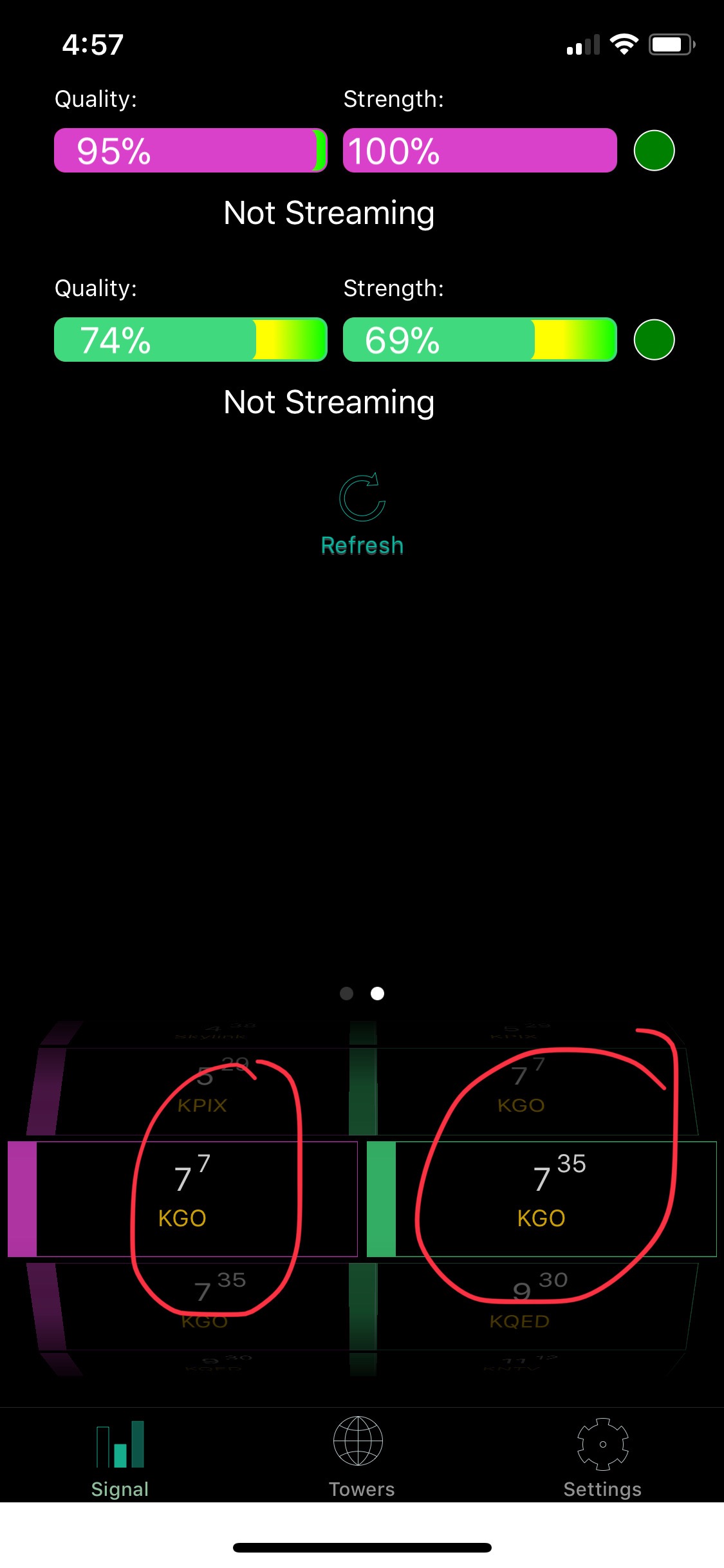
For 7.1 ABC, I'm wondering if the root cause could be related to how HDHomeRun is treating the two transmitters in my area on the same "virtual channel" (this is different from the NBC 11.1/11.3 topic I posted yesterday). See the screenshot from HDHomeRun and how it assigns the same virtual 7.1 to both 7-3 and 35-3. If you look at the Channels guide screenshot, you see only a single 7.1 entry. In WMC, there is a workaround for this scenario - does Channels have a similar workaround? My signal strength/quality for 7-3 is 100%/95% and for 35-3 is 69%/75%.

Here is a link to the HDHomeRun / WMC topic. https://forum.silicondust.com/forum/viewtopic.php?f=15&t=15347

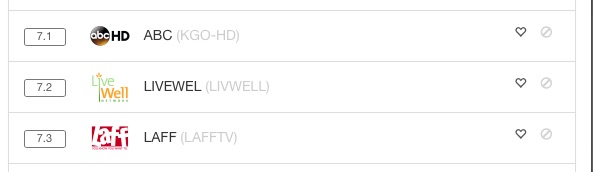
The HDHomeRun is responsible for channel scan and listings. You can visit my.hdhomerun.com and see your HDHR’s channel listing from there. IIRC, it will automatically pick the stronger signal when there is a virtual channel number conflict. Since you’re seeing 100/95+ when tuning into 7.1, it sounds like its picked the correct transmitter already.

You can try viewing the same channel with the official HDHomeRun app to see if it has the same problem. I’m not really sure what would cause pixelation at strong signal levels… perhaps there’s more diagnostic data that SiliconDust can provide if you email [email protected] with your HDHR device ID.

My Signal GH app actually sees the two different 7.1 broadcasts and in the Signal app, I am able to select between the two for analysis. I just don't know which of the two broadcasts the Channels DVR has selected. See screenshot of Signal GH app with the two different channel 7's selected.

You can check http://x.x.x.x:8089/lineup.json?tuning for the frequency/program associated with the one it chose. Or try watching that channel from HDHR or Channels and see what the tuner is tuned into.

1 Like

I was having a similar problem and found an odd solution online but it’s been working great for over a month. I believe the issue is multipath, your antenna picking up multiple versions of the same broadcast, after bouncing off different obstacles so some take slightly longer to arrive. One possible solution is moving or turning your antenna if its a directional one. But the odd solution that worked for me was to add a splitter on the coax cable from the antenna to the HDHomerun, effectively losing some strength on the signal coming into the HDHomerun, which helps it better determine which of the multiple versions of the same broadcast it’s seeing is the best one. After adding the splitter my signal strength shows as ~93% instead of 100% and I haven’t seen the pixelation since.

Edit: There’s a device called an anntenuator that does the same thing, “turns down” the signal strength on the line. But using a splitter gives you an excuse to pick up a second HDHomerun for some additional tuners.

1 Like

the attenuator/splitter fix is a good one as well for those that have a Prime with fios.

The problem is that the tuner in some of the the SD devices is too sensitive…

In many fios installations the feed from the ONT to the “cable” line is too “hot” and overwhelms the Prime.

2 Likes

The comment about Prime is interesting. I have both OTA tuners (4 devices) and a single 3-tuner Prime (I have a very basic cable service). After a bunch of investigation it appears that the Channels DVR “tuner priority” does not work (I will post separately). Recordings that I thought were using OTA tuners were actually using the Prime tuner. My pixelation was during recordings of cable, rather than OTA! I was really confused how I could get cable pixelation, hence your Prime comment is very interesting.

Normal priority is supposed to be OTA, then ClearQAM, then Encoded QAM. It also prefers HD over SD when selecting a channel with the same name. This can be changed by either favoriting (yellow star) a channel using the web interface of the tuner or blocking (red x) the channel.

Example: CBSHD is both on OTA and Prime, but the OTA version is too far and problematic. Favoriting the one on the Prime will cause the system to record from the Prime. If the prime is busy, only then will it select an OTA tuner.

Note that this may not work as expected with the older whitebox style or older Dual tuners since they do not have the ability to favorite or block channels. For those you may need to use the DVR channel block method instead of the tuner block method (not sure if that will work either since it may depend on the newer APIs).