PlayOn Cloud sync issues

I'm having issues syncing 'PlayOn Cloud' - Their support says all is well!

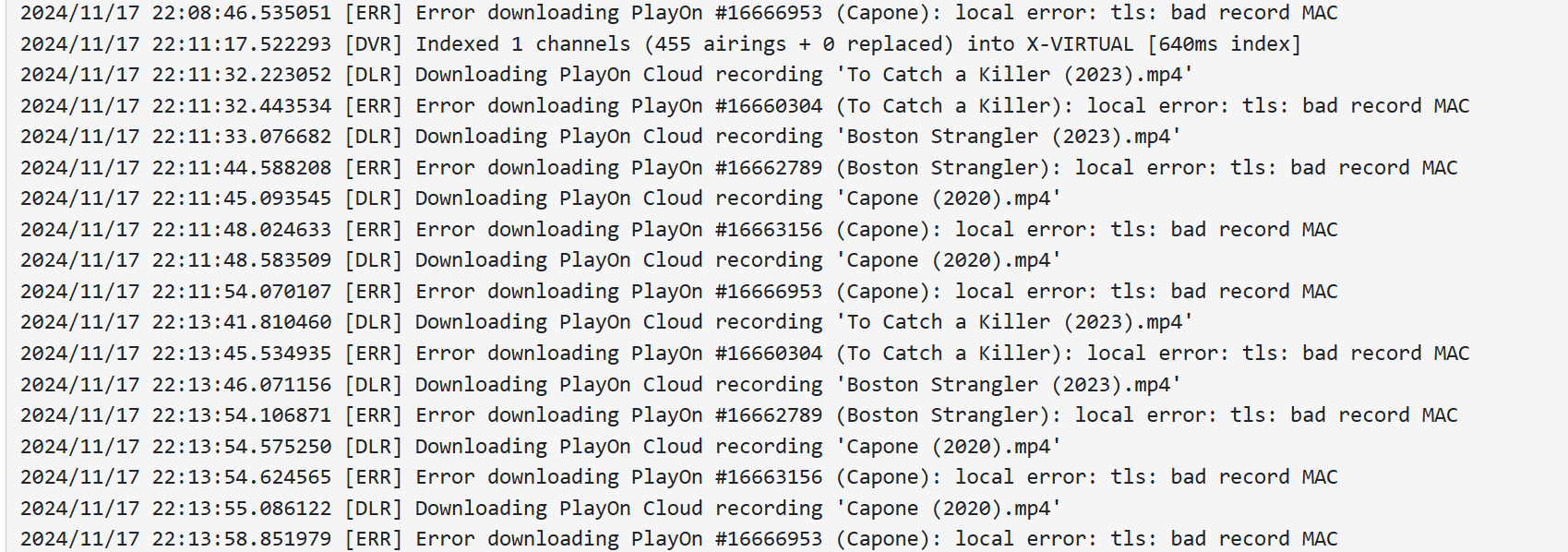
Here's capture of my logs. Had similar errors yesterday for the same recordings. My HULU subscription expires 11/23 - it was cancelled 11/14. Is that maybe a results of being cancelled?

Think you answered your own question.
If the PlayOn Cloud recordings were from HULU and you cancelled your HULU sub, they wouldn't record.
Same as if you went to HULU now and tried playing something.

My HULU cancels 11/23 and I can do as I wish watching anything as usual.

OK, thought this meant it was dead

Guess it works until your expiration date.

1 Like

Yes - that's what I'm told. I thought maybe it was something 'common' and maybe expected by some users who've been around quite some time. I'm very new! Very!

No idea.
Wild guess: Do you have any ad blockers like pi-hole running?

No I don't believe so but I'll certainly check further. Thanks

Run the troubleshooting tool in the DVR web UI and see if any errors.
Support > Troubleshooting

Are you able to download a recording from your PlayOn Cloud account directly?

2 Likes

I just tried this AM to download one of the Cloud recordings directly and I was prompted several times to 'check connection' but it did finally download. My router is the same that was up until 10 days ago worked for POC, I swapped a modem but it's been connected without issues and uptime is several days. All of my streaming happens with no issues, I use a VPN for the UK and that also has been consistent for several months. I sent diagnostics and a message to support and waiting for their thoughts.

If you are having issues downloading directly from your account, Channels will definitely be unable to download.

I doubt the Channels developers will be able to do anything but this is one instance where I would love to be wrong. :wink:

It sounds like you have some sort of VPN, Proxy or DNS blocker between you and PlayOn that is messing with the connections and causing your issues. You'll need to get rid of all of that stuff to resolve this.

1 Like

I struggled/argued via CHAT because I DO NOT SPEAK with ExpressVPN whose Aircove router I use that they had to be the issue relying on information posted here, also my thoughts before I ever posted here and Comcast/Xfinity conversations and a modem swap for $$$. After a 4th agent at ExpressVPN and 5 days she agreed to let me roll back a recent 'firmware' which was quite an effort. The 'firmware' couldn't be downloaded using the Aircove, I had to connect PC to modem download 'firmware', reconnect everything and reset BUT it works!

1 Like

This topic was automatically closed 365 days after the last reply. New replies are no longer allowed.