Please provide the NAME of shows and movies!

I guess we will just keep pretending it’s a guide data issue and ignore the screen shots I provided proving channels knows the title of the show(Dragged Across Concrete) yet doesn’t display them.

I’ll chalk this one up to it is what it is and excuse myself from this thread as it’s obviously going no where. :peace_symbol:

1 Like

This has no relevance to what happens when it’s indexed into the library as a TV show.

And as you’ve been around the forums long enough, you know that the only time there’s an issue like this is from third party sources via Custom Channels. First party sources and imports don’t have these issues.

I just dove into it for a sanity check and the Pluto for Channels project does do the work to determine if a piece of content is a movie or a TV show. It writes out the <category>Movie</category> tag in its XMLTV output, which is standard.

I also checked a movie that's currently tagged that way, recorded it, and it showed up as a movie in the library.

So everything that can be done, is happening. If the item metadata doesn't have the appropriate information from Pluto, than this will fail, and there's not much Channels DVR Server can do about it. So it's possible some content is just tagged bad by Pluto.

If you're using another project to add Pluto as Custom Channels, then I can't speak on that, and it could possibly be the issue.

If anyone is using the aforementioned project, and can see a currently airing movie that isn't getting put into the library correctly, I'd be happy to inspect the data to look at it. Or if you want, you can too at another time if you run into this issue. Just check to see if the output of the XMLTV has the tag I mentioned up top.

@Rice ah! Your bug is different than the OPs, and it's valid! I just saw it. Looking into it now.

Does ADBTuner and Chrome Capture and all those other Linux based solutions create similar issues with Channels DVR?

no, not if they use CDVR’s Gracenote guide data, they don’t.

Got it.

This build should resolve the specific issue you were running into:

Yep, title is now showing underneath the art thumbnail when the show is selected. I have a feeling this will also help the OP with his issues as well. Nice work👍

1 Like

I do love people who comment without knowing ANYTHING about the issue.
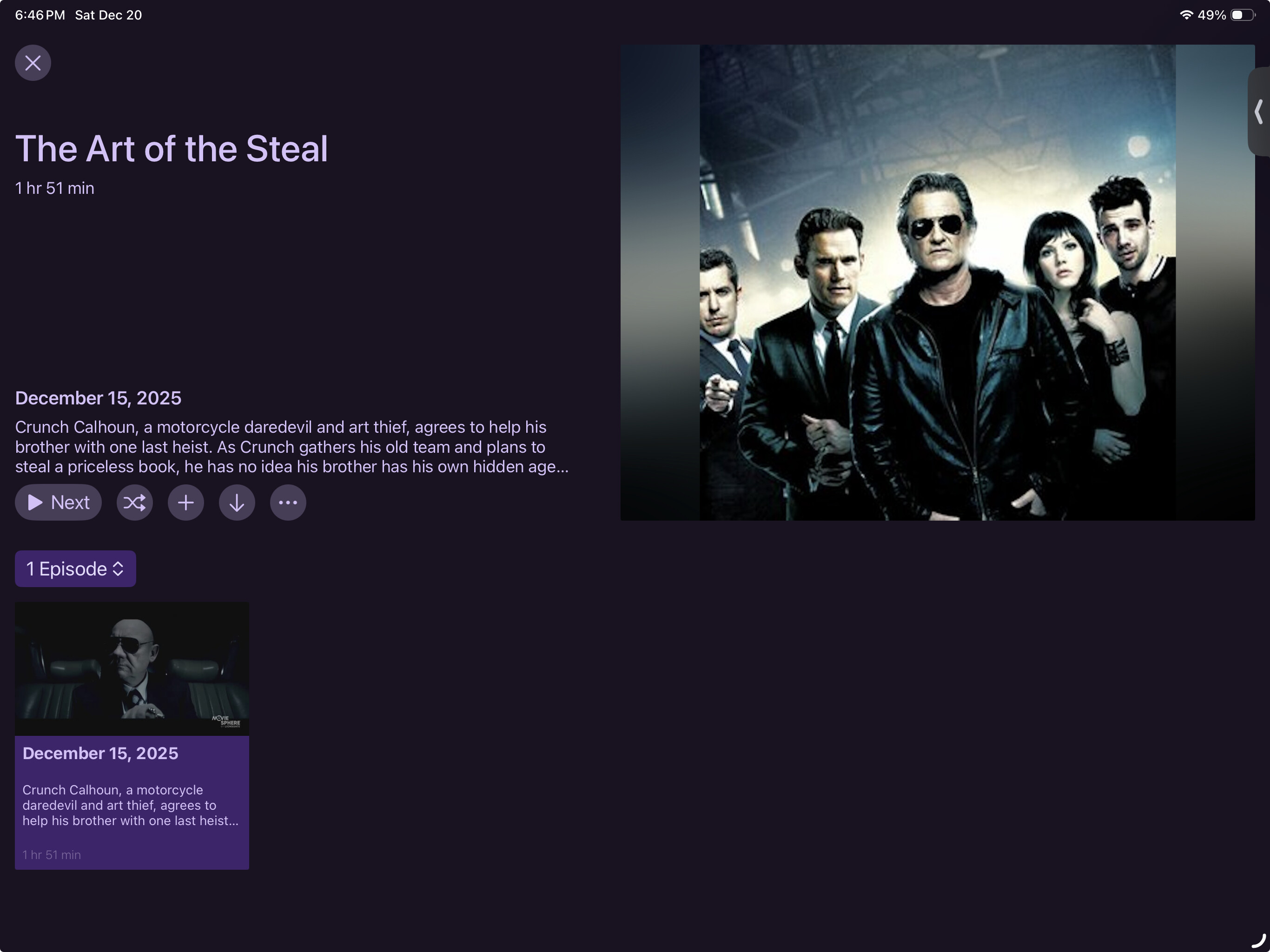
Channels DOES know the name of the show. It displays it in landscape mode on the iPad. I said this in my initial post!

People seem desperate for this to be about anything other than what it is -- poor layout choices (hopefully soon to be fixed) by the current version of Channels.

Look, I'd love for poor metadata to be fixed, but that is a hard, multi-dimensional problem. How about we limit this thread to FIXING THE ISSUE I RAISED which is, in fact, trivially fixable, rather than than making it a general wishlist???

Maddox, CHANNELS KNOWS THE NAME!!!
You can see it in the web view, you can see it in iPad landscape mode.

Please do not listen to the idiots who have taken over this thread. I made a specific request for one particular issue. Please tread THAT request, tuning out all the other nonsense that has been added.

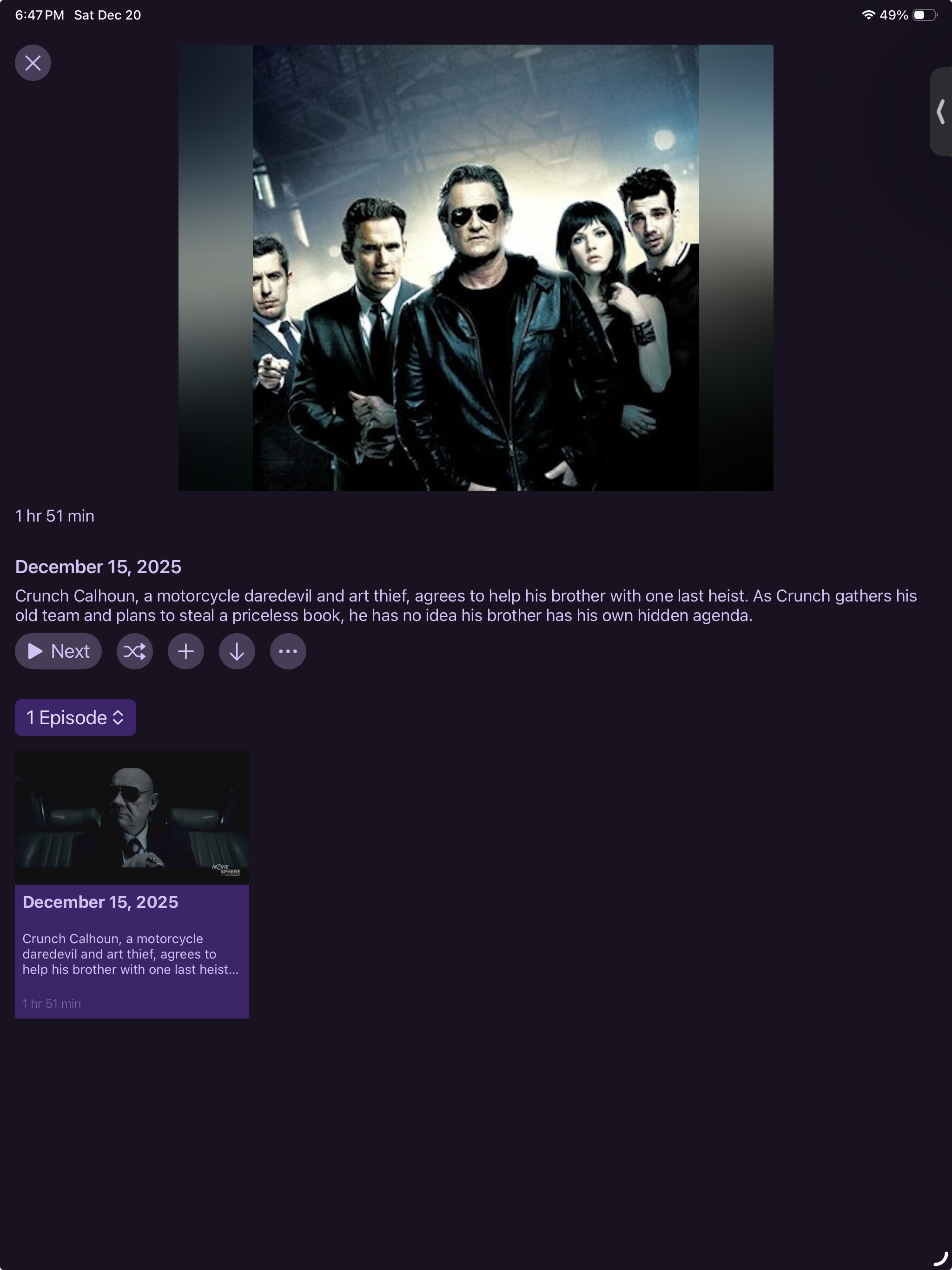
Look at the image below, which is iPad landscape of the same movie. Compare with the iPad portrait (which is same as the iPhone portrait). This is about what Channels is choosing to display, not some people's theories about what data channel guides are and are not supplying.

To put in terms that even a 6 year-old can understand:
Image one shows the title "The Art of the Steal" in big letters.
Image two does not show the title.
Image two should show the title, LIKE image one.


Actually Rice's bug is EXACTLY THE SAME as OP's (my) bug.

It was idiots hijacking this thread who insisted the issue was TV vs movie metadata, something I never raised because it's NOT THE ISSUE I CARE ABOUT.

Sorry to be so snarky in this thread, but honestly, the story here is exactly as I described it.
Bug reported as is, thread hijacked by people who feel they have a duty to criticize in a moralistic way about issues unrelated to the thread, everyone's time wasted.

:scream:

Try updating the iPad app to the beta prerelease it may fix it. It fixed it on iPhone. If you’re not familiar with running the beta app you need to install TestFlight and then the beta app on the iPad.

I suspect we have (finally) converged on the same page and that this new build fixes it. I'm not sure I want to go the full extent of installing TestFlight - honestly I trust that a fix works, as soon as the actual (basically trivial) problem was understood.

Thanks for your backup in understanding the issue!

Using the beta is all I use anymore. It is well worth it. It’s easy to do and if you decide to go that route here is a link to get you started here

Please chill out a bit and quit yelling. This community is a bit more mild mannered than you may be used to. Calling people idiots on here won't be tolerated, especially at people that have spent years providing help for the community.

While yes, what just went out will fix your issue, your movie is still being scanned in as a tv show, which is an issue and obviously bad. You can see right there that it's basically "episode 1" so yes, you are having that issue.

But also, yes, the title was simply not being shown in portrait on iOS. It was just a simple bug. Please try to be a little more patient and kinder in the future.

5 Likes
  1. I know it was a simple UI bug. I reported it as a simple UI bug...

  2. I am also well aware that the "movie as a TV show" issue is of long standing and is hard to fix. That's why I never raised it as an issue in my bug description...

It's hard not to yell when you try very carefully to describe one particular bug and the community insists on misinterpreting the issue, latching onto an utterly irrelevant aspect of the situation, and responding with irrelevant "lifestyle" advice.

I could have demonstrated the issue with a movie (the exact same bug exists in that case!) but movies usually come with a poster, and I expected (surely correctly...) that the response would have been "the name's in the poster, so what are you complaining about?".

It's difficult (though not impossible) to find a movie whose poster doesn't easily identify the movie, so I used the case I used. I had no idea that people would latch onto something utterly irrelevant, something I never mentioned, as apparently the essence of my complaint.

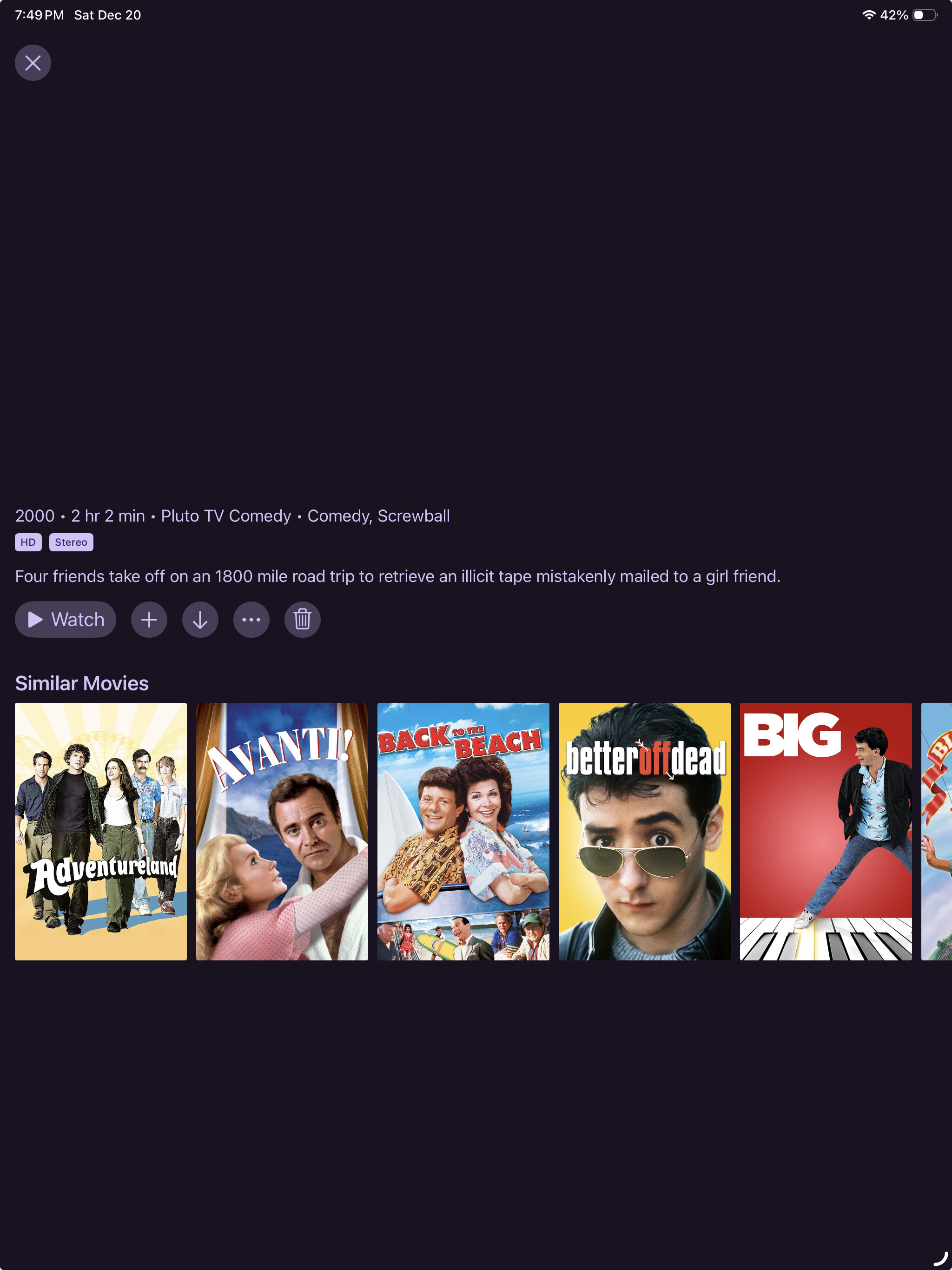
Below, for example is a movie that's correctly categorized, but (for whatever reason) the poster is either not displaying or was never downloaded.

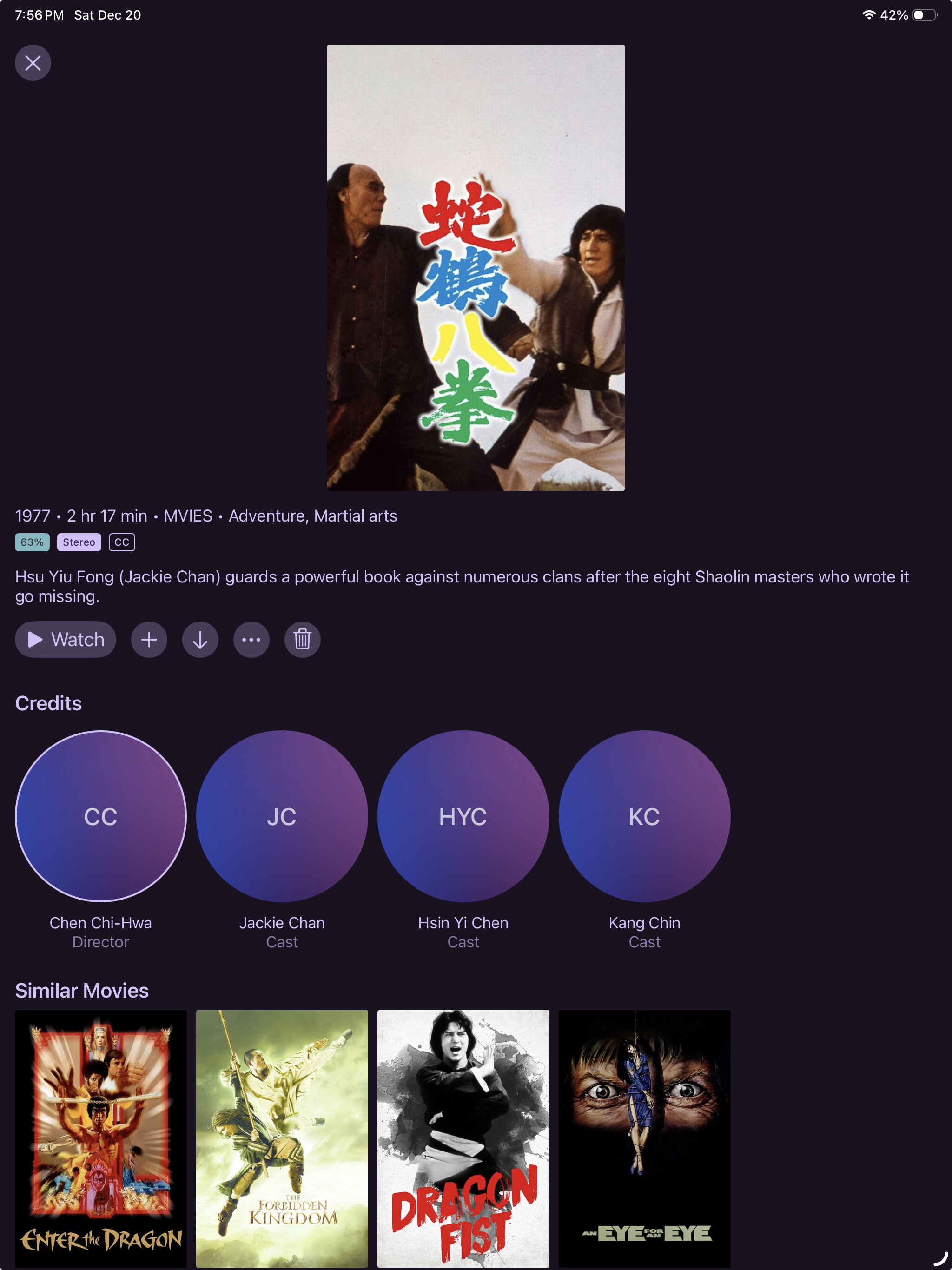
Here's a case where the poster is probably correct, but unhelpful (at least for me) as to the name.

Hmm. I've been happy using server beta's so I guess not reason not to try the same on the client side! Thanks for the link, I'll give it a shot.