
Stopped, update and started again.. different error this time...
Never seen the "Pluto network not ready" before...
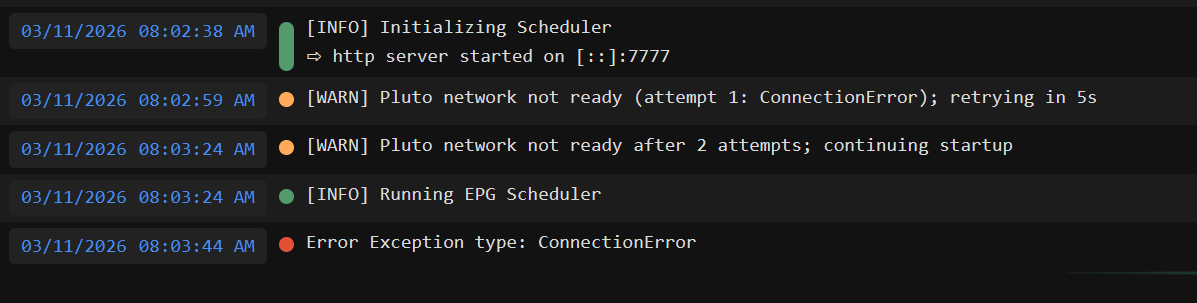

it's a check to see if network was ready... it's working fine on my dev box and test box. try deleting the container and image and try fresh?
Stopped container, removed container, podman prune, created new container, and dropped in my yaml...
plutotv:
image: kineticman/pluto-for-channels:main
container_name: plutotv
restart: unless-stopped
ports:
- 7778:7777
networks:
- iptv_default
environment:
- PLUTO_USERNAME='REDACTED'
- PLUTO_PASSWORD='REDACTED'
- PLUTO_CODE=local,us_east,us_west,de
Started container... same problem...
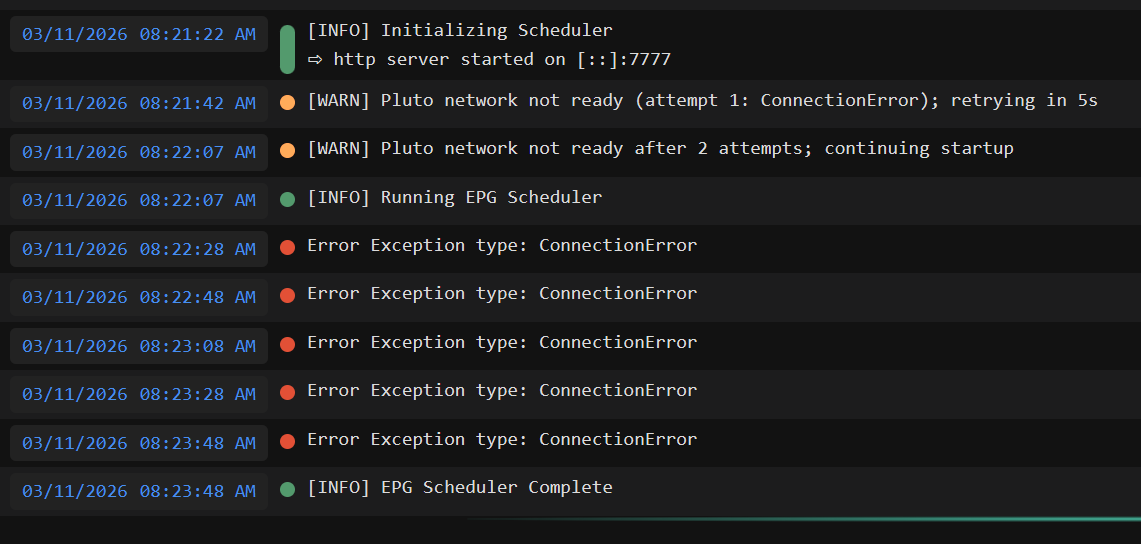
I won't have you waste any more time for/on me...
I'll wait, hopefully someone else have the same issue and can provide additional input...
In the meantime, I have a backup source for Pluto..
Thanks for all you do for this group..
It's concerning as whatever I did shouldn't have broke anything. I'm going to improve logging. If anyone else sees this, let me know
btw - the last line looks like it succeeded?
Yes, but if I try to load the epg page in my browser, than can read xml files, I get a window with XML file not found...
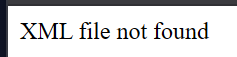
vs one from another playlist that works:

which endpoint are you using so I can test?
http://10.0.0.10:7778/pluto/all/playlist.m3u
I've tried to test a bunch of them, but let's concentrate on that one
well, that shows port 7778 -- your server is on 7777 right?
I have something else running on 7777 on my side, so I use 7778:7777 in my yaml
- open http://10.0.0.10:7778/
- confirm the status page itself loads
- click the exact ALL EPG link shown there rather than typing it manually
Yes, when I go to the http://10.0.0.10:7778 I get the menu with the V1.26 at the top.
And that is what I've been doing, click the copy by the playlist I want, and then paste that into VLC/Potplayer...
And the same for the Pluto All EPG, click the copy button, and paste it directly into my web page...
I know it's a different link but I've also got this set up in m3u-editor... It worked before so I haven't changed it... yet...
But when I try and do the update, this is the error it put out
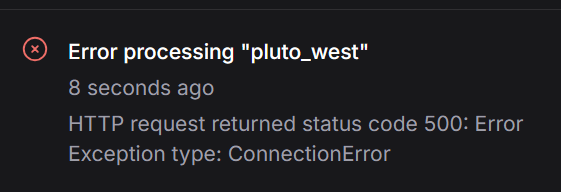
So from Windows:
PS C:\Temp> curl http://10.0.0.10:7778/
<!DOCTYPE html>        <html>          <head>            <meta charset="utf-8">            <meta name="viewport" content="width=device-width, initial-scale=1">            <title>Pluto Playlist</title>            <link rel="stylesheet" href="https://cdn.jsdelivr.net/npm/[email protected]/css/bulma.min.css">            <style>              body
and if I do this:
PS C:\Temp> curl http://10.0.0.10:7778/pluto/us_west/playlist.m3u
Error Exception type: ConnectionError
If I shell into the container, where would I find the files?
Sorry, have to step away for about an hour...
I am running this on docker and using portainer on debian 13 and I don't see this issue. Guess somethings make me wonder if it could be a special character in the password or I hope at least a restart. Then maybe a different browser as well. But that is just my 2 cents and I am sure this has already been done. Just throwing darts  I am also not using the standard port. Using 7780 as I have Tubi on the 7777.
That's my guess.
@Waffles exec into the container and check the env vars by using the command env and see if your password is correct.
root@e09e8921e508:/app# env
PYTHON_SHA256=2a84cd31dd8d8ea8aaff75de66fc1b4b0127dd5799aa50a64ae9a313885b4593
PYTHONUNBUFFERED=1
HOSTNAME=e09e8921e508
PYTHON_VERSION=3.13.12
PWD=/app
TZ=America/Los_Angeles
HOME=/root
LANG=C.UTF-8
[email protected]
PLUTO_CODE=local
GPG_KEY=7169605F62C751356D054A26A821E680E5FA6305
TERM=xterm-256color
SHLVL=1
LC_ALL=C.UTF-8
PATH=/usr/local/bin:/usr/local/sbin:/usr/local/bin:/usr/sbin:/usr/bin:/sbin:/bin
PLUTO_PASSWORD=monkey123!NOT
_=/usr/bin/env
I'm also pushing a quick update 1.27 that improves logging so we can diagnose this more
Since you are listing the internal Pluto_Port. Could you also list the External Port?
Edit sorry meant for @KineticMan
OK... so I'm using a password manager so it gave me special characters and that's what I used when I created my Pluto account...
Because it had special characters, when I put it in the yaml file, I used the single quote '....
I first checked the env command and my userid and password is exactly what it's supposed to be, including the single quote...
I went in and stopped and edited the yaml file and removed the single quotes from the username and password and pulled the update and then started the container...
the env command shows the username and password as they should be but this time without the single quote...
However, new log is showing more:
[INFO] Initializing Scheduler
⇨ http server started on [::]:7777
[WARN] Pluto network not ready (attempt 1: ConnectionError); retrying in 5s
[WARN] Pluto network not ready after 2 attempts; continuing startup
[INFO] Running EPG Scheduler
Error Exception type: ConnectionError: HTTPSConnectionPool(host='boot.pluto.tv', port=443): Max retries exceeded with url: /v4/start?appName=web&appVersion=8.0.0-111b2b9dc00bd0bea9030b30662159ed9e7c8bc6&deviceVersion=122.0.0&deviceModel=web&deviceMake=chrome&deviceType=web&clientID=5a999478-8b6e-4307-90c7-7c0e1c8707ad&clientModelNumber=1.0.0&serverSideAds=false&drmCapabilities=&blockingMode=¬ificationVersion=1&appLaunchCount=&lastAppLaunchDate=&username= (Caused by NameResolutionError("HTTPSConnection(host='boot.pluto.tv', port=443): Failed to resolve 'boot.pluto.tv' ([Errno -3] Temporary failure in name resolution)"))
Error Exception type: ConnectionError: HTTPSConnectionPool(host='boot.pluto.tv', port=443): Max retries exceeded with url: /v4/start?appName=web&appVersion=8.0.0-111b2b9dc00bd0bea9030b30662159ed9e7c8bc6&deviceVersion=122.0.0&deviceModel=web&deviceMake=chrome&deviceType=web&clientID=5a999478-8b6e-4307-90c7-7c0e1c8707ad&clientModelNumber=1.0.0&serverSideAds=false&drmCapabilities=&blockingMode=¬ificationVersion=1&appLaunchCount=&lastAppLaunchDate=&username= (Caused by NameResolutionError("HTTPSConnection(host='boot.pluto.tv', port=443): Failed to resolve 'boot.pluto.tv' ([Errno -3] Temporary failure in name resolution)"))
Error Exception type: ConnectionError: HTTPSConnectionPool(host='boot.pluto.tv', port=443): Max retries exceeded with url: /v4/start?appName=web&appVersion=8.0.0-111b2b9dc00bd0bea9030b30662159ed9e7c8bc6&deviceVersion=122.0.0&deviceModel=web&deviceMake=chrome&deviceType=web&clientID=5a999478-8b6e-4307-90c7-7c0e1c8707ad&clientModelNumber=1.0.0&serverSideAds=false&drmCapabilities=&blockingMode=¬ificationVersion=1&appLaunchCount=&lastAppLaunchDate=&username= (Caused by NameResolutionError("HTTPSConnection(host='boot.pluto.tv', port=443): Failed to resolve 'boot.pluto.tv' ([Errno -3] Temporary failure in name resolution)"))
Error Exception type: ConnectionError: HTTPSConnectionPool(host='boot.pluto.tv', port=443): Max retries exceeded with url: /v4/start?appName=web&appVersion=8.0.0-111b2b9dc00bd0bea9030b30662159ed9e7c8bc6&deviceVersion=122.0.0&deviceModel=web&deviceMake=chrome&deviceType=web&clientID=5a999478-8b6e-4307-90c7-7c0e1c8707ad&clientModelNumber=1.0.0&serverSideAds=false&drmCapabilities=&blockingMode=¬ificationVersion=1&appLaunchCount=&lastAppLaunchDate=&username= (Caused by NameResolutionError("HTTPSConnection(host='boot.pluto.tv', port=443): Failed to resolve 'boot.pluto.tv' ([Errno -3] Temporary failure in name resolution)"))
Error Exception type: ConnectionError: HTTPSConnectionPool(host='boot.pluto.tv', port=443): Max retries exceeded with url: /v4/start?appName=web&appVersion=8.0.0-111b2b9dc00bd0bea9030b30662159ed9e7c8bc6&deviceVersion=122.0.0&deviceModel=web&deviceMake=chrome&deviceType=web&clientID=5a999478-8b6e-4307-90c7-7c0e1c8707ad&clientModelNumber=1.0.0&serverSideAds=false&drmCapabilities=&blockingMode=¬ificationVersion=1&appLaunchCount=&lastAppLaunchDate=&username= (Caused by NameResolutionError("HTTPSConnection(host='boot.pluto.tv', port=443): Failed to resolve 'boot.pluto.tv' ([Errno -3] Temporary failure in name resolution)"))
[INFO] EPG Scheduler Complete
DNS problem