
And I'm using #1, and its working fine.
1 Like
Thanks for responding. I get an error when trying to play back the channels. I had it set up through an available m3U for a long time and worked no problem. When that tried I setup the Maddox docker but get the same 503 error when trying to play. It is my first docker foray so definitely could be me. Channels and guide load fine. Just doesn’t play.
Probably easier using this as a source.
These links should work exactly the same as the files created by the local Docker instance.
The underlying m3u and epg files are automatically updated on the backend every three hours.
- For Pluto Playlist: https://nocords.xyz/pluto/playlist.m3u
- For Pluto EPG: https://nocords.xyz/pluto/epg.xml
Otherwise you need to look at your Pluto container (maddox or joagomez) log to see what errors it shows when you get the 503 error from Channels DVR and post them.
I get BBC World News through Pluto #3 source, and lately I've seen random cases where a BBC News show that I record in the morning will not play. The recording is corrupted somehow, playback just goes to the end and will not play from the beginning at all. You can see the video image onscreen but that's it. Played fine this morning but not the previous two days.
I mostly use DW News as my non-US source so it's not a big deal, but Lucy Hockings has always been my coffee time eye candy lol.
Thanks for this! I got it fixed though. It wasn't an issue with my first foray into docker but was invloved with the mounting on my 2TB USB drive. Channels was still able to access but there was as error with the mount within Ubuntu. I wouldn't have figured it out but after lots of docker troubleshooting and it appearing to be working, I disabled the server and got an error when trying to re-enable. Once I corrected the issue with the NTFS mount (I brought the drive over from windows and have things I don't want to lose) then everything worked fine! Yay!
1 Like
Newbie question: generally what Pluto channels (or features) are opened up by generating M3U files locally beyond the 395 available through TVE?
Side note: I haven't really waded through everything there, but today I searched for "Cincinnati" in Channels and discovered "TennisChannel 2" in Pluto was providing live coverage of the tournament. I haven't been that impressed with the sports offerings (F1, Golf, etc.) so that was a nice surprise.
Go to pluto.tv and look at the stations. Generally, all of them can be made available in Channels, although a few have DRM. FAST providers like Pluto, Plex, Samsung TV+, Tubi, and the rest are totally different than the cable-like stations available through TVE.
I just had a news item in my feed earlier saying Paramount+ and Pluto were going to be merged into 1 app. This cant be good for us...
1 Like
The article is an AI written rehash/massive speculation of a talking point from an interview with the new owners of Paramount from a week ago. Discussed here:
Hi... I cannot get the pluto or stirr links to work with tivimate
1 Like
You should probably ask on a tivimate forum.
1 Like
Pluto and Samsung TV Plus work just fine for me on TiviMate.
1 Like
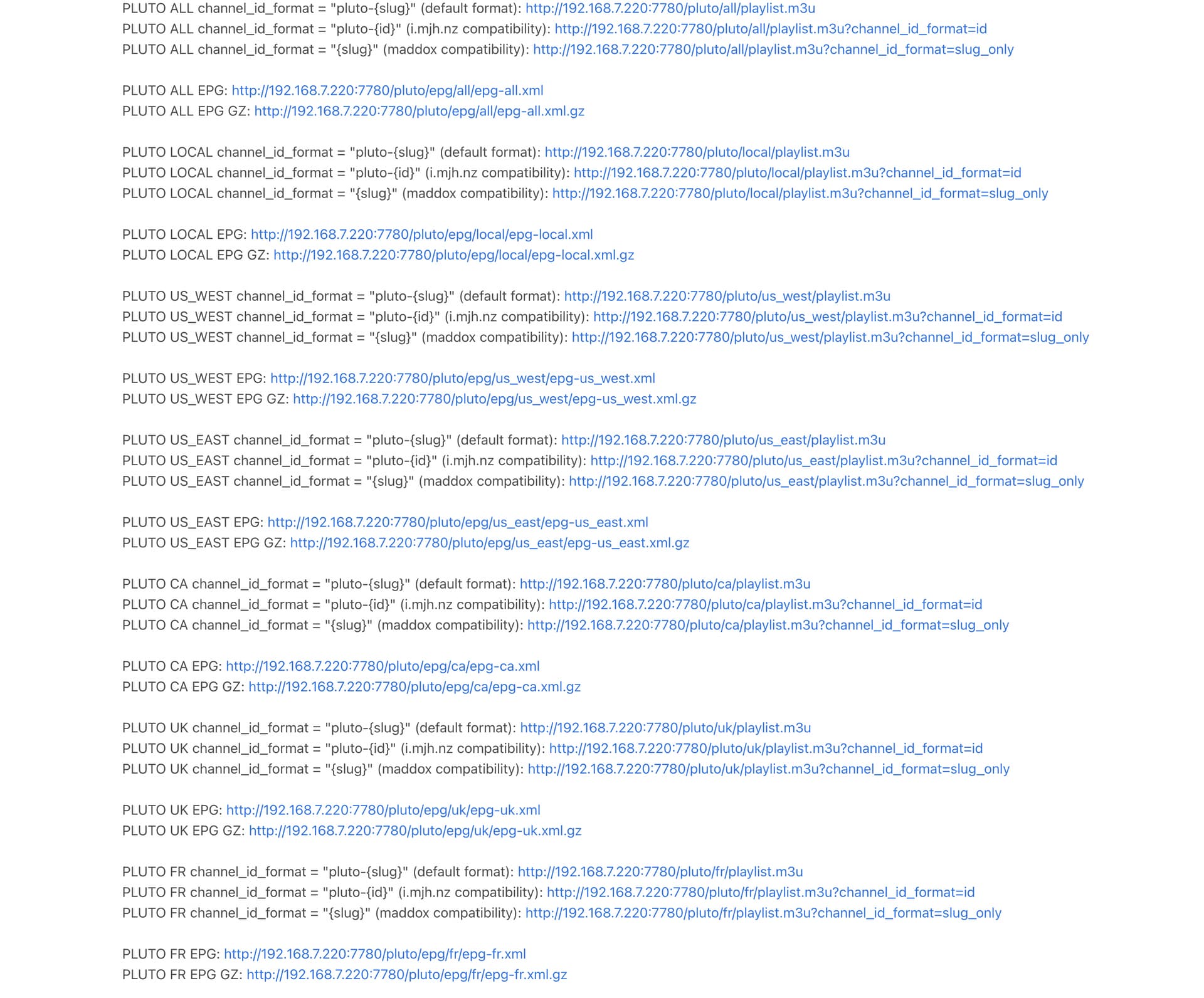
If you're running the jgomez docker version, check the environment variable PLUTO_CODE= which defines what countries will be available. Channels DVR will only grab the first 750 channels.
https://github.com/jgomez177/pluto-for-channels?tab=readme-ov-file#environement-variables
Okay I do have that enabled, it just started doing this, I have added and removed the source. I installed it from OliveTin. Still no luck.
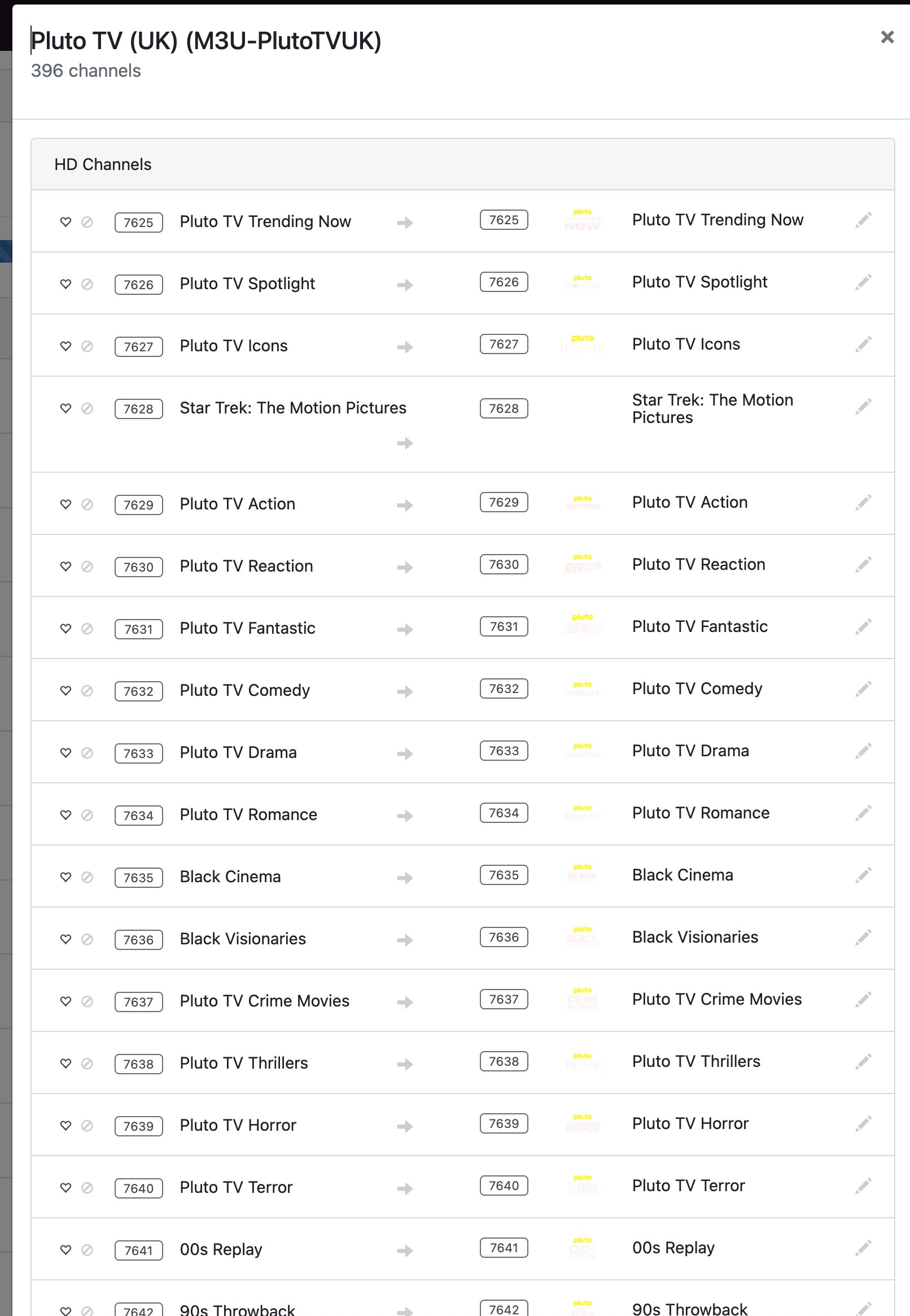
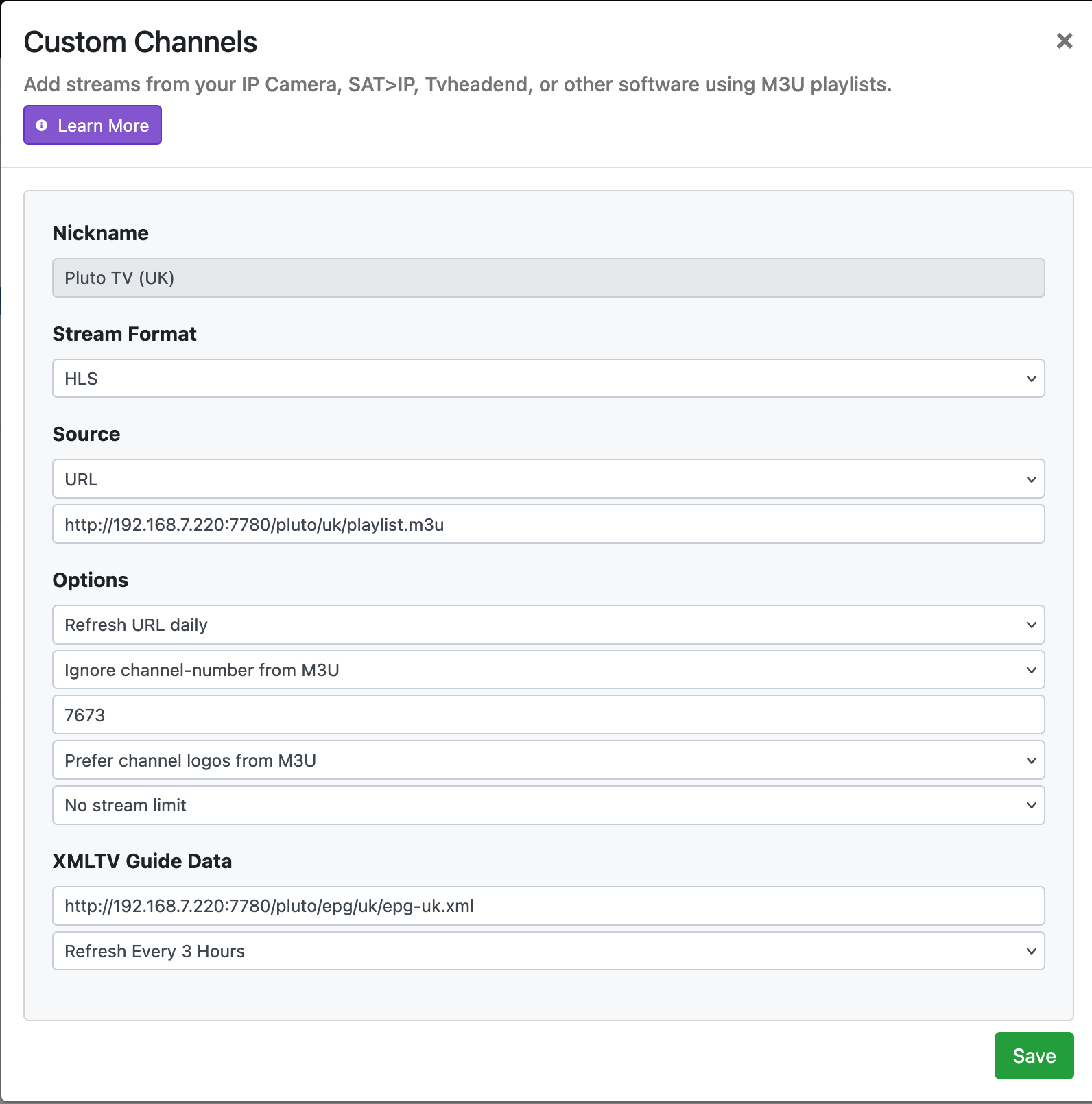
According to your Custom M3U Channel setting
The Pluto TV (UK) channels will start at 7673 in your guide
Not 7625
If you have multiple custom m3u sources and you use a start channel number in the settings, I find it best to separate them by 1000 to prevent overlap (limit 750 per source).
i.e.
Source 1    1-1000
Source 2 1001-2000
Source 3 2001-3000
...
3 posts were merged into an existing topic: [RELEASE] Playlist Manager for Channels [Streaming Library Manager Extension]
Anyone having issues with Pluto not working today? It was working fine overnight but when I went to stream something I just get the "Connection Lost" message no matter which channel I try. I have restarted everything and the standalone PlutoTV app on my Andriod TV boxes all connect and stream without any issues.
Is there someplace to see any errors that are generated to help in troubleshooting the issue? When I look in Docker at the log for instance it just shows Success at the end of loading and no errors.
Not working for me. Have been using nocords.xyz forever...
Edit: Pluto app on Android is not working for me either. "We're having trouble playing this title" error...
Edit: Works now.
I got that the 1st time I tried the app but then it started working (and is still working currently).
Edit: Spoke too soon, after exiting the app it no longer connects so it looks to be a Pluto issue.