Dred, I don't feel sufficiently knowledgeable about Docker to be of the kind of help you probably seek. But I can offer a little. Docker is a "package" you can install in Synology. When you sign into Synology via browser, "package center" is an icon on the "home page" (for me). You can click that and then enter Docker in the search box. It will pop up and you'll have the option to "install" it.
What is it? I think of it as an "engine" in which homemade apps can make Synology do a few things it can't do with stock apps. I believe it's open and it's basically a way to run little apps in siloed containers. Someone can develop an app for it, make it available and if someone else wants to run it on their Synology, they can select the "image" and install it to run.
When installed, you can "open" Docker. In the left margin, select "Registry." I perceive this is all of the Docker "apps" available to run (though I've come to learn there are many more beyond this list importable by URL calls). There are MANY of them. Over in search, you can search for keywords. For this one, I enter KineticMan and only one shows up for me: kinetic man/pluto-for-channels. That's the ONE for this issue.
From here, you'll have to experiment or someone else needs to chime in. I've already installed it so I can't recall the installation steps. I think it needs a click or double click or maybe selecting the blue icon far right to "install."
After it is installed, there are additional steps (and it has an installation wizard-type sequence of screens) I don't recall the details exactly. But here's what I do remember:
- While it is not running (toggle is slid left to "off", Edit, "Advanced", Environment Variables: this is where you add some field entries to input your user name & password, which you setup with Pluto directly (on Pluto's website). This is ALL you need from the Pluto website.
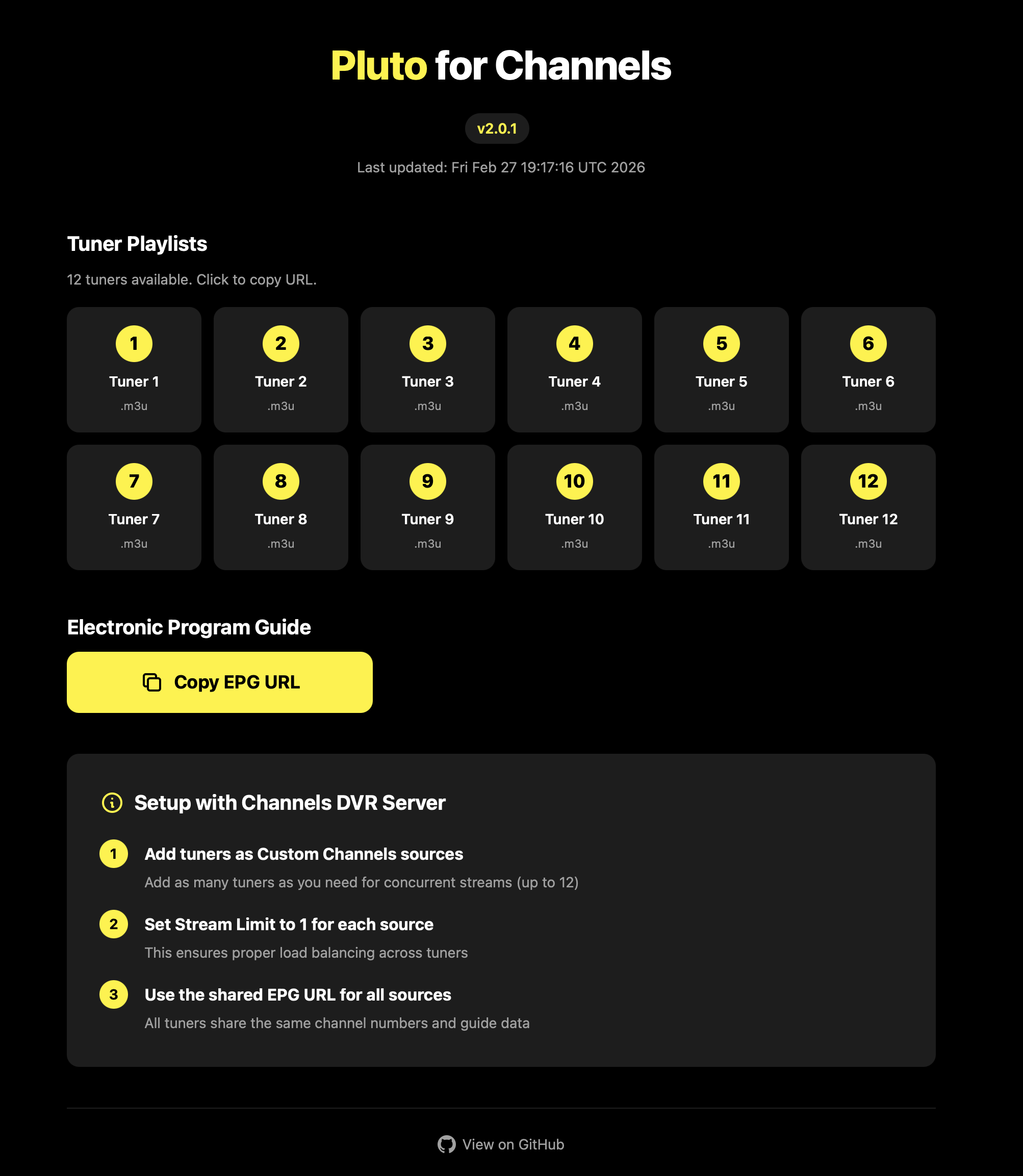
- You'll need 2 addresses: one for the m3u and one for the EPG. I forgot how I got to the screen with those on them (clicked or double clicked something in Docker, I think) but you'll need them when you shift back to Channels to "add source." They get pasted into a couple of boxes that call for them under Source and XMLTV Guide Data. Without them, I believe scanning for "sources" will find this running docker but not "see" any channels... because the 2 addresses are key to populating channels and guide with "what's on (Pluto)?" I can readily get to this screen now (after install) by adding the port number for this docker app after the channels IP address call in the address bar of the browser. There are a good number of choices there but I just copy & pasted from the "all" choices: one for m3u and one for epg.
From here, I'll have to hope someone else with more knowledge can step in and tell the rest of the story step-by-step. And I probably left out a key step or two+. I rarely have to get into Docker and do anything and some of what I know is from running 1 or 2 other Docker "apps" on Synology also to add channels.
I have to believe there is PLENTY of online documentation (UPDATE: yes do a search for "install docker on Synology" and even find that Synology themselves offers some good info) and probably at least one video on YouTube (UPDATE: I didn't count them but there appears to be towards a few DOZEN) about using Docker on Synology.
Once you have this Pluto one working, you might look up other options such as matthuisman-samsung-tvplus-for-channels for another bunch of good, free channels to add to Channels too. Some of my favorite channels on Channels come from these 2 "apps" running within Docker on Synology. I hope this at least helps you some. Sorry, I don't know the absolute step-by-step.
One more tip: if you work with any A.I., ask it for assistance with installation. It seems to know some details and I think it helped confirm for me a thing or two in getting this working.