Pluto TV On Screen Message "Pluto TV is no longer available on this device"

Can't get into console to run the script. Setup the maddox container and image on Portainer (running Container Mgr in Synology). I am getting an OCI runtime error. The consoles that do open successfully on other containers open with a "root@..." line I noticed.

Can someone provide the step by step setup for this Pluto image so I can discover what I missed? Thanks.

**Finally figured it out by trial and error (over 3 days) but thanks for all the assistance!! LOL
when I set up Channels a few years ago, I set the port to :8089. so yes, I can using :8089. (Not sure what my reasoning at the time was or if I was just trying something different, but it worked.) I think to change it back, I would have to uninstall channels and set it up again on the server. I have tried to see where i could change on the server side but can’t find it. So, when I set up the epg.xml and playlist in custom channels, I point to 8089.

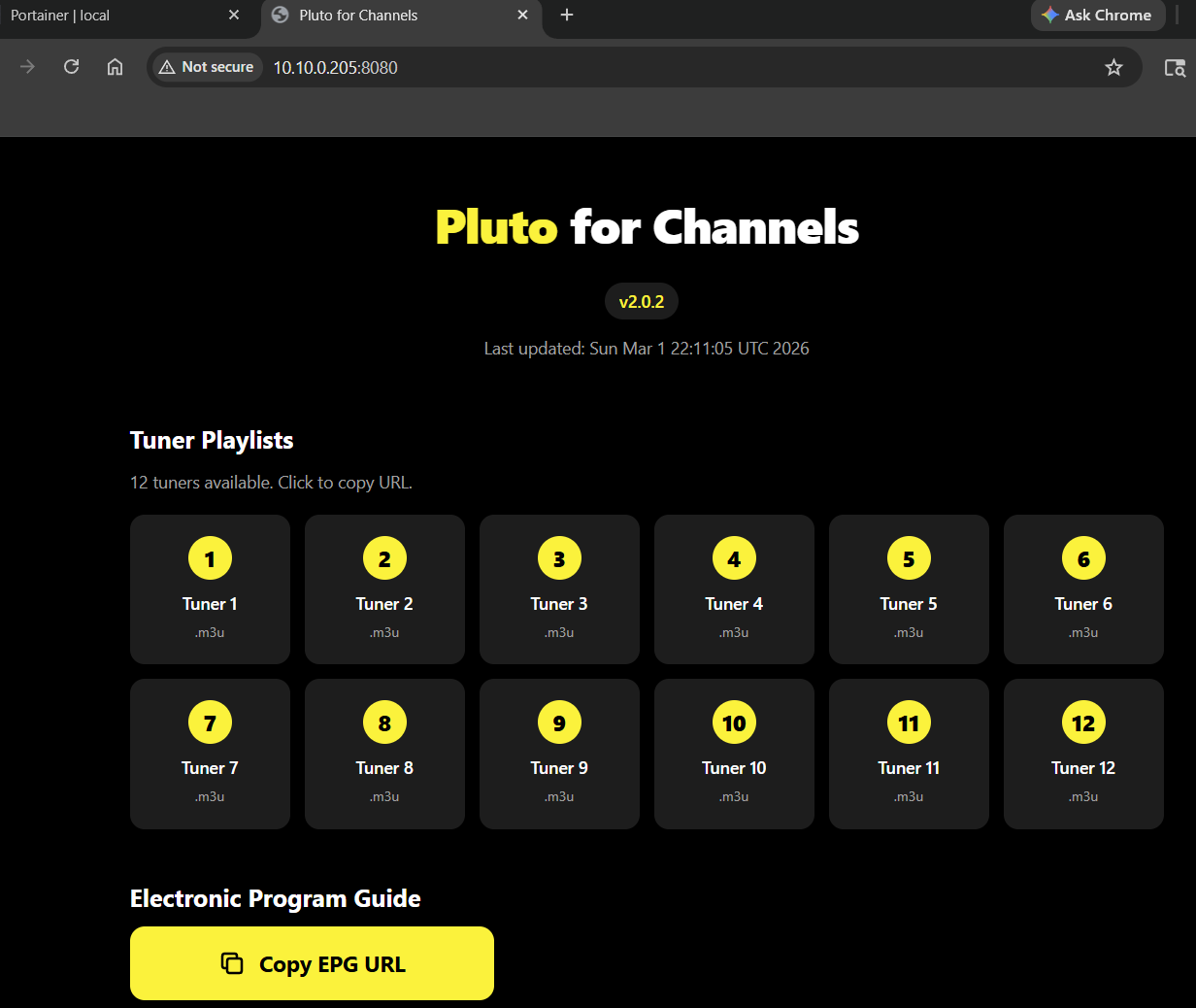
Your Channels DVR servers default port is 8089 generally. So if you have the pluto container installed. It shouldn't also be on port 8089 or they would collide. When I was asking if you can get to 8080 via browser. I was referring to this screen.

For example below tuner 1 and 2 for mine would look like this. And epg for it.

Tuner 1
http://10.10.0.205:8080/tuner-1-playlist.m3u
http://10.10.0.205:8080/epg.xml

Tuner 2
http://10.10.0.205:8080/tuner-2-playlist.m3u
http://10.10.0.205:8080/epg.xml

nope, i cannot.

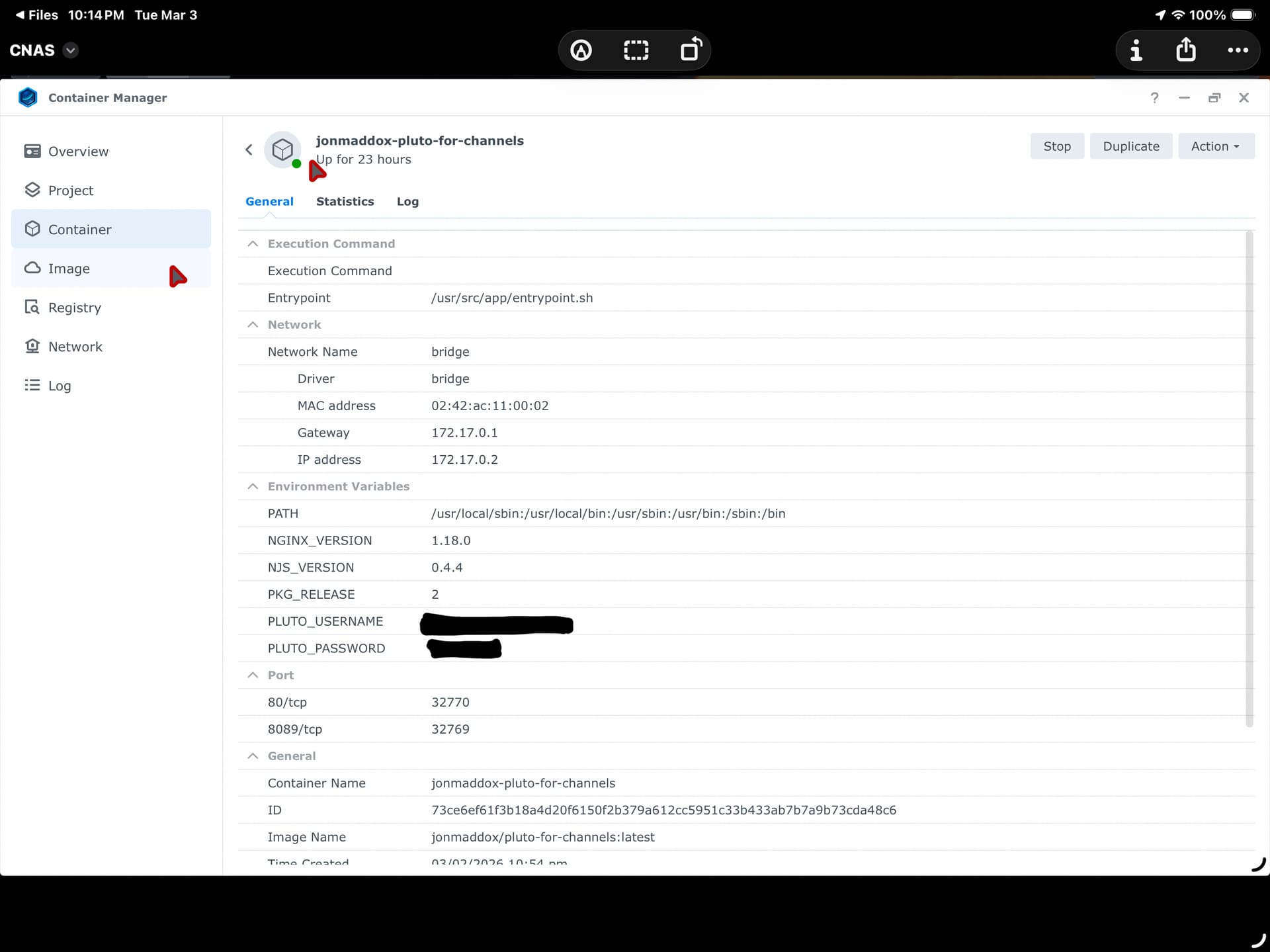
Can you provide screenshots of your pluto container and if you have user and password blur them out. Otherwise kinda hard to tell whats going on.

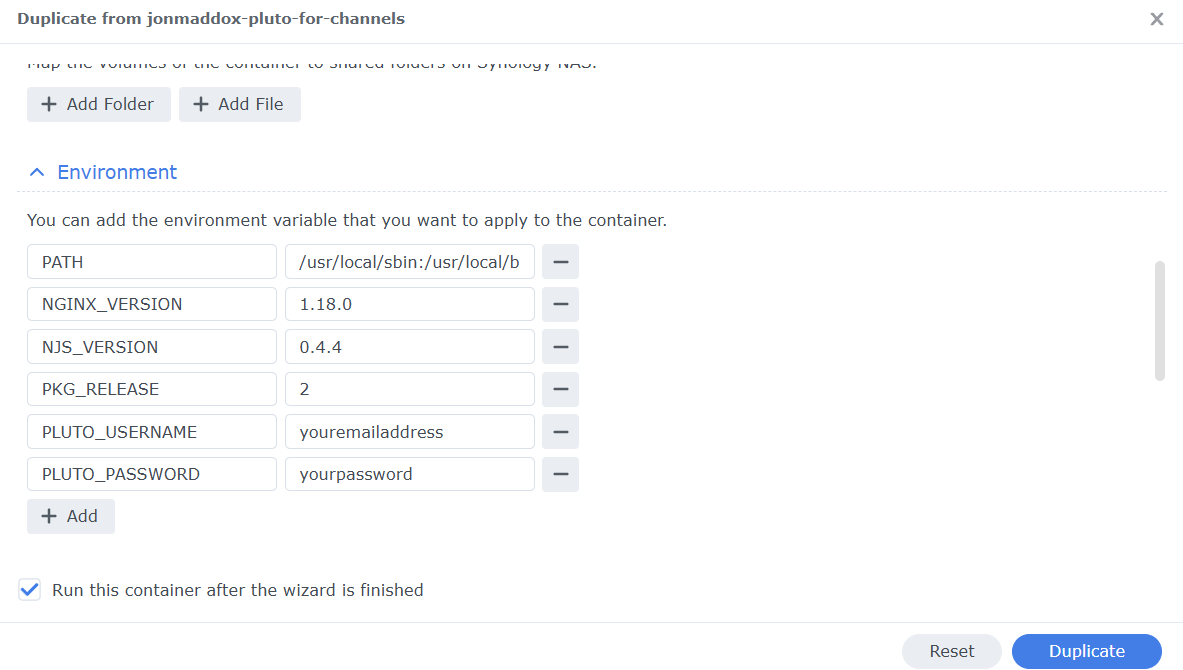
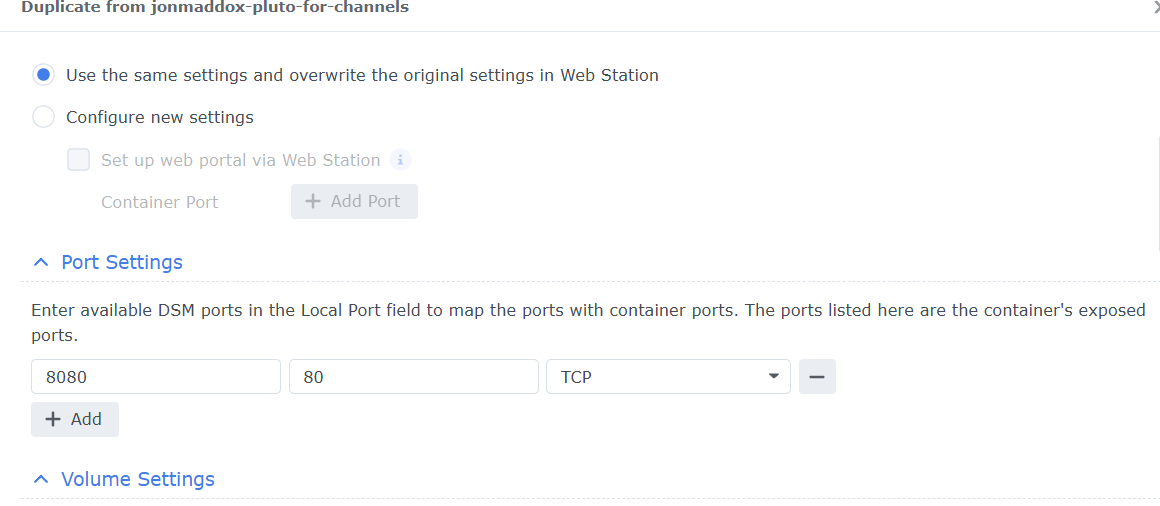
Here is a screenshot of my setup. I was able to access the page without credentials. I provided the screenshot below on how the credentials should look like. I wish Synology would allow you to just edit the original container instead of creating a duplicate everytime you want to change the Environment Variables.


Yes, I wish you could just edit the existing container. but I can delete this container and set up a new one. I realize looking at your container I didn’t put the local port 8080 in when I set it up, I did 8089.

Ahh don't use 8089. Make sure to use default 8080 or 8081. It would conflict with your Channels DVR server if you have it set to 8089

ok! I got the container web page. i guess I have to setup the customer channels for all 12 tuners, right?

Nice! No you don't have to do all you can do just the first 4 or 8 if you want. Or as many as you think you need. I would say a minimum of 4 in case you record two things at same time and have two tvs watching live.

Thank you sooooo much! Couldn’t have done it without ya!!!!
I don’t understand why 12 tuners, is it for recording 12 different shows at once?

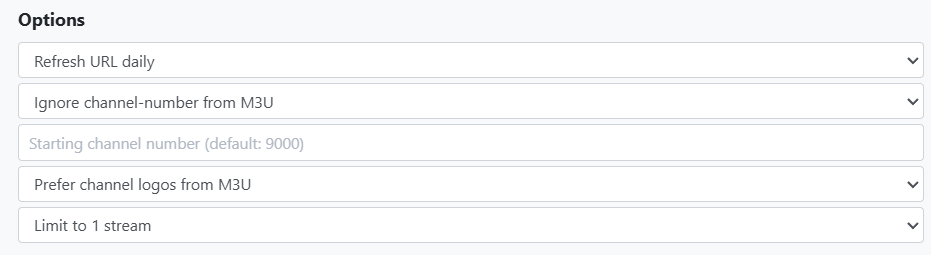
So with the change of user and password. Each device can only have one active channel. The project hard coded 12 different device IDs so pluto thinks you have 12 different pieces of hardware. Also don't forget to set each one to 1 stream limit. Otherwise Channels DVR will try to use the first one for all.

ohhh, ok, got it. Thank you again!!!

sorry, does that mean i have to set up favorites for each tuner? I have a lot of favorites.

nvm. i just figured it out — I do.

You will want to use. Prefer channel-number from M3U on each one. That way it thinks they are all the same. Otherwise you will get as many duplicate channels as you created. Like 4 or 5 Pluto Horror channels.

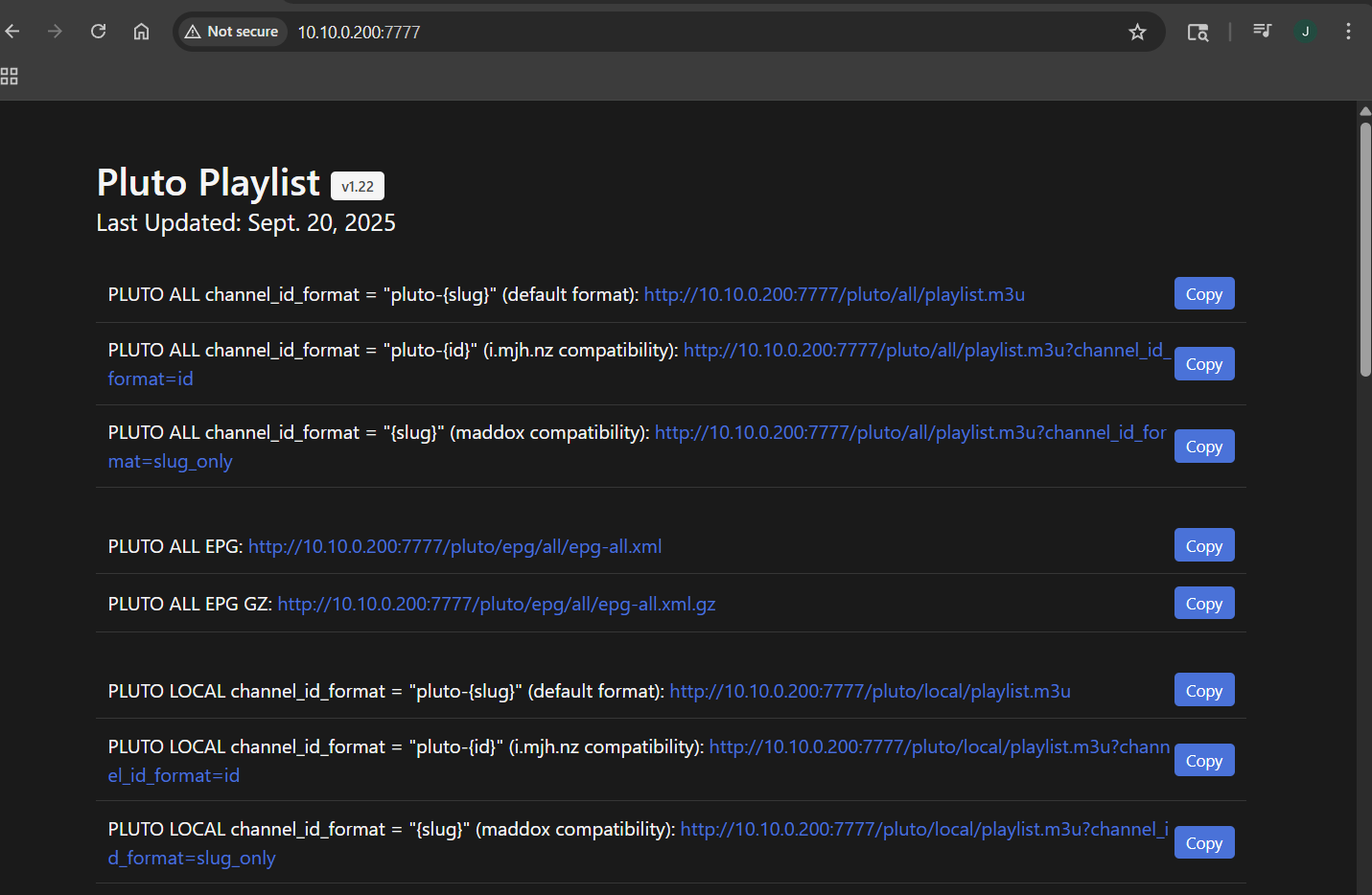
I have switch mine over to this version though. Does the same thing but handles all the Client ID on the container side and you only need to setup one Source.

I can set this up by creating a new container in docker, right? I had a lot of problems trying to use the CLI. I did see kineticman/pluto-for-channels in the registry. I think I will try this tomorrow as long as i don’t have to use the CLI.

Yes you can just search for it. Use port 7777 (Unless you have something else like Tubi that might use 7777 already) for the local port and create the two environment variables like you did before. Then you should be able to open the webpage like the other one.