Recording the Olympics

The Olympics are coming up next week, and I was just playing around with the guide trying to figure out how to record them and realized what I really want to do is record NBC all night in one big block, including the local news, so I can watch it and skip through what I don’t want to see.

Is there any way to do this? Can I create a big multi-hour recording on a single channel? How would it be named? I feel like this would be the optimal way to watch the Olympics, at least on NBC because they have multiple different mini-shows and news events during the night that I will want to watch without having to go through the guide and figure out what order they were in etc.

Thoughts?
Hmm. You could record the first program manually and set the end padding so it keeps recording?

Since the Olympics are in South Korea this year, I suspect the prime time broadcast to be quite edited and on time. NBC probably won’t run into any overages. Even still, you can add end padding like @tmm1 said.

The prime-time broadcast is already set as a 3 hour block each night (sometimes longer on weekend days). It’s not broken up into multiple programs. I would suggest you set each night’s primetime broadcast to record and you could add some padding at the end of each to be safe.

Well I noticed some days had programs before and after the 3 hour block and at least one day had a 5 minute local news break between programming so I wanted to make sure I got it all and didn’t have to hop between recordings etc.

I’m having a hard time with my Olympics series pass. Creating the series seemed pretty intelligent to know it was a multi show event, and it’s recording from both the NBC main network as well as NBCSports. My problem is finding the events to play back.

On AppleTV the events are not in any meaningful order that I can figure out. (Definitely not chronological). Also when I click on an individual recording it doesn’t list the time spot it was recorded in or the channel.

This evening my wife and I were trying to find the prime time show, 5PM on NBC, but had to click through more than half of the 37 episodes looking at the date and descriptions to try to find the right one. Did I do something wrong with my series pass or do others think think the time/channel would be helpful in the description?

4 Likes

We noticed this last night. I’m not sure why the recordings aren’t at least in order by date, we’re going to look into it.

As for not showing recording time and recording channel, we find that meta data to be not useful and clutter up UI for 99% of the cases, but for this case, yeah, it would be useful. I found that myself the other night “ugh is this the NBC broadcast or the NBC Sports broadcast?!” lol. The irony was not lost on me.

But that’s at least why it’s not in there. Again, it’s almost never useful when browsing your library of recordings, but in this case it would be. We’re going to look at what we can do from the server to make it a little better.

I’ll report back if there’s anything we can do. No promises though, but you can be assured if we can’t do anything, it’s because of limitations, not us not wanting to. I love the olympics and want Channels to be a great way to watch them for everyone!

My Olympic recordings are showing up out of order as well, and I just have NBC broadcast. I would expect them to be sorted by recorded date/time. This is on Apple TV. The web interface has them in order of recording.

I determined that this is an issue with the app. The reason is that we order by original air date, and these airings have no original air date. We’re working on fixing it, stay tuned.

The out of order olympics recordings is driving us nuts here, great to hear you have an answer! Last night we accidentally watched one out of order and it spoiled who one some of the events when an announcer did a recap.

Also not sure why but several of the recordings are ending early and I have to seek through another one to find where it continues. This is basically what I wanted to avoid in my original post. But I didn’t want to have to edit every day manually extend the recording etc.

I have one possible solution to this. If I have two back to back recordings, and they are in the same series pass, channels could seamlessly play the next recording (ie without re-playing the pre-record time). Maybe it would say something like “auto playing next recording”. And maybe have a button to cancel. Actually this would be cool also for adjacent recordings of different passes too, but maybe then it should ask and not continue automatically.

NOOOOO!!! So sorry about that. Spoilers stink.

I’ve got something in line to solve this and we’ll be pushing up a build to App Review today.

1 Like

Updates have been submitted to App Review

2 Likes

v3.1.8 has been released to the App Store with the fix.

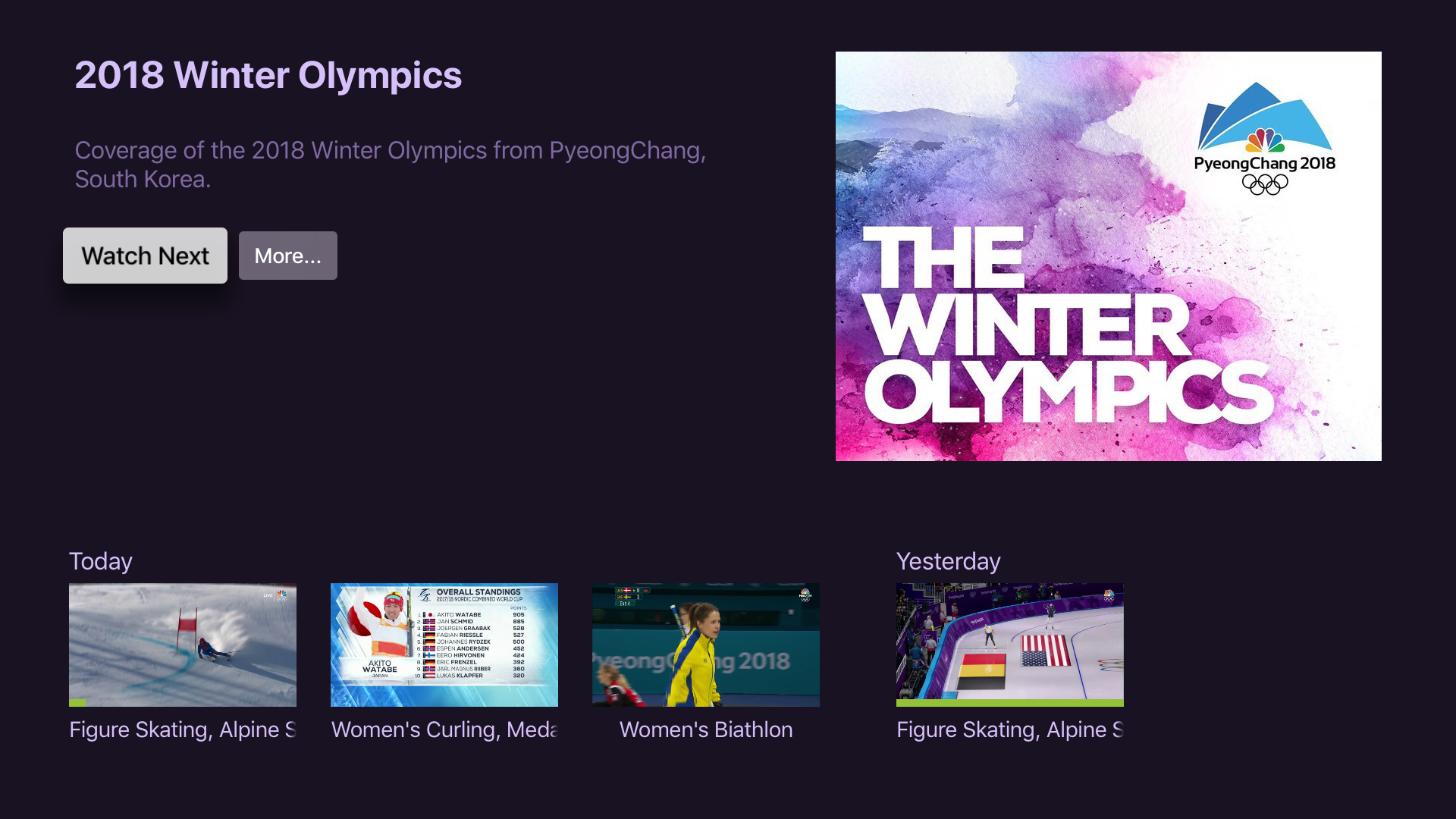
Olympic recordings are now in the correct order (most recent to oldest) and we grouped them by day to give them some separation.

Shot

1 Like

Thanks for the quick turnaround on the re-ordering and Today/Yesterday differentiation. I still feel though that adding at least the time of the recording could be beneficial without adding clutter once you click into a recording (not the screen you’re showing). For example, the primetime (5PM) showing on the main network each night usually has the days recap, top events, etc. Being able to find which recording this was (without having to guess based on it’s position in the order) would be helpful.

4 Likes

Looks good. One thing, it’s not immediately obvious within each day what the order is. Maybe you could put the recording time like “5:00 PM” above the box or as part of the episode name.

The order is always most recent first.