
Hopefully this is just a simple setting i can't seem to find...
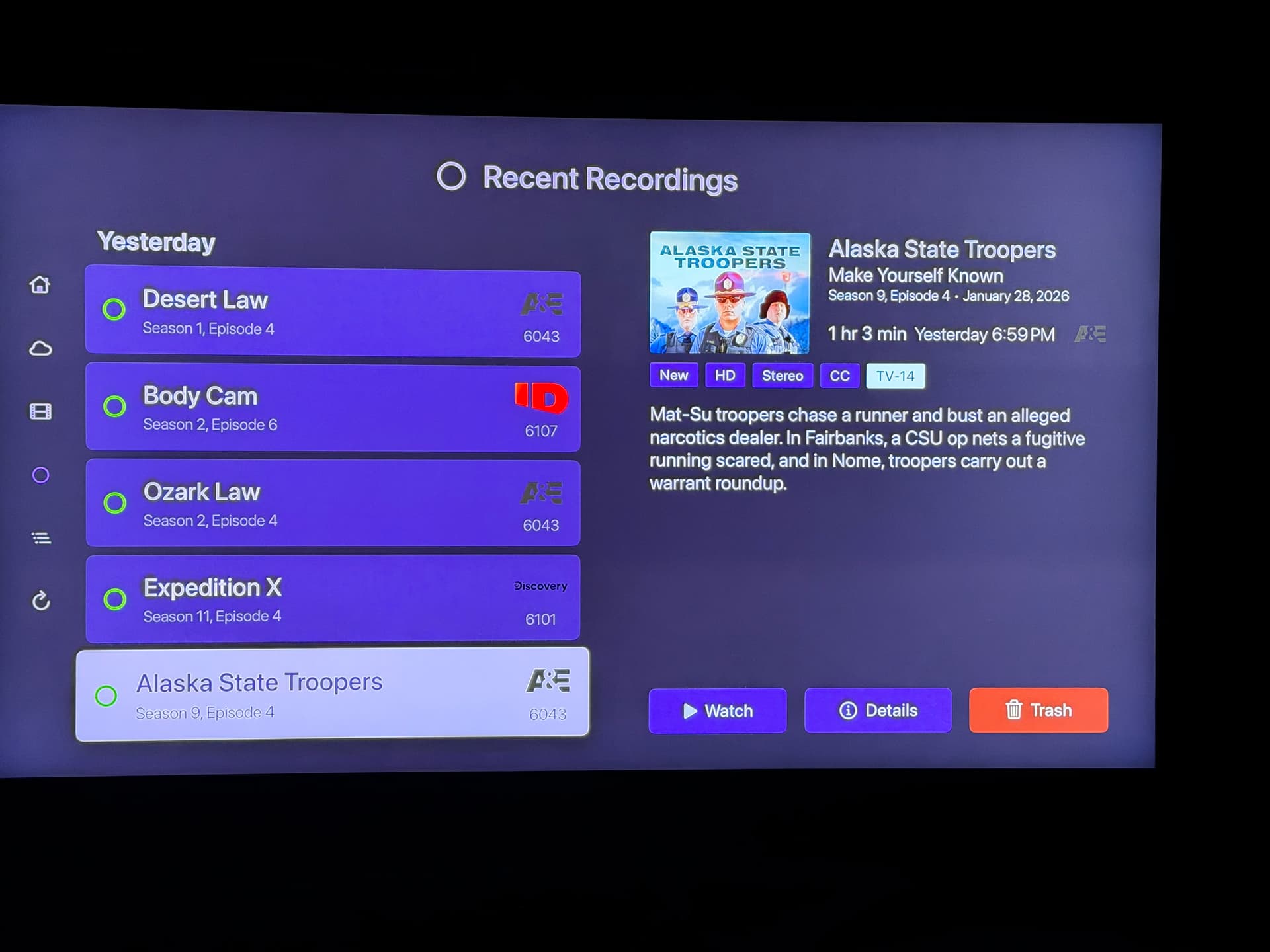
How does one set on the Apple TV app, the Recordings page, to show Recordings in oldest at top?
As it is now, it shows newest on top...and that is a pain as the shows i record on Wed evenings air on the same channel in order back to back and thats how i want them to show on that page.
I see a setting server side "Library, Airing Order" that is set to Oldest First, but does not seem to affect the Recordings page in the app. I can set the sort order on the web UI, but not seeing how to do so in the client app.
Here is a pic of the Recordings screen, the show listed are top to bottom newest to oldest, how can i reverse that?
This is the default built-in Recordings page, not a Personal Section.
EDIT: I was able to make a Personal Section just for recordings, but, why is the episode blocks so much fatter compared to the Default Recordings page?
