[RELEASE] Stream Link/File Manager for Channels [Streaming Library Manager Extension]

@babsonnexus Update... So I couldn't stop SLM and do the 2 commands as the container wasn't running so couldn't access it... so I restarted it and shelled in and ran the 2 commands...
I checked the yt-dlp version and it said it was the 03.17... but the log said it was still 03.13 when I loaded a live stream... So I restarted SLM... now the log does shows 03.17...
anyway, here is the log from the restart to the first yt live stream:

2026-03-21 05:20:29.358240:  Beginning Initialization Process (see log for details)...
2026-03-21 05:20:30.100208:  Initialization Complete. Starting Streaming Library Manager for Media Players...
2026-03-21 05:20:30.100681:  INFO: Server starting on port 5000
 * Serving Flask app 'slm'
 * Debug mode: off
2026-03-21 05:21:26.216206:  INFO: Starting to retrieve manifest for https://www.youtube.com/watch?v=Gd9d4q6WvUY.
[debug] Encodings: locale UTF-8, fs utf-8, pref UTF-8, out missing (logger) (No ANSI), error utf-8 (No ANSI), screen missing (logger) (No ANSI)
[debug] yt-dlp version [email protected] from yt-dlp/yt-dlp [04d6974f5] API
[debug] params: {'verbose': True, 'no_warnings': False, 'format': 'all', 'retries': 0, 'fragment_retries': 0, 'logger': <__main__.YTDLLogger object at 0x7f70a0effaa0>, 'js_runtimes': {'node': {'exe': 'node'}}, 'extractor_args': {'youtube': {'player_client': ['web_safari'], 'formats': ['missing_pot'], 'player_skip': ['configs', 'webpage'], 'skip': ['dash', 'translated_subs']}}, 'remote_components': set(), 'compat_opts': set(), 'http_headers': {'User-Agent': 'Mozilla/5.0 (Windows NT 10.0; Win64; x64) AppleWebKit/537.36 (KHTML, like Gecko) Chrome/140.0.0.0 Safari/537.36', 'Accept': 'text/html,application/xhtml+xml,application/xml;q=0.9,*/*;q=0.8', 'Accept-Language': 'en-us,en;q=0.5', 'Sec-Fetch-Mode': 'navigate'}}
[debug] Lazy loading extractors is disabled
[debug] Python 3.12.13 (CPython x86_64 64bit) - Linux-6.19.8-200.fc43.x86_64-x86_64-with-glibc2.41 (OpenSSL 3.5.5 27 Jan 2026, glibc 2.41)
[debug] exe versions: none
[debug] Optional libraries: Cryptodome-3.23.0, brotli-1.2.0, certifi-2026.02.25, curl_cffi-0.14.0, mutagen-1.47.0, requests-2.32.5, sqlite3-3.46.1, urllib3-2.6.3, websockets-16.0, yt_dlp_ejs-0.8.0
[debug] JS runtimes: node-24.14.0
[debug] Proxy map: {}
[debug] Request Handlers: urllib, requests, websockets, curl_cffi
[debug] Plugin directories: none
[debug] Loaded 1864 extractors
2026-03-21 05:21:26.439748:  INFO: Extracting info from https://www.youtube.com/watch?v=Gd9d4q6WvUY...
[debug] [youtube] [pot] PO Token Providers: none
[debug] [youtube] [pot] PO Token Cache Providers: memory
[debug] [youtube] [pot] PO Token Cache Spec Providers: webpo
[debug] [youtube] [jsc] JS Challenge Providers: bun (unavailable), deno (unavailable), node, quickjs (unavailable)
[youtube] Extracting URL: https://www.youtube.com/watch?v=Gd9d4q6WvUY
[youtube] Gd9d4q6WvUY: Downloading initial data API JSON
[youtube] Gd9d4q6WvUY: Downloading iframe API JS
[youtube] Gd9d4q6WvUY: Downloading player 1ebf2aa6-main
[youtube] Gd9d4q6WvUY: Downloading web safari player API JSON
[youtube] [jsc:node] Solving JS challenges using node
[debug] [youtube] [jsc:node] Using challenge solver lib script v0.8.0 (source: python package, variant: minified)
[debug] [youtube] [jsc:node] Using challenge solver core script v0.8.0 (source: python package, variant: minified)
[debug] [youtube] [jsc:node] Running node: node --permission -
[WARNING] [youtube] Unable to fetch GVS PO Token for web_safari client: Missing required Visitor Data. You may need to pass Visitor Data with --extractor-args "youtube:visitor_data=XXX"
[youtube] Gd9d4q6WvUY: Downloading m3u8 information
2026-03-21 05:21:29.849699:  INFO: Extraction successful for https://www.youtube.com/watch?v=Gd9d4q6WvUY.
2026-03-21 05:21:29.849755:  INFO: Found 6 formats.
2026-03-21 05:21:29.849844:  INFO: Best format URL found using m3u8: https://manifest.googlevideo.com/api/manifest/hls_playlist/expire/1774128088/ei/eLe-aau7JJOKsfIP0c55/ip/72.253.16.202/id/Gd9d4q6WvUY.4/itag/301/source/yt_live_broadcast/requiressl/yes/ratebypass/yes/live/1/sgoap/gir%3Dyes%3Bitag%3D140/sgovp/gir%3Dyes%3Bitag%3D299/rqh/1/hls_chunk_host/rr2---sn-i5f5ppuxa-ioal.googlevideo.com/xpc/EgVo2aDSNQ%3D%3D/playlist_duration/30/manifest_duration/30/bui/AVNa5-xrQx5TdLkjEIv2diK3SIl3IK7bKJrXCJMlNu4rU80J1sBMI-mFtT64A8eRqV4O8f7Qr-MpPwdJ/spc/6dlaFKyYgHmvN41_qmIM3ml9vMY8vpPv2865gMfoHvVnIHQQF7cLwFyZ29IIQfcchuIPng/vprv/1/ns/mN2-okNUoI1KNtWRS4LWGJgT/reg/0/playlist_type/DVR/initcwndbps/3398750/met/1774106489,/mh/jt/mm/44/mn/sn-i5f5ppuxa-ioal/ms/lva/mv/m/mvi/2/pcm2cms/yes/pl/19/rms/lva,lva/dover/11/pacing/0/keepalive/yes/fexp/51565116,51565681,51791334/n/unomRfUombz6sw/mt/1774106202/sparams/expire,ei,ip,id,itag,source,requiressl,ratebypass,live,sgoap,sgovp,rqh,xpc,playlist_duration,manifest_duration,bui,spc,vprv,ns,reg,playlist_type/sig/AHEqNM4wRgIhANIMcRLqm6XpKcXVS9VsKR53yRh6R2sK_WZc3DY3H2y-AiEA06UPQww-AhHhooFveiCZT3kg2pmQzkx1fGNqQuKC_sI%3D/lsparams/hls_chunk_host,initcwndbps,met,mh,mm,mn,ms,mv,mvi,pcm2cms,pl,rms/lsig/APaTxxMwRQIhAP05T9L38_Qwa5KIp8uoS0x05chYEd7LkqdK1XKlM7scAiAa0WOMKbzLPu4Ja9DtGALGFMhbTQRxMKtrMGdHa2xbZw%3D%3D/playlist/index.m3u8

Request added:

I think we're not on the same page, so I'll just drop it.
What shows in the SLM UI under log also appears in the container log, but some lines appear to be buffered and not flushed until later, when they finally appear in the container log.
When I view the container log I have it add timestamps.
So looking at the container log you don't see the lines with the timestamp of when they actually ocurred and were written to the SLM log. Also the SLM view of the log doesn't timestamp every line.

Show is reported previously bookmarked when I try and bookmark and generate stream links. The show doseshow up in previous bookmarks.

The show is "Jury Duty Presents: Company Retreat"

I tried to hide it and get:
WARNING: Nothing was bookmarked due to all selected/imported items already being previously bookmarked.

My understanding is that Hide is how one deletes a bookmark. This feels like a bug to me. Could it be the colin in the name?

Thank you

There is no bug, this is a user understanding issue.

Names are irrelevant; SLM checks a hidden unique identifier for TV Shows and Movies called the entry_id (the URL for Videos). When you "hide" a Movie or TV Show, it's still bookmarked with a Bookmark Action of Hide, like this:

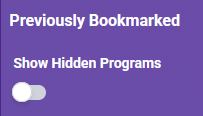
Hidden bookmarks are not shown by default. You can change your setting and save if you want to see them:

image

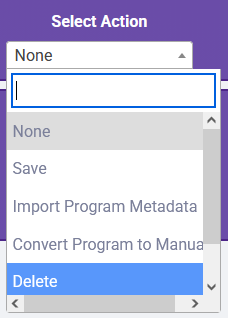
Then you can edit them as normal and do whatever you want. So if you want to get all the episodes, change the Bookmark Action to at least None, or any of the other options, depending upon your individual needs. If you want to delete it, you select that action:

image

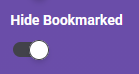
But if you delete, that means the program can come up in search and feeds again. Hidden means you will never see it again unless you turn off Hide Bookmarked, which is sounds like you have done:

image

Thank you,

Unfortunately I had a type-o in my original post so I'm retyping it:

Show is reported previously bookmarked when I try and bookmark and generate stream links. The show doesn't show up in previous bookmarks and never did. This was the first place I looked as I wanted to delete it.

The show is "Jury Duty Presents: Company Retreat"

I tried to hide it and get:
WARNING: Nothing was bookmarked due to all selected/imported items already being previously bookmarked.

Thank you for the correction of what hide dose. No matter which setting I use for "Show Hidden Programs" it does not show up in previous bookmarks.

I just tried to set the show to "none" and this resulted in:

Internal Server Error

The server encountered an internal error and was unable to complete your request. Either the server is overloaded or there is an error in the application.

Going back in I get:
WARNING: A SLM process is currently underway and, due to this, 'Manage Programs' functionality cannot be run at this time. If you were executing an action, your last position will be saved and be available when the process completes. Please try again later.

I've been down this path before so I'll restart the server as it is the only way I can regain function.

So how do I delete a show that does not show up in Previously bookmarked yet reports as bookmarked when I try and do anything with it?

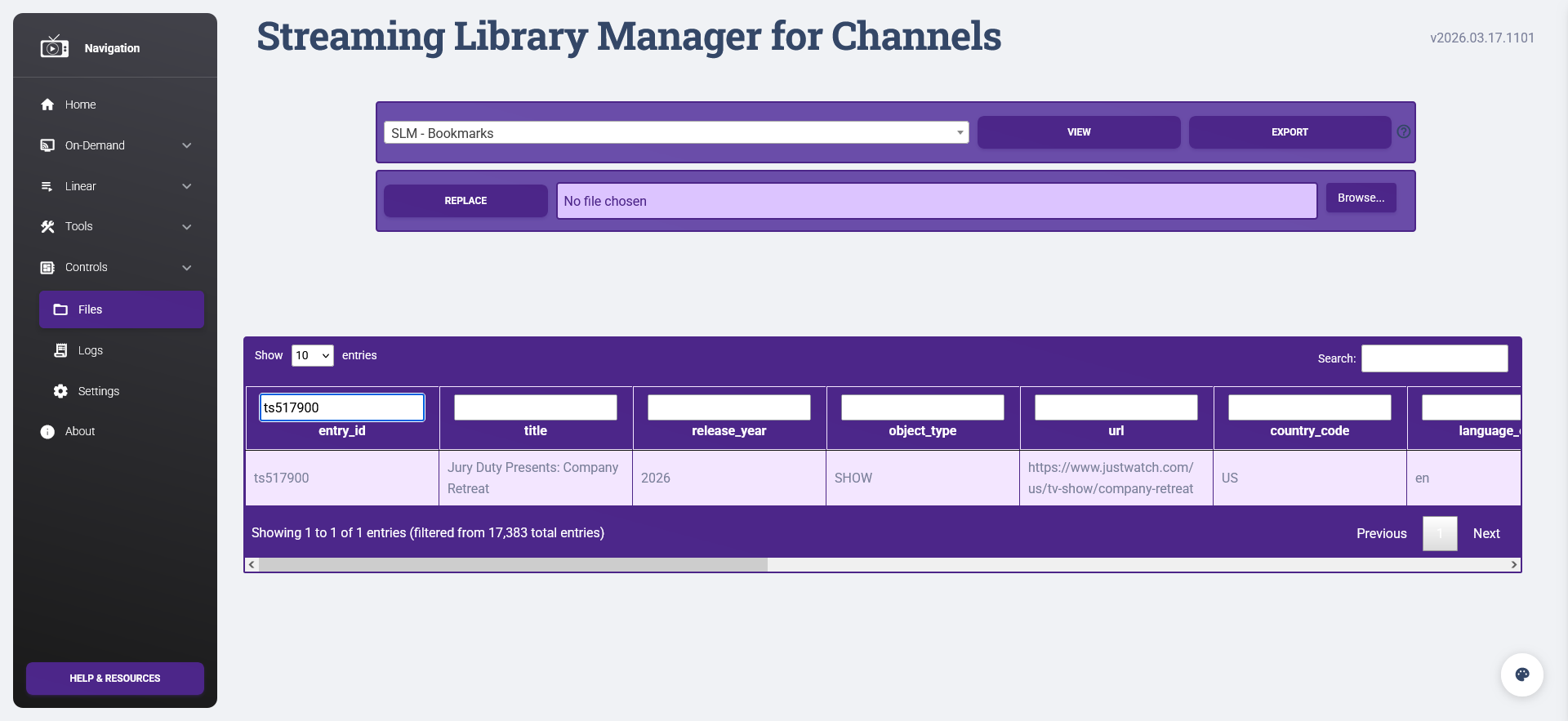
Go to Controls > Files, select SLM - Bookmarks and click View. When it loads, in the filter field for entry_id put ts517900. You should see something like this:

If you do, that proves the item is bookmarked. Perhaps it has a different Title that was accidentally saved? Use that to find it because if its here, then it will be in that dropdown. Remember when changing your settings you have to click Save Default for them to take effect; you can't just toggle the options and get different selections in the dropdown.

I can't tell what you did from your description because you are saying you can't find it but are somehow changing it. Seems too much is getting mixed here for me to follow. Screen shots and logs with the story are the most helpful thing to me.

Thank you,

The search showed me that it's bookmarked as "Company Retreat". It's a data consistency error from Just Watch and I'm aware it's hardly the first time. They have the show name as "Company Retreat" in some places and in others they use the full name "Jury Duty Presents: Company Retreat". I was able to generate the stream links yet there is another data error they don't list all the episodes so I created those stream links manually.

3 Likes

Update on the YouTube channels issue: So, I suspected YouTube flagged my IP because I used Tivimate with multiple streams. However, a few months ago, my ISP had put my router in a commercial VLAN with a static IP, because someone in my household had issues with their work VPN. This morning I found their work VPN was "broken", and they had been using their hot spot for days and never told me. My ISP has just merged with another company, so I suspect something got "rebooted" or "reassigned to default". I put in a ticket, and ISP fixed the routing issue. Magically, YouTube streams work normally again without a VPN or signing into the YouTube account!! My external IP is exactly the same today as it always has been, so that was not part of the mix. Thought this might be helpful for others.

These features and fixes should be working as of this version:

1 Like

@babsonnexus
Log issue/change? Was the log config changed?
I just updated to the v2026.03.29.1338...
Here's the only thing in my podman/linux log:
image

Meanwhile, the Controls/Logs show:

[youtube] Gd9d4q6WvUY: Downloading iframe API JS
[youtube] Gd9d4q6WvUY: Downloading player 8e54e4ea-main
[youtube] Gd9d4q6WvUY: Downloading web safari player API JSON
[youtube] [jsc:node] Solving JS challenges using node
[debug] [youtube] [jsc:node] Using challenge solver lib script v0.8.0 (source: python package, variant: minified)
[debug] [youtube] [jsc:node] Using challenge solver core script v0.8.0 (source: python package, variant: minified)
[debug] [youtube] [jsc:node] Running node: node --permission -
[WARNING] [youtube] Unable to fetch GVS PO Token for web_safari client: Missing required Visitor Data. You may need to pass Visitor Data with --extractor-args "youtube:visitor_data=XXX"
[youtube] Gd9d4q6WvUY: Downloading m3u8 information
2026-03-29 08:14:15.621756:  INFO: Extraction successful for https://www.youtube.com/watch?v=Gd9d4q6WvUY.
2026-03-29 08:14:15.621851:  INFO: Found 6 formats.
2026-03-29 08:14:15.621951:  INFO: Best format URL found using m3u8: https://manifest.googlevideo.com/api/manifest/hls_playlist/expire/1774829654/ei/9mvJacKsHLyRsfIPnPPT6A0/ip/72.253.16.202/id/Gd9d4q6WvUY.4/itag/301/source/yt_live_broadcast/requiressl/yes/ratebypass/yes/live/1/sgoap/gir%3Dyes%3Bitag%3D140/sgovp/gir%3Dyes%3Bitag%3D299/rqh/1/hls_chunk_host/rr2---sn-i5f5ppuxa-ioal.googlevideo.com/xpc/EgVo2aDSNQ%3D%3D/playlist_duration/30/manifest_duration/30/bui/AUUZDGK6RmKF449EXMgtFlYIy2xvaERZog6rw5ZblDWTq_kW1p3_7XrnFNOAu0kjkl05h7m4rZPCUMpq/spc/jlWavb3-8aVNGS_9kppPe7WJN1hAbiGdtib2vJ1YQcE5HNlFWzQ0Vfzf8tYPNj-Vt6h31Q/vprv/1/ns/CxdWqK1Etizya-Eh2PiWC80T/reg/0/playlist_type/DVR/initcwndbps/3708750/met/1774808055,/mh/jt/mm/44/mn/sn-i5f5ppuxa-ioal/ms/lva/mv/m/mvi/2/pl/19/rms/lva,lva/dover/11/pacing/0/keepalive/yes/fexp/51565116,51565681/n/rw3n0Fib5XD5Vw/mt/1774807722/sparams/expire,ei,ip,id,itag,source,requiressl,ratebypass,live,sgoap,sgovp,rqh,xpc,playlist_duration,manifest_duration,bui,spc,vprv,ns,reg,playlist_type/sig/AHEqNM4wRQIhAICf4xy4ooDjQOqVqw-t8X6W_ZhQcHQRrmBjHxe80DTSAiBFZxg7k0aQyUs39HsO_dFEDAUEkdT6IF2QR9jIofpUnQ%3D%3D/lsparams/hls_chunk_host,initcwndbps,met,mh,mm,mn,ms,mv,mvi,pl,rms/lsig/APaTxxMwRAIgGP1LSD9ZLo6x-sIaKbfMgd_JrChPwTdeY57OD9oHIQgCIHSFJKaAwz1QihSWj4gmwN9lbO4ZO9QlAoUnFgLnqJws/playlist/index.m3u8
[info | 2026-03-29 08:14:15,624] - 10.89.3.6 - - [29/Mar/2026 08:14:15] "GET /playlists/streams/stream?url=https://www.youtube.com/watch?v=Gd9d4q6WvUY HTTP/1.1" 200 -

OK, update... so the last entry in the podman/linux log was 08:11...
Then at 08:24, a slew of entries showed up in the container log...

See above:

No support is or will be offered for any logging outside SLM's internal methodology.

1 Like

Are we the only two that understand what we're saying and showing?
I gave up and just view the log from within SLM now.

Thanks. Looking good!

1 Like

@chDVRuser no worries, I'll do the same going forward... use only the slm logs...

1 Like

Technically this is how I'm looking at it. I could be wrong.
Docker captures stdout and stderr streams from running containers and logs them.
It appears that the container stdout is being buffered somehow since that output is being delayed.

Just one example.
This log entry timestamped 13:00:13 local time (20:00:13 UTC) was logged by docker at 21:22:59 UTC.

UTC time container log      Local (UTC-7) time
2026-03-29T21:22:59.634787Z 2026-03-29 13:00:13.017508:  INFO: Best format URL found using m3u8: https://manifest.googlevideo.com/api/manifest/hls_playlist/...

So something kept that stdout buffered for over an hour.

Like I said, because of this the SLM container log will not be current, so I'm using the SLM log for this container.

Thanks

I installed this in Windows. How do I uninstall it?

  1. In Task Manager, make sure slm.exe is not running. If it is, close it.
  2. In Task Scheduler, delete the Streaming Library Manager task.
  3. In Environment Variables, delete the SLM_PORT
  4. Delete the directory where you did the install.

NOTE: If you are migrating to another environment or installation type, you MUST save your program_files directory first to maintain everything you have done. Place the entire contents of that in the new location's installation and you'll be GTG!