
Hi
What is the preferred server settings for viewing Channels remotely on for example a Sony TV with Android TV.
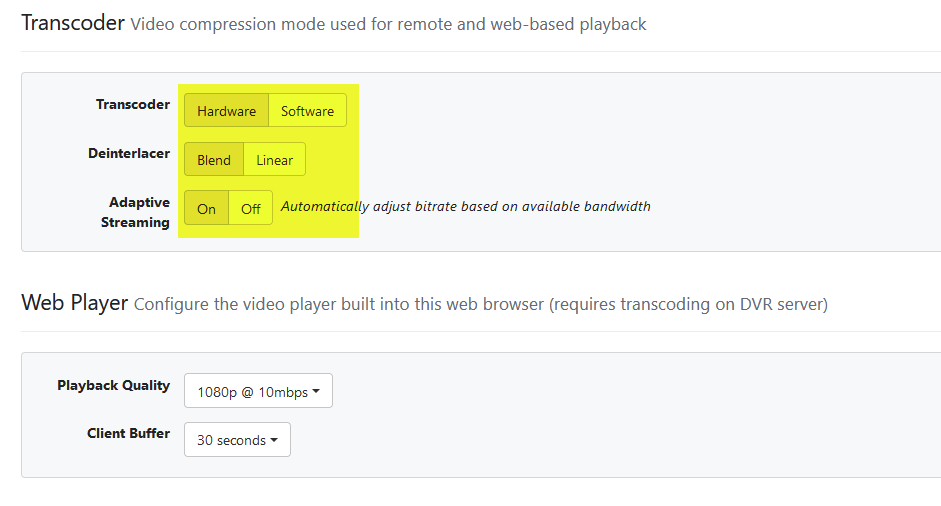
Best way is dont transcode if you have the bandwidth for it...
Those settings are for remote and web playback only
Yes
But what determines if transcoding is needed or remuxing for that matter.
And is remuxing always a minimum adoption for viewing content externally.
Is it not possible to play the stream externally 1:1
Forgive my lack of knowledge of streaming content over the internet
you dont have to do any transcoding or remuxing. Set your client quality to original for external connections (in the settings on the client). See if you have any issues due to bandwidth etc. If you do back it down from original to a level that will work. when you change the quality from original that's when transcoding happens.
If the incoming bitrate is less than the client's specified bitrate, then the stream is remuxed (basically repackaged into a different format for the client). If the bitrate is higher, then it is transcoded to match the client's specified bitrate.
For local/at-home viewing, Channels uses MPEG-TS (transport streams); remote or web-viewing uses HLS (HTTP Live Streaming). They are two different containers/formats, so some degree of remuxing/transcoding is necessary.
I did set quality to original on the external device but it still show remuxing on the server settings site.
As I mentioned above, remuxing is necessary for remote clients, as remote streams are a different format/container than local streams.
What is the clients specified bitrate. Is this specified in the Channels app or generally set for the external device.
Yes, in the app. Settings > Playback > Streaming Quality.
Ok
Thanks
So viewing remotely remuxing will always be involved.
Yes.
can you define remotely? I have channelsDVR on a docker container and all my local clients are still being remuxed. Is that the correct behavior?
I think I see what the issue is/was. My iOS client still thought I was connected to the DVR remotely and hence was initiating all streaming to the client using HLS Remote. Is it possible to still have it try Direct play even when connecting remotely?
If you have the client set to something other than original quality and direct stream, then yes, this is the expected behavior.
The native streaming format of Channels is a transport stream; incoming HLS feeds are remuxed into TS. OTA/cable broadcasts are TS, there no remux is necessary.
No, remote streaming will always be HLS, and remuxed as necessary. You can use Tailscale or a VPN to mimic a "local" connection, and then you can receive a TS.
I have everything set in the client 'Settings/Playback/Streaming Quality' to Original and Direct.
All the Home/Internet and Cellular Streaming set and the client is still getting an HLS Remote connection.
This is also being remuxed on the client and the source is HLS.
If you are a home/local, and the source is HLS, then it will remux to TS. This is expected.
Then this is not the behavior I'm experiencing.
When I connect using at home/local and I play either a livetv(hls source) or local media I get a "Stream Type: Direct".
When i'm connected to the DVR remotely, even though I'm still on a local lan, it converts everything to "Stream Type: Remote HLS" regardless of settings.