Remote settings access?

We have a win11 cheap workstation running the CHANNELS DVR. Right now I just use my laptop to remote into the win11 workstation to access settings of CHANNELS DVR.

Can I just go through my laptop direct with a web page on my network? Likely it's a simple question, as am so new to CHANNELS DVR. What is the format of the URL to do that?

Yep - easiest way (instead of remembering your server IP) is use this url:

my.channelsdvr.net
1 Like

This doesn't work for remote access.

Which part? The primary method I've always used to access my CDVR web admin panel, when local or remote, on my laptop, iPhone or iPad, has been by using the "my.channelsdvr.net" URL.

My bad.

that did not work but this did on local network

http://192.168.12.23:8089/admin/settings/sources

Install Tailscale on your DVR Server and on your laptop/phone/tablet for remote access to the server.
Don't use the Tailscale built-in to Channels DVR.

1 Like

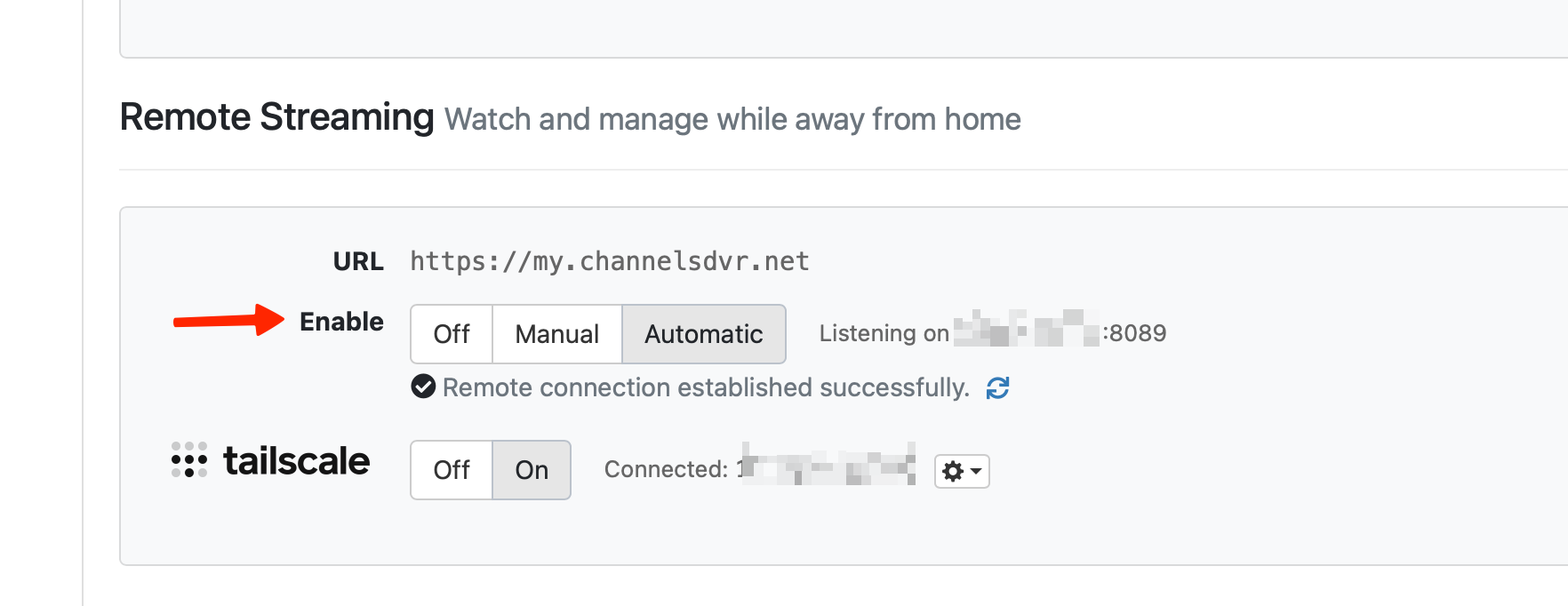
Glad that's working, but if you ever do need remote access to the web admin, when you're way from home, check out the settings here:

http://192.168.12.23:8089/admin/settings/general

Whether or not my.channelsdvr.net works on a local network depends on each individuals router. If it doesn’t work at home that means your router doesn’t support a function called hairpin nat.

If you have enabled the remote access in the channels dvr settings and port forwarded 8089 in your router, you will be able to reach your server at my.channels dvr when outside your home network. If your router supports hairpin nat you will be able to reach your server using my.channelsdvr from both inside and outside your network.

The problem here is that it requires login. I was looking for remote access without having to disclose credentials. I think in the past it was possible to authorize a user with a code but that workflow is gone(?)

Isn't that only for Channels Client devices

I activated TAILSCALE on my local server with CHANNELS DVR and on my LAPTOP. So as long as I login to tailscale on whatever network I am at we can use the

http://192.168.12.23:8089/admin/home with the address changed to the tailscale equivalent VPN address. no tunneling or mapping on the tailscale VPN address as it all just works.

Have read here on various notes that my TMOBILE cell tower router will not work via REMOTE STREAMING option inside CHANNELS DVR. That as long as I activate a tailscale connection on the win11 server itself, I can get into my local server and run CHANNELS DVR. Just did some testing and it seems to all work. Very cool because TAILSCALE is free for 100 devices and a single user.

not bad for a guy that is not a gamer, and I do not like to set up tunnels and such on my local router. Thanks to CHANNELS DVR staff for suggesting TAILSCALE as a solution.