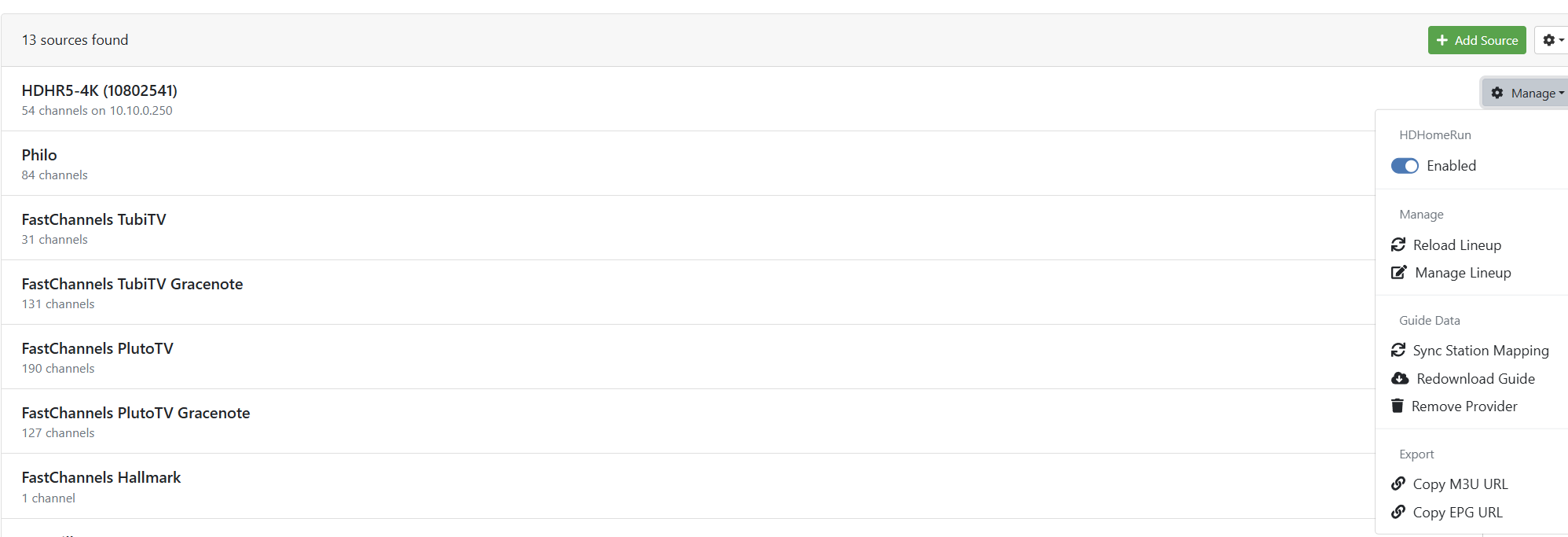
Remove channel from guide

I searched for this. Honestly! But most were dead ends.
I am new, trying to migrate to Channels, but I can't get rid of these from the guide.
Restarted the service, booted the ONN streamer. they still show up.
How get these off the guide?
Thank you !
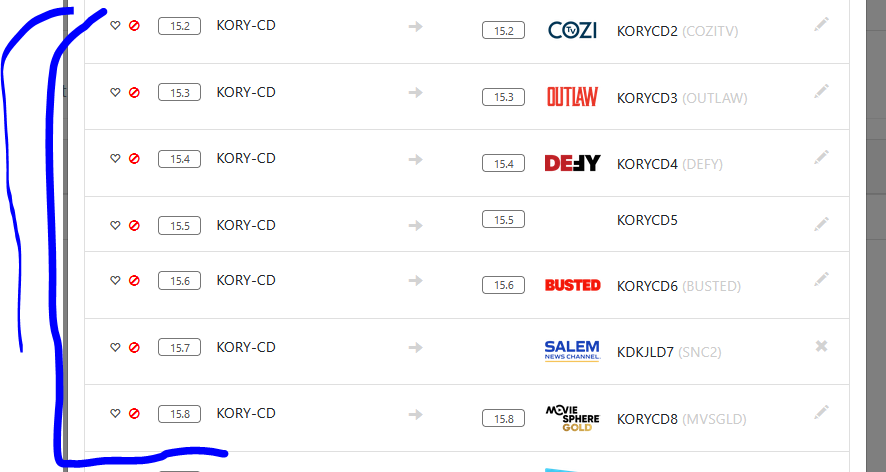
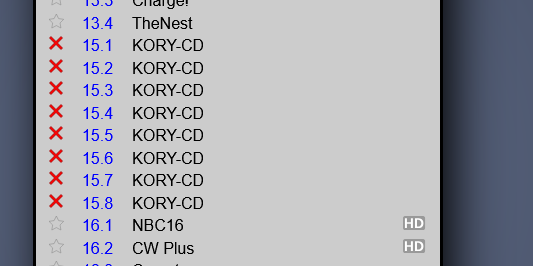
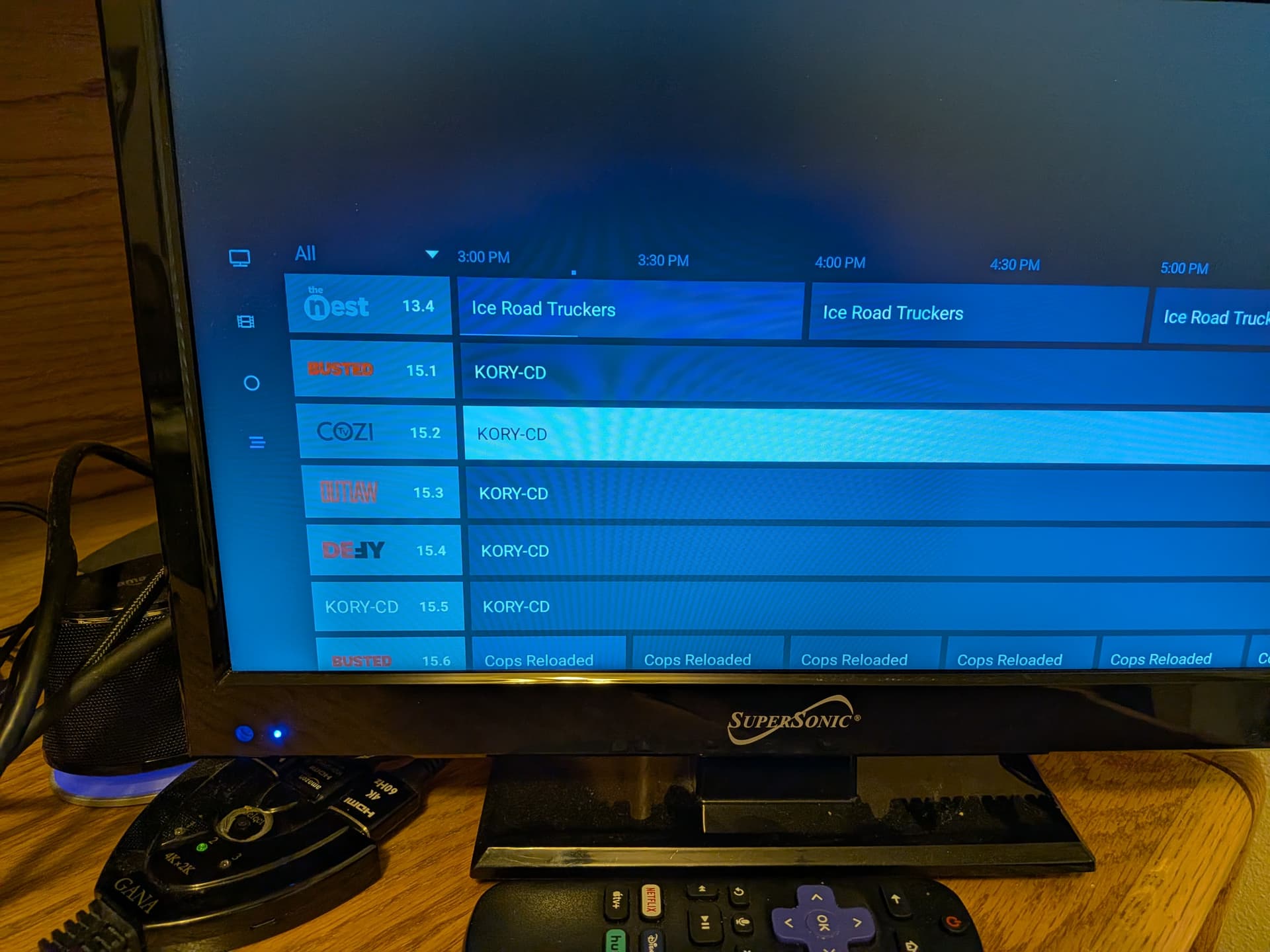
Capture2

Did you reload the lineup on the channels server and close the app and or restart the stream after that. Otherwise it looks like it should remove them.

The other question I guess is are you running the correct Channels software on your streaming box. Theres Channels for HDHomeRun and Channels: Whole Home DVR and if you are running the server you want to use the Whole Home DVR version.

on the tv client goto Settings -> Sources -> hdhomerun -> Sync Favorites/Hidden -> Import from Source

1 Like

Thank you, yes, I did the "Reload Lineup" and nothing seems to happen, all the channels are still in the guide.

I have found that on the client, there is an option: "Settings > Sources > (select your source - HD Flex in my case) > Sync favorites / hidden" seems to do it.

But am I missing a sever side setting? Else I have to go to each client and do this?

Or is there another way?

Thank you!

If using the server it should pull the guide each time on startup. Are you running the Channels : Whole Home DVR version on your Client?

1 Like

Good call out.
And thanks, yes, running the "Whole Home DVR" app, v4.10.0, Google TV / on ONN 4K Pro.

Interesting I thought I would check out the settings you provided but on my Apple TV there isn't a Sync Favorites/Hidden option or at least I can't find it. Must be a difference between Apple TV and Android version.

:person_shrugging: I think the recommended way to deal with this is to only block the channels on the hd flex that don't work, and use collections to organize favorites.

must be, no fruit in my house.. lol.

I think the android versions still share much of their code. but that's just a wild guess.

Thanks all, this really helped!

1 Like