Remove failed recordings from schedule

I'm finalizing the process of moving to a new PC and now have a bunch of failed recordings in the Schedule (i.e. when I select scheduled recordings from the main app menu or in settings). These all have a red exclamation mark showing they failed (DVR process was not running and they got missed), but they won't go away. I have some there from days ago and want to get rid of them because I have to scroll past them to get to current schedule.

Can't find a way to do this from the app or from PC's DVR settings.
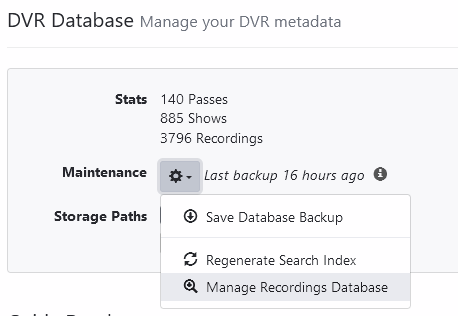
Do they show up in the DVR Database maintenance process?

image

The failed recordings eventually just fall off of the schedule. They’re there to give you feedback on failures.

You can manually remove them with the drop down when visiting the schedule. Is there no drop-down showing for you?

You can delete them from the DVR > Schedule view in the DVR web UI.
They will automatically be deleted 5 days after they fail.

Thanks all, I found the drop down in Settings to delete them manually. I had a bunch of them!

This topic was automatically closed 365 days after the last reply. New replies are no longer allowed.