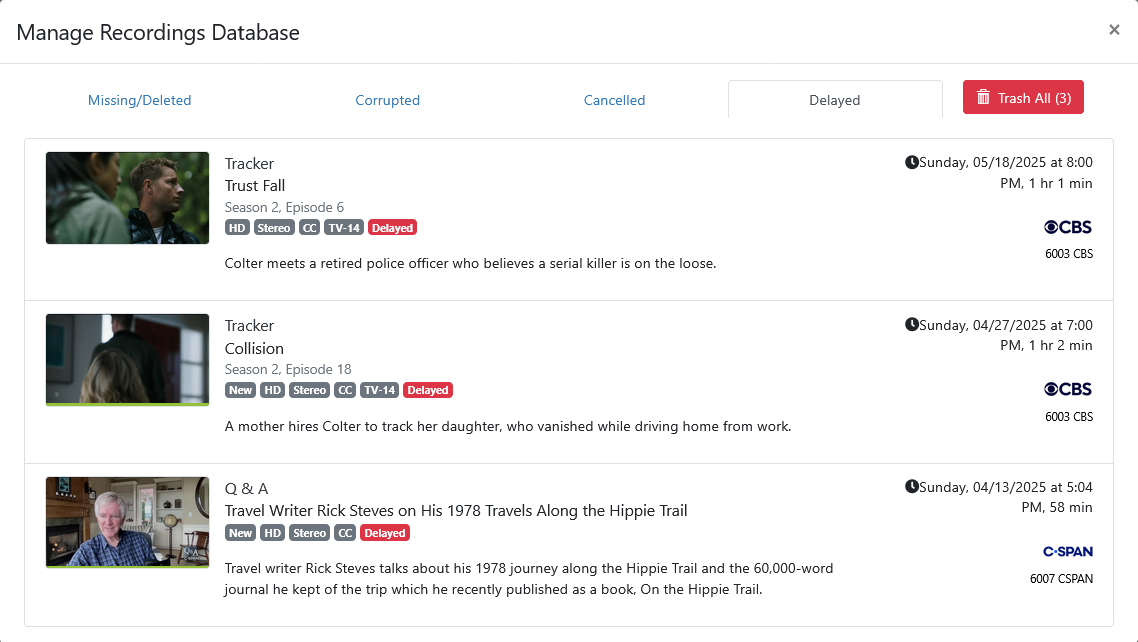
Other than moving the recording to Imports, is there another way to get rid of the Delayed tag on this recording?
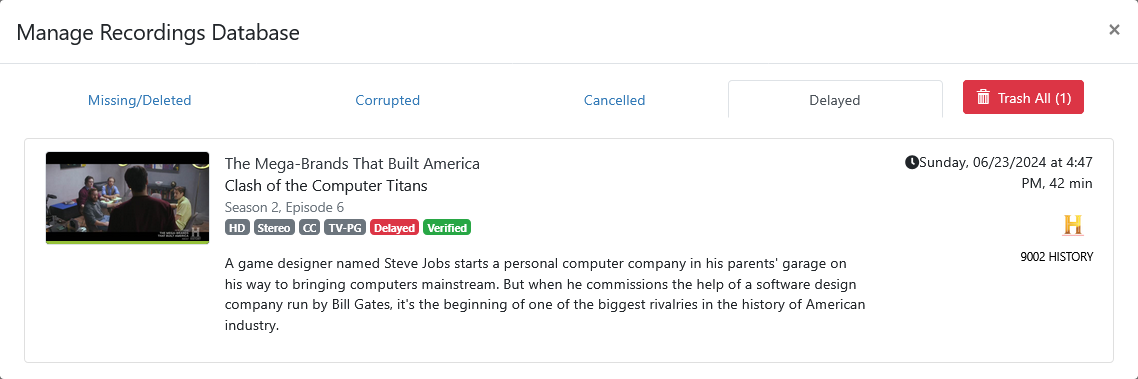
See original post (now closed)
More on another server

Other than moving the recording to Imports, is there another way to get rid of the Delayed tag on this recording?
See original post (now closed)
More on another server
Create a curl based manual recording using the metadata for the episode, copy the original recording file over the curl based manual recording file, keeping the curl based manual recording filename and trash the original recording in CDVR.
Easiest is to copy the recorded file from TV\The Mega-Brands That Built America to Imports\TV\The Mega-Brands That Built America, rename the file so it imports correctly, import it and trash the original recording in CDVR.
Would be much easier if we could just remove the Delayed tag. But it's not an editable metadata item.
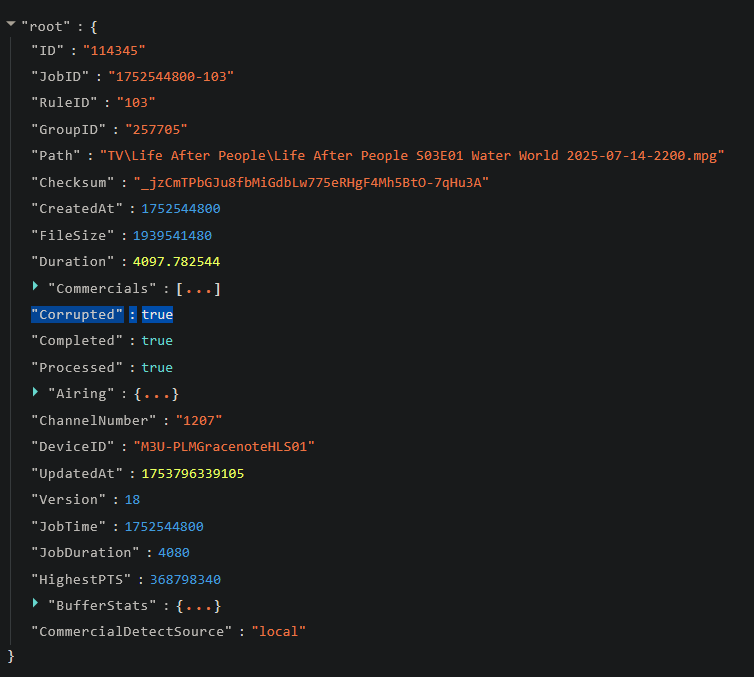
So, if you look at the file json metadata, you'll see something like this:
In this case, Corrupted is the Interrupted tag. I don't have any delayed programs to check, but assuming if you do you'll see something like "Delayed": true (please confirm what this says).
Given that, it is possible to use a PUT statement against /dvr/files/[file_id] to affect the JSON. My assumption based on prior experience with Channel's backend is not to change the value to false, but to blank it out; however, I would have to test for sure.
I already have functions that can do stuff like this (both in production and development) for SLM, so could most likely create something for MTM where it parses through the files, finds the ones with certain tags, and presents them for either manual and/or automated removal. That said, it would have to a backburner item for the time being.
Yes, it's "Delayed": true
Let me know what that API endpoint is.
I only know of one that operates on a section of it (comskip markers), but none that will replace the entire JSON.
Correct. /dvr/files/[file_id] does not contain "Corrupted": false or "Delayed": false
To see the Delayed recordings, use /dvr/pruner/delayed
For Corrupted recordings use /dvr/pruner/corrupted
/dvr/files/[file_id] is the endpoint you'd need. You don't need to replace the entire JSON, just do a JSON load that changes the value of the field Delayed to `` (blank). This is the basic Python for an idea:
# Puts JSON data into Channels DVR
def put_channels_dvr_json(route, json_data):
    settings = read_data(csv_settings)
    channels_url = settings[0]["settings"]
    full_url = f"{channels_url}{route}"
    results = None

    try:
        response = requests.put(full_url, headers=url_headers, json=json_data)
        response.raise_for_status()  # Raise an exception for HTTP errors
        results = response

    except requests.RequestException as e:
        # Log error details
        print(f"{current_time()} ERROR: PUT request to {full_url} failed: {e}")
        if response is not None:
            print(f"{current_time()} ERROR: Response Status Code: {response.status_code}")
            print(f"{current_time()} ERROR: Response Body: {response.text}")

    return results
And this is the asynchronous one I use to do everything at once:
# Puts JSON data into Channels DVR simultaneously using async
async def put_channels_dvr_json_async(session, route, json_data):
    settings = read_data(csv_settings)
    channels_url = settings[0]["settings"]
    full_url = f"{channels_url}{route}"
    result = {}

    try:
        async with session.put(full_url, headers=url_headers, json=json_data) as response:
            response.raise_for_status()
            result["status"] = response.status
            result["body"] = await response.text()
            result["error"] = None

    except Exception as e:
        result["status"] = None
        result["body"] = None
        result["error"] = str(e)
        print(f"{current_time()} ERROR: PUT request to {full_url} failed: {e}")

    return result
In either of these cases, you'd do something like:
base_files_route = f"/dvr/files/"
file_id = {get this from Channels}
route = f"{base_files_route}{file_id}"
json_data = {"Delayed": ''}
SLM already has stuff for getting Channels file IDs and the other data around them, so this won't be too much of a stretch for me to add at some point.
In the meantime, it should be okay to do directly with a CURL command or whatever!
Thanks, but let me know if that works for you. Doesn't for me.
Did a curl -XPUT of the file JSON for the recording
after changing "Delayed": true, to "Delayed": "",
and again after removing "Delayed": true,.
It appears that the PUT succeeds (returns the original file JSON), but it doesn't change anything.
curl -v -XPUT "http://192.168.1.4:8190/dvr/files/1055" --data-binary @Change_file_json.json
I also tried changing the Path
from "Path": "TV/Tracker/Tracker S02E06 2024-11-17 Trust Fall 2025-05-18-2001.mpg",
....to "Path": "TV/Tracker/Tracker S02E06 2024-11-17 Trust Fall 2025-08-13-1700.mpg",
and although that appears to succeed, it doesn't change it.
TV/Tracker/Tracker S02E06 2024-11-17 Trust Fall 2025-08-13-1700.mpg is a copy I made of
TV/Tracker/Tracker S02E06 2024-11-17 Trust Fall 2025-05-18-2001.mpg
Like I said previously, if there is an API endpoint to change it, I don't know what it is.
Tried all of these permutations
curl -v -XPUT "http://192.168.1.4:8190/dvr/files" --data-binary @Change_file_json.json
curl -v -XPUT "http://192.168.1.4:8190/dvr/files/1055" --data-binary @Change_file_json.json
curl -v -XPUT "http://192.168.1.4:8190/dvr/files/new" --data-binary @Change_file_json.json
curl -v -XPATCH "http://192.168.1.4:8190/dvr/files" --data-binary @Change_file_json.json
curl -v -XPATCH "http://192.168.1.4:8190/dvr/files/1055" --data-binary @Change_file_json.json
I'm going to close this out as a metadata item that CDVR applies to the recording (like interrupted) we are not allowed to change for some reason.
YAWA (Yet Another Work Around, choose one) will fix it.