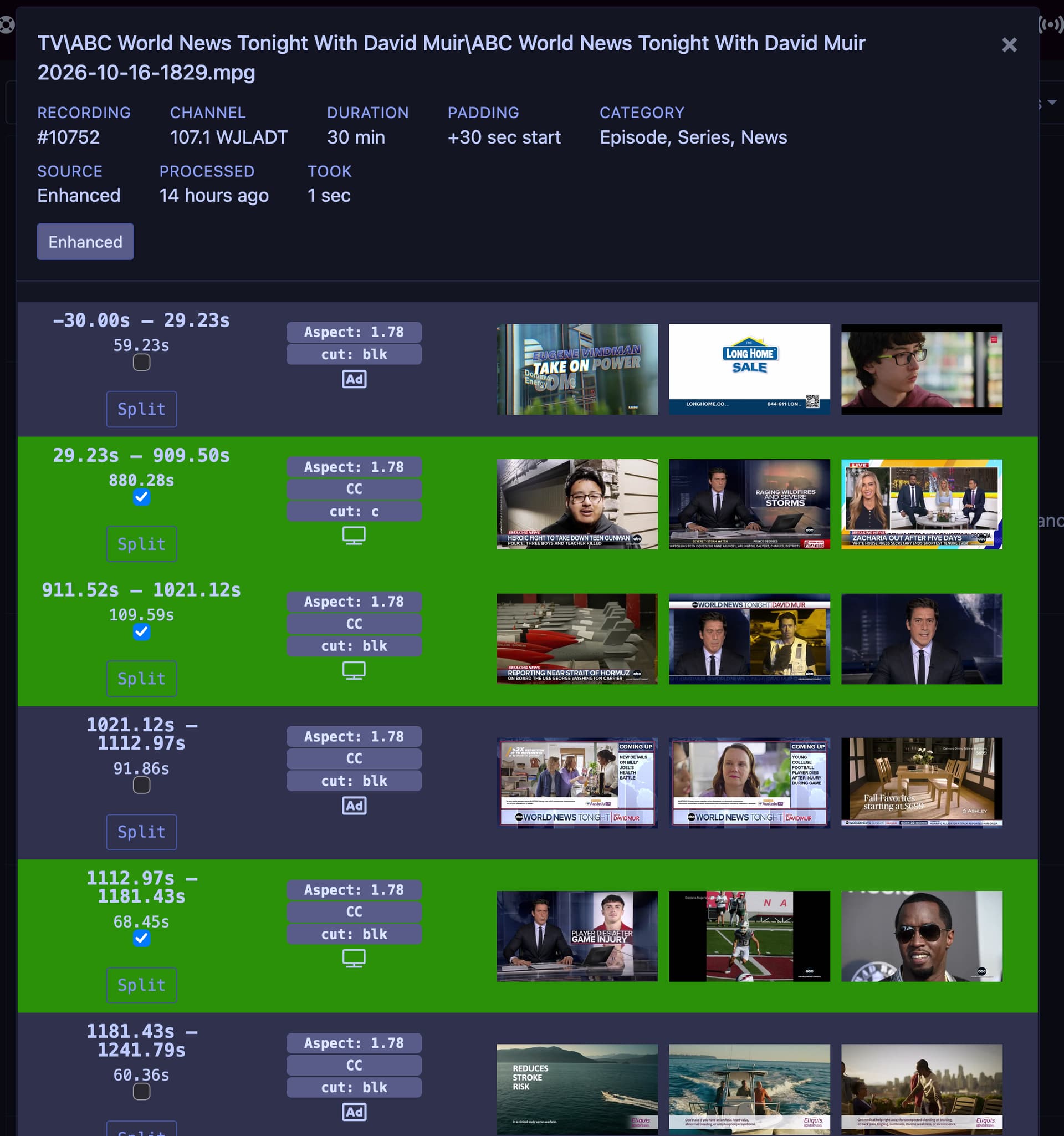
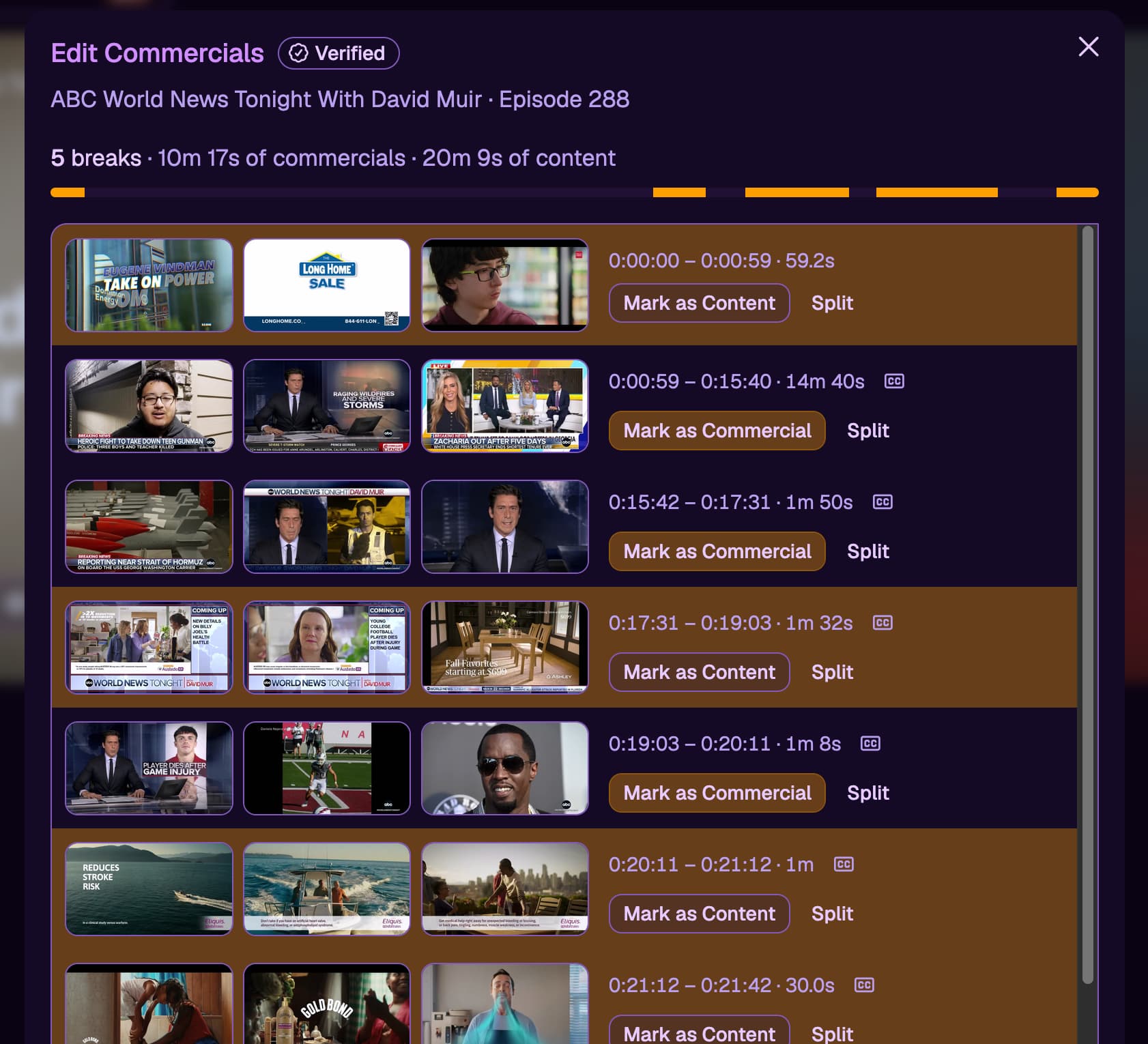
Description of issue: in the V1 commercial editor editor, you clicked check boxes to select the show/content and those segments where highlighted in green. In V2, these changed to buttons that says Mark as Content and Mark As Commercial. The issue is that the colors are backwards. Now the commercials/ads are shown in a highlighted color. Could this please be revered back to the way it was in V1? It's clearer to the eye to have the actual show highlighted as that is the part we care about. The ads should not be highlighted as that is the part we want skipped during playback.
I expected: Content to be highlighted
What actually happened: Commercials are highlighted