
The configuration guide discusses that. The Deeplinks should be the same as what is used with ADBTuner. You don't need the entire link though. I have a chart of some apps Deeplinks location within the URL.
So, I'm thinking that a static IP for the Roku device probably is a good idea. From what I see, there isn't a way to configure that through the device settings. I expect that assigning a static IP via DHCP reservation may be the way to go. That way, when my network resets after dropping a connection, or a power failure, the important devices come back up with the same addresses. 
You can usually reserve or pin the ip address through your wifi router settings.
Yeah, that's exactly what I was thinking. 
From the guide:
Open a web browser on the same network and go to
http://YOUR_ROKU_IP:8060/query/apps. The ID is in theidattribute for each app. A list of common IDs is also available in the Reference section.
Find Deep Link Content IDs (
deep_link_content_id)This is the most complex part. It tells an app which live channel to play. The best method is to use your browser's Developer Tools (F12) on the service's web player and inspect the Network tab for playlist files (
.m3u8) or data files that contain the ID.
Streaming App How to Locate Content ID YouTube TV Alphanumeric string after /watch/in URLPhilo Base64-encoded string from player URL Hulu UUID at the end of series/movie URL YouTube Video identifier after v= or /watch/in URLRoku Channel Alphanumeric string after /watch/in URLPandora Numeric string after /station/in URL
Here is an example for Youtube TV. When you click on TNT and it plays on the Youtube TV website, you will find a url like this: https://tv.youtube.com/watch/2pp2feqXcQY?noapp=1&vp=0gEEEgIwAQ%3D%3D
2pp2feqXcQY
is the Deep Link Content ID
There is also a reference list of some common Roku App ID's at the bottom of the guide.
I am trying to get this set up by using a USB HDMI capture device as a 6th source on my LinkPi enc5.
Unfortunately, I'm getting an "Encoder Offline" error. I have tried both configurations below for the Encoder URL:
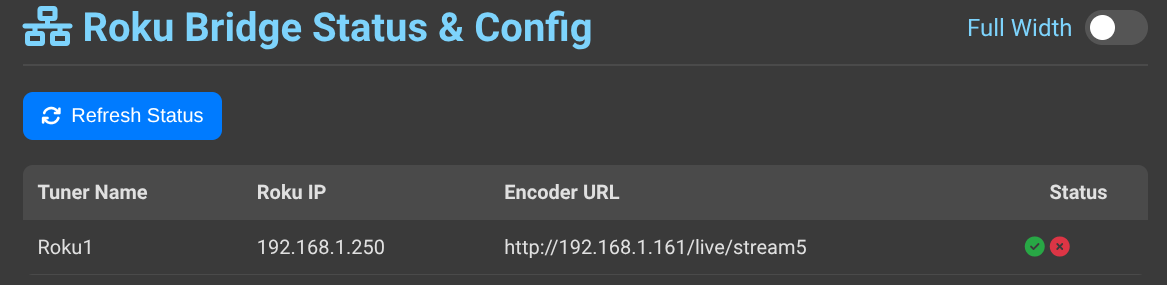
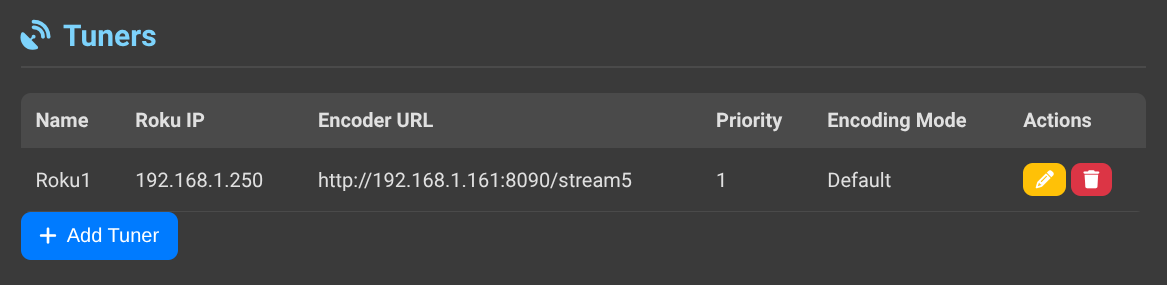
Is there something special I need to do so that it will recognize the USB/HDMI capture device?
2 Likes
In your LinkPi stream config, make sure the HTTP is clicked for the hdmi device.
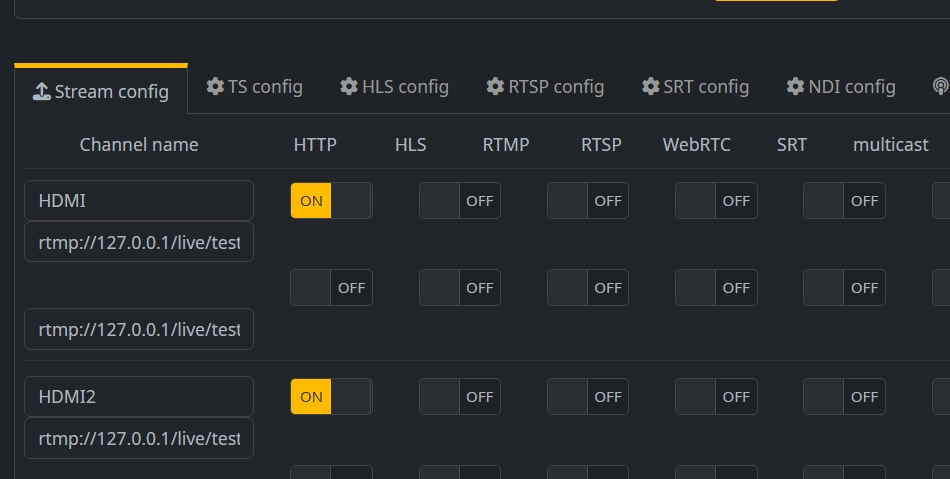
Also, check the stream in VLC to make sure it is reachable.
Edit: Check the play url to make sure it is assigned stream5
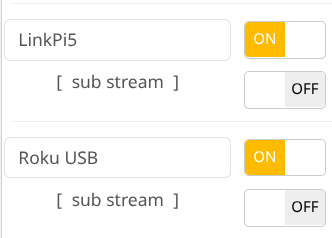
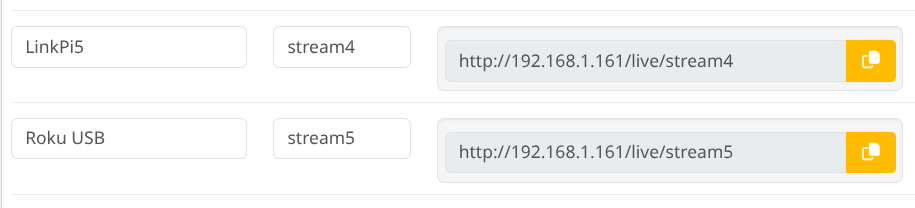
This seems to be a problem. When I connect the Roku stick directly to the LinkPi HDMI, it works both in VLC and Roku Bridge.
When I use the USB device as an interface to the LinkPi, no playback in VLC, and "Encoder Offline" in Roku Bridge.
I must be overlooking something simple...
If you look in encode config, is it enabled?
Yeah. It's blowing my mind.

I can see the ROKU input through the LinkPi interface. Perhaps this isn't where I should be setting it up? It says USB Camera. Is there a different page for configuring the USB input?
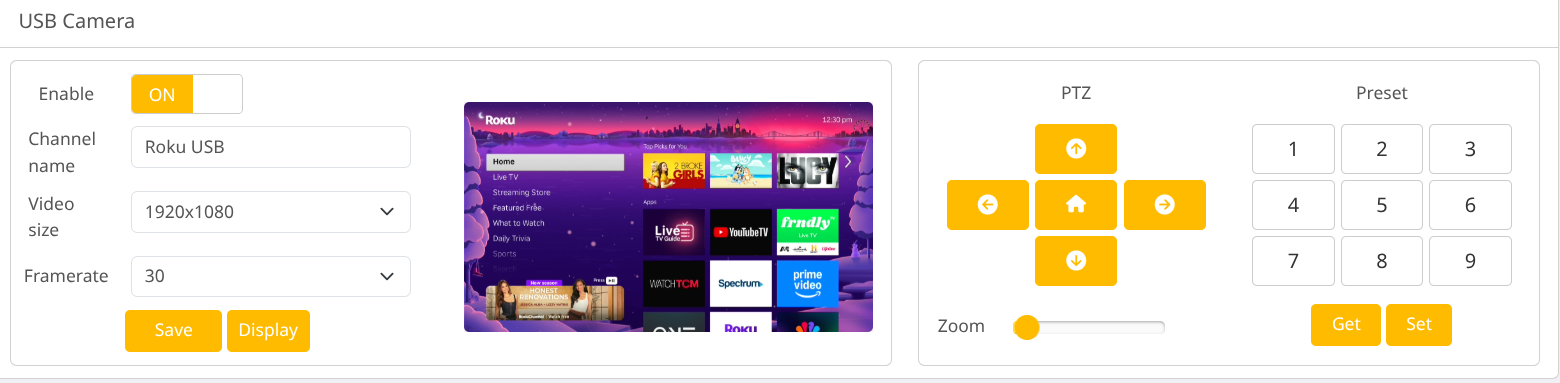
I didn't have to do anything special other than clicking on Encode and encode config to activate it as best I remember. I am all out of ideas.
Thanks for letting me pick your brain. For now, I have it working on my 4th HDMI input on the LinkPi.
I was just trying to find deeplinks for Spectrum on Roku. That was a main goal I had hoped to achieve. Unfortunately, in searching other posts on this forum, I see that is a lost cause. Danged Spectrum! 
Sorry about that. I tried searching for spectrum deeplinks too and they are hidden well b
@Bobby_Vaughn , Your Roku Bridge is a great program. I look forward to playing with it some more. We all can use additional creative ways to bring content into Channels DVR. There's a handful of specific networks which I can try to bring in if they happen to have their own Roku apps/channels.
Oh, by the way, I just got the setup working with the USB capture device. I couldn't do that earlier since I had stuff recording... All it took was a reboot of my whole LinkPi system. I Power cycled the LinkPi, ONN boxes, and Roku Stick all at once, and everything came up good!
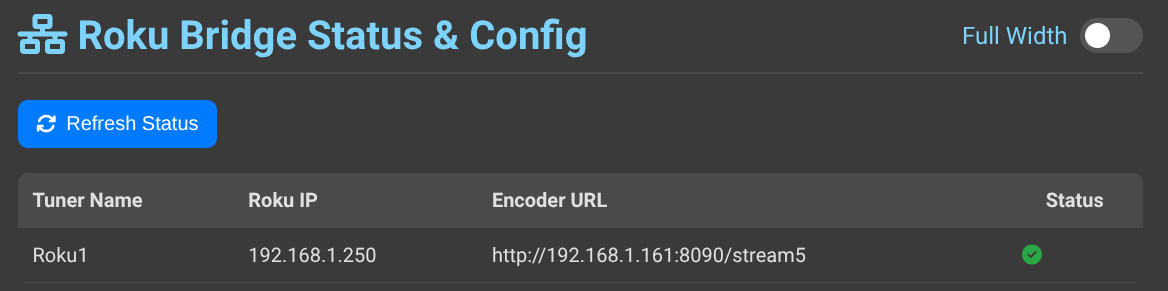
I am glad you got it. It's always nice to be able to test something with stuff you have sitting around.
Just wanted to post a quick thank you for building this. After my Chronecasts updated and ADB was blocked, I bought a Roku Streaming Stick Plus and set up the bridge for testing. So far Philo and YouTube TV have been working great and I plan to deploy 3 more tomorrow.
Great work!
1 Like
I'm glad to here it is working for you. I just wish other apps on Roku didn't hide/restrict Deeplinks. The Roku Streaming Stick Plus does seem to be reliable and at a nice price too.
1 Like
Yeah, Prime Video's live channel links are the only ones I am missing. I sub to Fanduel for my local MLB team through Prime, and that is the only deeplink that doesn't work. Though, it is likely an Amazon problem as I had the same issue on the Chromecasts.
I also tried scripting it, but the sequence is a bit slow executing. Would it be possible to send channels the feed while the script actions are still executing?
I am working on some more options for custom key strokes with some apps. I noticed some apps like NBC intentionally delays tuning to interfere with keystroke commands. The amount of delays needed after certain keystrokes make it take way too long to be useful. Hopefully in the next release I will have a better way to tune in channels that are not Deeplinks friendly. It's a lot of trial and error right now.
1 Like
Hi @Bobby_Vaughn ! Do you have any idea what deeplink format should be used for the DirecTV app on Roku? I have the correct uuid's from my full links in ADBTuner. Is the uuid for each channel all I need to enter?
1 Like