
I grabbed all of the Route 66 shows from DVD and added them to my media library. The folder structure is (for example)
\TV Shows\Route 66\Season 01\S01E04 - The Man On The Monkey Board.mp4
but I cannot get a metadata match and "fix match" returns no matches. What's weird is I had some recorded OTA, which were replaced by my copies, and which have the metadata (episode summary, first aired &c.). I haven't tried to refresh those to see what happens in case it wiped the metadata out.
In general I get metadata fine for all the other shows and movies. Am I out of luck, the meta database doesn't have Route 66?
Oh and I'm running them through Topaz Video AI which does an amazing job of making the shows look good on a HD screen - though it takes almost 2 days per ep on a high end gaming machine!
Matching metadata is different than recorded. Recorded just takes whatever was in the guide data and accepts it at face value. This can cause a lot of issues with networks that suck with their season/episode numbers (i.e., HGTV).
Oftentimes, there are gaps in agreement of episode order (and what is a season) from what actually aired on TV, what was decided for home video, and what was decided after the fact. This is even true between metadata providers. Try to match against TheMovieDB instead of Gracenote (default) and see if that makes a difference.
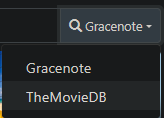
If that doesn't work, you'll have to manually edit.
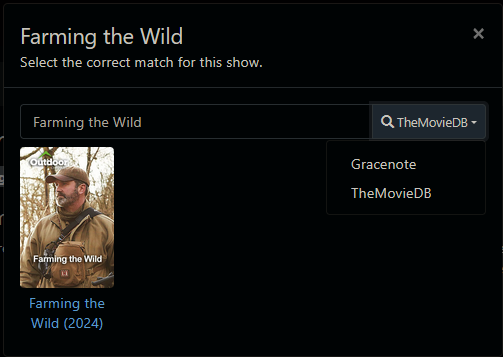
I could not find the option to switch matching between Gracenote and TMDB. Gemini AI suggests it's an option on the Fix Incorrect Match popup but I see no options on that popup. Where might that option be? I'm on current stable Channels DVR server on Windows 10.
Strangely enough, you can only match episodes against TMDB, but it has to be done at the Show level.
TMDB will only match the episodes and leaves the show metadata as Gracenote.
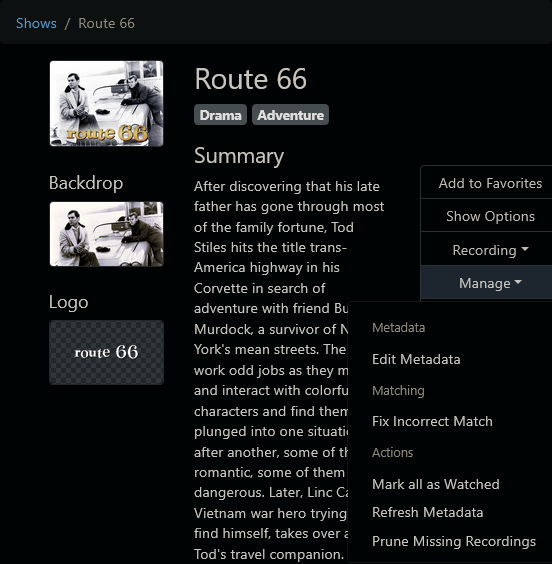
Show > Manage > Fix Incorrect Match
And that option only appears on Imports, not recordings.
Well, basically 98 out of 100 of those are imports, though I copied them into the folders rather than doing thru Channels. Then did a library rescan - several times by now. I look at TMDB via web and see the metastuff for Route 66, it's all there and better "quality" than the few I picked up by recording OTA. There is no option to choose source. Looks like I have a large copy & paste job ahead of me. 116 episodes. Long winter nights are coming, I suppose.
Works for me.
Library > TV Shows
pick the show
Manage > Fix Incorrect Match
Assuming you imported them into Channels DVR from one of your defined import directories.
You can't just copy them into the TV directory where Channels records to.
Just to be sure, I created 3 small videos
S01E01 - Black November.mp4
S01E02 - A Lance of Straw.mp4
S01E03 - The Swan Bed.mp4
in a folder named Route 66 (1960) in the Imports /TV directory of one of my servers.
They imported
2025/08/31 13:23:27.041254 [DVR] Refreshing metadata for Route 66 (1960) (184687)
2025/08/31 13:23:40.142683 [SCN] Imported TV episode #3107 Route 66 (1960)/S01E01 - Black November.mp4
2025/08/31 13:23:41.420455 [SCN] Imported TV episode #3108 Route 66 (1960)/S01E02 - A Lance of Straw.mp4
2025/08/31 13:23:42.771418 [SCN] Imported TV episode #3109 Route 66 (1960)/S01E03 - The Swan Bed.mp4

I then changed the metadata from Gracenote
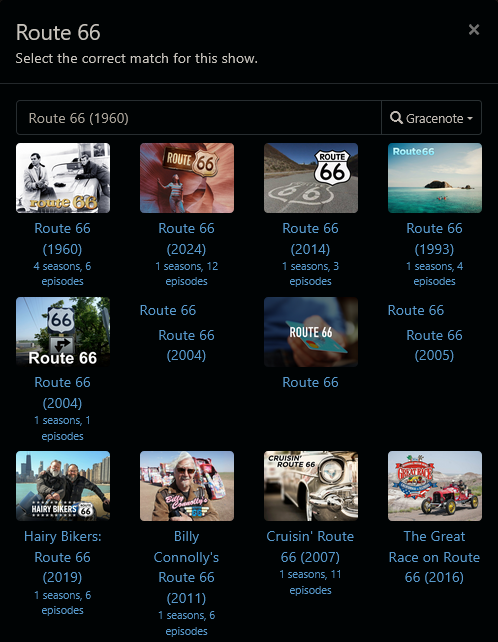
to TMDB
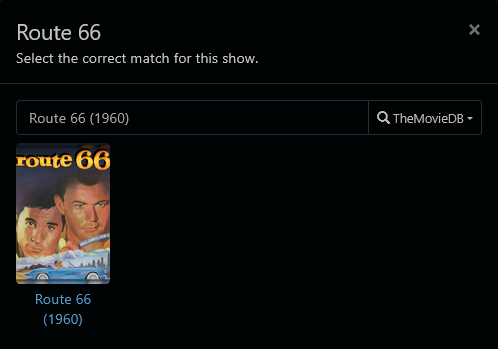
Not sure why it doesn't work for you 
Question solved. I have been using Fix Incorrect Match via the dropdown from the Option button for the episode. When instead I checkmark on the left of the ep list then select Actions->Fix Incorrect Show from the top of the list, the option to select metadata provider appears, and when I select TMDB I get the stuff I saw on the TMDB web site. It's a little curious the two Fix Incorrect Match options don't work the same but Now I Know. Doing a batch update (Select all) for the season also worked.
Thanks for sticking with me.
Yep, Fix Incorrect Match on a show lets you pick gracenote or tmdb
Fix Incorrect Match on an episode only uses gracenote
This topic was automatically closed 30 days after the last reply. New replies are no longer allowed.