Season Pass recording edits

Guys, I record 60 minutes OTA via HDHomerun every Sunday, new episodes only. At some point, it also started recording TV Anywhere on channel 6166 (?), which are often reruns. I've just been deleting those, but it does like 4 a week , keeping my DVR busy.

Anyway to figure out how to edit the pass to only record OTA? Short of removing the TVA channel from my setup, I've not figured it out. I went into the upcoming airings and "skipped" those I didn't want, but that seems pretty manual.

Thanks for any help.
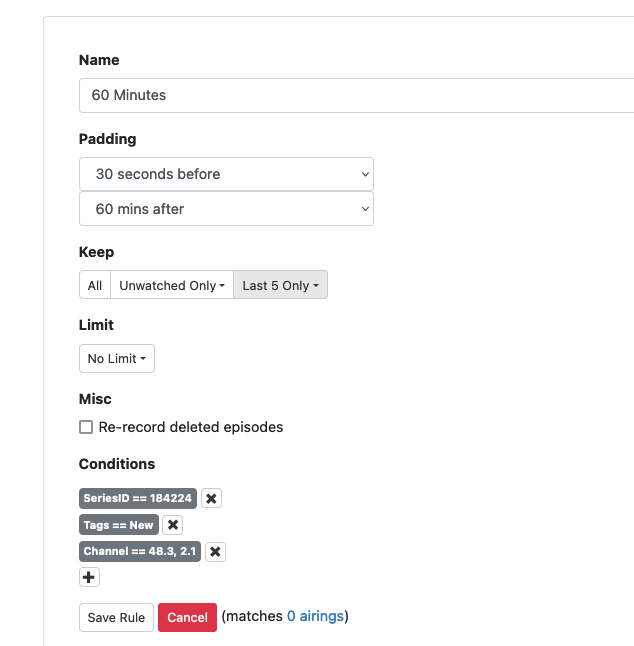
Edit the pass on the dvr web UI and enter the channel number you want it to use

Like this?

I just added that extra "condition"

Commas will not work there, but you can add two rules using CONTAINS

1 Like

I just made it the one channel, 48.3. They are both CBS OTA in my area, 2.1 can be problematic so they simulcast on 48.3. I know previous times I've recorded, Channels has auto populated "48.3, 2.1" and I figured it just used one or the other with some sort of boolean logic behind the scenes.

Alternatively, you could add a rule: Channel EXCLUDES 6166

3 Likes