Seeking during commercials

I am not looking for anything to be fixed, but am curios if I am the only one who has seen this.

It seems if I try to fast forward through the commercials on some TVE streams, I get "stuck". Is this a byproduct of the providers not allowing you to move forward through commercials? It seems if i can move quick enough when the commercials start, it can get through them...

It is most likely the result of the program and commercials being from two separate sources. When it is time for a commercial break, the network inserts the commercials. Because of the two different sources, the video and/or audio streams can have different timestamps, which can confuse the player.

It's just a byproduct of how the streams are composited and delivered.

Which channels is this happening with?

Do you mean that sometimes if you try to skip forward in a commercial it'll jump back a few seconds everytime you try to skip to the same spot and the only way to get past it is to just let it play until it's well past the end of the commercial break? That's happened to me before. Apple TV. I can't tie it to a specific channel or anything.

Yes that is exactly what I mean....

I will be able to get a channel tomorrow most likely....

1 Like

I think I ran into this recently on a recording of Battlebots Discovery via TVE. It didn’t click in my brain that it was only during commercials because that’s the only time I try to skip. When I tried to skip forward it would just skip back to the same spot over and over. If I stopped playback and resumed, I could skip ahead a time or two and then it did it again. I thought it was a fluke but sounds like the same thing you are running into.

Noticing it today on Destination America TVE channel.

Just submitted diags.... Travel channel had multiple issues today.....just lost everything in the buffer because it kept backing up my timeline and I couldn't get past it..

I have this issue at least once on every recorded program when I try to skip forward during a commercial on Apple TV. Going forward jumps back to the same position at the beginning of a commercial. Turning off commercial detection made no difference.

I get this playing back cable HDHR recordings with the web UI player.

When the program is going into a commercial block, I use the mouse pointer on the timeline to seek ahead to the end of the commercial block and instead it goes back to the beginning of the commercial block.

Since there are only a few recordings I watch (then delete) this way, I would have to gather more info, but they're all cable recordings from my HDHR Prime.

The last recording this happened to (couple days ago) was an SD channel with MPEG-2 480i video and AC-3 audio. Since the DVR has to transcode this to play back in the web player, I pause to let the transcoder finish before I start watching it.

After posting this I was able to recreate the issue by recording a 30 minute episode of Laverne & Shirley from the Logo channel (SD on my cable). I can repeat it every time playing it back in the web player. Once it plays into a commercial block, I click the timeline at the end of the commercial block and it skips back to just before the same commercial block and plays from there. This time I didn't wait for the transcoder to finish before playing.

Would you be able to post this video somewhere and email the link to support?

This is really stumping me how it would ever be possible for this to happen.

It's not the specific recording that causes it. It's happened on other recordings from other cable channels.

Not sure if it helps, but I usually play them from the beginning and as soon as it goes into a commercial block, I use the mouse cursor to seek to just inside the end of that commercial block. Sometimes happens on the first commercial block, but usually it's the second commercial block that has the issue.

If you know of a way I can record/capture video of me interacting with the Firefox v85.0 web UI player page, I can send you that recording that illustrates it.

OBS Studio

The thing I was looking for was the raw recording from the DVR to see if I can reproduce the issue. I don't have the SD Logo channel on my cable lineup.

It's not just this specific recording that has the issue. I just picked this randomly from the guide to see if I could reproduce the issue. This recording is 551MB and I have no way to get that to you.

I did use OBS (nice software) to capture the behavior into a 41 sec 4MB mkv file.
I don't have anywhere to host it, perhaps I can email it to support.

Thanks, that's a very nice piece of software.
Felt like I was using a guided missle to swat a fly, but figured it out.

There are lots of smaller-weight programs that can do screencasting. But without knowing your setup, OBS is the de facto standard, and basically runs on every platform.

Since I can't get the 4MB OBS recording I made to you, I'll explain what it contains instead.

Shows playing back the 31 minute recording at 16:57.

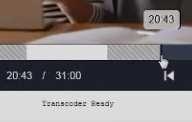
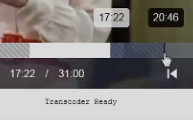
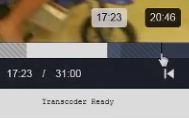
After entering the second commercial block, at 17:24, using the mouse cursor I try to seek forward to 20:46 but instead it jumps back to 17:22, this is shown happening 6 times.

I then try to seek forward to 20:43 and it works.

Edit Commercials on that recording shows the second commercial block is from 17:22 to 20:53.

Perhaps by viewing this screen recording I made you'll pick up on some subtleties by examining frame-by-frame when the seek should be happening. I don't know how to explain these, but if you saw them you could probably figure out what's going on.

Here's 3 frames showing from start of seek to where it jumps back.
1
2
3

And these appear in the middle of the screen while the skips are failing.
4 5 6 7

I uploaded the 41 second, 4MB screen recording I made with OBS Studio to gofile as screenrec.mkv.
gofile says the file will be deleted in 9 days if no downloads.
https://gofile.io/d/YaVDPi