Setup a new Channels DVR on a Mac and have some questions I don't see answered

Hi, I am looking to possibly migrate from SageTV, their clients are not being updated and that's proving to be more of an issue each day. Here are my questions:

  1. Looking for a way to tell channels to NOT consume all disk-space when recording.(leave free xx GB.

  2. Need more choices for skip times, especially for sports (I normally change SageTV to around 22 seconds for skipping between football plays, makes watching an awful game less annoying. 30 is too long, 15 is too short.

  3. Looking for a way to remove a couple sources that I do NOT want to use with this DVR (HDHR models) I have one Quad Tuner dedicated to this install, and others dedicated to SageTV. There is no delete function under manage. (they were found on the network and automatically added, I did not add them)

  4. Looking for a way to add time to the skip buffer for the Android App on my Shield. Seems the first couple 30 second skips are quick then after that, its painful. Tried to skip the halftime BS when watching a football game yesterday. That seemed to take forever! (I see there is a settable buffer for the web players) My guess is the android client isn't a web player??

-Bill
PS. I love the Playon Cloud Source! And the Client Setting override capability.
Channels cannot do this, but disk usage quotas can usually be set at the OS level.

Channels has different seek options (both forward and backward) for TV shows, movies, and sports. I don't recall if there is a way to set a custom value using an API call from the command line, but some little part in the back of my head seems to remember this being possible.

Unless you specifically assign guide data to a HDHR tuner in the web UI, the DVR will not use that device. (It will still appear in the sources, though.) Discovered sources can also be selectively disabled within the clients. (Additionally, I recommend enabling tuner sharing.)

Quick successive skips can be a big network bottleneck, especially over wifi. You can change the delivery method from the native MPEG-TS to HLS at Settings > Playback > Streaming Quality > Original Quality Delivery > Stream. (I believe this will also keep the playback buffer on the server. While I do not use this feature, others in the forum seem to find this a good solution.)

No. The "web player" is when you access content from the DVR web UI.

Welcome to Channels!

  1. There is no way to tell Channels DVR Server how much storage to use.
  2. Seek time is configurable with different times, though does not support arbitrary input, you have to choose from available choices. But these can be set per content. You can set them for everything, just movies, or just sports.
  3. If you remove the lineup from the source, it will not be used. It will still appear though because Channels DVR Server has discovered it. If you unplug it, eventually it will go away. If you keep it plugged in, you will need to manually disable it on each client, as again, Channels has discovered it and will attempt to use it. You can disable them in the client in Settings > Manage Sources
  4. The first few skips are fast because your device has that video buffered. If the next skips are slow, this is a networking issue. You should try to optimize your wifi speeds. But the better thing to do is to do whatever you can to get your clients wired. This will always provide a better experience, especially with MPEG2 video streams. If you can't wire with ethernet, check out MOCA 2.0 devices. They allow you to bridge your network over the COAX in your house. They're cheap, fast, and super easy to get great speeds around the house. I couldn't suggest them more. If you're invested in Channels, then it's worth looking into this.
  1. Hard to believe they would allow it to consume everything. I would hate to be the normal windows user with everything on the C: drive... They should at least have a hard-coded stop, say leave 20 GB, like the arbitrary skip times.
  2. I guess they need better skip time choices. Why they would hard code the times is a bit odd.
  3. I just tried to force the client to only use the one. So far they are all still there on that client. Not sure how long it takes before I can see what it actually did.
  4. Its a full duplex Ethernet connection and the dvr and client are on the same fast switch. There is no network issue. Its related to the buffer size. I wouldn't use WiFi if I wanted something to be fast.

Just as with the DVR, the client app has discovered the devices on the network. In each client you need to go to Settings > Manage Sources > HDHR Device > Enable and disable each HDHR you do not want the client to use.

(If you use Apple devices as your clients, there is a setting on the server to specify which clients can see which sources; I do not know if this extends to HDHR tuners discovered on the network, though.)

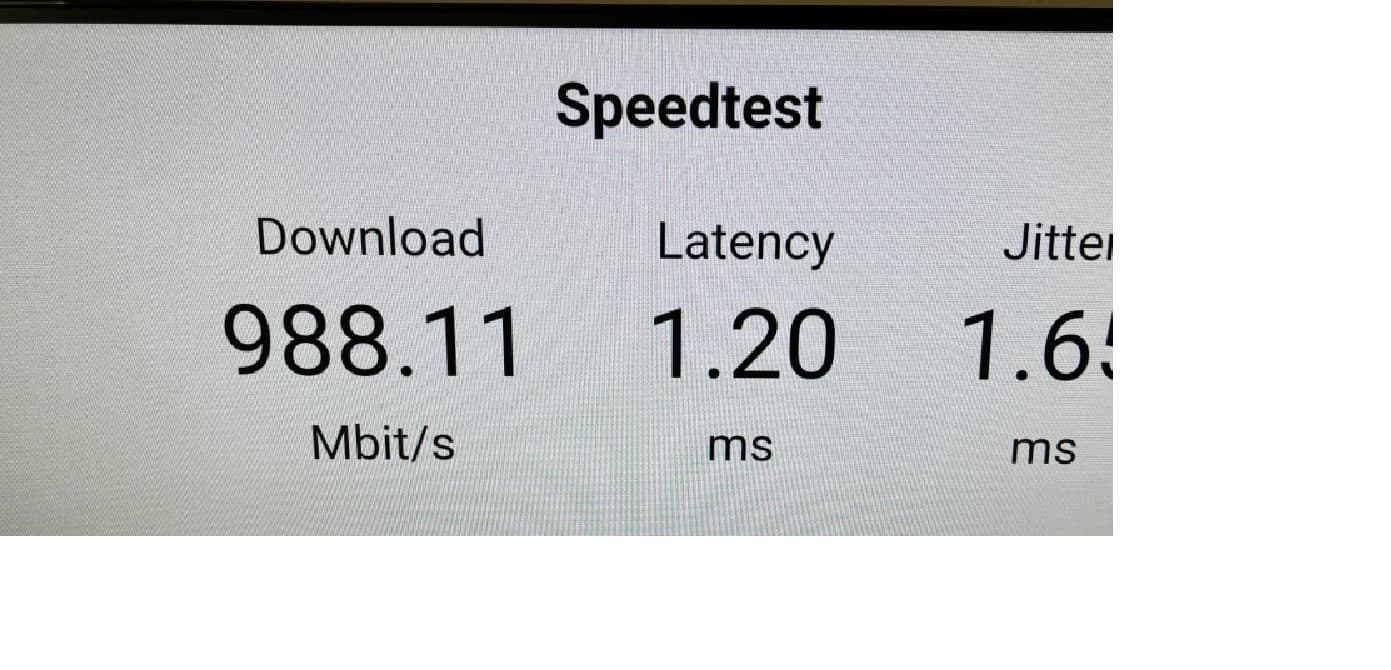
Settings > Support > Speed Test

Like I mentioned, no network issue! I haven't drank the coolaid and put 2.5 or 10 gig at home yet, but I had deployed 10gb backbones on our campus network and OC-758's between campuses in a prior life.

-Bill

PS. Thanks for letting me know there is a built in speed test. I hadn't noticed that yet.

If that's how it works, I wonder why they developed that Override Client Settings configuration.. That would seem irrelevant then. -Bill

Because there are sources other than HDHR tuners that the DVR manages, such as custom and virtual channels.

Seems I need to look up what custom and virtual channels will let me do. -Bill

This topic was automatically closed 365 days after the last reply. New replies are no longer allowed.