
Passes appear to be correct, but nothing shows in the schedule.... Nothing new is being recorded. Not sure what to do?
Is your guide out of data?
Try reloading the guide data in the DVR web UI
Settings > Live TV & DVR > Guide Data > Maintenance  > Delete and Recreate Database
Normally, Channels DVR refreshes the guide data each morning between 9-11 AM, but this will force it.
That should work if you have an Internet connection.
Tried this but doesn't seem to have resolved the issue... Schedule (in web app) still only shows pre-power outage items that were recorded, nothing in the future.
Check the grid guide in the DVR web UI. Do you have guide data?
The schedule shouldn't be showing things that were recorded, the calendar does.
The schedule should just show upcoming scheduled recordings.
You need to make sure the dvr has guide data.
If you do have guide data, then run the troubleshooting tool in the DVR web UI
Support > Troubleshooting and submit diagnostics from there.
Okay interesting...
The challenge appears to be that the HdHomeRun was lost as a source... "Scan network" was not able to detect it, and I tried restarting the HdHomeRun, and various networking unplug replugs to no effect.
I then went to http://hdhomerun.local/ and confirmed the device was up. From there was able to get the IP address of the device and add it manually to channels server and then reloaded/rebuilt guide data and am getting close with the following issues questions still
- Schedule (in web app) is still showing past recordings, not upcoming schedule. Note calendar shows a mix of both past and future stuff now.
- My hdhomerun is on dhcp so it's possible it will change local IP addresses, and I'm not sure why channels can't locate it with its scans. Feels like I need to address this as well.
VERY much appreciate your assistance!
B
For the 3rd time
Check the grid guide in the DVR web UI. Do you have guide data?
.
Can you post a screenshot of the latest entries in Schedule
Give it a DHCP Reserved IP address in your router so its IP address doesn't change.
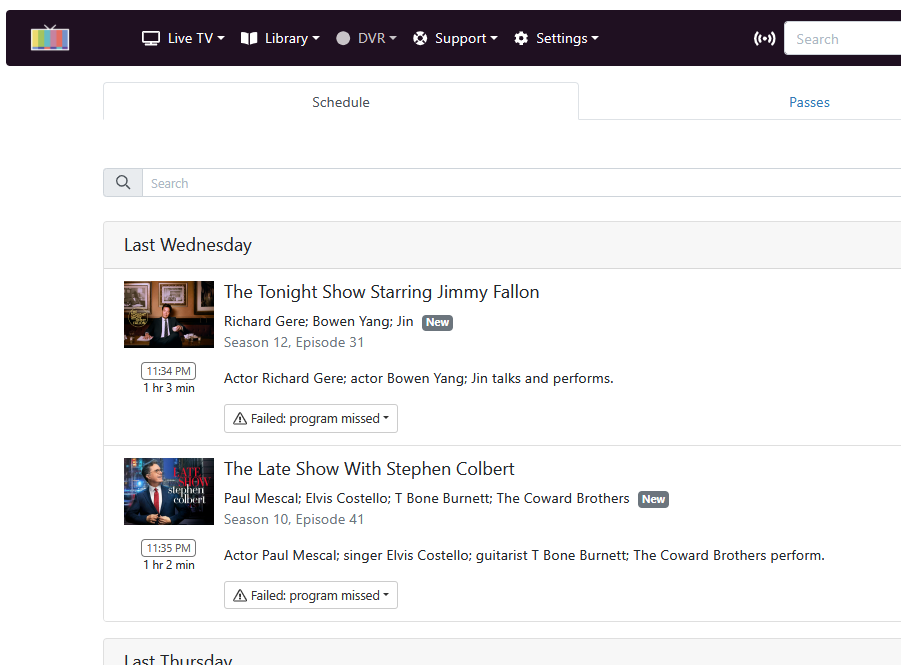
What are the newest/latest entries
Those old ones are there with an error because they didn't record.
re: DHCP, yes I can change to fixed IP... However, I'd rather it be part of my DHCP pool (less details to remember when things inevitably change) -- are there things I can/should try to get the scans to work?
Not Static IP, DHCP Reserved IP address will reserve an IP address from the DHCP pool to assign to the HDHR.
Oh okay I follow, the failures are the "newest" things and if I scroll down yes I do see now there are queued recordings, all good (I will just figure out how to sweep the failures out). This does make sense.
Click them and there should be a dropdown to delete them.
I assume you now have guide data? I hate to keep asking over and over and over...
100% have guide data, sorry when i mentioned I rebuild/reloaded that completed successfully this time, sorry should have been more specific there.
1 Like
Static vs. reserved (and static) inside the pool isn't SUPER different, but I understand. My instinct is to sort out why channels can't detect the HDHomeRun itself as that seems like an additional layer of resiliency here. ???
I usually go with
How can I prevent this from happening again, and move on.
.
This topic was automatically closed 365 days after the last reply. New replies are no longer allowed.