
Does anyone else have any trouble with some recordings of TVE channels being corrupt and showing that they are over 12 hours long (sometimes over 24 hours) when they are actually an hour or two? I have a few Pluto channels that almost always show that (but not every time). They will play back a little bit usually but most of the time, you miss something or it just stops. I thought maybe it was certain channels but sometimes they work. Is there anything I can check for on my end?
Have you tried "Fix video timestamps"?
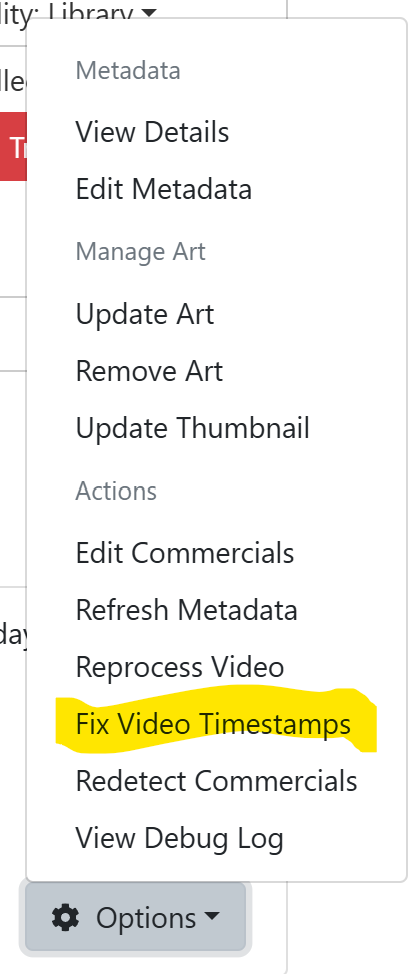
Warning: It has been known to corrupt video files but that hasn't happened to me.
Thanks for the suggestion. It went from 23 hours to 6 seconds.  Oh well. Maybe next time I will try the reprocess video and see what that does.
I record Pluto via Fastchannels. I've had a couple of recordings run for 23.5 hours! I've also seen segments repeat after a commercial. There service is not top quality.
Yeah, it's a bummer. 
I usually see this when the recording info says : Recording was Interrupted
1 Like
The things I reporte above were for recordings that completed normaly.
1 Like
This is why I don't view my recordings inside Channels and use Jellyfin instead. Not only wrong duration but sometimes even wrong info or metadata to a point you have unscrew it yourself (usually using tdarr or fileflows) but you'll be glad you did
I usually check them in Kodi. The file size looks right and it seems to record for the correct amount of time but they show much longer. I have tried to fix them with VideoRedo and in the Channels DVR software but neither have worked.
I'm seeing the same thing on random recordings, sometimes from regular TVE channels like, AMC, and other times from PlutoTV channels. Fix video timestamps always makes it worse, what should of been a 2 hour movie state it's 18 hours long, and it will usually be about 1 hour and 20 mins after fix video timestamps is performed. Weird thing is I've monitored movies while recording and up until the recording completes, it will state the proper length - but once the recording stops it will jump up to over 18 hours. I'm using the synology NAS version of the server.
Just to update on this, after my last post I applied ChannelsDVR Server v2026.06.30.2012 which states, "FIXED: race condition that could happen during stream closing", and I haven't seen this problem since, where I was seeing it numerous times a day. It's still under the beta updates, but will eventually become part of the release version of the server.
Chief
1 Like
Awesome! Thanks for the info. Maybe I will try the beta. I had a feeling it was something like that because it would seem to be fine while it was recording. Good to know it will hopefully work soon again.
Sadly, that didn't help me.
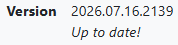
I updated to the nightly and this is what it looks like.
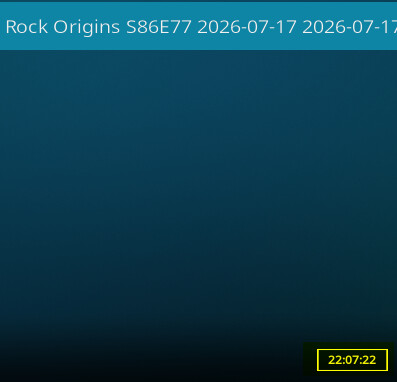
Bummer.
Thats not the latest nightly.
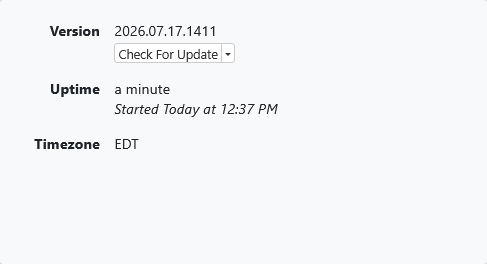
I upgraded to that one this morning and it JUST finished recording something and it looks like this.

It is a 1 hour show with 4 minutes padded. So it is still not working for me.
Well that sucks, still working like a champ for me. Reminder, I'm on the Synology NAS version, so your mileage may vary. I was seeing the problem on about 20-30% of my recordings, but I haven't seen the issue since I updated.
1 Like
How long did it take to record? The log will show this.
Try remuxing the problem recordings with ffmpeg to fix the PTS timestamp errors (instead of using Fix Video Timestamps).
ffmpeg -ignore_unknown -i "recorded_filename.mpg" -map 0 -acodec copy -vcodec copy -scodec copy "recorded_filename.ts"
Then rename the recording
ren "recorded_filename.mpg" "recorded_filename.mpg.bak"
and the remuxed recording.
ren "recorded_filename.ts" "recorded_filename.mpg"
Then do Options > Refresh Metadata on that remuxed recording to see the duration.
It took the exactly hour to record. It was not long or short. As I would jump through it, the time seemed fine. It only changes once the recording stops. That is why I figured it was fixed with the 6/30 update.
What I am recording right now is that worth that effort. Once we lose the Tivo, this is what we will go to so I am just testing for now. Hopefully a fix will come through before that happens. If I get bored during work, I may give it a shot.