
Curious if anyone in the DC Area has successfully used any provider to stream Monument Sports over Starlink. Ironically, I tested using a friend's HULU account and it worked fine, and was able to watch, but then I did the "right" thing and subscribed myself, but now, apparently because it thinks I'm in NYC due to using geolocation on Starlink's IPs, I got the NYC sports networks, but NOT the Washington DC ones. I tried to get HULU tech support to override this, and they were able to get it to work if I use the HULU app on the TV, but that user interface is MISERABLE. I can't imagine ANYONE actually using that. I need it to work on Channels, but it isn't. I'm ready to cancel just 30 minutes after subscribing, but I am curious if anyone has had any better experience in the DC area, especially using Starlink?
It probably has to do with which dns resolver you are connecting to. Thats usually how providers determine your location. It typically is not by the geolocation of your actual ip.
Im going to share this because the OP is trying to get content that he is authroized for. Im not trying to condone or instruct others on how to get around blackouts etc.
Check out ControlD dns. It allows you to proxy your lookup location and correct it to your actual physical location. You can proxy all traffic through DC or if you know the actual domains you can only proxy specific lookups. It isnt a full proxy service, it is only proxying the lookups.
If you are going to use this on the channels server, (in controld) I would enable legacy resolvers for the endpoint and then add your public ip address. You will then get 2 dns addresses that will enforce the profile assigned to that endpoint. You may have a problem since you are behind a CGNAT and your public IP isnt unique. In that case you may be forced to use DoH (dns over https). If you let me know the OS of your channels server I can guide you through that.
Happy to help you if you run into issues
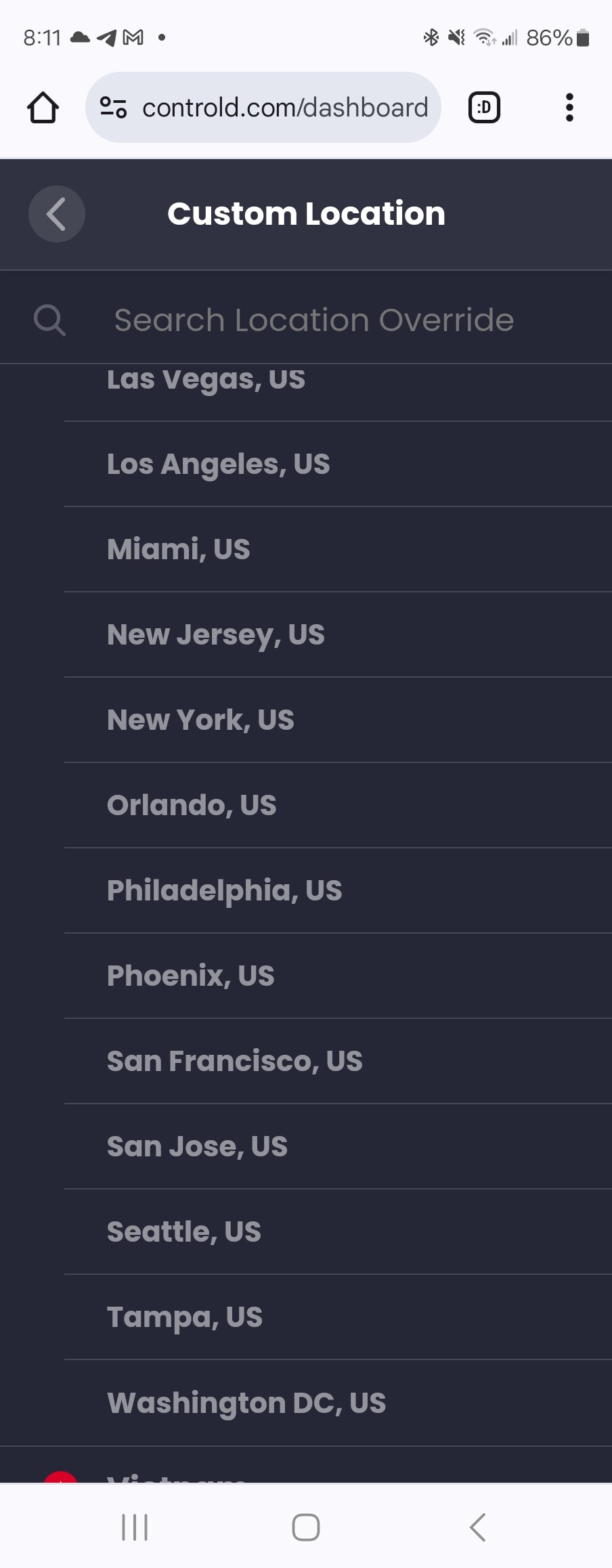
Thanks for the help - I have never heard of controlD. I did create an account, and tried to use the free month to test, but it the redirection required a paid account, so I paid the $4 for the month and installed the service on the Windows channels server.
ControlD has a setting specifically to redirect for HULU, so I used that. Unfortunately, the TVE fails to authenticate when that is enabled. Channels pops up with an error showing that it fails.
I used ipconfig /DisplayDNS to see what other domains may need to be proxied, and it seems it's using various adobe domains too (adobe.com, adobe.io, adobepass.com), and also akamai.net, so I put in custom rules in ControlD to impact those domains too, but it still doesn't work.. I have verified using the ipconfig /displaydns that no other domains are being queried during the login attempt and failure, so I'm kind of lost. I did try this with and without the endpoint being configured with "legacy resolver" turned on.
Thanks! I guess I have the remainder of a month to try stuff, so if you have any other hints, I'm all ears!!
-Steve
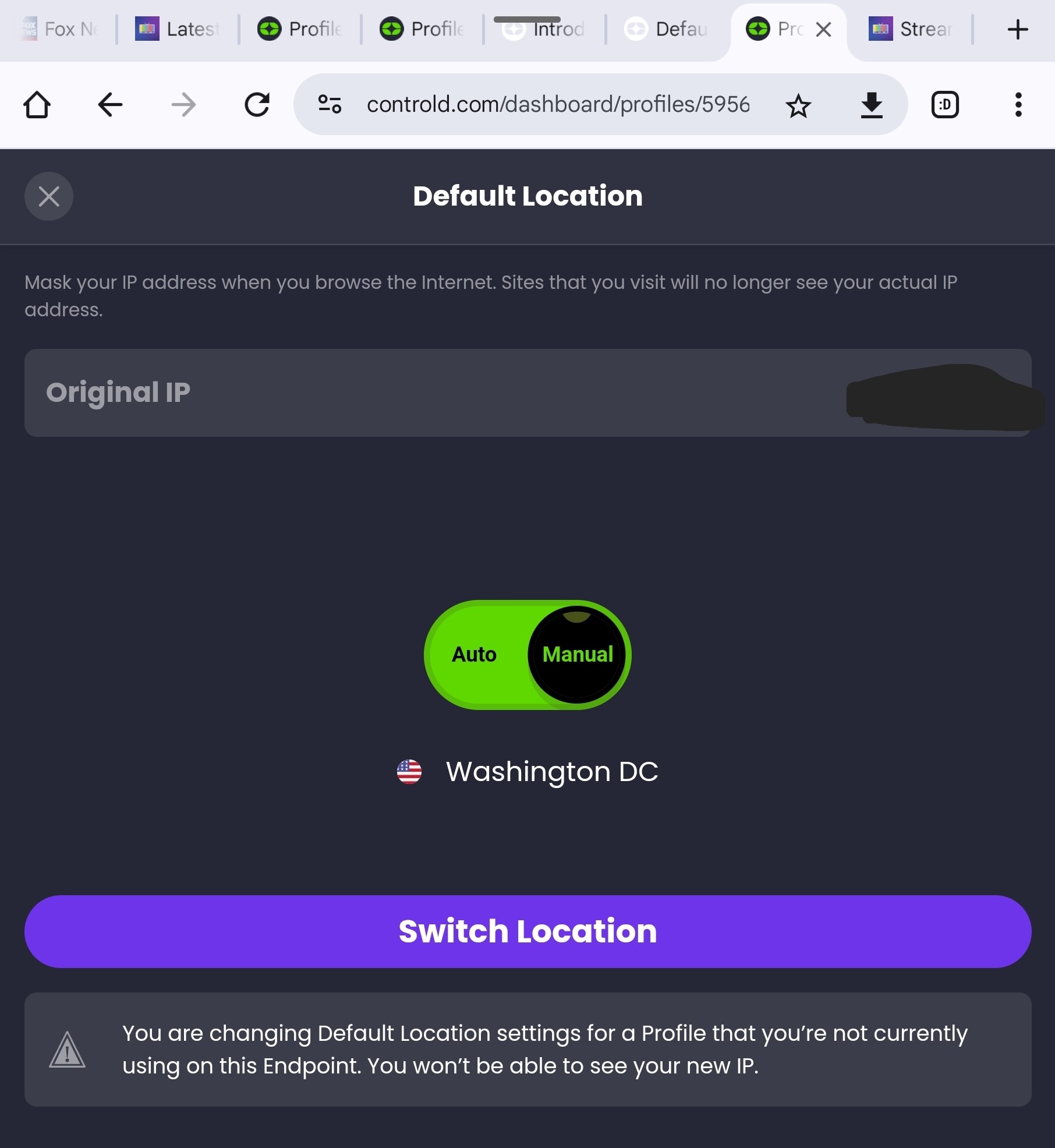
Well.. No success on ChannelsDVR after doing that, but it did change the location shown on the "whatismyipaddress.com" display..
I really appreciate this help. I wish I knew if another provider would be easier.
The issue may be with the website. It looks like last week they introduced monument+ and possibly changed their website and login. It looks like you have to register before you can log in with your Hulu. Channels can’t handle this type of login and I’m curious that your buddy may lose his ability to watch when his cookies expire. Unless channels is using a direct url we don’t know about.
If you use your web browser and go here choose continue with provider, register, and login with Hulu are you able to watch? It could be that your ControlD is working properly but channels is trying to use a dead link.
This topic was automatically closed 365 days after the last reply. New replies are no longer allowed.