
I don't know if it's a heavy use case, but I've been wanting a way to be able to quickly switch between channels while casting instead of using the app/remote. It would be great to do this via an app on my phone and switch around like you can on YoutubeTV, but as a start, Gemini and I did this quickly today. YMMV and I don't really have time to support it.
This will only work if you're browsing from a public URL - Chromecast doesn't work with non-secure URLs without special flags on the browser.
However, the stream it sends to the cast device is indeed a local URL in the form of:
http://XXX.XXX.XXX.XXX:8089/devices/ANY/channels/[CHANNEL_NUMBER]/hls/stream.m3u8
What the script itself does is put a Chromecast icon in the lower-right corner of the browser:
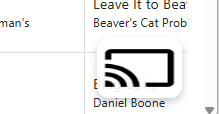
When you click it, it will allow you to select a device to cast to:
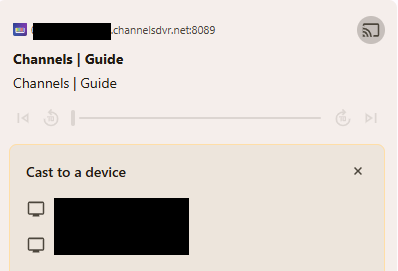
After you choose one, it will put little play buttons in each channel row
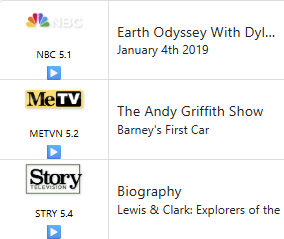
Click a play button and that channel will play in your cast device and the button in the corner will expand to a small toolbar with a stop, play/pause button and FF/REW 30 sec buttons
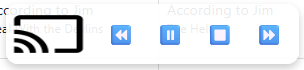
It will play the stream via your LOCAL url, so you'll need to update the constant CHANNELS_DVR_BASE_URL to your appropriate local URL when you save the script into Tampermonkey.
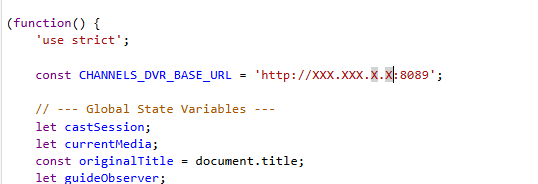
The script is below. This has only been tested in Chrome using the Tampermonkey plugin
Again, this is fully AI-written and I didn't really review it but it's working in my limited testing. If you would like to make changes, I'd suggest you copy/paste it into Gemini or your AI of choice and see what you can do with it. If you do something you feel would be beneficial to others, share it here!
// ==UserScript==
// @name         Cast for Channels Guide
// @namespace    http://tampermonkey.net/
// @version      1.5
// @description  Adds a floating Chromecast icon with playback controls to the Channels DVR guide page.
// @author       You
// @match        https://*.channelsdvr.net:8089/admin/guide/grid
// @grant        none
// @require      https://www.gstatic.com/cv/js/sender/v1/cast_sender.js?loadCastFramework=1
// ==/UserScript==

(function() {
    'use strict';

    const CHANNELS_DVR_BASE_URL = 'http://XXX.XXX.XXX.XXX:8089';

    // --- Global State Variables ---
    let castSession;
    let currentMedia;
    const originalTitle = document.title;
    let guideObserver;


    // --- Create Main UI Elements ---
    const castContainer = document.createElement('div');
    castContainer.style.position = 'fixed';
    castContainer.style.bottom = '20px';
    castContainer.style.right = '20px';
    castContainer.style.zIndex = '10000';
    castContainer.style.backgroundColor = 'rgba(255, 255, 255, 0.9)';
    castContainer.style.borderRadius = '12px';
    castContainer.style.padding = '5px';
    castContainer.style.display = 'none';
    castContainer.style.boxShadow = '0 4px 8px rgba(0,0,0,0.2)';
    castContainer.style.display = 'flex';
    castContainer.style.alignItems = 'center';
    document.body.appendChild(castContainer);

    const castIcon = document.createElement('img');
    castIcon.src = 'https://upload.wikimedia.org/wikipedia/commons/thumb/2/26/Chromecast_cast_button_icon.svg/1024px-Chromecast_cast_button_icon.svg.png';
    castIcon.style.width = '75px';
    castIcon.style.height = '50px';
    castIcon.style.cursor = 'pointer';
    castContainer.appendChild(castIcon);

    const controlsContainer = document.createElement('div');
    controlsContainer.style.display = 'none';
    controlsContainer.style.marginLeft = '10px';
    castContainer.appendChild(controlsContainer);

    const rewBtn = createControlButton('⏪', 'Rewind 30s');
    const playPauseBtn = createControlButton('▶️', 'Play/Pause');
    const stopBtn = createControlButton('⏹️', 'Stop');
    const ffBtn = createControlButton('⏩', 'Forward 30s');
    controlsContainer.append(rewBtn, playPauseBtn, stopBtn, ffBtn);


    // --- Chromecast API Initialization ---
    window['__onGCastApiAvailable'] = function(isAvailable) {
        if (isAvailable) {
            initializeCastApi();
        } else {
            console.error('Fatal: Chromecast API not available.');
        }
    };

    function initializeCastApi() {
        const sessionRequest = new chrome.cast.SessionRequest(chrome.cast.media.DEFAULT_MEDIA_RECEIVER_APP_ID);
        const apiConfig = new chrome.cast.ApiConfig(sessionRequest, sessionListener, receiverListener);
        chrome.cast.initialize(apiConfig, onInitSuccess, onError);
    }

    function onInitSuccess() { console.log('Chromecast API initialized.'); }
    function onError(error) {
        console.error('Chromecast API Initialization Error:', error);
        // Alert the user if initialization fails, which is common on http:// pages
        alert('The Chromecast API failed to initialize.\n\nIf you are on a local http:// address, please ensure you have followed the steps to treat insecure origins as secure in chrome://flags.');
    }

    function sessionListener(newSession) {
        castSession = newSession;
        const deviceName = newSession.receiver.friendlyName;
        document.title = `[${deviceName}] ${originalTitle}`;
        castSession.addUpdateListener(sessionUpdateListener);

        addPlayButtonsToGuide();

        const guideContainer = document.body;
        const observerCallback = function(mutationsList, observer) {
            addPlayButtonsToGuide();
        };
        guideObserver = new MutationObserver(observerCallback);
        guideObserver.observe(guideContainer, { childList: true, subtree: true });
    }

    function sessionUpdateListener(isAlive) {
        if (!isAlive) {
            castSession = null;
            hidePlaybackControls();
            removePlayButtonsFromGuide();
            document.title = originalTitle;

            if (guideObserver) {
                guideObserver.disconnect();
                guideObserver = null;
            }
        }
    }

    function receiverListener(availability) {
        castContainer.style.display = (availability === chrome.cast.ReceiverAvailability.AVAILABLE) ? 'flex' : 'none';
    }


    // --- Playback and Media Control Logic ---
    function playChannel(channelId) {
        if (!castSession) return;

        const mediaURL = `${CHANNELS_DVR_BASE_URL}/devices/ANY/channels/${channelId}/hls/stream.m3u8`;

        const contentType = 'application/x-mpegURL';
        const mediaInfo = new chrome.cast.media.MediaInfo(mediaURL, contentType);
        mediaInfo.metadata = new chrome.cast.media.GenericMediaMetadata();
        mediaInfo.metadata.title = `Channel ${channelId}`;
        const request = new chrome.cast.media.LoadRequest(mediaInfo);
        castSession.loadMedia(request, onMediaLoadSuccess, onError);
    }

    function onMediaLoadSuccess(media) {
        currentMedia = media;
        playPauseBtn.innerHTML = '⏸️';
        showPlaybackControls();
        currentMedia.addUpdateListener(onMediaStatusUpdate);
    }

    function onMediaStatusUpdate() {
        if (!currentMedia) return;
        playPauseBtn.innerHTML = (currentMedia.playerState === chrome.cast.media.PlayerState.PLAYING) ? '⏸️' : '▶️';
    }

    function seekMedia(seconds) {
        if (!currentMedia) return;
        const newTime = currentMedia.currentTime + seconds;
        const request = new chrome.cast.media.SeekRequest();
        request.currentTime = newTime;
        currentMedia.seek(request, () => console.log('Seek successful'), onError);
    }


    // --- UI Management Functions ---
    function createControlButton(text, title) {
        const button = document.createElement('button');
        button.innerHTML = text;
        button.title = title;
        button.style.fontSize = '20px';
        button.style.margin = '0 5px';
        button.style.cursor = 'pointer';
        button.style.border = 'none';
        button.style.background = 'transparent';
        return button;
    }

    function showPlaybackControls() {
        controlsContainer.style.display = 'block';
    }


    function hidePlaybackControls() {
        controlsContainer.style.display = 'none';
        if(currentMedia) {
            currentMedia.removeUpdateListener(onMediaStatusUpdate);
            currentMedia = null;
        }
    }

    function addPlayButtonsToGuide() {
        document.querySelectorAll('a[href*="/admin/guide/later/channels/"]').forEach(link => {
            const parent = link.parentElement;
            if (!parent || parent.querySelector('.cast-play-button')) {
                return;
            }

            const playButton = document.createElement('span');
            playButton.innerHTML = '▶️';
            playButton.className = 'cast-play-button';
            playButton.style.cursor = 'pointer';
            playButton.style.textAlign = 'center';
            playButton.style.fontSize = '1em';
            playButton.style.paddingTop = '2.5px';

            const channelId = link.href.split('/channels/')[1];
            playButton.addEventListener('click', e => {
                e.preventDefault();
                e.stopPropagation();
                playChannel(channelId);
            });

            parent.appendChild(playButton);
        });
    }

    function removePlayButtonsFromGuide() {
        document.querySelectorAll('.cast-play-button').forEach(button => button.remove());
    }


    // --- Main Event Listeners ---
    castIcon.addEventListener('click', () => {
        requestSession();
    });

    playPauseBtn.addEventListener('click', () => {
        if (!currentMedia) return;
        if (currentMedia.playerState === chrome.cast.media.PlayerState.PLAYING) {
            currentMedia.pause(null, () => console.log('Playback paused'), onError);
        } else {
            currentMedia.play(null, () => console.log('Playback resumed'), onError);
        }
    });

    stopBtn.addEventListener('click', () => {
        if (currentMedia) {
            currentMedia.stop(null, () => {
                console.log('Media stopped');
                hidePlaybackControls();
            }, onError);
        } else if (castSession) {
            // If there's no media but a session is active, stop the session.
            castSession.stop(null, null);
        }
    });


    rewBtn.addEventListener('click', () => seekMedia(-30));
    ffBtn.addEventListener('click', () => seekMedia(30));

    function requestSession() {
        // MODIFIED: Added a check to provide a better error if the API is missing.
        if (!chrome || !chrome.cast) {
            console.error('chrome.cast API not available. Initialization likely failed.');
            alert('Chromecast API failed to load. This can happen on http:// pages. Please check the browser console for errors (F12).');
            return;
        }

        if (castSession) {
             // If a session is already active, just log it. The controls will handle stopping.
            console.log('A cast session is already active.');
        } else {
            // Request a new session.
            chrome.cast.requestSession(sessionListener, (error) => {
                if (error.code !== 'cancel') console.error('Error requesting session: ', error);
            });
        }
    }
})();