Tracearr for Channels DVR and Dispatcharr

Hi,

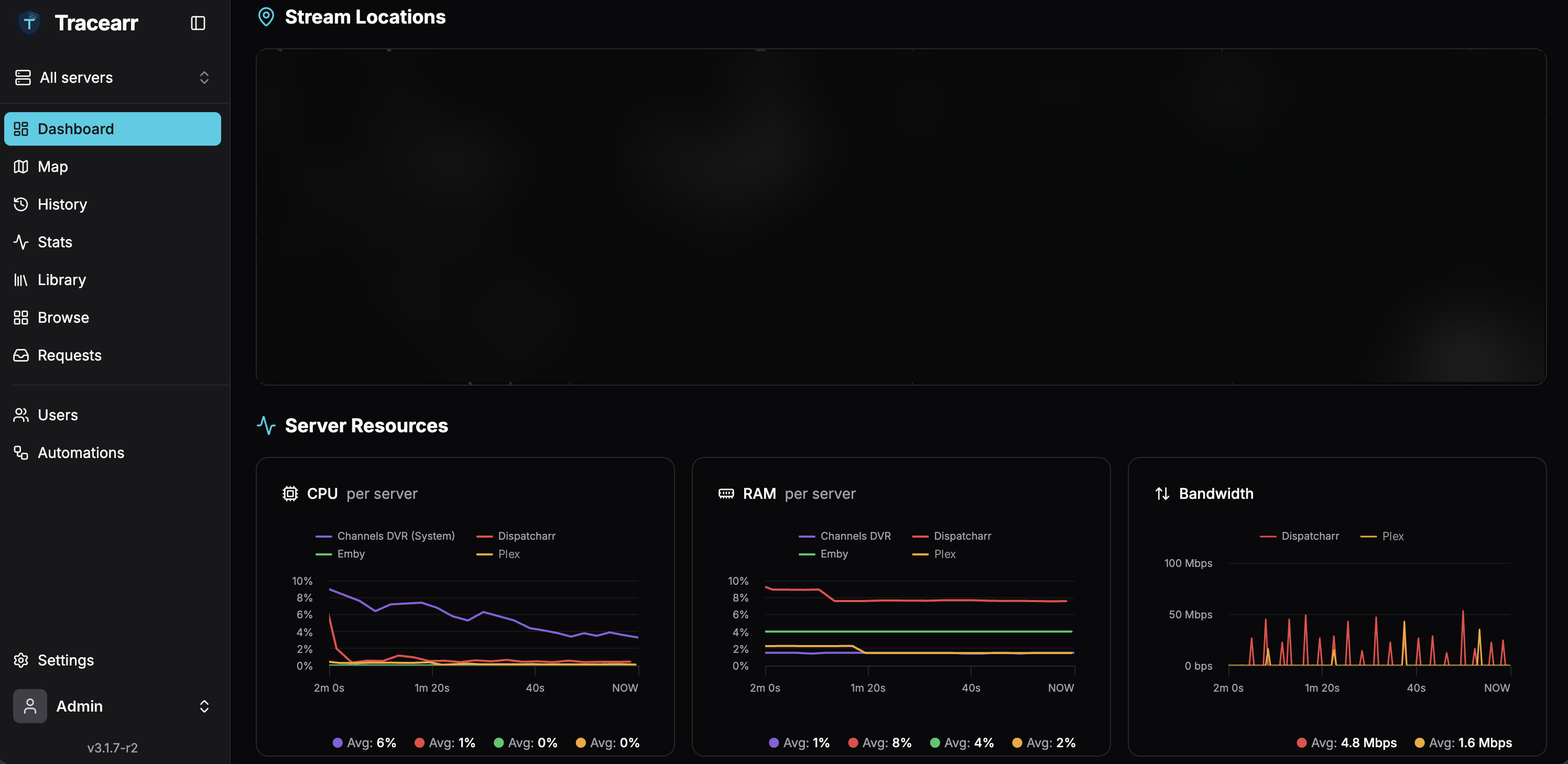
I've been working on adding Channels DVR support to Tracearr, a self-hosted monitoring dashboard (think Tautulli, but for Plex, Jellyfin and Emby together). Tracearr doesn't support Channels DVR, so I built it into my own fork and wanted to share it in case it's useful to anyone else here.

GitHub: GitHub - write-erase/Tracearr: Tracearr fork with Dispatcharr and Channels DVR support · GitHub

It builds on Tracearr by connorgallopo and on d4rk-4lchemy's fork, which added Dispatcharr support. This is an unofficial fork, not affiliated with either project or with Fancy Bits.

What it does with Channels DVR

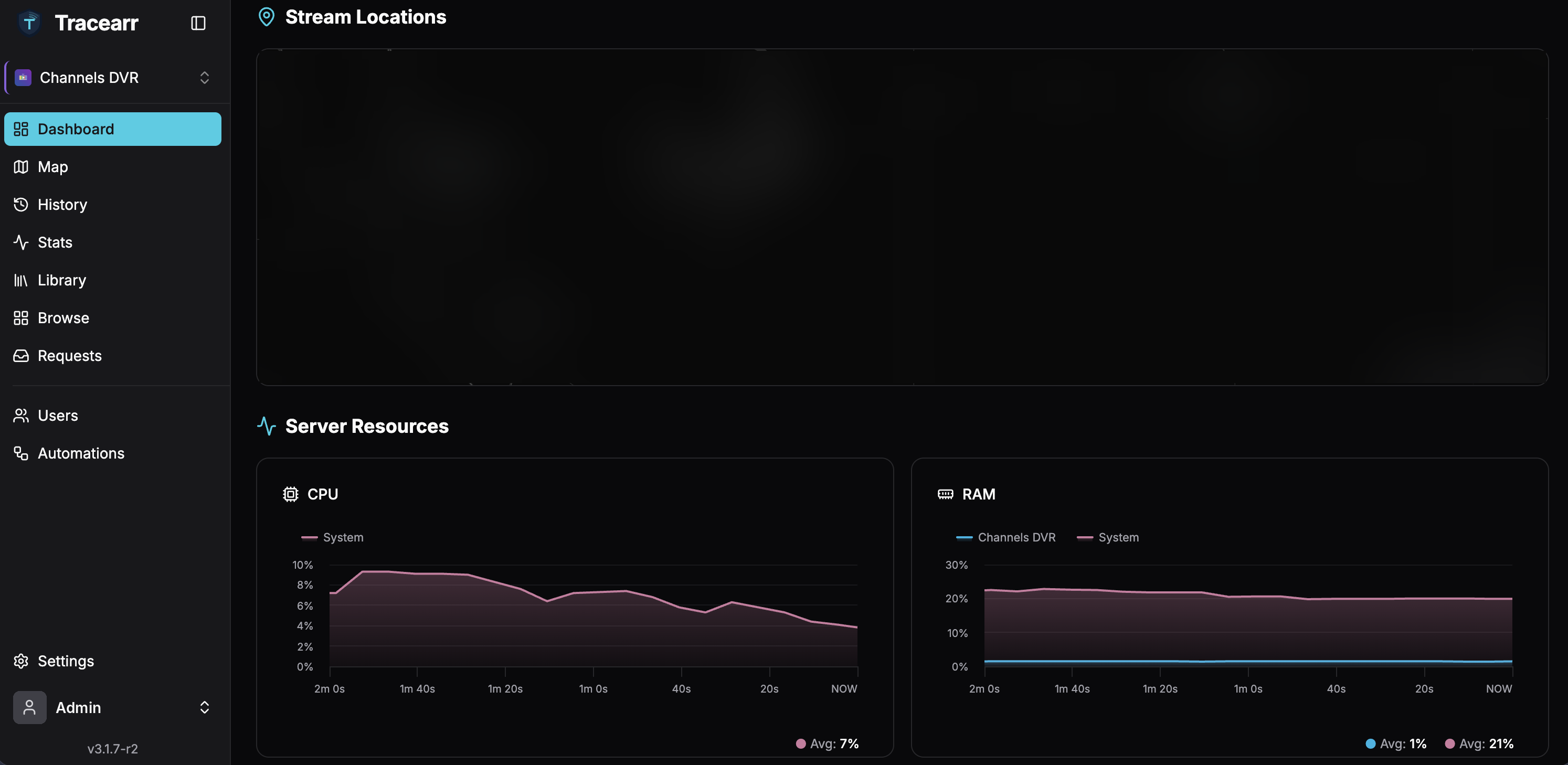
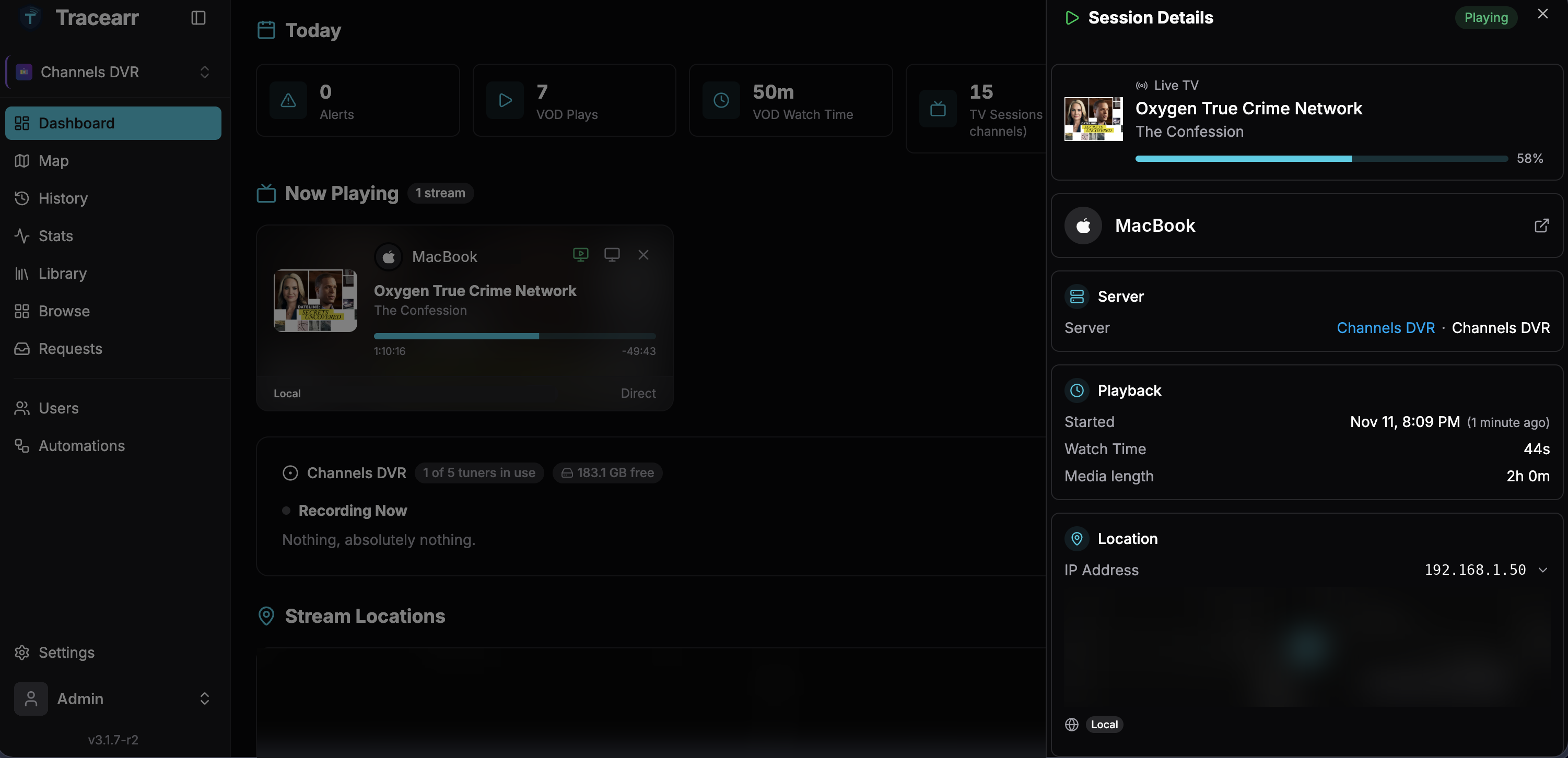
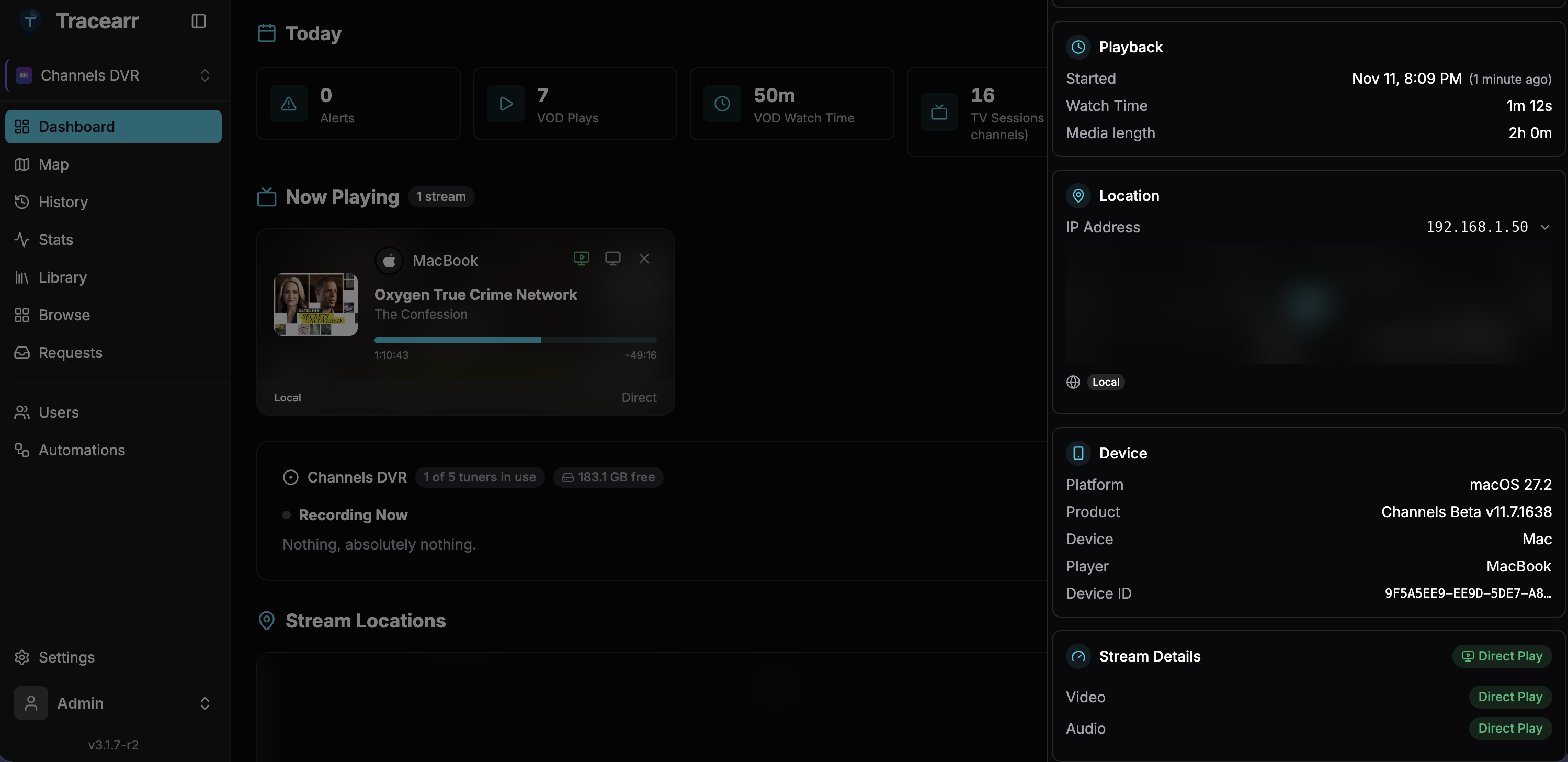
  • Now Playing: live TV, recordings and imported movies and shows, including the Channels web player, with artwork, channel logos and the device's brand logo (Apple TV, Fire TV, Android, Google TV, Mac).
  • Accurate playback: real position and pause state (asked from the Channels app on devices on your network), plus live TV progress through the current programme.
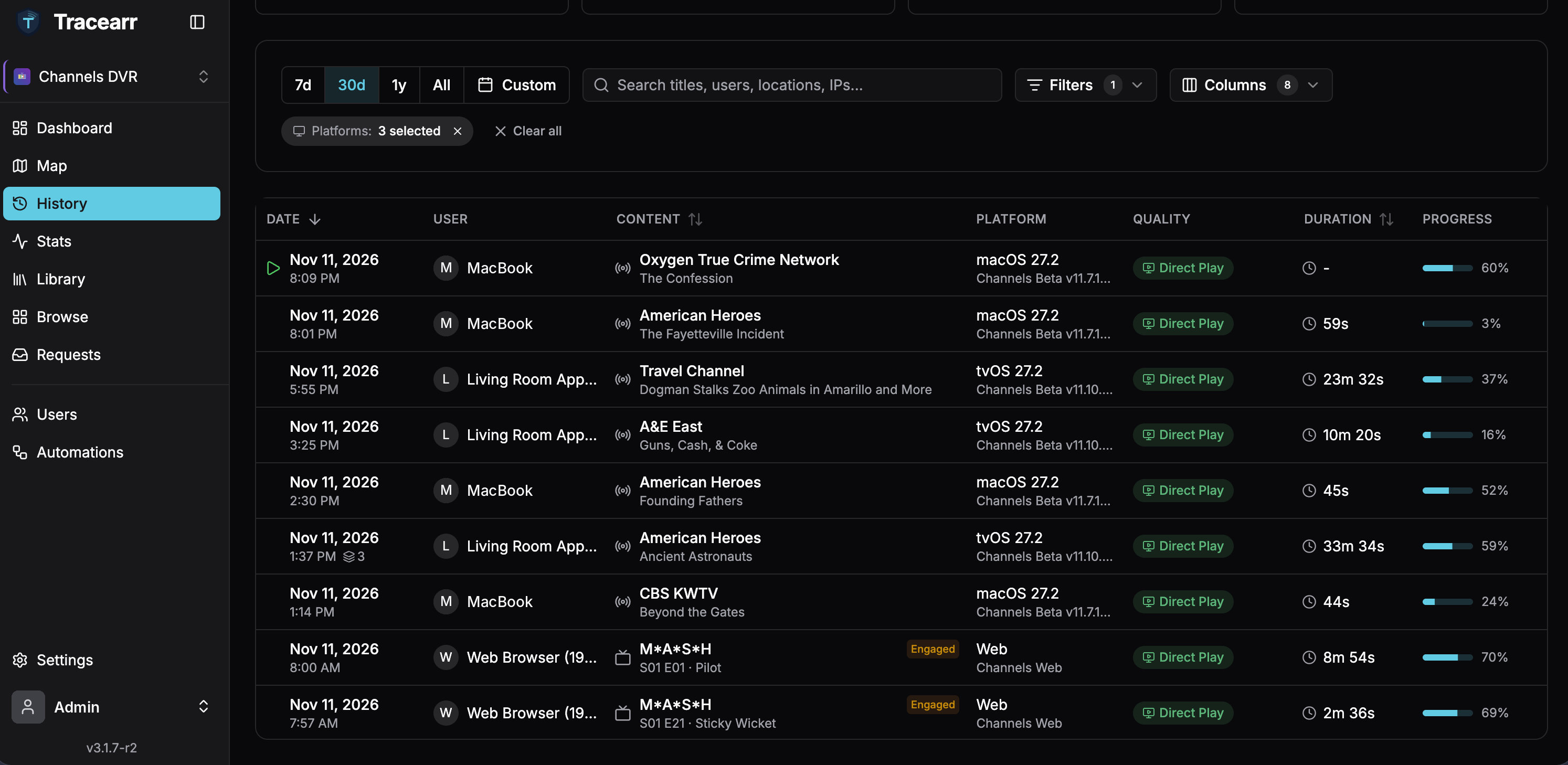
  • History and stats: every session is recorded, so you can see who watched what, when, and for how long.
  • Stop a stream on a device on your local network from the dashboard.
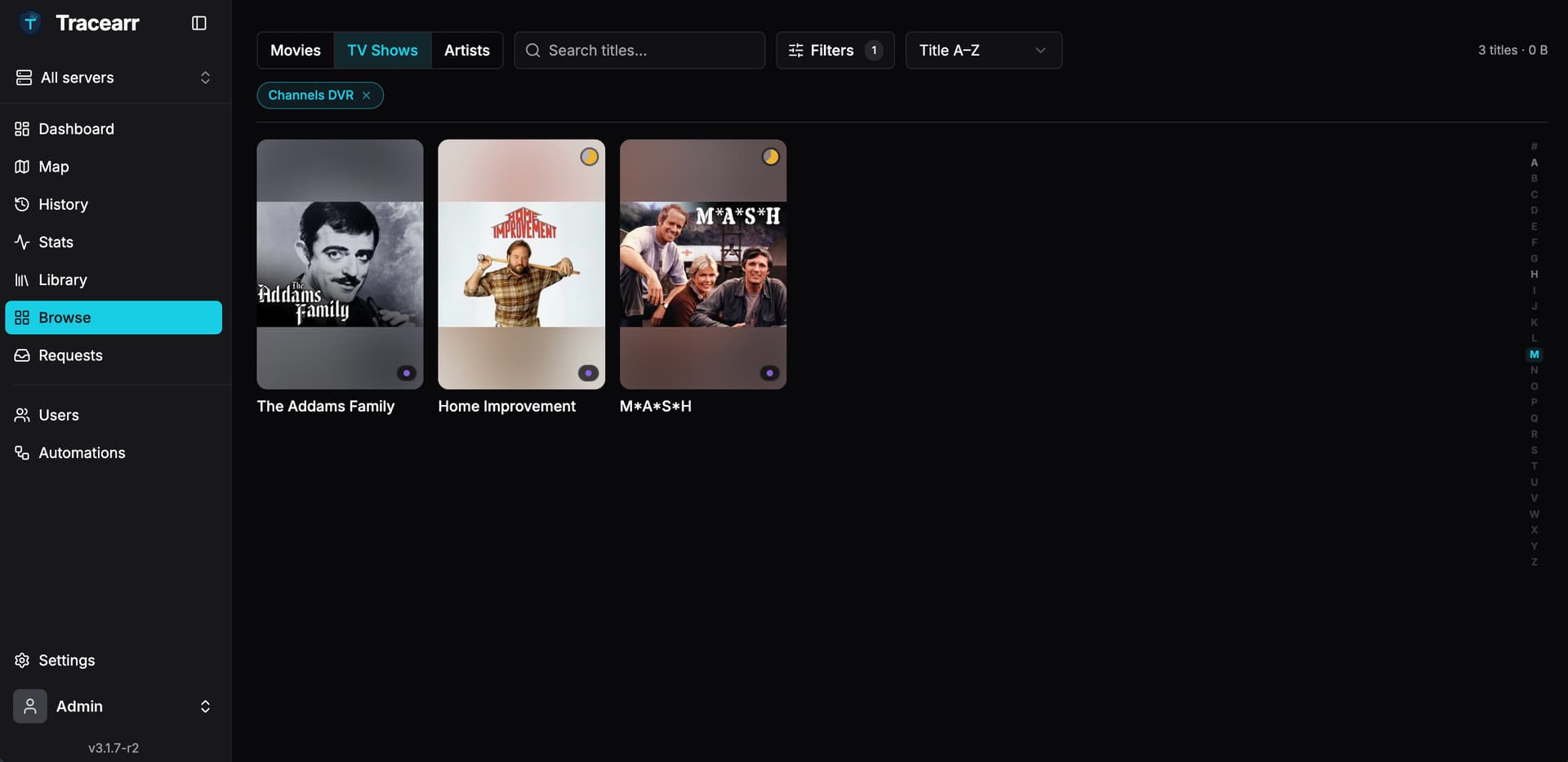
  • Library browsing: shows, movies and videos, with links to open them in the Channels DVR web UI. If you also run Plex, Jellyfin or Emby, the same show or episode appears as one item.
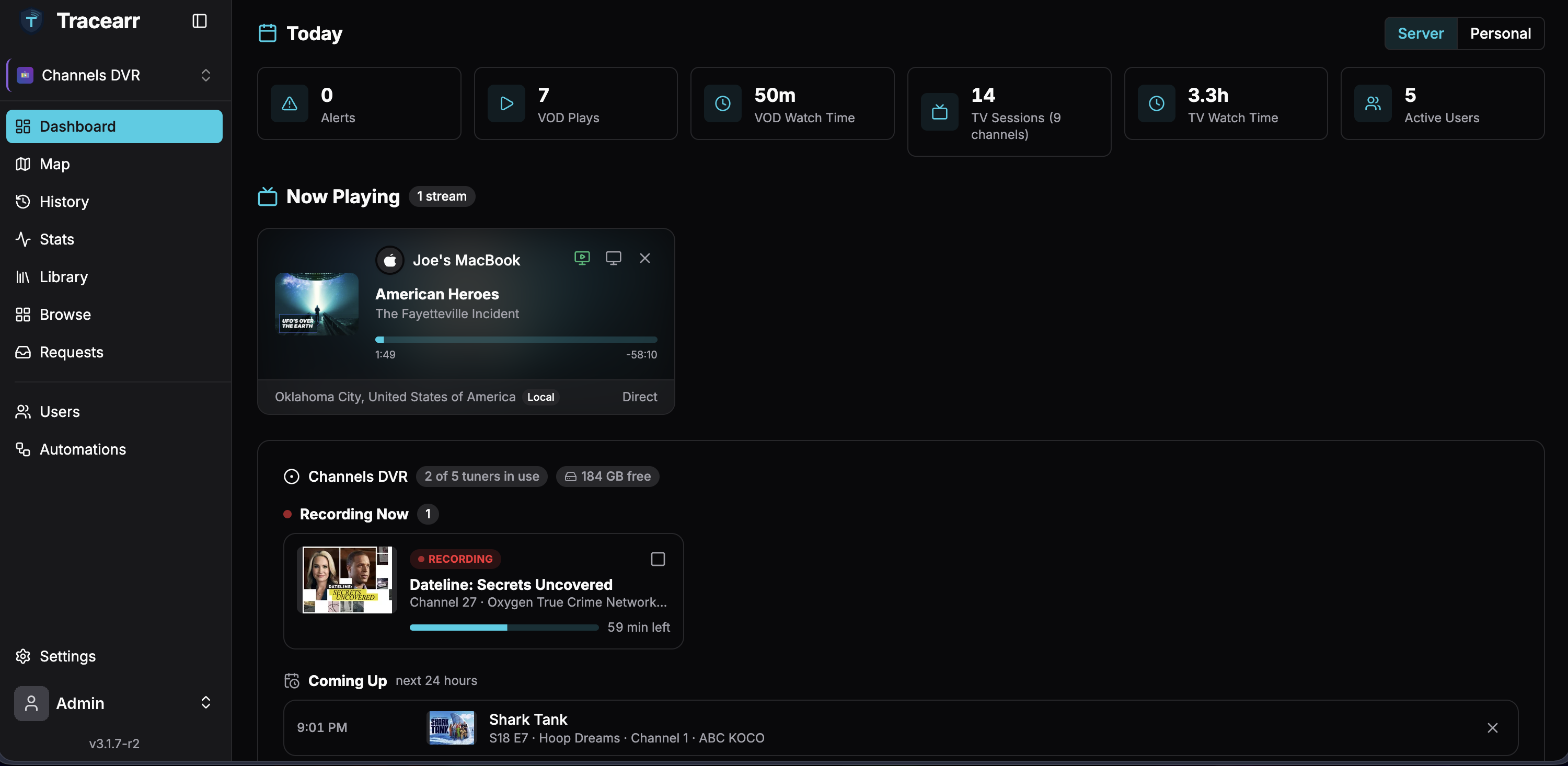
  • DVR card on the dashboard:
    • Recording Now, with exact times and a Stop button (the partial recording is kept)
    • Coming Up: everything scheduled in the next 24 hours, with a cancel button with Skip for series-pass episodes and Cancel for one-time recordings (see update below)
    • tuners in use and free disk space at a glance

Setup is just your server's address, e.g. http://192.168.1.100:8089. No login or API key needed.

Things to know

  • Channels has no user accounts, so viewers are identified by device name. Give each device its own name in Channels, or two devices called "iPad" count as one viewer.
  • Streams can only be stopped on devices on your local network, not remote ones or the web player.
  • Past watch history can't be imported; Tracearr records from the moment you add the server.
  • It relies on Channels DVR's undocumented endpoints (/dvr, /api/v1/jobs, /devices /dvr, /dvr/jobs, /api/v1/jobs, /devices, /status), so a future Channels update could break something. I'll try to keep up.

Install

Docker images (AMD64 and ARM64):

  • ghcr.io/write-erase/tracearr:supervised-latest: all-in-one, easiest to start with
  • ghcr.io/write-erase/tracearr:latest: standalone (bring your own TimescaleDB and Redis)

There's an example docker-compose.yml in the README. The README links to Docker Compose examples; use one of the images above in place of the official image. If you're already running Tracearr, you can swap the image in place, but back up first.

It's a hobby project, so use it at your own risk. I'd love feedback: bugs, Channels clients that don't show up right (I've mostly tested Apple TV, iPhone, iPad, Mac and the web player), or ideas for what else would be useful.

Thanks!
3 Likes

Update: v3.1.7-r3

New for Channels DVR:

  • Recording alerts: get notified when a recording fails, resumes after failing, or loses its stream for a moment. Uses any Tracearr destination (Discord, email, push, Pushover and more).
  • Disk space alert: warns when the DVR disk drops below a percentage you choose, and again when it recovers. The dashboard's disk pill turns amber at the same percentage.
  • Skip a series-pass episode straight from Coming Up, and unskip it if you change your mind. The pass keeps recording everything else. One-time recordings still have Cancel.
  • Update notices: Tracearr checks hourly for new Channels DVR versions and shows an "Update available" pill on the dashboard. Each server can follow stable releases or pre-releases (it works this out from what you're running).

Fixed:

  • Channels DVR servers now show their version in Settings → Servers.
  • After Stop, Cancel or Skip, the DVR card updates right away instead of up to 15 seconds later.

All the alerts are off until you set them up under Automations, where ready-made templates are waiting.

To update, pull ghcr.io/write-erase/tracearr:latest (or supervised-latest) and restart. Feedback and bug reports welcome as always!

2 Likes

Awesome, thanks for doing this. I created my own personal dashboard that spans CDVR, Emby, JF (didn't pull in Dispatcharr since it feeds my platforms). However, my dashboard only shows current state, this provides history along with other informative data points. Will use this definetly.

1 Like

Thanks! You're welcome to make feature request if you find something that can benefit others.

Can't think of anything, like I said yours extends well beyond what mine does.

https://community.getchannels.com/t/personal-dashboard/47431

I just wanted to have something I could quickly assess current state (single page summary) and if I need to do any trouble shooting, I can quicky identify the source and go straight there through my drop down links above the "dashlets" or "cards".

New Channels DVR features to test on :dev

There's a batch of new Channels DVR features on the dev image. They aren't in a release yet, so I'm looking for a few people to try them before r4.

What's new

New alerts (Automations → New automation; nothing is on until you add one)

  • Recording missed: a scheduled recording is a few minutes past its start and still isn't recording, without Channels flagging it as failed (no free tuner, source not answering, etc.)
  • Recording started / finished: optional, for when you want to know a show landed. "Finished" only fires when a recording reaches the end of its airing, not when it's cancelled or fails.
  • Channel lineup changed: checks every 30 minutes and lists channels added, removed, renamed or moved per source. Virtual Channels are ignored.

These sit alongside the existing recording failed / resumed / interrupted and disk space alerts, and send to Discord, email, Pushover, webhooks and the rest.

Check connection

  • Settings → Servers → edit your Channels DVR server → Check connection
  • Checks the server, activity, disk, scheduled recordings and lineup, and shows the error for any that fail.

Dispatcharr user (if your Channels DVR gets channels from Dispatcharr using an M3U link with an XC username and password in it)

  • Enter that user on the Channels DVR server, and the duplicate Dispatcharr card that shows when Channels pulls a stream is hidden.
  • The same user in another player still shows. If you use Dispatcharr's plain M3U link, "Ignore anonymous streams" already covers this.

Fixes

  • Tracearr now checks this fork's releases for updates. Before this, the update notice never fired, so anyone on r1–r3 has to update by hand once.
  • GitHub and help links now point to this fork.

How to try it

In your compose file, change the Tracearr image to:

image: ghcr.io/write-erase/tracearr:dev

(or :supervised-dev if you use the supervised image), then:

docker compose pull tracearr && docker compose up -d tracearr

To go back, change it back to :latest and pull again. dev updates whenever something new is merged.

What I'd like to hear

  • Whether the new alerts fire when they should, and only then. The missed and started/finished alerts are the least tested.
  • What Check connection shows on your setup, especially anything red.
  • If you use XC logins with Dispatcharr: whether the duplicate cards are gone.

Post here or open an issue at Issues · write-erase/Tracearr · GitHub.

Dispatcharr user is now a searchable list on dev

The "Dispatcharr user" field on Channels DVR servers is now a searchable list:

  • It lists your Dispatcharr users that have an XC password, shown as "Name (username)".
  • Type to narrow the list. If the user isn't listed, type their username and pick Use "…".
  • It only shows when a Dispatcharr server is set up in Tracearr.
  • It saves the XC username from your M3U link. If Dispatcharr has a first or last name set for that user, it's now matched either way, so the duplicate cards should be hidden in both cases. Anything you entered before keeps working.

To get it, pull :dev again:

docker compose pull tracearr && docker compose up -d tracearr

If you use XC logins with Dispatcharr, I'd like to hear whether the list shows the right users and whether the duplicate Dispatcharr cards are gone.

New on dev: version pill, tuner conflicts and Recently Recorded
Three more additions to the Channels DVR card on the dashboard:

Version pill

  • It now always shows. It's green Up to date when you're on the latest release, and Update available when you're not.
  • After you install an update, it changes to Up to date within about a minute. Before, it could take up to an hour, plus a page refresh.

Tuner conflicts in Coming Up

  • If more recordings overlap than a source has tuners, those rows get an amber "Tuner conflict: 3 recordings, 2 tuners" line. Hover over it to see which source.
  • Each source counts against its own tuners, so recordings on your HDHomeRun and on an M3U source don't add up together.
  • Only recordings count. People watching live TV also use tuners, but there's no way to know that ahead of time.

Recently Recorded

  • A new list under Coming Up shows recordings that finished in the last 24 hours, newest first. Click a title to open the show in the Channels DVR web UI.
  • Badges show when something went wrong: Interrupted (the stream dropped, so part is missing), Stopped early and Started late.
  • A recording that was cut short shows how much it got, like "3 min of 30 min".
  • Imported files don't show up, only real recordings.

To get it, pull :dev again:

docker compose pull tracearr && docker compose up -d tracearr

If you have more than one tuner source, or recordings that sometimes drop, I'd like to hear whether the conflict warnings and badges match what Channels shows.

Update: v3.1.7-r4

Channels DVR and Dispatcharr support for Tracearr 3.1.7. This is the last release on 3.1.7; the next one moves to Tracearr 3.2.0.

New since v3.1.7-r3

  • Alerts: a scheduled recording that didn't start, a recording starting or finishing, and channels added, removed, renamed or moved in a source's lineup. They're ready-made automations: create the ones you want under Automations, then pick where they send.
  • Check connection on a Channels DVR server checks each part Tracearr uses and shows what fails
  • Dispatcharr user: if your Channels DVR uses a Dispatcharr M3U link with an XC username in it, pick that user from a searchable list to hide the duplicate Dispatcharr cards
  • Version pill on the dashboard always shows: green "Up to date", or "Update available". It updates within about a minute after you install an update, and a new version on any server shows without reloading the page.
  • Tuner conflicts: Coming Up warns when more recordings overlap than a source has tuners
  • Recently Recorded: the last 24 hours of finished recordings, with Interrupted, Stopped early and Started late badges
  • The Dispatcharr server URL example shows its default port, 9191

Fork changes

  • The GitHub link in the user menu and the new-issue page now open this fork, so bugs come here instead of to the original project. The Discord links to the original project are gone.
  • The baseline branch is now main. Update any links or bookmarks to the compose examples.

Updating

  • v3.1.7-r4 is the first release that checks this fork for updates, and the update dialog shows this fork's docker pull command. If you're on r1–r3, update to r4 by hand once.
  • Images: ghcr.io/write-erase/tracearr:latest, :supervised-latest, or pin :3.1.7-r4 / :supervised-3.1.7-r4

To update, pull ghcr.io/write-erase/tracearr:latest (or supervised-latest ) and restart. Feedback and bug reports welcome as always!

Release: 3.2.1-r1

Back up your database before updating. This release runs upstream's migrations 0126–0132. Request ids are stored differently from here on, so going back to 3.1.7-r4 or earlier needs that backup.

Based on Tracearr 3.2.1, with Dispatcharr and Channels DVR support.

From upstream 3.2

  • tofa servers: live sessions, library, history import and its built-in requests (tofa 0.13.3 or newer)
  • Guided first-run setup: sign in, connect a server, import history
  • Option to make single sign-on the only way admins and members sign in
  • Refreshed theme and map colors with better light-mode contrast; the Inter font no longer loads from Google
  • People's pictures follow their media server accounts and update at sync
  • A new or re-added server starts its first library sync at once and fills in its growth history
  • The stop stream dialog no longer puts an @ in front of names
  • Jellyfin shows Direct Play, Direct Stream or Transcode by what the server actually does
  • A person's name no longer follows a rename on the media server; set a display name to change it

Fork-specific

  • Dispatcharr and Channels DVR are ported through upstream's server type rewrite, so every server-type check now has an explicit answer for them instead of falling through to "not Plex"
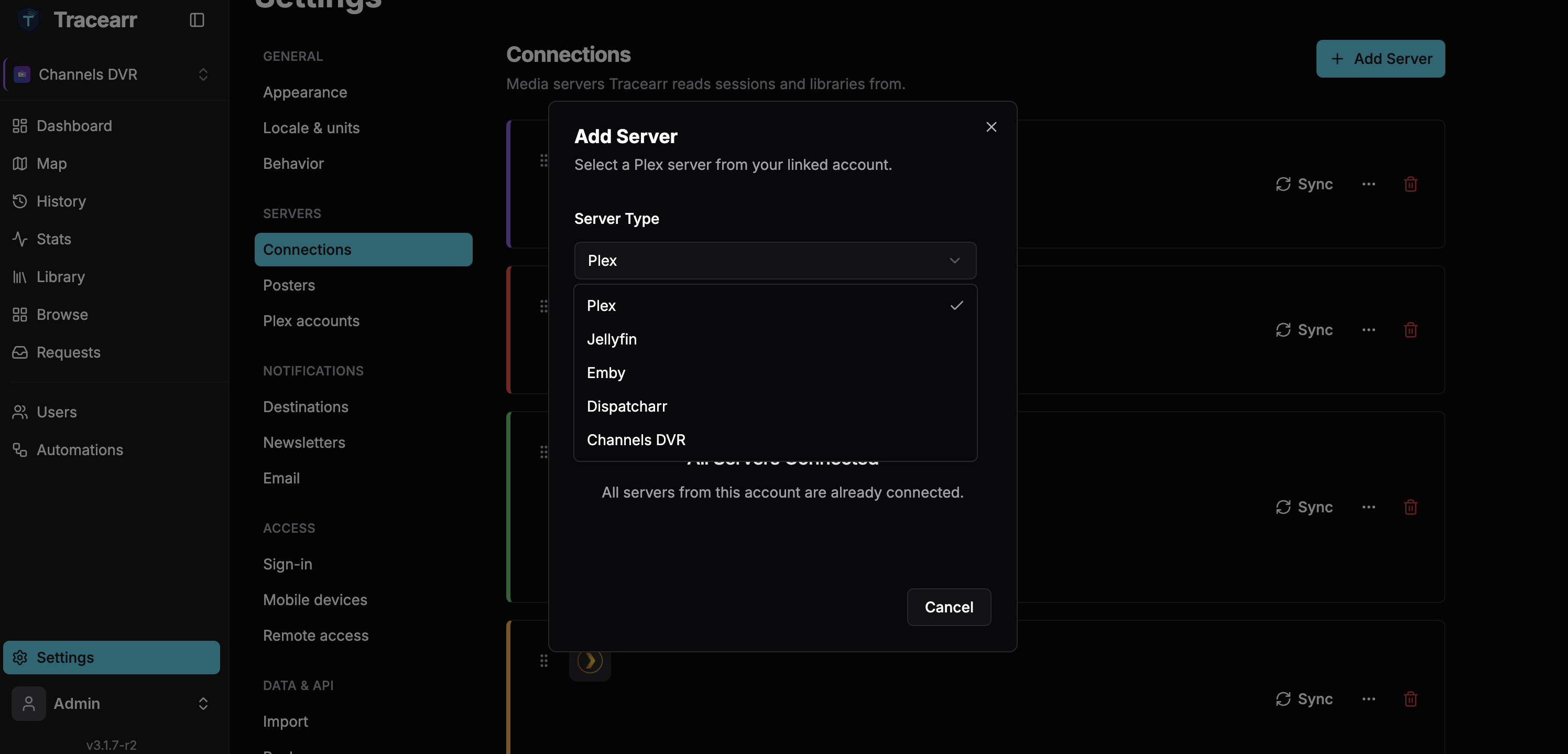
  • Both types can be added in the new first-run setup and in upstream's redesigned Add Server dialog, which skips its history import step for them (neither has history to import)
  • Dispatcharr keeps token or username + password sign-in and "Ignore anonymous streams" in the new add-server flow
  • The redesigned server row shows Channels DVR as "Polling" and Dispatcharr's realtime state, plugin issues and plugin updates
  • Channels DVR keeps its per-server stable/pre-release update track; Dispatcharr keeps its plugin update check
  • Live TV keeps the channel as the title with the program under it on Jellyfin, Emby, Dispatcharr and Channels DVR (Plex and tofa follow upstream's program-first layout)
  • Channels DVR's stop dialog names the device and has no message field; its web-player and remote-device stop refusals still come first
  • Member sign-in can't be turned on for Dispatcharr or Channels DVR (neither has user sign-in), and the login page only counts servers that have one
  • Error codes: Dispatcharr stays EXT_005, Channels DVR EXT_006; tofa is EXT_007 in this fork (EXT_005 upstream)
  • The dashboard's Dispatcharr and Channels DVR sections, catch-up clocks, provider and speed labels, device logos and the recording panel carry over unchanged

Images

  • ghcr.io/write-erase/tracearr:3.2.1-r1
  • ghcr.io/write-erase/tracearr:supervised-3.2.1-r1

Update: 3.2.1-r2

Based on Tracearr 3.2.1, with Dispatcharr and Channels DVR support.

Updating from 3.2.1-r1: no database migrations, no backup needed. Coming from 3.1.7-r4 or earlier: back up your database first; upstream's 3.2 migrations run (see the 3.2.1-r1 notes).

Plex Live TV

  • Live TV posters on guide-data tuners (Gracenote, antenna, cable) now show, through Plex's photo transcoder, uncropped
  • Channel logos from M3U tuners' logo hosts now show, fetched without your Plex token and only for a stream that is playing
  • Gracenote art on ebyl.tmsimg.com is allowed alongside plex.tmsimg.com
  • A stream's art shows as soon as it starts, instead of after its first stretch
  • Channel logos served by a configured Dispatcharr now show

Channels DVR

  • Guide logos show when Channels DVR runs in Docker bridge mode
  • Live streams from clients that reach Channels DVR through a proxy (such as an Android TV over Tailscale into Docker) show their channel, program, art and progress
  • Subchannels such as ch5.1 are read correctly
  • Stopping a stream that comes through a proxy into the Channels DVR container now says so, instead of failing to connect
  • README: streams through Tailscale Services into a bridged container can't be stopped, and can show as "Web Browser"

Images

  • ghcr.io/write-erase/tracearr:3.2.1-r2
  • ghcr.io/write-erase/tracearr:supervised-3.2.1-r2