Transcoding on low end NAS

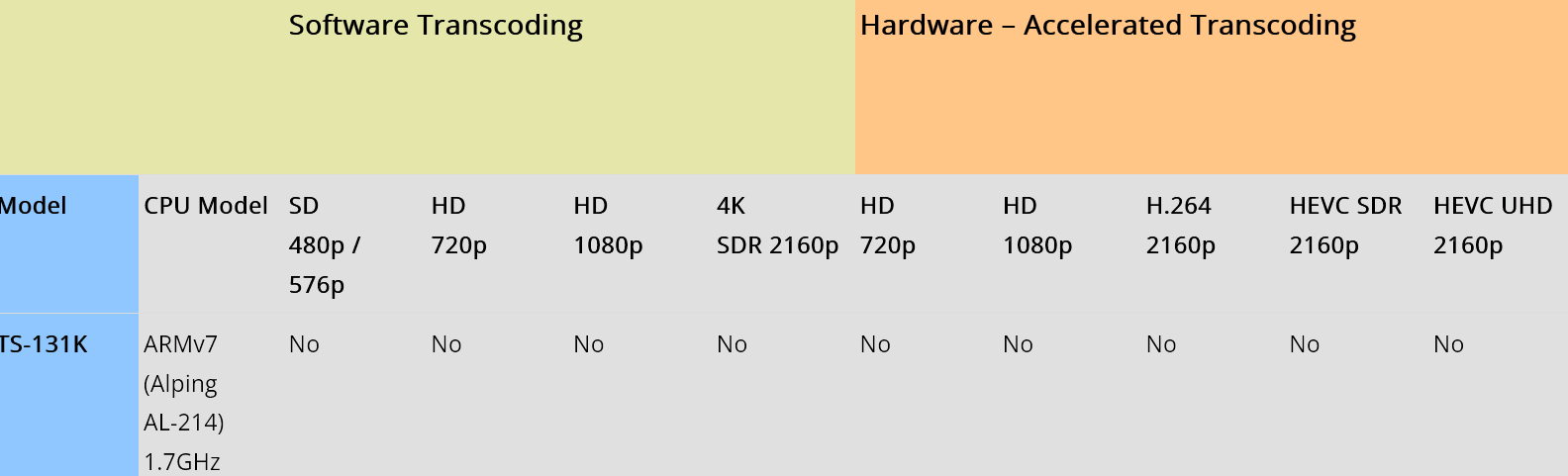
I have a QNAP TS-431K with 4 cores(cortex-A15) and 1gb RAM

Transcoding on default H.264 does not work at all in the browser

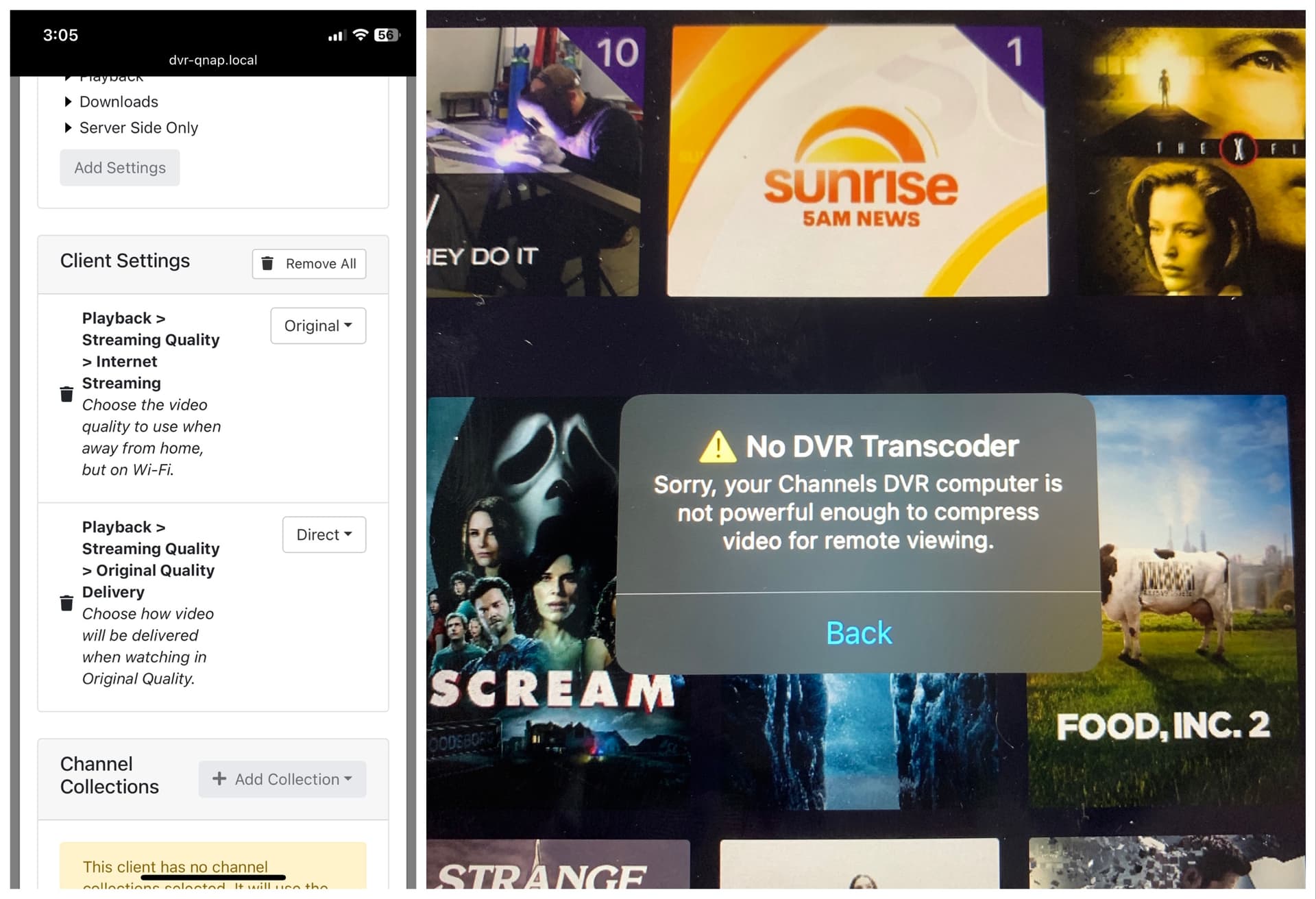
Turn on HEVC(H.265) in advanced and browser transcoding works perfectly but remote viewing does not even attempt to transcode it presents a message that my NAS is too weak.

Edit: remote play is on Apple TV

Can we get a setting to disable transcoding?

Can we get the remote hardware restriction removed or adjusted for low end hardware like mine that works fine in the browser on HEVC and it will work fine for remote sessions too?

Thank you devs.
While you wait for the developers, one of these options will let you view remotely:

  • Copy file from your NAS to your remote computer and view the file from it
  • Set up a VPN so that your remote computer appears to be local and then view in the web browser

To save some digging:

Get a real client device and use original quality in playback settings. The web browser is meant for administrative purposes, if you insist on using the web browser for watching, get a server that can transcode. Transcoding with that NAS is like showing up to Home Depot with a ford focus and expecting to take home a couple pallets of bagged concrete.

1 Like

:point_up:

1 Like

The things is I can remotely play videos with Emby but not channels, all I need it to be able to disable transcoding. The internet is fast enough for original quality streams there’s no need to transcode.

A browser doesn't support all codecs and containers that a Channels client does.
For streaming to a browser, Channels may have to remux or transcode.
If you use the Channels DVR VLC integration, you'll get a direct stream with no transcoding.
But that will play in VLC instead of a web browser.

Sorry there’s some confusion the remote play is on Apple TV and it blocks it before it even tries it

Yah, you were talking about a web browser and Emby.

Is your DVR server transcoding or remuxing?
It has to remux for HLS remote streaming.
Even when you select Original Quality for Internet or Cellular.

When I use Tailscale for remote viewing, I set it to Original Quality Direct At Home.
If that has an issue, I set it to Original Quality Stream At Home.
Channels Support - Settings Playback > Streaming Quality
Channels Support - Streaming Direct vs. Stream

Yes this is what I’m looking for are these client settings? I’m not remote right now so I can’t test it.

If you want to test you can disable WiFi on your phone and then create a hotspot with your phone. Attach the ATV to the hotspot WiFi.

2 Likes

From the first link I posted, when you click on it and read

This lists the settings available in the Channels app

Ok this works, for anyone else with a ‘weak’ NAS or server that see the message on the right screenshot just change the settings on the left screenshot to original.

1 Like

And if you have problems playing with those settings, use Original and Stream

This topic was automatically closed 30 days after the last reply. New replies are no longer allowed.