
As the cost of hard drives escalates, I am seeking ways to minimize filespace on my Synology NAS by deleting recordings and any other unnecessary files.
Through the process, I have stumbled across what appears to be a huge deposit of files in my ChannelsDVR/logs/comskip directory. 18.2 TB!? This disk usage appears while reviewing files in Windows 11 Treesize app, and Windows File Manager.
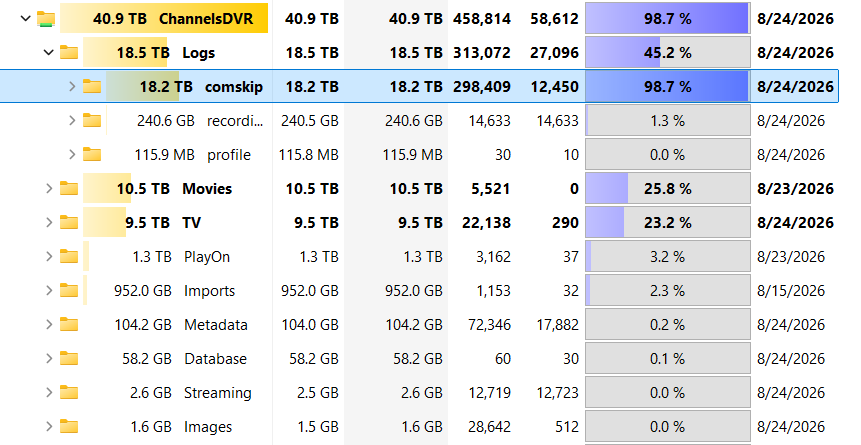
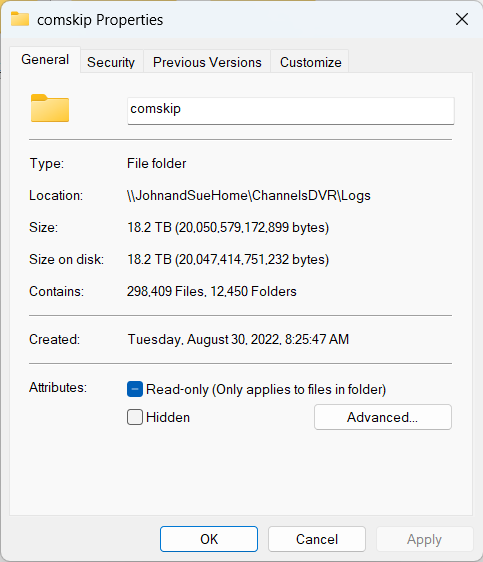
It does not seem to show the same when using the Synology DS file app. It's still a substantial amount at 1.7 TB. But, it's only ten percent of what Windows file manager is showing.
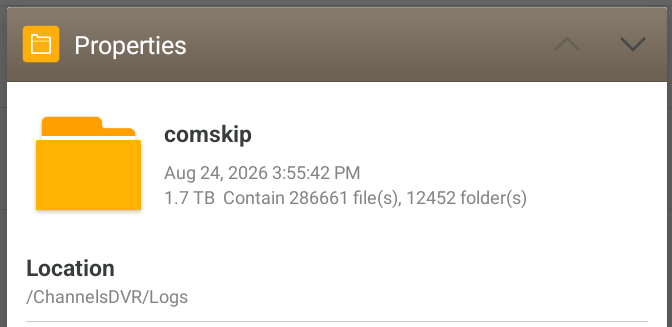
So, does this directory actually take up over 18 TB? or, is it really 1.7 TB?
And, more importantly, whatever the size, can I safely delete the contents of this directory without affecting the functionality of my Channels DVR?