Trouble with Fedora 42 KDE Plasma

I've been running Channels DVR on Win10 for a couple of years, and decided to move it to a platform of it's own, a Beelink Mini S13, and opted to try out some Linux Distros. I've tried Ubunto (don't like it), Linux Mint 22.1 (works great), and Fedora 42 KDE Plasma. Unfortunately, with Fedora, I am not having any luck getting to the configuration page at localhost:8089, either locally, or from SSH. The download and installation script appear to run fine, but the "sudo adduser $(id -u -n) video && sudo adduser $(id -u -n) render" commands error out. Apparently Fedora has different group modification commands? Anyway, has anyone had success getting Channels DVR to run on Fedora KDE Plasma? Or any Fedora version for that matter?

Thanks!
David
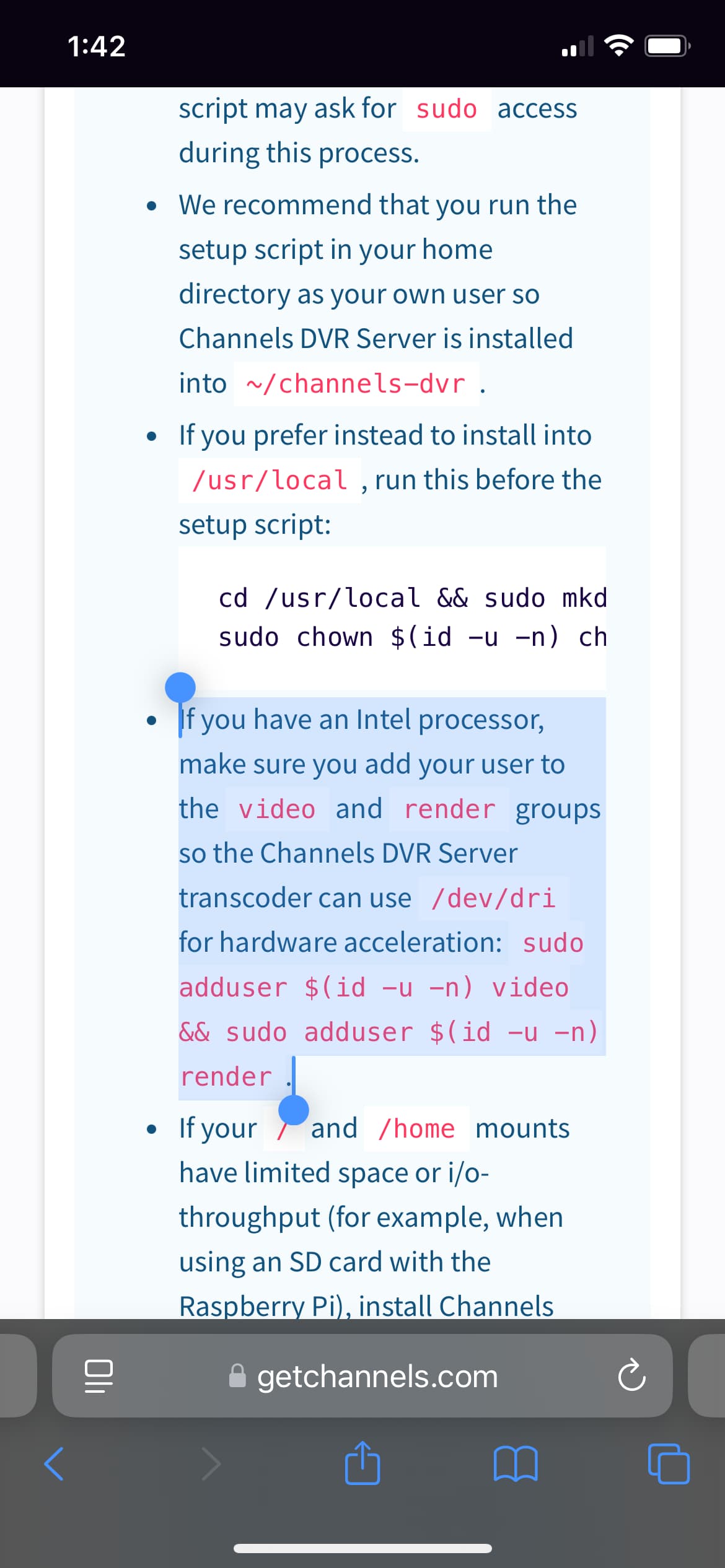
Those aren't working because they're the wrong commands. You're not trying create a new user; what you want to do is add your user to those groups. (I imagine that you got the hint to use those commands from some random website.)

Try this instead:

sudo usermod -aG video,render $(whoami)

Of course, after you modify your user's group membership, you need to sign out and back in for the session to pick up your new memberships.

And please, use the manpages to look up those commands before you actually execute them, so you know what you are doing.

1 Like

Your assumption would be wrong. He is following the instructions in the support articles for Linux install posted by the developers. Sometimes I wonder if it is even possible for you to offer help to anyone without cutting them down first.

Just a suggestion, but generally speaking, the server versions of Linux distros are the best approach when setting up a system like you're describing. They're leaner and meaner, and have fewer hurdles to deal with during setup. Debian Linux (with no desktop installed) or Ubuntu server are both excellent choices, with lots of other Channels users using them.

2 Likes

Thank you for stepping up, I appreciate it. Yes, I am following Channels DVR instructions, which worked just fine under both Ubuntu and Mint distros, but not with the Fedora spin I tried.

Again, thank you.

The reason I'm not going with a "server" spin, is because I'm also wanting (hoping) to find time to use it to learn some Linux, and ultimately step away from my Windows centric world at some point.

Thank you for your suggestion though, I probably should put some consideration into it.

Thank you, next time I try to deploy Fedora again, I'll try your alternate command structure. At this point, I wiped that partition. I still have a dual boot with Win11 and Mint on the SSD.
I'm guessing that not being able to use a browser either localhost or remote, into the Channels DVR host page, has little to do with not getting my user account into those two groups. Oh, as a test, I also disabled Firewalld, just to make sure I wasn't getting stopped there. But, that wouldn't have made a difference locally. So, it's still a mystery. This is the second time I've attempted to deploy the same Fedora 42 KDE distro (two different ISO burns though), and install Channels DVR. Both resulted in the exact same failure. The installation and startup script provided on this site, appear to function just fine, with the exception of the adduser command, but not able to contact the Channels DVR webhost page. Just hoping to find someone who has successfully deployed this on Fedora 42 KDE, as it looks like a promising alternative to Windows for me, and I'd like to be able to deploy Channels DVR on it to give me an excuse to play with it.

Thank you!

Learning Linux is an excellent objective, and I believe even with that as an end goal you'd be better off installing Debian or Ubuntu server. Unlike Windows or MacOS, the Linux desktop environment is very fragmented, in fact many/most distros offer multiple flavors.

I'd suggest installing server, and then adding a few cross-platform tools like Docker (with Portainer), and perhaps Webmin or Cockpit (with extensions like Navigator, Identities and File Sharing). Plus you can use excellent tools like WinSCP and puTTY to interact with your server from a Windows host. Now, you'd be in a position to really learn Linux, but with some nice WebUIs to help you along your way.

Setup your Beelink headless, and interact with it from any system on your LAN, or add Tailscale and do so from anywhere in the world. It'll make an excellent server, especially when it's resources are reserved for those duties, without the additional burden of a desktop environment.

2 Likes

I explored the Debian distro site, but it was less than intuitive, and the installation process looked daunting. I wasn't sure how to proceed, especially since I want to maintain my multi-boot environment. I really have no "need" to keep Windows 11 on the Mini S13 Beelink, but I also hate destroying originally deployed software, especially the native recovery partition(s).

That being said, the Mint Debian Edition looked interesting. I may supplant my current Mint 22.1 installation with the LMDE 6 version. I understand that there is a new version that is expected to drop within a month or two (LMDE 7 vice the current LMDE 6). I may wait for that before I undertake another distro install on my little Beelink Mini. Again, many thanks for your insights! Much appreciated! -David

I tried Fedora 42 Workstation (instead of KDE) "live". Went through the installation script provided by this website, along with the racameron's sudo usermod -aG video,render $(whoami) command. Still no luck connecting to the management page at localhost:8089. It works fine from LMDE 6, Mint 22.1, Ubuntu 24 and 25, and Kubuntu 25.04. I do not understand why I have success with all those distros, EXCEPT Fedora? Anyone know what is missing? Thanks!

David

1 Like

Why not use a distro that you have had success with already?

That is why I am using Kubuntu at the moment. But, I would really like to become familiar with what I consider to be one of the "original" Linux distros, as back in the day, everything was always all about "Red Hat"..... and since Fedora is essentially a continuation, or close offshoot, I'd like to use it if I can. However, the main function of this machine is to host my CH-DVR, so that is a must. Secondarily, I need to be able to easily remote into the machine, not just via SSH, but also Desktop Sharing. Ubuntu allows the use of Windows RDP, which is my preference; but Kubuntu's X11 at least allows for a fairly snappy VNC connection via KRFB. I basically want something to start learning Linux on, and since Red Hat was for all intents and purposes, the original PC distro, that's the platform I want to head towards.

To each his own but i would seperate CDVR from everything else and run Linux Server not desktop. If you want to play around with distros then i would do that on another machine. My 2 cents....

If this kind of history is important to you, Debian has been around longer than Red Hat.

Also, having your learning/experimentation platform the same as your CDVR server, does not seem like a recipe for success.

Two more cents... :slight_smile:

Interesting, I did not know that. One more thing for me to research! Thank you for your recommendations, much appreciated!

David

If you're looking for other vintage Linux distros still around and kicking, give Slackware a look. (I remember downloading the floppy sets back 1997 or thereabouts.)

I also remember trying out SUSE around that time, too.

This topic was automatically closed 30 days after the last reply. New replies are no longer allowed.