tvOS/iOS Beta Notes

v2025.08.31.2326

• IMPROVED: UI hangs that could happen with large libraries

v2025.09.01.0042

• IMPROVED: internal diagnostics

v2025.09.01.0116

• FIXED: crash that could happen during discovery

v2025.09.01.1657

• FIXED: crash that could happen due to recent discovery improvements

v2025.09.08.2307

• FIXED: Padding was not being respected when scheduling a new manual recording

v2025.09.10.0411

• Fixed: actually fixed padding when scheduling a manual recording from the guide

v2025.09.10.1908

• IMPROVED: Up Next is more reliably updated

1 Like

v2025.09.10.2011

• IMPROVED: More Up Next reliability improvements

v2025.09.10.2307

• FIXED: Playback settings were not showing without live TV sources

v2025.09.10.2320

• FIXED: Advanced Playback settings were not showing without live TV sources

v2025.09.10.2346

• IMPROVED: Internal updates

v2025.09.11.0419

• IMPROVED: Internal updates

v2025.09.11.1242

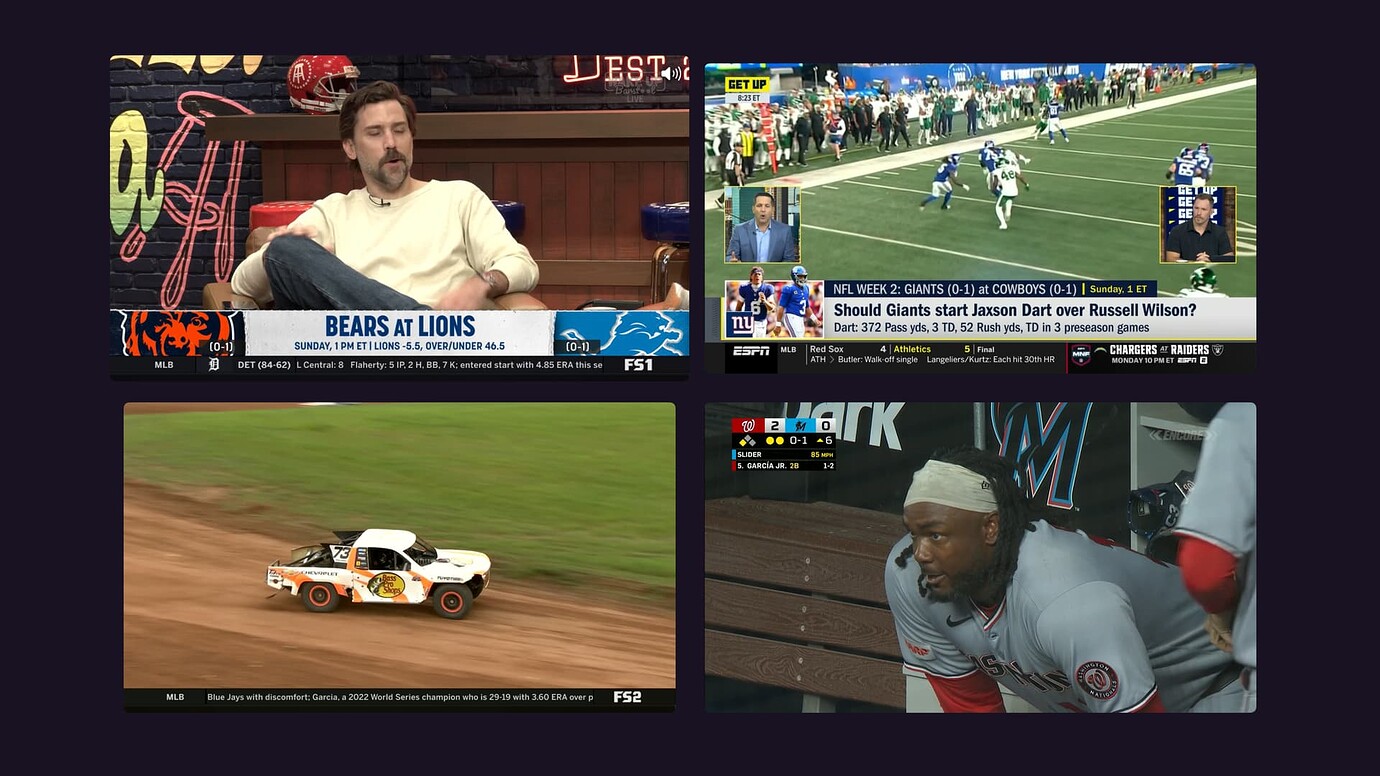
• NEW: Multiview - Watch up to 4 things at once.

1 Like

v2025.09.11.1423

• IMPROVED: Two Up mode in Multiview is now side by side

v2025.09.11.1648

• IMPROVED: Channel number and name are in the player action menu now to denote what channel it is

1 Like

v2025.09.11.1953

• IMPROVED: Network logo is shown temporarily as you focus players in Multiview
• FIXED: Multiview was restarting all players after entering and coming back from the tvOS multitasker

v2025.09.11.2050

• NEW: Our first Multiview setting has landed: Roomy Spacing. Turn it off to utilize your entire TV screen in Multiview.
2 Likes

v2025.09.11.2330

• IMPROVED: Cleaner audio transitions when switching between players in Multiview

1 Like

v2025.09.12.0001

FIXED: Crash in Multiview when removing some HDHR channels

v2025.09.12.1543

• IMPROVED: Network logo sizes in Multiview are a bit improved
• IMPROVED: Reload Channel option now available if a stream has an issue
• IMPROVED: Other various UI clean ups in Multiview
• FIXED: Channel picker in Multiview was not focusable under certain Multiview layouts

1 Like