Unable to toggle Channels app into "Away from Home" mode

Typically we used to see a code to enter, or a QR code to scan, if we ever got logged out:
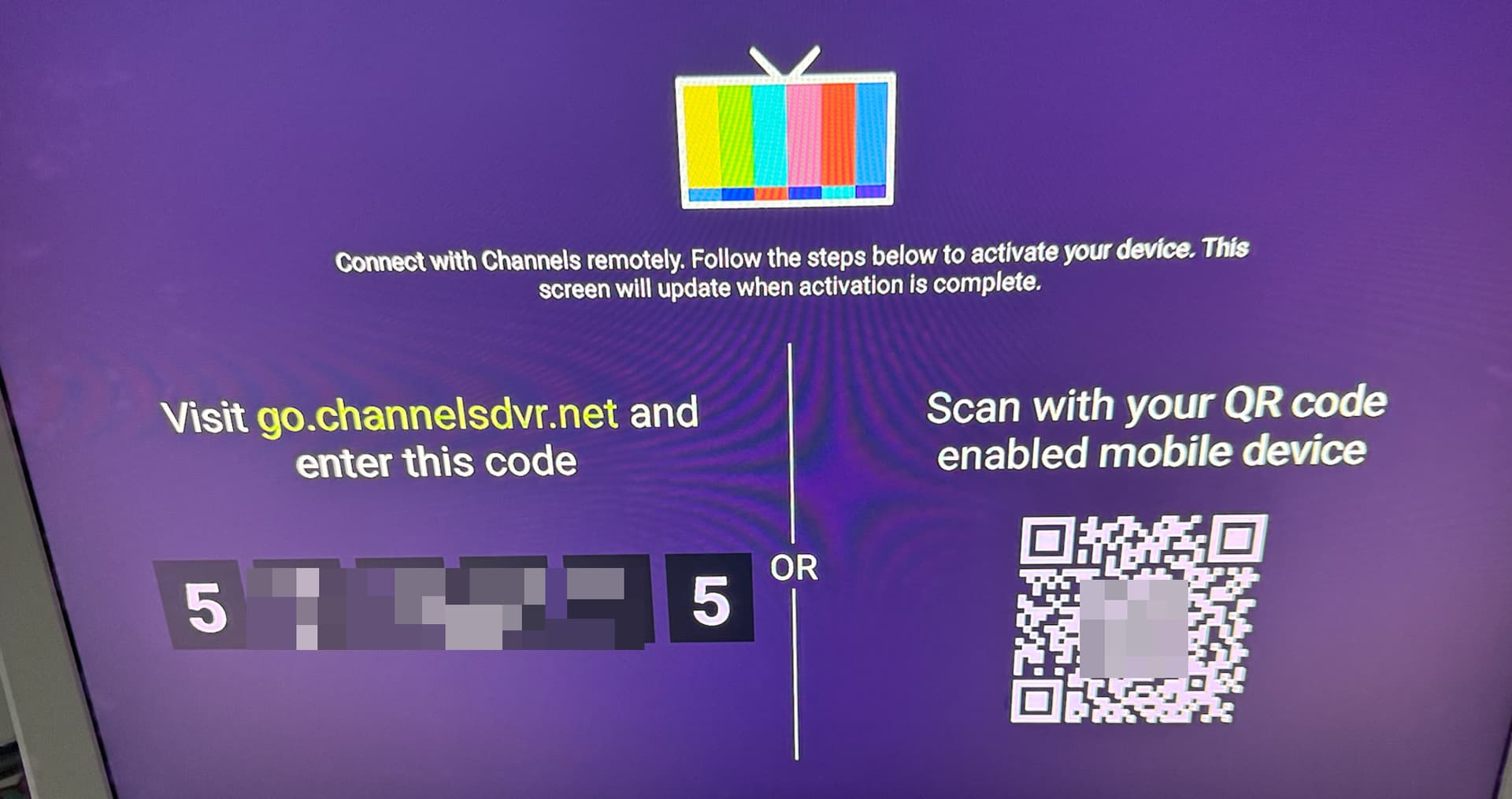
That always made it easy enough to log back in.
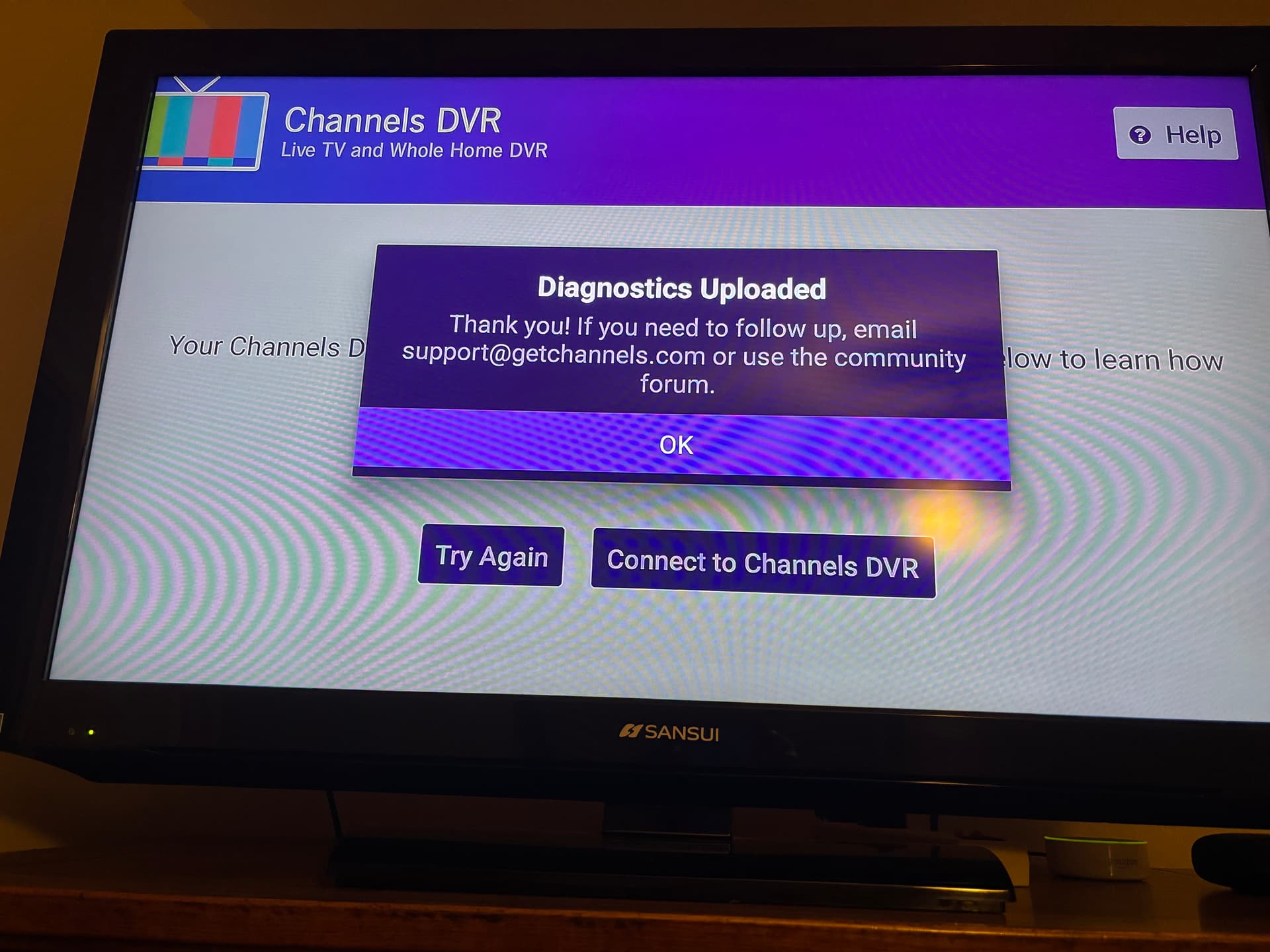
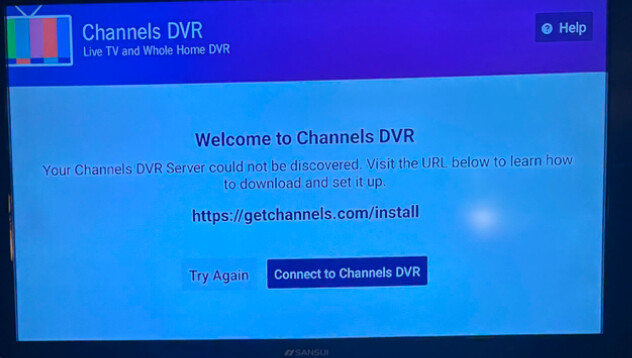
Unfortunately, on two remote Android TV boxes, we're now stuck on this page:
image
Clicking "Connect to Channels DVR" as well as "Try Again" don't do anything, the screen doesn't ask about "At Home" or "Away from Home" so we can't even attempt our usual remote connection.

I'm not sure if I'm missing something obvious, but both devices used to connect seamlessly.

We have "cleared data" for this app via Android TV settings, we also "cleared cache," we also uninstalled and reinstalled the Channels app, and we've restarted the Onn 4K Pro boxes themselves. We can't figure out how to remotely connect again. We are on the beta version of the Channels app: Version 4.9.5.beta-v704082109. We experienced the same issue on the regular release version, though.

What are we missing, and/or what else can we try?
Have you tried going into settings on the Android TV, go apps and then close the Channels App?

Have you verified your LAN port or WiFi (whichever one you're using) is working to access your LAN where your server is?
If connected via WiFi is your router allowing WiFi clients access to your LAN?

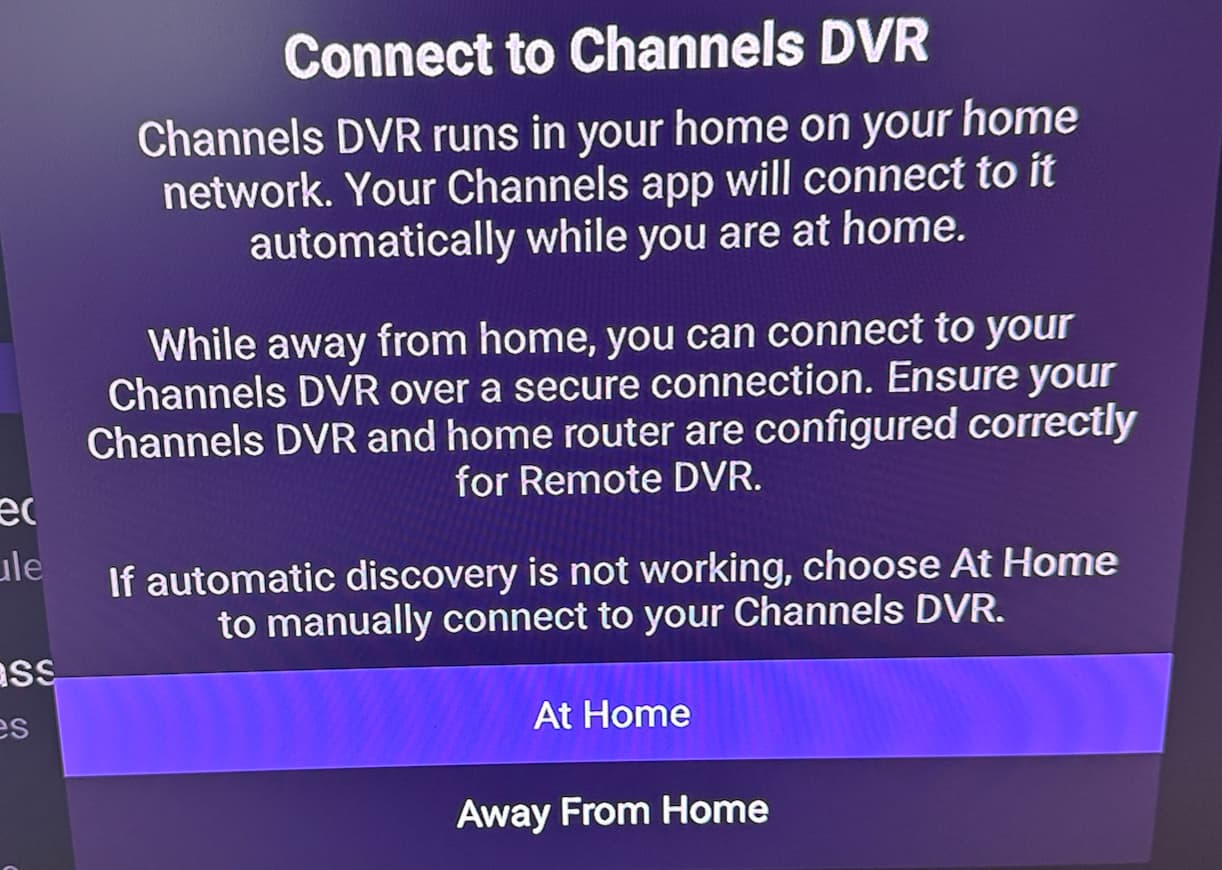
Yes, we force quit it. We also cleared data, and cleared cache. Didn't help. We uninstalled and reinstalled the Channels app. Launched again, and had the same issue. We also rebooted the whole devices. Nothing we tried allowed us to get past Channels' "Welcome" screen. We're just trying to get to this dialogue box, which we've always gotten to easily in the past, that looks like this:

So we're stuck. Clicking "Connect to Channels DVR" as well as "Try Again" doesn't do anything. This is at my mom's house, we are trying to (re) connect her TV's to my remote Channels DVR server. And the same thing is happening on both a new Hisense Android TV in the living room, as well as an Onn 4K Pro box in the bedroom. Both are wireless, and both have zero issues connecting to any other streaming service.

This was all working fine until last week, and now we can't get past the "Connect to Channels DVR" screen, in order to choose "Away From Home," so we can actually log in to the CDVR server.

Yes, but the Channels DVR I am trying to connect to is not on this LAN, it's at my house across the country. We even tried installing and logging into Tailscale, but even with that connected, the Channels app on Android TV still gets stuck on the same "Welcome" page without any way to get actually get past it and to connect remotely to my server.

Also of note, my mom's iPhone, also on that same WiFi network, is able to connect to my Channels DVR just fine. No Tailscale needed. So how do I get the Android TV boxes to even try connecting to my server? Where did that, and the go.channelsdvr.net screen with QR code go?

Thanks for the help thus far.

I have absolutely no clue what the release note means, but have you tried it?

Maybe your app is experiencing a deadlock during its lifecycle change

You have confused me. Which screen is the remote Android device showing?

Also, is there a channels server on the remote LAN?

The first image is what the remote Android TV device is showing.

The second image is what I am trying to get to, in order to connect "Away from Home" to my server. I can't get that screen to appear.

No.

Worth a shot, I'll connect soon and make sure the beta installed is completely up to date as of 11 hours ago. I'll report back. Thanks...

You haven't installed a security or ad blocker app on your android devices or maybe even the router that might be blocking the Channels app from working.

No, nothing like that at all. It's my mom's house. Very basic tech, no customizations, it's all as vanilla and "stock" as possible.

I remember you saying that you have more than one DVR account.
Wonder if it's related to that.

1 Like

My mom's house has only ever connected to my personal DVR account. There have been zero other connections to any other DVR account from her home. She doesn't even have a DVR account of her own.

1 Like

The Android devices are acting like they are receiving a Bonjour advertisement from a Channels DVR server and then trying to connect to the advertised server. By any chance do they have a VPN client on them?

No VPN clients have ever been installed on any of these devices. On this LAN, my mom does have a standalone HDHomeRun though, with a local antenna, and for her local channels, she watches via Channels' dedicated app: https://play.google.com/store/apps/details?id=com.getchannels.app&pli=1
No DVR though, just live TV. Would that HDHomeRun output a Bonjour signal and if so, would that somehow newly cause conflict where none existed before?

We have always used the "Channels for Whole Home DVR" app alongside it, to connect to my CDVR remotely:

And this has worked for years now, no problems at all.

We're wondering what's changed and how to fix it. Hopefully it's something as simple as installing the beta that came out yesterday.

As far as I know the HDHomeRun devices only listen. has anything been added to your mom's LAN? Has any new app been installed on the Android devices? An apple device working is bazar. Have you asked the developers? Sent diagnostics from one of the devices that are failing?

Could you go up to the Help menu and submit diagnostics?

This was specifically a black screen when backing out of the app and going back into it.
And I can confirm it's indeed fixed. This is the bug I have been chasing for a while. I'm so grateful to the team for fixing it by the way.

1 Like

@erik sure thing, I’m no longer there with her but I had my mom submit diagnostics just now.

Thanks and please let me know if there is any more information I can provide.