Unable to watch in-progress recording without stutter on any client

Whether on Apple TV or on an Android phone, trying to watch in progress recordings is resulting in severe stuttering/buffering (ATV) or not playing at all (Android phone).

Server is running on an Intel N100 chip with 512GB of disk (80% free) and 16GB RAM. DVR storage is a Synology NAS.

This was working a week ago (I believe, I'm new to Channels DVR) but seems to have regressed and is no longer working. If I stop the recording or let it finish recording, I can watch it no problem. It just doesn't work when it is in progress.

I can pause live TV and that works fine, which seems like it would be a similar thing. The server also has no problem delivering 80Mbps+ local movie content to the same devices while recording from the same storage drives, so this doesn't seem like a network/bandwidth/disk problem.

All clients are on wifi (server and NAS are wired to each other) but speed tests to the server are 300Mbps up/down with 10ms. Server is running in a docker container in host mode. Commercial skip is turned off globally.

I tried restarting the server and that didn't fix things. I've tried multiple channels/recordings and it doesn't matter.

Any ideas, suggestions? Additional diagnostics I can provide?
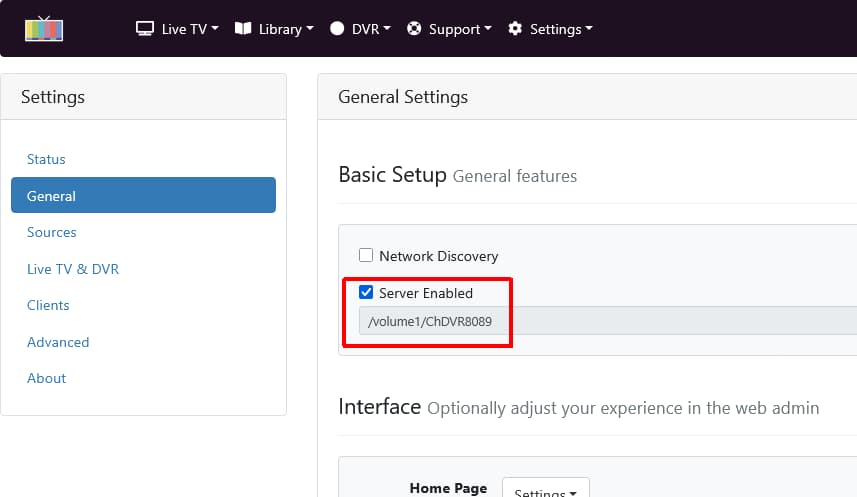
What is your Channels DVR Server Storage Path set to?
Settings > General > Basic Setup

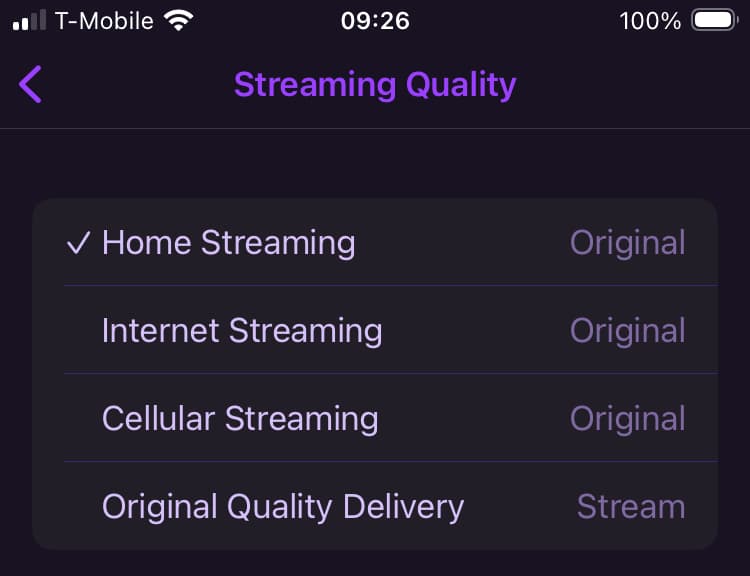
On your Channels client devices, what do you have the app set to for streaming quality and delivery?
Settings > Playback > Streaming Quality

The storage path is /shares/DVR which is mapped to a folder called DVR on the Synology NAS. This is the same NAS, though different folders, with the imported media as well.

The streaming quality is set to Original at home, 8Mbps over internet, and Direct for Original Quality Delivery.

Again live TV, imported media, and recordings that are completed all are fine. It's in progress recordings that are not.

Try changing Original Quality Delivery from Direct to Stream

What OS are you running your DVR Server on?

Is that a docker volume map to an SMB share on your Synology or is it to a directory on your DVR Server that has an SMB mount to your Synology, or...

The DVR server is running on a N100 mini PC running Ubuntu linux inside of a docker container. The DVR drive is mounted using cifs as a smb share to the Synology NAS. Nothing from Channels runs on the NAS. It's just being used as mounted storage for the device the DVR server is running on.

Changing from direct to stream doesn't really work either. It buffers for about 30 seconds, plays 10 seconds, then stops again while buffering (?). Can't tell because it basically just freezes at that point.

It seems like something is causing the read speed off the currently recording file to be abysmal so it can't playback at full speed. I have no reason to believe it's something on the NAS itself, unless channels is doing something funky with how it writes and reads from the same file at the same time.

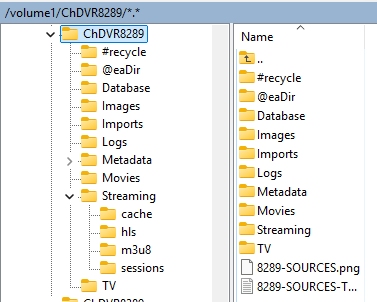
Have you tried leaving just the Metadata and Streaming directories on the N100
docker volume map /shares/DVR/Metadata and /shares/DVR/Streaming to local disk directories on the N100
There is caching and a lot of reading/writing going on when watching an in progress recording.

1 Like

I haven't but that's a good lead. Is there a list of folders that Channels DVR uses within /shares/DVR? I need to figure out how to do the mapping properly with Docker, but this seems like a good idea. I'd like the actual recordings to be on the NAS but it always seemed like a bad idea to have the metadata there as well.

Using WinSCP to view one of my Synology Channels DVR directories
Screenshot 2026-01-04 101036
Database
Images
Imports
Logs
Metadata
Movies
Streaming
TV

I moved Images, Logs, Metadata, and Streaming off the NAS onto the SSD. These seem like smaller files accessed more often, so it should be good practice even if it didn't fix the stuttering issue. Looks like Channels DVR is snappier after making that change, which is great.

Suggestion on the side: it would be good to make the Docker page for Channels DVR clearer on the best practice for this or even better would be to this stuff put into a third directory that could be mapped independently of config/DVR. Yes, it's doable as is, but it's not intuitive one should do this.

Unfortunately, it didn't fix the issues I originally posted about. Still getting a lot of buffering when playing in progress recordings despite live tv and finished recordings being fine.

These are ~5-10Mbps recordings so I'm struggling to see what possible resource contention could be causing issues here when everything else on the server mini PC and the NAS works smoothly.

It feels like something is up with Channels DVR itself.

Anything else to try or logs that would help the developers here?

Ok, I think I've actually figured this out. It is the NAS. I'm not 100% sure why the NAS is causing the issue, but I temporarily remapped /shares/DVR/TV to the SSD and it works fine.

So this isn't a Channels DVR issue and is instead something with the NAS. It's still strange that it only shows up when reading/writing to the same file because I can play imported media with much higher bitrates while recording without issue, but at least I've drilled down into the cause.

I'll look into the NAS and if I can't find a fix, I'll need to figure something else out. The TV folder is too big to keep permanently on the SSD, so I'd either need a larger external SSD or I'd need some way to record onto the SSD but move the files off to the NAS afterwards.

Is this something Channels DVR supports in any way?

It's no big deal if not, but figured I'd ask. I can set this up with mergerfs which might be more robust anyway.

Have you tried changing your clients Original Quality Delivery to Stream after you moved the DVR Streaming folder to the N100?

Is there any reason to do that? It works fine as Direct now that I'm writing TV to the SSD and using a merged folder with the SSD+NAS which moves things from the SSD->NAS every night.

That's great if that works for you.
I was going to say this.

You can add multiple Storage Paths where Channels DVR will look for your previous recordings
Settings > General > Library Database > Storage Paths

The directory you point to should look the same as the one you record to.
i.e. record to /somepath/DVR which has these directories;
DVR/Database
DVR/Images
DRV/Imports
DVR/Logs
DVR/Metadata
DVR/Movies
DVR/Streaming
DVR/TV
i.e. additional Storage Path /volume1/ChannelsDVR on the Synology which has these directories;
ChannelsDVR/Movies
ChannelsDVR/TV

Then periodically move your recordings
from DVR/Movies to a Synology additional Storage Path like /volume1/ChannelsDVR/Movies
from DVR/TV to a Synology additional Storage Path like /volume1/ChannelsDVR/TV

So you could technically record to your SSD, somehow move those recording to your NAS periodically and add the NAS as an additional Storage Path.

I don't know if that's a good idea for an SSD?