United Nations Live TV

Has anyone been able to reliably source the United Nations UN web TV in CDVR?
I haven't been able to get a stable, reliable m3u8 from that site.

I can access it from their youtube live channel and use that in CDVR.

Can SLM Live Stream do it? (don't currently use SLM)

PLM didn't seem to like any of the links I tried from the website directly (granted I only did a cursory check), but the YouTube Live link worked perfectly fine in there, therefore I'd just use that, anyway.

Streaming Library Manager is very easy to get setup, especially for someone as experienced as you. So if you'd like to try additional links, that's what I'd go with. You can even turn off parts of the program you are not interested in with just a switch!

Thanks for checking.
Since I'm already using the OliveTin YouTube Live updater, it seems it would be overkill to install PLM.
How long would it take to set up PLM just to pull the youtube manifast?
I already have the playlist setup

#EXTM3U
#EXTINF:-1 channel-id="UNTV" tvg-id="UNTV" channel-number="7" tvg-chno="7" tvc-guide-stationid="64823" tvg-name="United Nations TV" tvc-guide-title="United Nations - LIVE" tvc-guide-description="Watch UNTV live" tvc-guide-art="https://i.ytimg.com/vi/wfAa1GiNdgM/maxresdefault.jpg?v=6403083b" tvg-logo="https://i.ytimg.com/vi/wfAa1GiNdgM/maxresdefault.jpg?v=6403083b",UN TV
https://www.youtube.com/@unitednations/live

So I assume I would just change my playlist from

https://www.youtube.com/@unitednations/live

to

http://localhost:5000/playlists/streams/stream?url=https://www.youtube.com/@unitednations/live

Took all of 10 minutes to create a host app directory, spin up the container with Portainer and test.
Just changed my playlist m3u as I stated in the post above.
Then another 30 minutes or so reading through all the documentation and changing settings.

@babsonnexus
I have these enabled (not sure if all these are needed for what I'm doing?)

  • Channels DVR Integration
  • Linear: Playlist Manager Extension [PLM]
  • Tools: Media Tools Manager Extension [MTM]

And disabled all automation.

Guess I could disable them one at a time to see if they're needed.

For what you are doing currently, none of them are needed. However, I'd keep PLM on at least for the fact that you can run tests with a click of a button in Streaming Stations. That's what I was doing when I was checking above:

And who knows? Maybe you'll find it easier to manage your playlists by just putting values in fields instead of manually editing m3u's! :grin: I half kid; I know you prefer to manage as much as possible within Channel's interface.
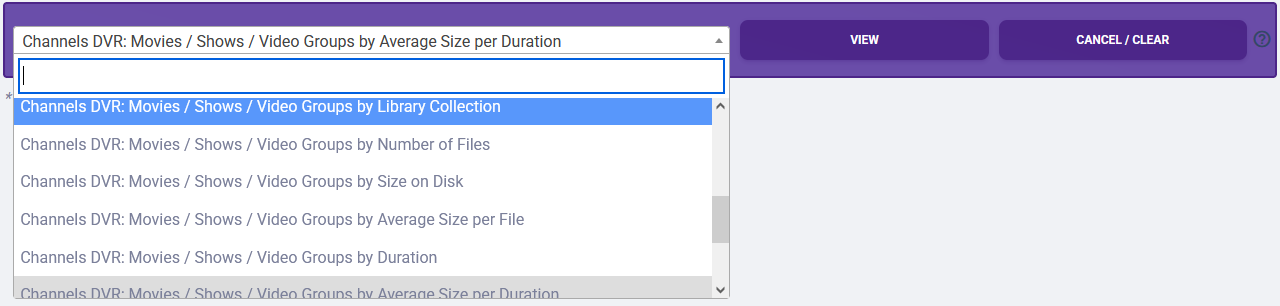
Everything else is just based on your preferences, but there's a lot of good stuff in there that extends Channel's functionality. Disabling won't hurt anything, just will preclude you from the current and ever-growing future functions. And I bet you'd actually like some of the MTM reports that require the Channels DVR Integration!

Thanks @babsonnexus
You've created an awesome, multi purpose tool with great documentation.
Hopefully I will be able to take advantage of some of its other capabilities. :smile:
