Update art for show

I have an advanced pass that records all episodes of KTLA news. I've long been annoyed that all of the newscasts have the same artwork, so I can't really tell them apart in Up Next.

I bit the bullet and made images for each newscast. I went to the show page for each hour's newscast and set the art to the appropriate image. I did check the "Apply art to all recordings..." checkbox. This updated the art for the existing recordings, but as new newscasts were recorded, they went back to the default artwork.

In this post Maddox indicates that it should work as I hoped and expected. But I'm unsure if he said what he meant to say or left out the word "not". There is at least one other thread that seems to indicate it is supposed to work as I had expected.
1 Like

It won’t work this way because the airings actually have images, even though you don’t love them.

This only works for items that have no images. When and episode or video has no image, they adopt the Show/Video Group image.

How sad. Any chance of an override option?

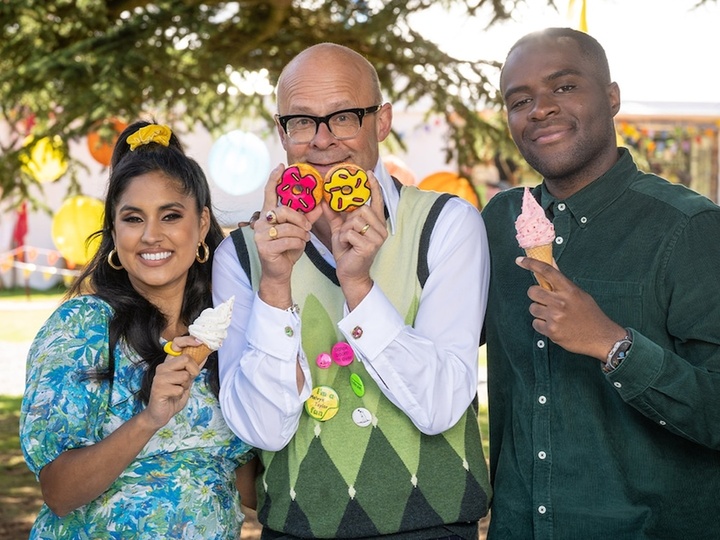
Hi @maddox. Another request for the ability to override art for new recordings for specific shows. If not possible, can you override the default artwork for “Junior Bake Off” (Channel 4 UK). The current art provided by Gracenote is over 10 years old and out-of-date. Many thanks. This would be a better option since it shows the current presenters; Junior Bake Off

1 Like

This topic was automatically closed 365 days after the last reply. New replies are no longer allowed.