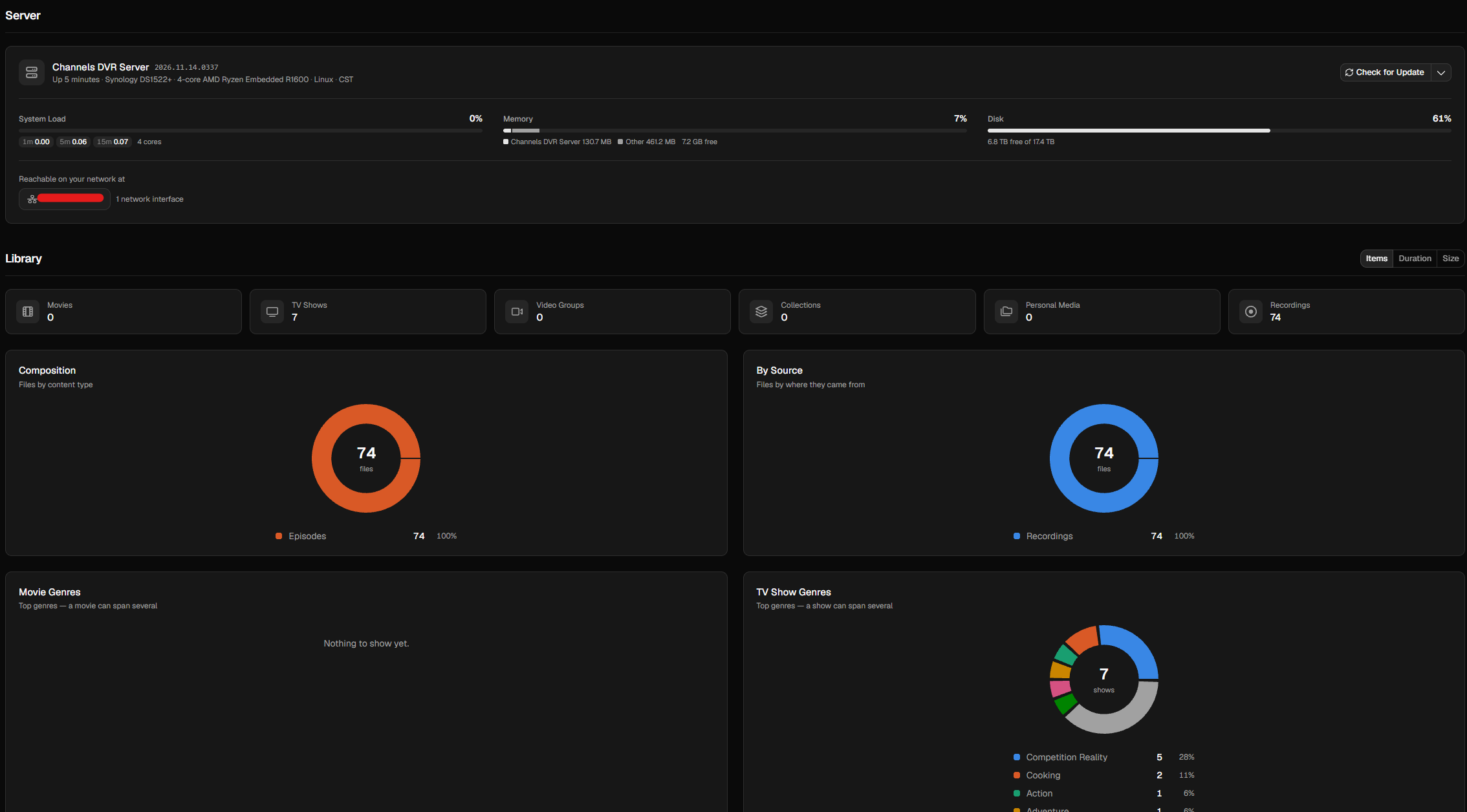
My entire UI for the DVR Server changed with v2026.11.14.0337 pre-release.
1 Like
It has been in beta testing since Oct 5th. It is now the default interface.
2 Likes
Thanks, I missed the update
I just downloaded the 11.14 pre-release, and it looks and works great on my Apple TV (A2169), CDVR host server (Mac Mini i7) and laptop (15" 2018 MacBook Pro), as well as on my iPhone 15 Pro Max (27.2.1). It cleared up all of my minor beefs I had with lack of availability of functions on certain devices (eg searching guide for upcoming content never worked properly on my MBP, so I worked around it by searching guide on my iPhone. That's now resolved).
My main remaining concern is the lack of precise edits for boundaries of commercials (I'm kind of spoiled from years of using programs like Final Cut Pro, and even though the added ability to split up segments is great, it''s still not granular enough for my tastes: my assumption is if a segment is marked as a commercial, there shouldn't be any bleed-over into the content on playback, but that's asking a lot, as I know some recorded content is more challenging than others).
But what a GREAT step in the right direction (esp for those of us still using older Apple intel gear).
Yes, @maddox has done a great job with this new admin interface. It somewhat makes the client apps seem a little plain.
4 Likes
My older Asustor AS7008T NAS is crashing on this latest Pre-Release. It only runs for a minute or two and needs to be restarted. I've turned off hardware transcoding, but it still crashes. The newer AS66 & AS67 Asustor series run fine.
1 Like
I updated to pre release and I can't find my sources..can someone direct me where to click
1 Like
settings are buried in the username menu. you can pin specific setting screens to the main menu though.
Same issue. I want to go back.
Yeah, kinda hoping some of the new design on the web client makes its way down the streaming clients.
2 Likes
Thanks I found it. I’ll get used to the new layout