Videos section - Sports Archiving Issues

@Maddox @tmm1

I am finally getting around to organizing my archived sports content. I'm come to the conclusion that it would be best for my football games to put them in the videos section as the tv episode section just will not work unless I could create my own custom series to match to.

If I am missing a step in the "Videos section" with what I am asking, I apologize in advance.

I would like to basically create a tv series in the videos section. One that would have seasons (preferably years instead of 20, 21, 22 etc) that works like tv. When I import the files in I would like to assign it to the Ohio State "series" then I can go to town on the rest sorting it by year and adding the dates, time and metadata.


Videos groups don’t support multiple dirs like that.

But if you did it like that for TV, it would work. You’d still have to edit the metadata but you could seed the season and episode numbers.

For example:

/imports/tv/Ohio State/Season 2020/Ohio State vs Michigan-s2020e01.mp4

So, you’d end up with the same amount of metadata work, but broken into sections like you want.

Thank you. That helps.

A few issues (if I didn't overlook something).

AppleTV 4K Date is correctly entered in metadata, shows up as DEC 1969
Secondary screen does not carryover show name or artwork.
Also, I don't see the seasons underneath like on other shows but maybe I need to add more.

It's a good start - thank you. I've always had issues going this route and had given up in the past.


@maddox

If I try to fix the show, and the show doesn't exist and I can't add or select my existing (custom series).

Certainly don’t try any matching, as it won’t work. That’s why you’re doing it all manually. And you could lose all your work.

Each recording will need its original air date set via the meta data. The method you’re using doesn’t use any kind of scanning or indexing. You have to provide everything yourself.

Artwork can be set to all recordings by checking the box when editing the artwork for the show.

It appears you matched the show, so things are going to be wonky until you edit everything.

The reason seasons aren’t showing is because your recordings are set to sports. Removing that will fix it.

Channels hides seasons for sports and news because generally there aren’t any seasons and things get weird. Additionally, people don’t generally keep them around.

I know this all seems weird, but you’re definitely pushing up against some edge cases in Channels. Obviously with the new abilities, these make less sense. We’re hoping to make some of this easier in the future.

I've made those changes and all the same. I've posted images to see if I missed anything. When I click upcoming episodes its still College Football Live what it originally matched it to.


You’re battling the scanner. There’s no way to import tv shows with the scanner off, and no way to de-match shows right now.

I would rename the folder something crazy that wouldn’t match anything, so you can get a blank show, then apply your edits.

After renaming and reimporting, trash the original (it won’t delete files since you changed the path)

For what it’s worth, I followed these same steps a few months ago for a music concert collection that I wanted to keep organized by year.

2 Likes

How did it turn out? I am 95% there but on the second screen of every event I have a "." for the title on web app and AppleTV. As a UI guy, it drives me nuts. Everything else is awesome.

Hmm, for me it worked out well, that title field was populated via the top parent folder name on first import. I don't know why your sporting events would be handled differently. I'm sure others here will point you in the right direction though.

1 Like

If yours populates correctly, maybe I'll try again. Oh I don't want to do all those dates and metadata for the third time. Thanks for the info.

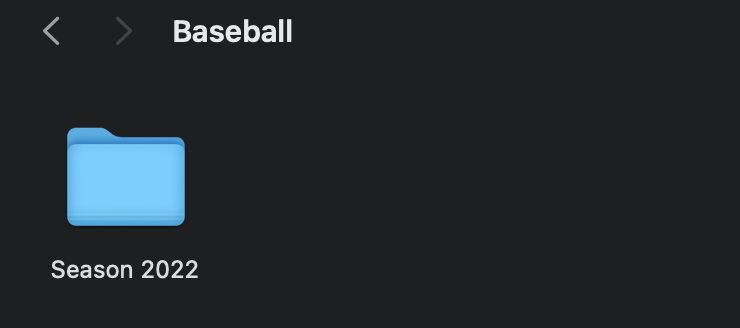
I think I posted an issue in the wrong area yesterday. I cannot get my MLB (baseball games) to import. I am following the same structure as College Football. I've tried naming folder Guardians, Baseball, MLB, Indians, MLB Seasons and nothing will work. They will not populate in the manage screen.

This is the first time I tried importing baseball since my team is finally in the playoffs has had some epic games so far worth editing and saving.

@tmm1 @maddox

Just to be clear, video imports don’t pull metadata except from the file name. There’s no meradars indexer for them, that’s why there’s a video section. It’s for videos that can’t get metadata pulled. Things like home videos, internet videos, etc.

So, while Videos is actually the correct option for importing old sporting events (because the tv show indexer doesn’t handle sporting events), you will have to add the metadata yourself.

Videos won't pull them in either. I tried both. I am used to pulling in metadata. I just need a video so I can even edit the metadata. It would be nice if we could use browse function and select problematic files and put them where we want them.

Here's what I'm working with / trying:


Diagnostics?

20d0351c-84b9-4485-8b2e-67e49555376d

Under TV sources add a folder called Sports

Inside Sports, make a folder like Baseball or Guardians and put the videos in there

1 Like

Thank you, @tmm1. Much appreciated as always!

I am trying to add a game from today in current season of football and when I scan it's not doing anything. I submitted diagnostics in a support email. I even tried turning off ChannelsDVR from the NAS and restart but nothing.

@Maddox @tmm1 Would you guys please look into my ticket on this?