
Just about every time I 'Watch Next' I want to delete the just-watched episode. Please consider adding that as an option.
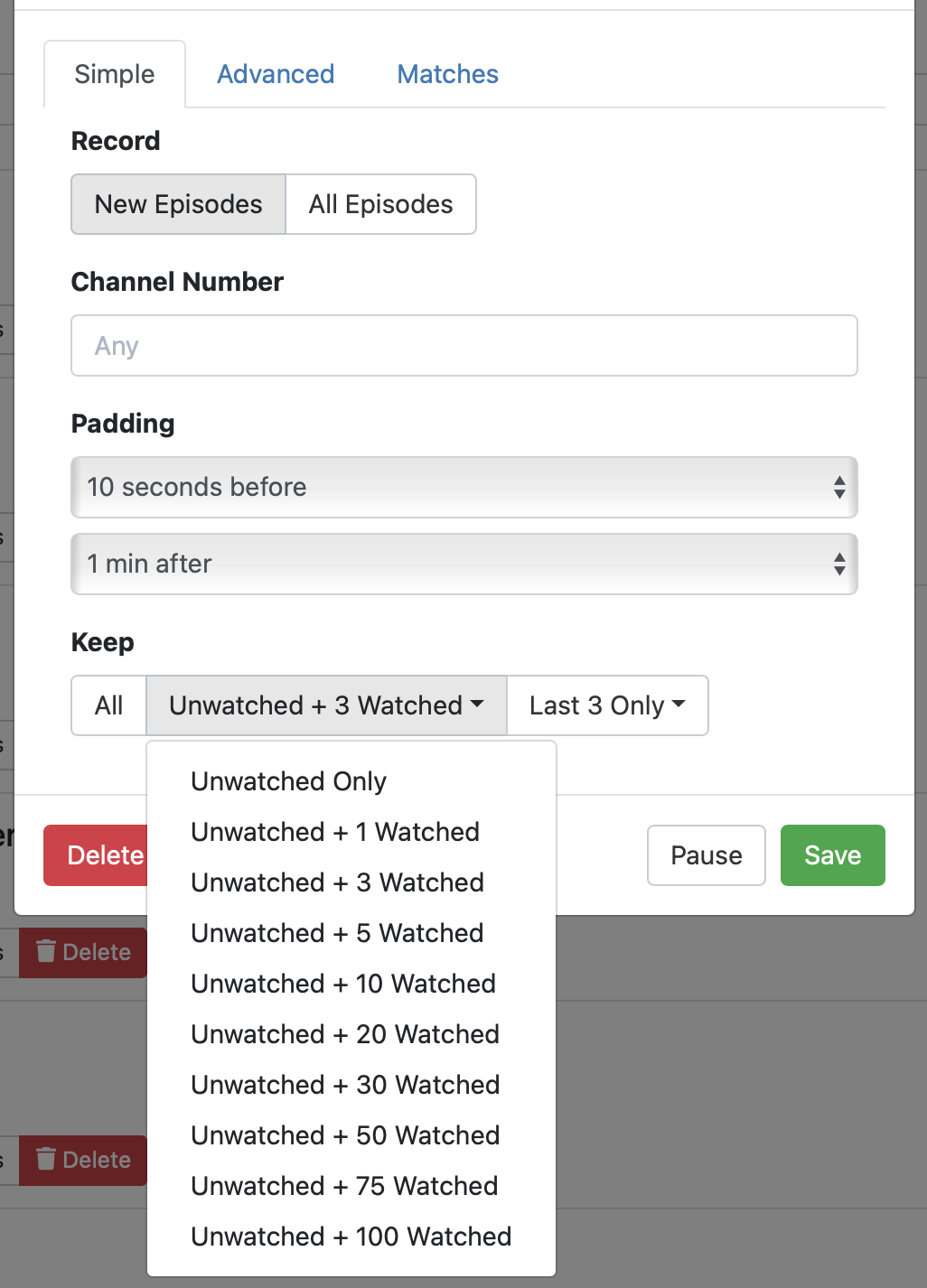
I tried changing those settings on a couple of passes and either it didn't work or it took so long to delete the watched episodes that it was not useful. To make those settings useful could you please run the 'delete watched episodes' subroutine each time I click 'watch next' episode?
You could also go to the settings page on the web.
Settings ---> Live TV & DVR ---> Remove Items from Trash After---> 1 day, 3 days, 10 days
FWIW that setting dictates when it's emptied from the trash, not when it's put into the trash in the first place.
1 Like
The Keep settings for passes is what controls this, and there's no plans to add any sort of extra magic.
Please check your Keep settings, they do in fact work. They don't run immediatly, but eventually within a few hours, the watched episodes will be pruned according to your set rules.
The issue is confusion among episodes. If I have 8am, 9am and 10am episodes the thumbnails don't tell me which is which and the very thin green line indicating 'watched' is difficult to make out. If I'm trying to play the 'next' episode having the watched episodes deleted hours later isn't helpful.
1 Like
If you just use the Watch button in the show view, it will pick the next unwatched item and play it for you.
Or you could watch from Up Next, which presents the next unwatched item.
OR, if it worked like Tivo: when you are near the end of a recording (say 2 minutes remaining) and you hit the Back button or you let it play to the very end, Tivo would pop up a dialog that says "Would you like to delete this recording? Yes/No". That would be a great solution IMO.
1 Like
This topic was automatically closed 30 days after the last reply. New replies are no longer allowed.