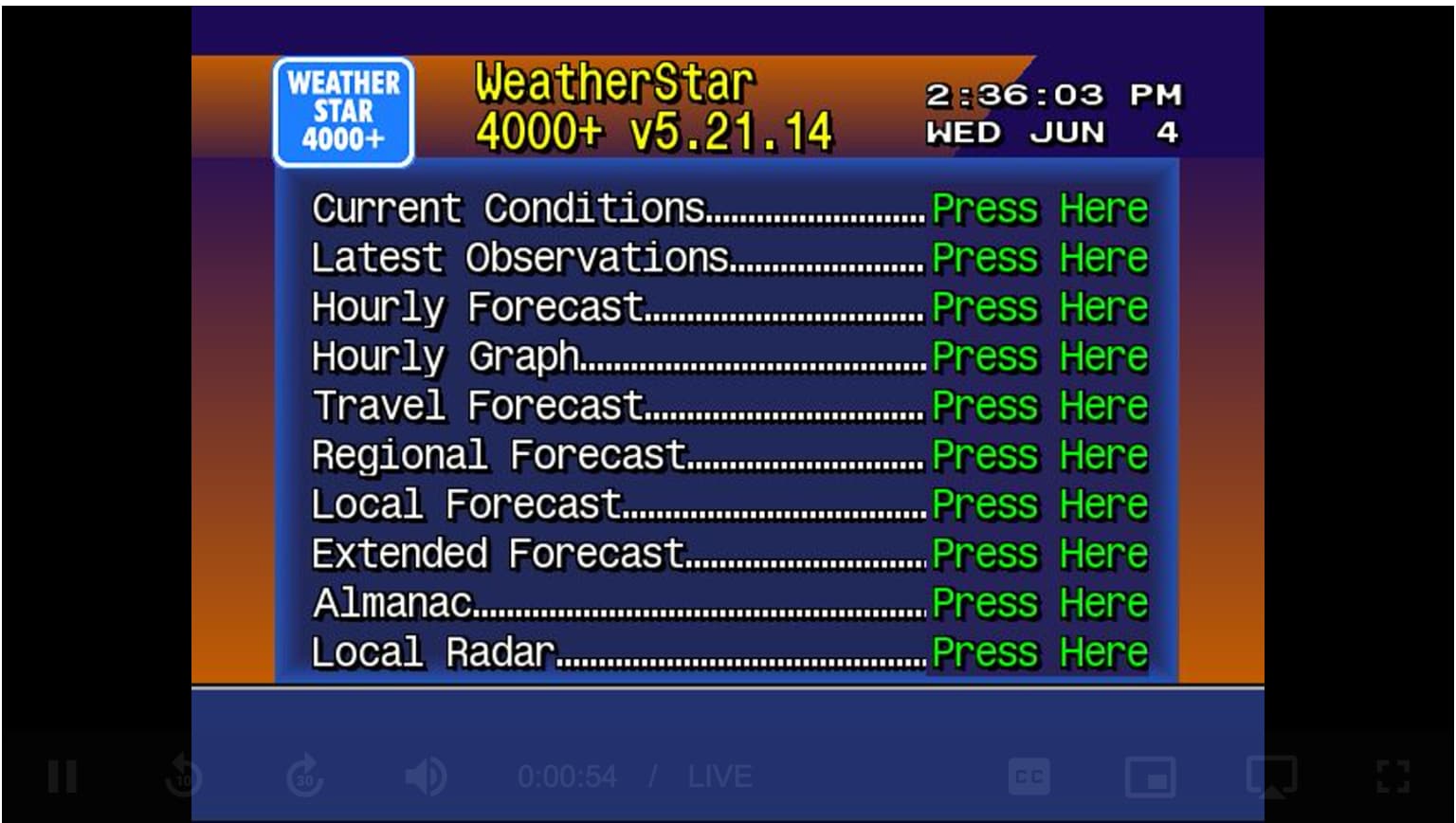
WeatherStar 4000

Just pushed a new update to GitHub via :latest tag.

New features include:

-Includes seven looping jazz tracks as background music.(at least they’re supposed to loop. I haven’t listened that long)

-Provides an XMLTV guide with hourly “Local Weather” entries.

http://<ip.of.pc.running.ws4channels>:9798/guide.xml

-Added guide logo

-Optimized cropping for a clean video feed by removing white bars.

-Changed default maximums for cpu and memory usage limits to 1 cpu core and 1gb ram. Adjust if your system requires.

2 Likes

Works great! Remote streaming worked too

1 Like

Got it up and running. Love it, great work! Great addition to my Channels installation. Thank you.

I do notice the seconds are running fast on the clock. Not sure if there's setting to or tweak to slow that done. Minor issue and certainly can live with it.

1 Like

What cpu does your docker machine have?

It's an AMD FX(tm)-6300 Six-Core Processor.

It's not new but it works great as a Channels / Media server. I am running Linux Ubuntu server on it.

2 Likes

In your docker run try upping --cpus="1.0" to
--cpus="1.5" or if the clock still ticks fast try
--cpus="2.0"
The radar tile should go up by 5min fairly quickly but the other tiles should display time at normal speed but it will usually be behind by a minute or so.
You can also make this change in portainer container> duplicate/edit> runtime and resources

3 Likes

Still loving this btw.

Did you break 10 downloads yet? :joy:

18 :tada: LOL

2 Likes

This worked for a while, but I had to disable it when it starting consuming all memory and crashing my linux system. I believe it was because ws4kp stopped and ws4channels just kept using memory. Either that or vice versa.

Anyhow, just got around to reconfiguring it after removing both containers a few weeks ago to prove that was the problem, but now ws4channels just keeps restarting even though ws4kp is up and running on the right port.

Might have to bid this adieu as seems not ready for primetime.

Set a memory limit using compose, then. I tend to do that with some containers as for some reason decide to use more memory than they should
https://www.baeldung.com/ops/docker-memory-limit

Will you share your environment variables for ws4channels ? Or the docker run command you used.

This is the same command I used originally that worked:

docker run -d \
--name ws4channels \
--restart unless-stopped \
--memory="400m" \
--cpus="1.5" \
-p 9798:9798 \
-e ZIP_CODE=15236 \
-e WS4KP_HOST=192.168.1.165 \
-e WS4KP_PORT=9090 ghcr.io/rice9797/ws4channels:latest

1 Like

Try:
--memory="1096m" \

You can check cpu and memory stats when it’s running using terminal command:

docker stats ws4channels

Are there any errors in the container logs? Just a heads up, the logs report an incorrect cpu and memory values. Disregard those.

If you use Portainer you can also change the values within Portainer under duplicate/edit > Advanced container settings > Runtime and Resources and then redeploy the container.

I dug into the logs... I switched the WS4 to port 9666 in the hopes it would resolve, but getting the same error as on the 9090 port. It just keeps looking and restarting trying to connect to WS4.

{"log":"/app/node_modules/puppeteer-core/lib/cjs/puppeteer/cdp/Frame.js:170\n","stream":"stderr","time":"
2025-05-30T12:01:45.068217447Z"}
{"log":" ? new Error(${response.errorText} at ${url})\n","stream":"stderr","time
":"2025-05-30T12:01:45.068269425Z"}
{"log":" ^\n","stream":"stderr","time":"2025-05-30T12:01:45.068281418Z"}
{"log":"\n","stream":"stderr","time":"2025-05-30T12:01:45.068296833Z"}
{"log":"Error: net::ERR_CONNECTION_RESET at http://192.168.1.165:9666\n","stream":"stderr","time":"2025-0
5-30T12:01:45.068307007Z"}
{"log":" at navigate (/app/node_modules/puppeteer-core/lib/cjs/puppeteer/cdp/Frame.js:170:27)\n","stre
am":"stderr","time":"2025-05-30T12:01:45.068316537Z"}
{"log":" at process.processTicksAndRejections (node:internal/process/task_queues:95:5)\n","stream":"st
derr","time":"2025-05-30T12:01:45.068326226Z"}
{"log":" at async Deferred.race (/app/node_modules/puppeteer-core/lib/cjs/puppeteer/util/Deferred.js:3
1:20)\n","stream":"stderr","time":"2025-05-30T12:01:45.068337132Z"}
{"log":" at async CdpFrame.goto (/app/node_modules/puppeteer-core/lib/cjs/puppeteer/cdp/Frame.js:136:2
5)\n","stream":"stderr","time":"2025-05-30T12:01:45.06834673Z"}
{"log":" at async CdpPage.goto (/app/node_modules/puppeteer-core/lib/cjs/puppeteer/api/Page.js:603:20)
\n","stream":"stderr","time":"2025-05-30T12:01:45.06835647Z"}
{"log":" at async startBrowser (/app/index.js:122:3)\n","stream":"stderr","time":"2025-05-30T12:01:45.

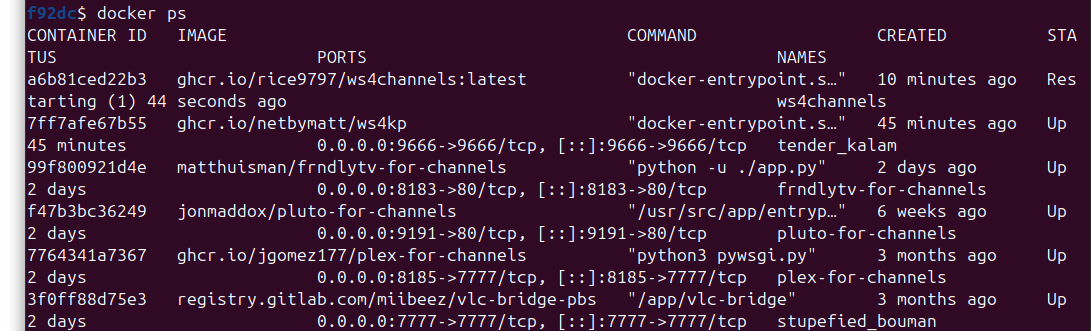
You have made a mistake when creating both ws4kp and ws4channels when it comes to ports.
Ws4kp runs on 8080 port. It’s fine to change it to run on 9666 but 9666 needs to be linked to 8080. (Like you did with Pluto and plex) same with ws4channels, it runs on 9798

It should look like this for ws4kp:
0.0.0.0:9666->8080/tcp

It should look like this for ws4channels:
0.0.0.0:portYouWant->9798/tcp

You need to delete both containers and reinstall both of them with correct port layouts

That solved it. Thanks so much. I don't know how I made that mistake this time but didn't the first time.

This is SO COOL!! I've got it up and running and the stream is showing up beautifully in Channels ... thank you!

I am having one issue though - it's not getting past the "start" screen, if you will. Any idea what I'm doing wrong?

Here are all the env variables for both the ws4k and ws4channels containers. Anything off there?

Hate to reply to myself but I found it --- there was an extra "=" sign on the WSQS_settings_scanLines_checkbox setting on the ws4k container.

She's running like a total champ now! Thank you -- this is freakin' awesome.

3 Likes

OK, so taking a look at the container stats ... it looks like it's chewing through a ton of CPU.

CONTAINER ID NAME CPU % MEM USAGE / LIMIT MEM % NET I/O BLOCK I/O PIDS
35248df90be8 ws4channels-1 368.93% 1.034GiB / 1.07GiB 96.64% 36.6MB / 3.15MB 0B / 0B 0

Here's what I'm seeing in the container log:

(node:1) MaxListenersExceededWarning: Possible EventEmitter memory leak detected. 11 SIGHUP listeners added to [process]. Use emitter.setMaxListeners() to increase limit

Any idea what would cause that?

not sure if this helps you at all, but this is how I installed it and its been working smooth.

docker pull ghcr.io/netbymatt/ws4kp
docker run -d \
  --name ws4kp \
  --restart unless-stopped \
  -p 9090:8080 \
  ghcr.io/netbymatt/ws4kp
docker pull ghcr.io/rice9797/ws4channels:latest
sudo docker run -d   --name ws4channels   --restart unless-stopped   --memory="400m"   --cpus="1"   -p 9798:9798   -e ZIP_CODE=43016   -e WS4KP_HOST=192.168.86.72   -e WS4KP_PORT=9090   ghcr.io/rice9797/ws4channels:latest

then this is my channels setup under sources:
http://192.168.86.72:9798/playlist.m3u
http://192.168.86.72:9798/guide.xml