WeatherStar 4000

That’s definitely not good. Can you please answer these questions so I can try to track the issue down.

  1. How long has the container been running?
  2. What cpu does the machine have?
  3. What was the docker run command you used?
  4. Did you edit/change the tile screens from default in the ws4kp container?

Sorry to take so long to respond - had to take a sudden business trip the last 2 days.

Here we go:

1 - right now, about 8 hours. It does crash and auto-restart somewhat frequently.
2 - AMD Ryzen Embedded R1600 (2-core/4-thread/2.6GHz) - note that this is hosted on a Synology DS1522+ (plenty of RAM - 32gb)
3 - I'm letting Container Manager on the Syno handle that, but here are the env variables I have set for ws4kp:

           "WSQS_hazards_checkbox=true",
           "WSQS_current_weather_checkbox=true",
           "WSQS_latest_observations_checkbox=true",
           "WSQS_hourly_checkbox=true",
           "WSQS_hourly_graph_checkbox=true",
           "WSQS_travel_checkbox=true",
           "WSQS_regional_forecast_checkbox=true",
           "WSQS_local_forecast_checkbox=true",
           "WSQS_extended_forecast_checkbox=true",
           "WSQS_almanac_checkbox=true",
           "WSQS_spc_outlook_checkbox=true",
           "WSQS_radar_checkbox=true",
           "WSQS_settings_speed_select=1.00",
           "WSQS_settings_units_select=us",
           "WSQS_latLonQuery=\"07054, Parsippany, NJ, USA\"",

and then for ws4kp:

          "ZIP_CODE=07054",
          "WS4KP_HOST=172.16.0.4",
          "WS4KP_PORT=8989"

So the only thing that's unusual is that I have ws4kp listening on port 8989. ws4channels is all default.

Right now ws4channels is chewing a little over a single CPU:

CONTAINER ID NAME CPU % MEM USAGE / LIMIT MEM % NET I/O BLOCK I/O PIDS
35248df90be8 ws4channels-1 121.70% 898.7MiB / 1.07GiB 82.00% 3.65MB / 209kB 0B / 0B 0

Something ain't normal :slight_smile:

I just pushed a new update please delete your current ws4channels and re pull and run with variables that include 1.0 for cpu and 1096 for memory. Your ram consumption looks normal but your cpu consumption looks high for that cpu. I didn’t test with custom variables in the ws4kp container, I used whatever the container defaults to. I guess it’s possible one of the tiles you are using is cpu hungry. With defaults from ws4kp I would expect your cpu to use about 70-75% if set to
--memory="1096m" \ --cpus="1.0" \

I think the container defaults to .5 of a cpu core. Which with your cpu wouldn’t be enough cpu to run effectively. In that case a cpu report of 125% makes sense and I doubt the application would run like that.

1 Like

Well that already looks orders of magnitude better! CPU is very reasonable - expecting this to be quite a bit more stable.

Will keep an eye out but for now --- thank you!!

1 Like

Just wanted to drop in and say thanks again.

I moved the docker containers onto the same Intel NUC (NUC8i7HVK) I use for Channels DVR itself, and it's definitely more stable - has more CPU resources available. (Intel i7-8809G - 4-core/8-thread, 3.1GHz base freq)

Given how little CPU Channels uses for itself, this seems like a better fit.

Streaming smooth as butter.... gotta love this - channel #1 in the guide now!

1 Like

This works beautifully - just finished my setup this morning. Thanks for doing this!

1 Like

For adding our own music, is it sufficient to add a volume mapping for /music to the docker config that points at my folder of mp3 files or do I need to set it up differently?

You can try volume mapping but I doubt it will work. I think you will need to place your MP3’s in the music folder. Remove the included MP3’s, add yours, and restart the container.

Volume mapping works if I make the container path /app/music. Loads all of my music on startup.

If you are so inclined for a future release, it would be nice if your Dockerfile checked for the existence of this folder before mkdir/cp the default files, e.g.

RUN << EOT bash
if [ ! -d /app/music ]; then
 mkdir /app/music
 cp /music/*.mp3 /app/music/
fi
EOT
1 Like

I think you can just add a -p flag before the directory and it won't create one if it already exists and won't give any errors. E.g. mkdir -p /app/music

You can but my example was to also skip the copy of the default music so I tried to provide a complete example.

Just pushed a new Latest. I have not tested this and won’t be able to test it for a few days. I have merged a pull request from jasongdove

This update is supposed to allow for hardware acceleration and also now has multi arch image support for ARM.

Details

If you choose to test this untested version, let me know how it goes.

I thought this project would get about 12 downloads. A few months later it’s up to 1200 downloads. Pretty crazy.

1 Like

Looks great and I'm eager to give this a try. I have ws4kp up and running nicely, I am able to access it via my browser, but I can't seem to get ws4channels running alongside it, for integration into Channels DVR.

When I use the command mentioned above:

sudo docker run -d --name ws4channels --restart unless-stopped --memory="400m" --cpus="1" -p 9798:9798 -e ZIP_CODE=90036 -e WS4KP_HOST=10.0.1.21 -e WS4KP_PORT=9090 ghcr.io/rice9797/ws4channels:latest

...I get this error in the logs:

Error: Failed to launch the browser process!
rosetta error: failed to open elf at /lib64/ld-linux-x86-64.so.2

What's the proper command to pull down the multi-arch / arm64-compatible image? The CDVR server that is also running portainer, Docker Desktop and all of my containers is an M1 Mac Mini. Thanks for any pointers!

It looks like Puppeteer is downloading the x86_64 Chromium binary, which won’t run on ARM64. I might be able to take a look at it this weekend.

Just to be sure, what is the ip that channels reports under settings > status > server info?

It should do this automatically for you based on the platform being used.

Cool, thanks.

10.0.1.21

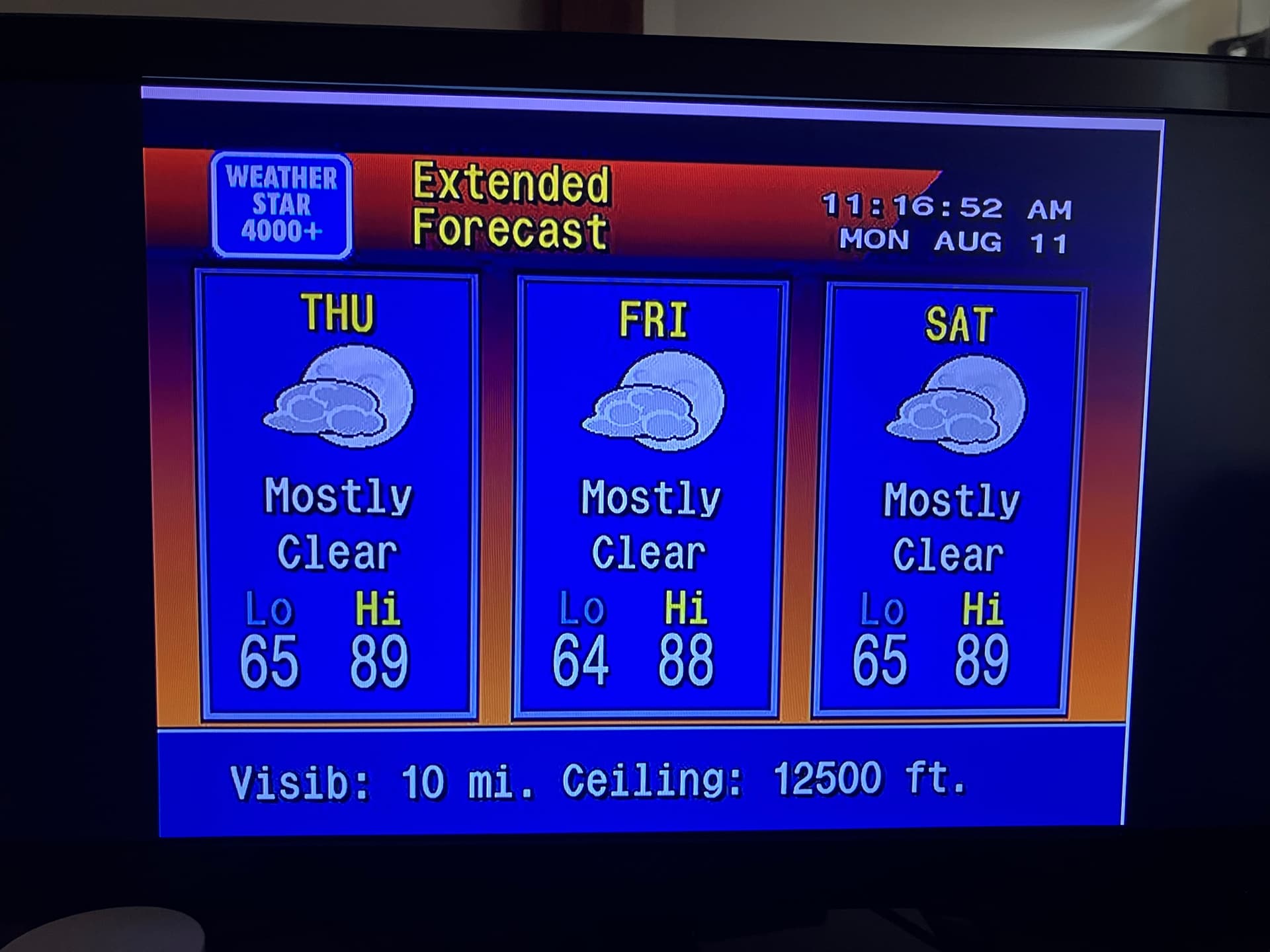
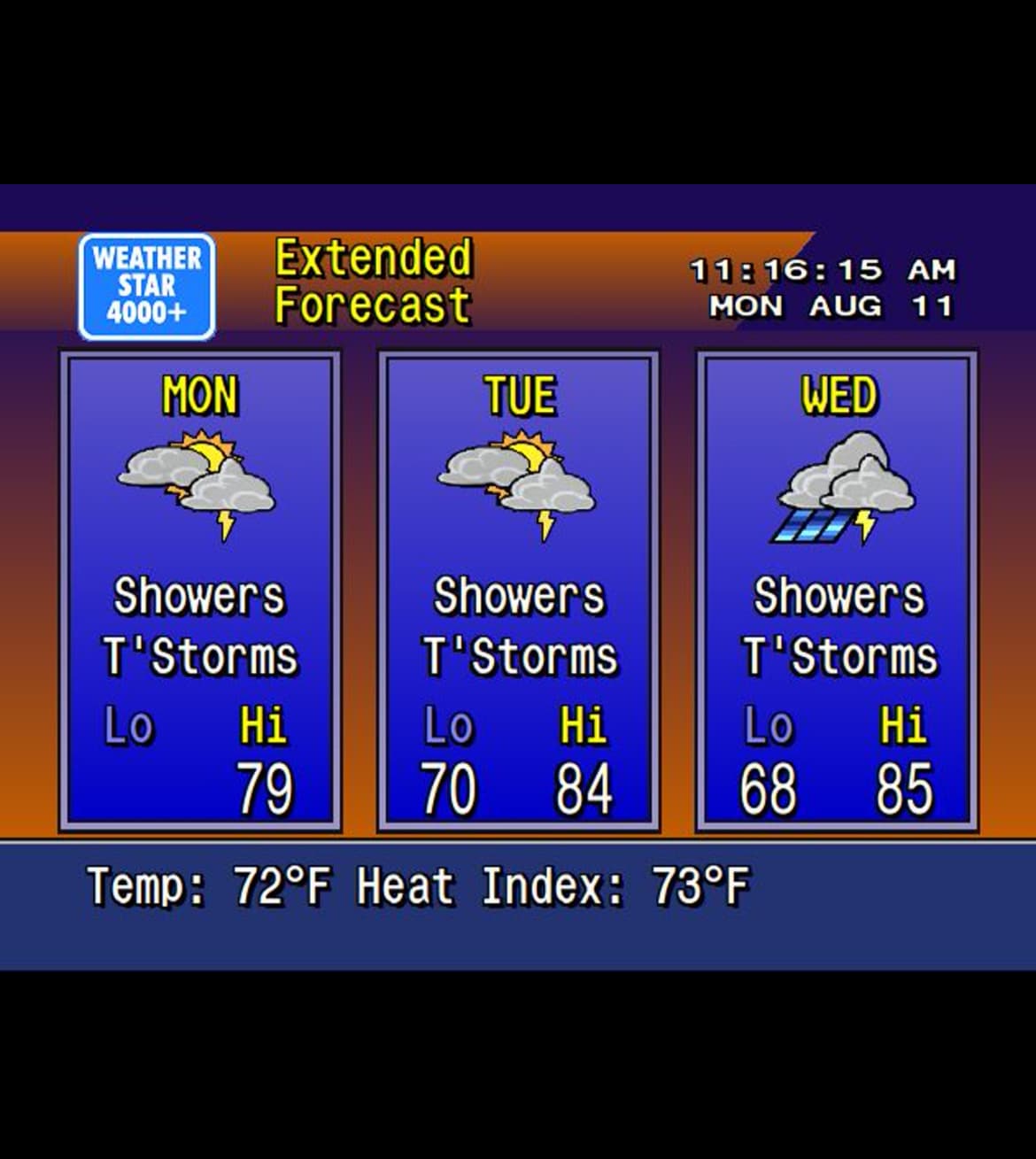
I’ve noticed all of a sudden I’m getting a white outline on the top and right side of my WeatherStar 4000 display, and, in the extended forecast, what should be a sun for the icons is a moon. I have this running through docker on an ubuntu server and I have watchtower set up to automatically install any updates. I access everything through portainer. Anyone have any idea what might be going on here?

Strange. Ws4channels doesn’t change anything from ws4kp other than cropping. I would restart both containers and see if that helps. On the new latest I’m not seeing cropping issues. Let me know if that fixes it. If not try the old image, I may need to revert back from the PR for hardware encoding.

I restarted both containers and no luck...however...if I go back to the old image, the white outline is gone.

With regards to the icons, seems that must have something to do with ws4kp because if I just load up that webpage it creates, I see the same incorrect icons. I guess I need to reach out to the ws4kp creator about that. Thanks for your help!

no clue if this will work (don't have a MAC to test on) but i had ChatGPT look at the code. give it a shot to see if this will work for you

Two ways to fix it

1. Minimal runtime-only fix (no rebuild needed if Chromium already exists in the image)

If the base image already has /usr/bin/chromium for ARM64 (unlikely here), you can force Puppeteer to use it:

bash

CopyEdit

docker run -d --name ws4channels \
  --platform=linux/arm64 \
  -p 9798:9798 \
  -e ZIP_CODE=43123 \
  -e WS4KP_HOST=192.168.1.123 \
  -e WS4KP_PORT=8080 \
  -e PUPPETEER_SKIP_DOWNLOAD=true \
  -e PUPPETEER_EXECUTABLE_PATH=/usr/bin/chromium \
  ghcr.io/rice9797/ws4channels:latest

If /usr/bin/chromium doesn’t exist, the container will crash and you’ll need option 2.

2. Proper Dockerfile patch for ARM64

Add Chromium install + environment vars so Puppeteer never downloads the wrong one:

dockerfile

CopyEdit

FROM node:20-bookworm-slim

# Install ARM64 Chromium + deps + ffmpeg
RUN apt-get update && apt-get install -y --no-install-recommends \
    chromium \
    ffmpeg \
    ca-certificates \
    fonts-liberation \
    libasound2 \
    libatk-bridge2.0-0 \
    libnss3 \
    libx11-xcb1 \
    libxcomposite1 \
    libxdamage1 \
    libxrandr2 \
    libgbm1 \
  && rm -rf /var/lib/apt/lists/*

# Prevent Puppeteer from downloading Chromium, and point it at ARM binary
ENV PUPPETEER_SKIP_DOWNLOAD=true
ENV PUPPETEER_EXECUTABLE_PATH=/usr/bin/chromium

WORKDIR /app
COPY package*.json ./
RUN npm ci --omit=dev
COPY . .

EXPOSE 9798
CMD ["node", "index.js"]

Then build/run for ARM64:

bash

CopyEdit

docker buildx build --platform linux/arm64/v8 -t ws4channels:arm64 --load .
docker run -d --platform=linux/arm64 --name ws4channels -p 9798:9798 \
  -e ZIP_CODE=43123 -e WS4KP_HOST=192.168.1.123 -e WS4KP_PORT=8080 \
  ws4channels:arm64

If you want to play with the ARM version you won’t be able to use the latest tag. I reverted back to the original image that is amd64 only.
You would need to use this ARM image.

docker pull ghcr.io/rice9797/ws4channels@sha256:f1bb086fb7e54678909d3f456d4affd97c566d072e1765b2002dba7acb942e46