What am I doing wrong?

Hello. I tried this on a MacBook Pro initially to check it out, and it worked great. I uninstalled on the MBP and installed on a Mac mini in my media cabinet. It installs fine and everything looks good, except I'm not getting the same tabs across the tab in the configuration page in my browser, e.g., Guide, DVR, Recording, etc. When I open the Channels ATV app the DVR tab instructs to go to the same page to configure, but I'm at a loss. I tried restarting and reinstalling the ATV app + restarting the ATV.

TIA.

Chris
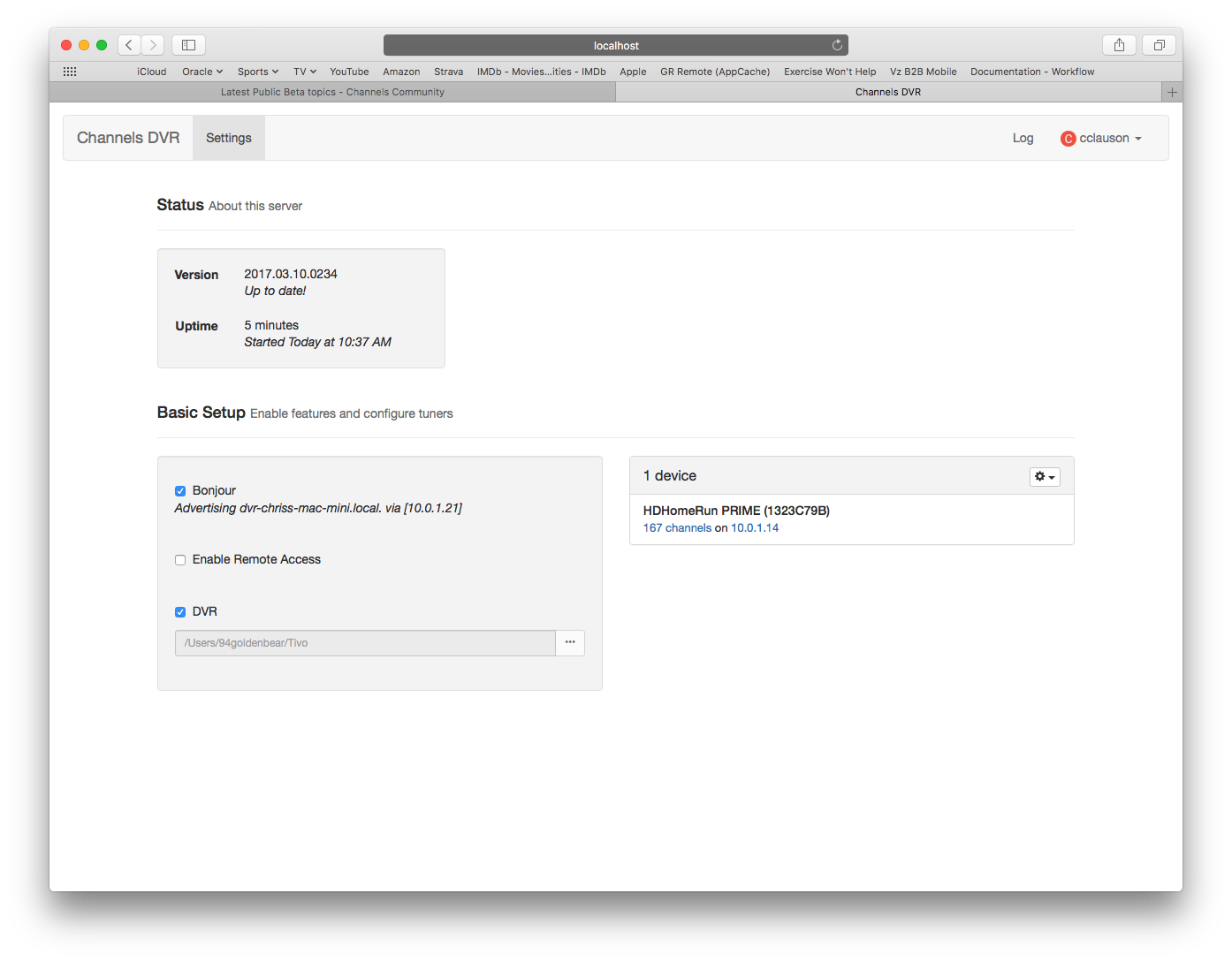
Can you try refreshing the page? Or try a different browser like Chrome?

Also open the JavaScript console in Safari and see if any errors are listed

Thank you for the quick response. I’ve refreshed many times, restarted both the server and the Mac. Same issue with Chrome. Not sure how to access the JS console in Safari.

Open Safari and choose Safari > Preferences > Advanced. Then select the checkbox ‘Show Develop menu’ in menu bar.

Choose Develop > Show Error Console.

Got it. It’s empty.

Refresh the page after opening the console?

:slight_smile:

1 Like

Problem solved! For whatever reason, after a recent refresh, the option “Add DVR” appeared for my Prime. I added it, and chose my programming and everything pulled. Thanks so much for the attention.

Did it end up working in safari? Were you using localhost or 10.0.1.21 when it did?

If you see the same problem still in Chrome, can you check the console there too? Thanks!

Safari, yes, on my iPad via device IP. Just refreshed Chrome and the interface is fixed as well. Let me know if I can provide anything further. Thanks again.

1 Like

This bug should be fixed in the latest version of the DVR.