WinChannels a simple Windows client for Channels

I just published a Windows native app for playing Channels DVR content. It's intended to be an easy to use alternative to the administrative web page when you want to use your laptop for playback. It has the capability to use captions sidecar files if they exist, I have another project, py-captions-for-channels that can produce them. Here's the readme from the GitHub repository for WinChannels

WinChannels

WinChannels is a native Windows desktop client for Channels DVR.

Positioning

WinChannels is a desktop companion app for everyday Channels DVR viewing, not a living-room HTPC frontend.

Its intent is to provide an easier-to-use alternative to the Channels administrative web interface for non-technical users.

Non-goals

  • This project is not designed as a remote-control-first, 10-foot TV interface.
  • This project is not trying to replace dedicated HTPC/living-room player experiences.
  • This project prioritizes simple desktop workflows (mouse/keyboard, clear settings, and caption handling).

Quick Start

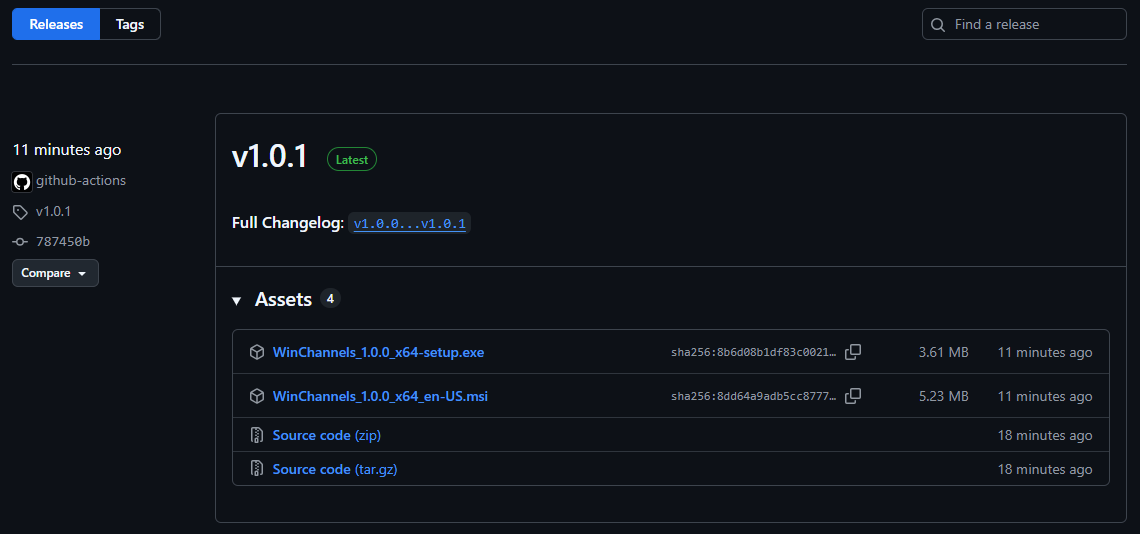
  1. Download the latest installer from the Releases page:
  • MSI โ€” recommended for most users
  • EXE โ€” NSIS installer, useful if MSI is blocked by policy
  1. Run the installer and launch WinChannels from the Start menu.
  2. Open Settings and enter your Channels DVR server URL (e.g. http://192.168.x.x:8089).
  3. Optionally set the Storage Share Path to enable SRT sidecar captions.

Features

It gives you a simple TV-style experience for browsing and watching your DVR content, with support for:

  • Recent recordings
  • TV shows and episodes
  • Movies
  • Library groups and videos
  • Channel logos
  • Captions (broadcast and sidecar .srt)

What It Does

WinChannels connects to your Channels DVR server API and streams recordings via HLS.

Key behavior:

  • Reads media lists from your DVR server (/api/v1/...)
  • Streams recordings from DVR file endpoints (/dvr/files/...)
  • Displays channel logos where available
  • Supports both embedded/broadcast captions and sidecar SRT captions
  • Automatically loads .srt sidecar files placed alongside recordings (e.g. generated by py-captions-for-channels)
  • Allows switching caption mode in the player (Off, Broadcast, SRT)

Requirements

  • Windows 10/11
  • A reachable Channels DVR server on your network
  • DVR server URL (for example http://192.168.3.150:8089)
  • Optional but recommended for SRT sidecar captions: access to the DVR storage path as a Windows share

Important Shared Folder Requirement

If you want SRT sidecar captions to work for all clients/users, the Channels DVR root recording folder must be shared and readable by everyone who will run WinChannels.

Why this matters:

  • WinChannels can stream video from DVR HTTP endpoints, but sidecar .srt loading requires filesystem access to the recording path.
  • The app maps recording paths to your configured Windows UNC share path.

Example share path:

\\192.168.3.150\AllMedia\Channels

Recommendations:

  • Share the Channels root folder (or the exact DVR recording root) from the storage host.
  • Grant read permissions to all users/machines that will use WinChannels.
  • Verify each user can browse the UNC path in Windows Explorer.

Install

Option 1: Use a Built Installer (recommended)

Install the generated Windows bundle:

  • MSI: src-tauri/target/release/bundle/msi/WinChannels_<version>_x64_en-US.msi
  • NSIS EXE: src-tauri/target/release/bundle/nsis/WinChannels_<version>_x64-setup.exe

Option 2: Run from Source

  1. Install prerequisites:
  • Node.js 20+
  • Rust toolchain (stable)
  • Visual Studio C++ Build Tools (for Tauri on Windows)
  1. Clone repo and install dependencies:

npm install

  1. Start in development mode:

npm run tauri dev

  1. Build production bundles:

npm run tauri build

Configuration

Open Settings in the app and configure the following.

1) Channels DVR Server URL

  • Field: Channels DVR Server URL
  • Format: http://<server-ip>:8089
  • Example: http://192.168.3.150:8089

Use the Test Connection button to confirm the app can reach your DVR and read shows/movies/episodes.

2) Storage Share Path (for SRT sidecars)

  • Field: Storage Share Path
  • Purpose: locate .srt files next to recordings
  • Use a UNC path to your DVR storage root
  • Example: \\192.168.3.150\AllMedia\Channels

Notes:

  • Leave this blank to disable SRT sidecar loading.
  • Broadcast captions can still work without a share path.
  • The path is stored locally per user in app local storage.

Caption Modes

The player exposes caption modes based on track availability:

  • Off
  • Broadcast (from stream text tracks)
  • SRT (from sidecar subtitle file)

If both are available, you can switch between them from the player controls.

Troubleshooting

Can stream video but no SRT captions

  • Verify Storage Share Path points to the correct DVR root share
  • Confirm the .srt file exists next to the recording on disk
  • Confirm current Windows user can read the share path

Connection test fails

  • Verify DVR server URL includes port (usually 8089)
  • Confirm server is reachable from the client machine
  • Confirm firewall rules allow access

Tech Stack

  • Tauri 2
  • React 19 + TypeScript + Vite
  • Zustand for app state
  • HLS.js for playback
  • Tauri HTTP plugin for API requests

License

MIT

1 Like

Can you fix it so it can reach a DVR server not on port 8089?

โœ— Network error reaching 192.168.1.4:8189: url not allowed on the configured scope: http://192.168.1.4:8189/api/v1/episodes

I have seven servers
192.168.1.4:8089
192.168.1.4:8090
192.168.1.4:8189
192.168.1.4:8190
192.168.1.4:8289
192.168.1.4:8389
192.168.1.4:8489

Otherwise seems to work on 192.168.1.4:8089

So you set the Channels DVR Server URL setting to 192.168.1.4:8189 and it failed, but works if the server is on 8089?

Correct.
Set to http://192.168.1.4:8189 this is what Test Connection shows

โœ— Network error reaching 192.168.1.4:8189: url not allowed on the configured scope: http://192.168.1.4:8189/api/v1/episodes

Set to http://192.168.1.4:8089 this is what Test Connection shows

โœ“ Connected!
  Episodes: 734
  Movies:   32
  Shows:    76

None of these work

I might be wrong, but this seems to be a subset of an active new Windows client called FeralHTPC.

This one isn't the same. It's not meant for remote control or a 10 foot view.
It also doesn't do Live.

But if it runs on Windows, what's the diff? Feral is not a remote first client.

You have a choice.

Choices are good! Just pointing out that this might be replicating an existing new project to some extent.

1 Like

The player doesn't seem to like PrismCast recordings


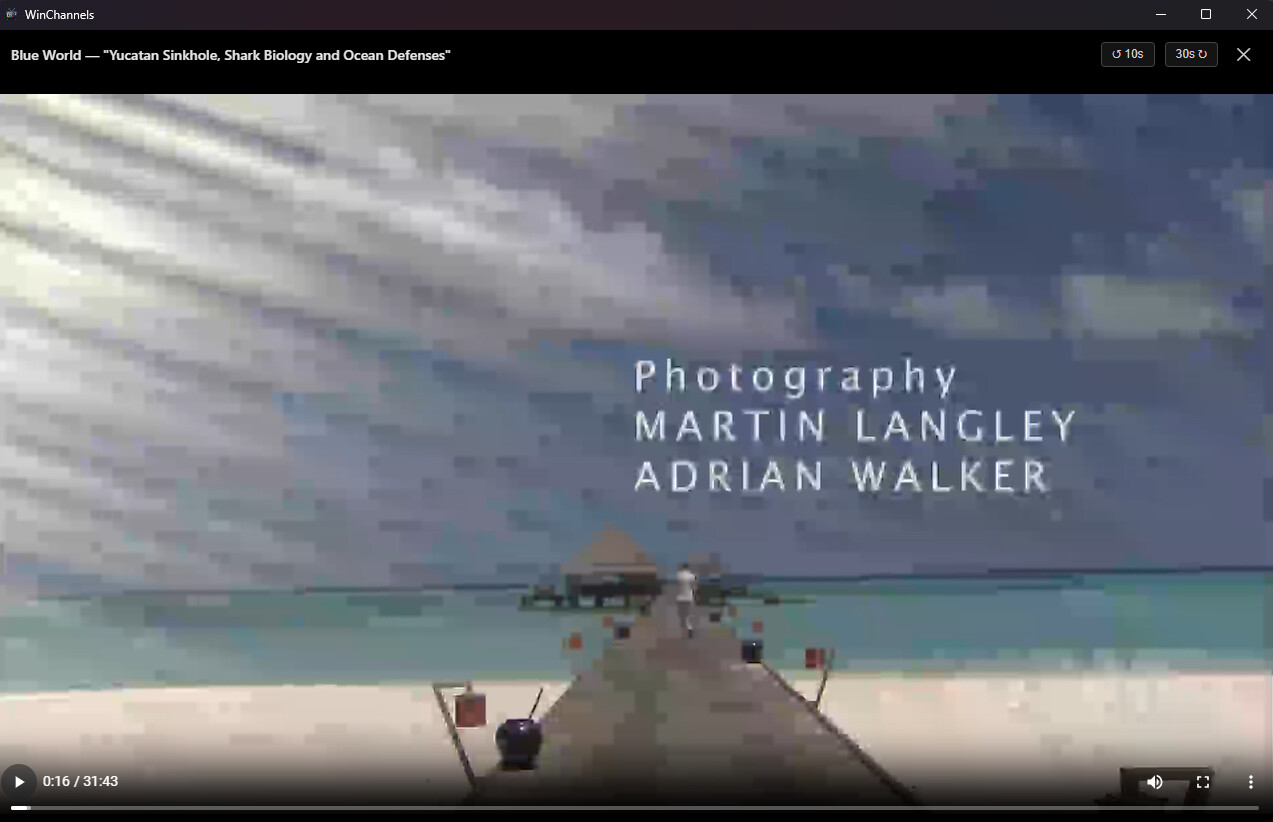
Should look like this

Same recording in my video editor

I think this may be due to how WinChannels is requesting the stream from Channels DVR.
All the other players I use with Channels DVR (including the web UI player) display fine.
I noticed this error in the DVR log when playing it with WinChannels

2026/04/13 19:15:46.651064 [ENC] Starting encoder for Blue World 2008-05-17 2026-04-12-1559.mpg in /volume1/ChDVR8089/Streaming/sessions/file3359-ip192.168.1.8-458294688/encoder-0-1545514559 at 0 (0.000000) (encoder=h264_vaapi, codec=h264, acodec=copy, resolution=1080, deinterlacer=hardware, bitrate=7740, segment_size=0.01)
2026/04/13 19:15:46.772033 [HLS] ffmpeg: file3359-ip192.168.1.8:  [h264 @ 0xba91840] Failed setup for format vaapi: hwaccel initialisation returned error.
2026/04/13 19:15:46.855930 [HLS] ffmpeg: file3359-ip192.168.1.8:  [h264_vaapi @ 0xbc15740] Stream will not conform to any level: using level 6.2.

Playing the same recording from the Channels DVR web UI player

2026/04/13 21:29:08.980796 [ENC] Starting encoder for Blue World 2008-05-17 2026-04-12-1559.mpg in /volume1/ChDVR8089/Streaming/sessions/file3359-ip192.168.1.8-3578475031/encoder-0-4173814192 at 0 (0.000000) (encoder=remux, codec=h264, acodec=copy, resolution=1080, deinterlacer=hardware, bitrate=9740, segment_size=0.01)
2026/04/13 21:29:35.570321 [ENC] Encoder stopped for Blue World 2008-05-17 2026-04-12-1559.mpg in /volume1/ChDVR8089/Streaming/sessions/file3359-ip192.168.1.8-3578475031/encoder-0-4173814192 after encoding 0 to 1127

All fixed. Try it now.

I found the problem with the port numbers, or I should say that CoPilot did ;-). I also threw in multiple server support because I also have a couple of servers. However, when I went to test it, I found that a power outage earlier in the day had knocked out my site-to-site VPN. I spent the next 6 hours trying to fix that (I should bill PG&E). This is where the AI is less than helpful - it had me chasing supposed router and WireGuard misconfigurations. I went around the world a couple of times before I told it "this was all working fine before the power outage. The only devices affected were this fiber modem, this router, and this vpn server." (paraphrased), then it said "that changes everything....... try powering down the fiber modem, then the router, then powering up the modem, then the router. The order matters to that AT&T modem". Bingo! I should have led with that...

Thanks, Nice!
I was able to add all seven of my servers

Diagnostics
Test Connection
โœ“ Server checks complete (7/7 passed)

[8089] http://192.168.1.4:8089
  โœ“ Episodes: 736  Movies: 32  Shows: 77

[8090] http://192.168.1.4:8090
  โœ“ Episodes: 38  Movies: 14  Shows: 8

[8189] http://192.168.1.4:8189
  โœ“ Episodes: 2289  Movies: 26  Shows: 161

[8190] http://192.168.1.4:8190
  โœ“ Episodes: 467  Movies: 2  Shows: 66

[8289] http://192.168.1.4:8289
  โœ“ Episodes: 1881  Movies: 3  Shows: 63

[8389] http://192.168.1.4:8389
  โœ“ Episodes: 873  Movies: 27  Shows: 65

[8489] http://192.168.1.4:8489
  โœ“ Episodes: 1092  Movies: 19  Shows: 97

And the straight remux is working great. Good video quality now.

2026/04/14 08:56:35.813820 [ENC] Starting encoder for Blue World S03E07 2011-10-10 Yucatan Sinkhole Shark Bi 2026-04-13-0429.mpg in /volume1/ChDVR8089/Streaming/sessions/file3362-ip192.168.1.8-83188237/encoder-5-2474789392 at 5 (4.000000) (encoder=remux, codec=h264, acodec=copy, resolution=1080, deinterlacer=hardware, bitrate=9729, segment_size=0.01)
2026/04/14 08:57:01.782588 [ENC] Encoder stopped for Blue World S03E07 2011-10-10 Yucatan Sinkhole Shark Bi 2026-04-13-0429.mpg in /volume1/ChDVR8089/Streaming/sessions/file3362-ip192.168.1.8-83188237/encoder-5-2474789392 after encoding 5 to 1129
2026/04/14 08:57:39.082355 [HLS] Stopping inactive session file3362-ip192.168.1.8

Playback speed, PIP and Captions are working great.
Skip forward, back and scrubbing are working great.

The exe and msi filenames at Releases ยท jay3702/winchannels ยท GitHub
still show as v0.1.1. I changed the filename after I downloaded it to 0.1.3
WinChannels_0.1.1_x64-setup.exe
WinChannels_0.1.1_x64_en-US.msi

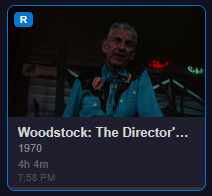
I'm noticing that Movies isn't displaying the recorded date and time, just the time?
Screenshot 2026-04-14 092549

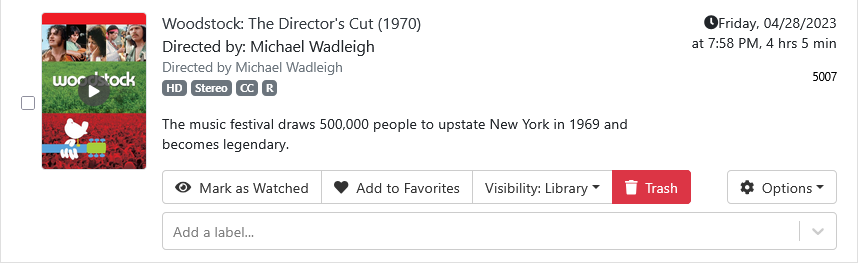
TV Shows and Recent recordings show the date and time.

Nice work! :+1:
My only suggestion is to display the version number somewhere.

Working with everything I threw at it so far.

Hardware transcoding working fine when needed.
Screenshot 2026-04-14 at 11-03-03 Channels Manage Recordings

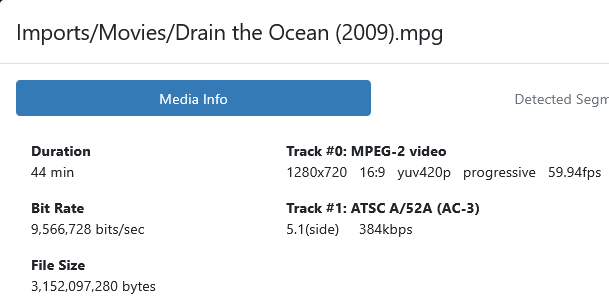
2026/04/14 10:51:39.289084 [ENC] Starting encoder for Drain the Ocean (2009).mpg in /volume1/ChDVR8189/Streaming/sessions/file9175-ip192.168.1.8-3751769630/encoder-0-2878902779 at 0 (0.000000) (encoder=h264_vaapi, codec=h264, acodec=aac, resolution=720, deinterlacer=hardware, bitrate=9744, segment_size=0.01)
WinChannels Playback Report
Time: 2026-04-14T17:53:29.237Z
Title: Drain the Ocean (2009) โ€“ 2009
File ID: 9175
Prefer remux: on
Manifest URL: http://192.168.1.4:8189/dvr/files/9175/hls/master.m3u8?encoder=remux
Video element: 1280x720
Current time: 107s / 2635s
Selected level: 9 (1280x720 @ 10.00 Mbps)
Estimated bandwidth: n/a
Levels:
0: 682x384 375 kbps v=avc1.64002a a=mp4a.40.2
1: 682x384 500 kbps v=avc1.64002a a=mp4a.40.2
2: 768x432 750 kbps v=avc1.64002a a=mp4a.40.2
3: 1024x576 1.00 Mbps v=avc1.64002a a=mp4a.40.2
4: 1280x720 2.35 Mbps v=avc1.64002a a=mp4a.40.2
5: 1280x720 3.00 Mbps v=avc1.64002a a=mp4a.40.2
6: 1280x720 4.30 Mbps v=avc1.64002a a=mp4a.40.2
7: 1280x720 6.00 Mbps v=avc1.64002a a=mp4a.40.2
8: 1280x720 8.00 Mbps v=avc1.64002a a=mp4a.40.2
9: 1280x720 10.00 Mbps v=avc1.64002a a=mp4a.40.2

Thanks! I added a couple of new features and made the UI a little more consistent. I added an "about" section to settings that includes the version number and a link to the repository. We'll call this v1.0

I'm going for v1.0.1 even thought the filenames show v1.0.0!

And it says it's WinChannels v1.0.0

I like the details you added.
And I noticed you added Videos in addition to Shows and Movies.
And auto skip ads. Didn't see that before. If only comskip was accurate.

And I can watch a recording in progress.
This is replacing the Channels DVR web UI player, for sure!

I added a few features:

  1. Live view
  2. Performance diagnostics
  3. Source channel comparisons

Live view is working great with channels from all my sources!

Where do I find the Performance diagnostics and Source channel comparisons?
I only see Live Source Diagnostics which lists channels and sources in a grid.

Only issue I saw was that for Live view it was showing channels I have hidden (on the HDHR and in Channels DVR) for my HDHR Prime source. It showed all 206 channels, including the 179 hidden (SD channels, dups and Spanish only).

Here's what a hidden channel looks like.

If you're looking at /api/v1/channels

{
  "id": "2",
  "name": "HSN",
  "number": "2",
  "logo_url": "https://tmsimg.fancybits.co/assets/s10269_ll_h15_ab.png?w=360&h=270",
  "hidden": true,
  "source_name": "HDHomeRun PRIME",
  "source_id": "1323AADB",
  "station_id": "10269"
},

If you're looking at /devices

{
  "GuideNumber": "2",
  "GuideName": "HSN",
  "Modulation": "auto",
  "Frequency": 231000000,
  "ProgramNumber": 4130,
  "Hidden": 1,
  "Enabled": 0,
  "VideoCodec": "MPEG2",
  "AudioCodec": "AC3",
  "Station": "10269",
  "Logo": "https://tmsimg.fancybits.co/assets/s10269_ll_h15_ab.png?w=360&h=270"
},

If you're looking at /channels

{
  "GuideNumber": "2",
  "GuideName": "HSN",
  "Modulation": "auto",
  "Frequency": 231000000,
  "ProgramNumber": 4130,
  "Hidden": 1,
  "Enabled": 0,
  "VideoCodec": "MPEG2",
  "AudioCodec": "AC3",
  "Station": "10269",
  "Logo": "https://tmsimg.fancybits.co/assets/s10269_ll_h15_ab.png?w=360&h=270"
},

Are you able to compile an ARM version (for those of us using Snapdragon processors)?

@jay343 am I missing something? If go to the link but don't see the MSI or EXE. All I see is the source?