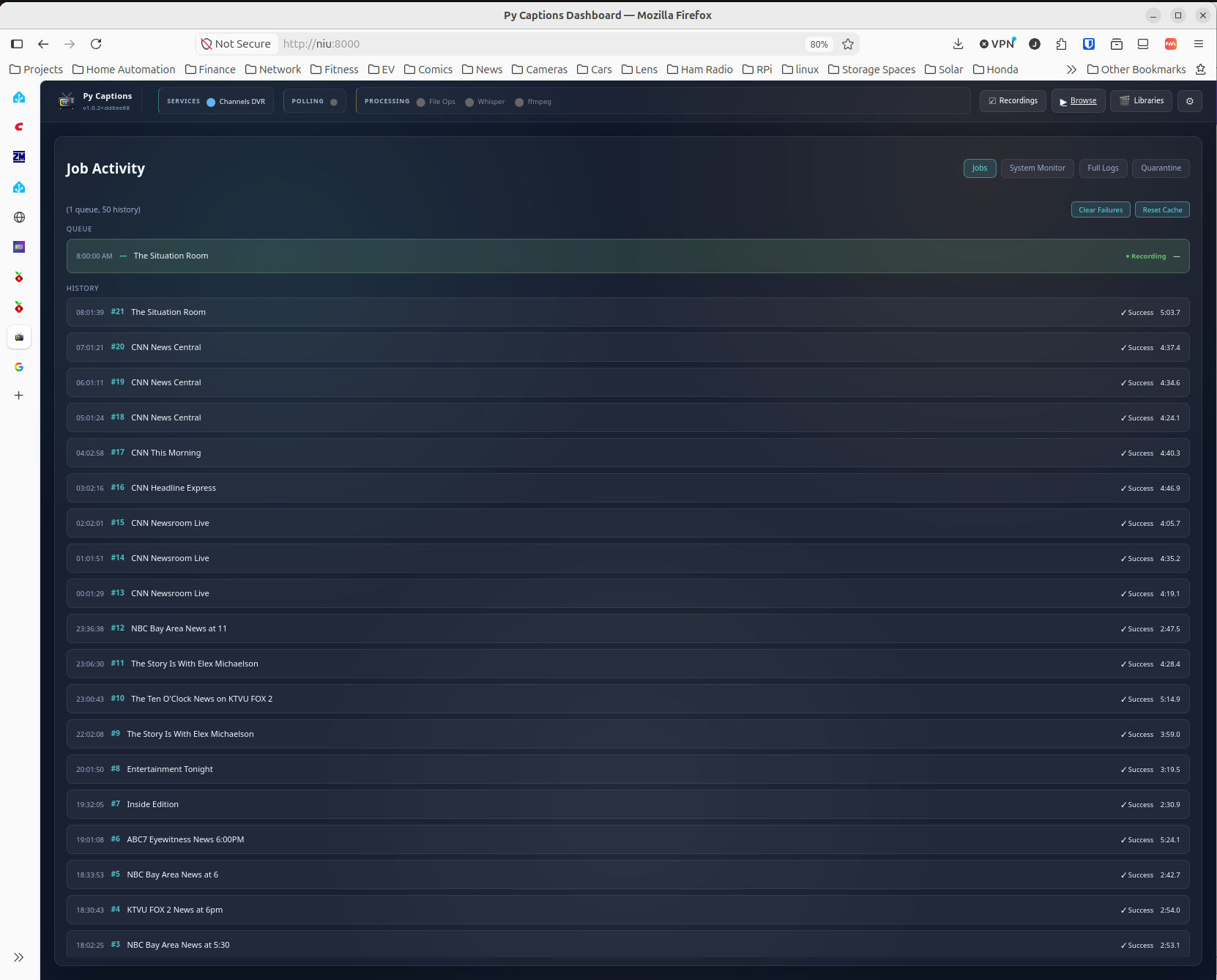
I’ve long wanted to get better closed captions support for live TV such as news broadcasts, that is synchronized with the audio instead of delayed by several seconds. I started looking for systems that can produce synchronized captions using ASR like YouTube does. I found that Whisper was generally recommended, so I started with that. After a while, I found Faster Whisper, which worked even better. I put together a shell script prototype on my own Channels server which I have running on a Debian linux box. It actually worked, but it had all kinds of problems with the way that I chose to integrate it with Channels. Then I reimplemented it using Python in MS Code with CoPilot. The AI did all the actual coding, which was awesome, BTW.
I’ve tested and used the linux version the most. It uses Docker and can be installed by simply bringing up the image. The same is true for Windows, but I found a problem with Docker Desktop. It doesn’t provide full GPU support, so I used the Docker engine in WSL instead. The installation will reconfigure WSL to use the engine instead of Docker Desktop, so please be aware of that.
The tricky part is getting the full GPU support in the Docker container. Please see the GitHub docs for a full description of the process.
You’ll also see that the documentation implies that some clients can use the SRT files alone. As far as I can tell, this is true for library files, but not for TV recordings. I’m not 100% sure of that, as the only Apple device I have for testing is an iPhone. The one test I did with that ignored the SRT files that this system created, but it’s possible that the naming convention I used is a problem. I don’t know yet. It would be great if Fancy Bits would add SRT support for recordings, because that would make CPU-only totally workable.
Automatic closed-caption generation for Channels DVR recordings using Faster Whisper.
Monitors your DVR for completed recordings, transcribes them with Faster Whisper, and writes SRT caption files that Channels clients pick up automatically.
Features
- Fully Automatic — Detects completed recordings via Channels server API polling or ChannelWatch webhooks and queues them for captioning
- GPU-Accelerated — NVIDIA CUDA + NVENC/NVDEC for fast transcription and encoding (7x faster than CPU)
- Web Dashboard — Real-time status, execution history, settings, system/GPU monitoring, and manual reprocessing
- Smart Optimization — Automatically tunes Whisper and ffmpeg parameters based on source type (OTA vs streaming)
- Show Whitelist — Process only the shows you care about; interactive toggle from the web UI
- Personal Media Libraries — Caption VHS transfers, home movies, ripped Blu-rays, and other personal media stored outside the DVR. Auto-discovers mount paths from Channels DVR; supports up to three separate NAS/server mounts
- Embedded Captions Track — Optional MP4 transcoding with an embedded captions track for clients that don't support sidecar SRT files (required for recorded TV shows)
- Idempotent — Tracks processed recordings in a database to avoid duplicates
- Quarantine System — Cleans up orphaned .srt and .orig files after source media is deleted, conserving storage space
- Dry-Run Mode — Test the full pipeline without modifying any files
- Docker Ready — Single docker-compose up with NVIDIA GPU passthrough
Requirements
- Channels DVR server (with recordings accessible via network/mount)
- NVIDIA GPU with 6GB+ VRAM (GTX 1660 Super / RTX 2060 or better)
- NVIDIA driver ≥ 520 on the Docker host (supports CUDA 12.2, which the container requires). Check with nvidia-smi — the "CUDA Version" shown must be 12.2 or higher. If it's lower, GPU acceleration will silently fall back to CPU; the container logs a warning at startup identifying the mismatch.
- Docker with NVIDIA Container Toolkit (nvidia-container-toolkit)
- ChannelWatch (optional, for webhook-based detection instead of polling)
CPU-only operation is possible but significantly slower (~10 min SRT-only, ~10–20 min with Fire TV transcoding, per 1-hour recording).
Timings below are for the default SRT-only mode. TRANSCODE_FOR_FIRETV=true adds encoding time (see GPU Configuration).
| Hardware | 1-hr OTA Recording | 1-hr TVE (Streaming) | Daily Capacity |
|---|---|---|---|
| CPU only | ~10–15 min | ~10 min | Very limited |
| RTX 2080 (11GB) | ~3–5 min | ~1–2 min | 20+ hours |
| RTX 3060/4060+ | ~2–4 min | ~1–2 min | 24+ hours |
Installation
Linux — one command (run on the server; installs Docker, GPU toolkit, and the container):
bash <(curl -fsSL https://raw.githubusercontent.com/jay3702/py-captions-for-channels/main/scripts/setup-linux.sh)
Windows — one command (run in an Administrator PowerShell window; installs WSL2, Docker, GPU toolkit, and the container):
Set-ExecutionPolicy -Scope Process -ExecutionPolicy Bypass
irm https://raw.githubusercontent.com/jay3702/py-captions-for-channels/main/setup-windows.ps1 | iex
You can also clone the GitHub repository and run the setup-linux or setup-windows scripts in the scripts folder.
I plan on adding support for Intel GPU’s, but I don’t have a way to test AMD GPU’s at this time.