Youtub3r: Your friendly YouTube metadata decorator for Channels

So, I've had this little project that I've been using for a while, and I thought I'd clean it up and open source it because others might find it useful.
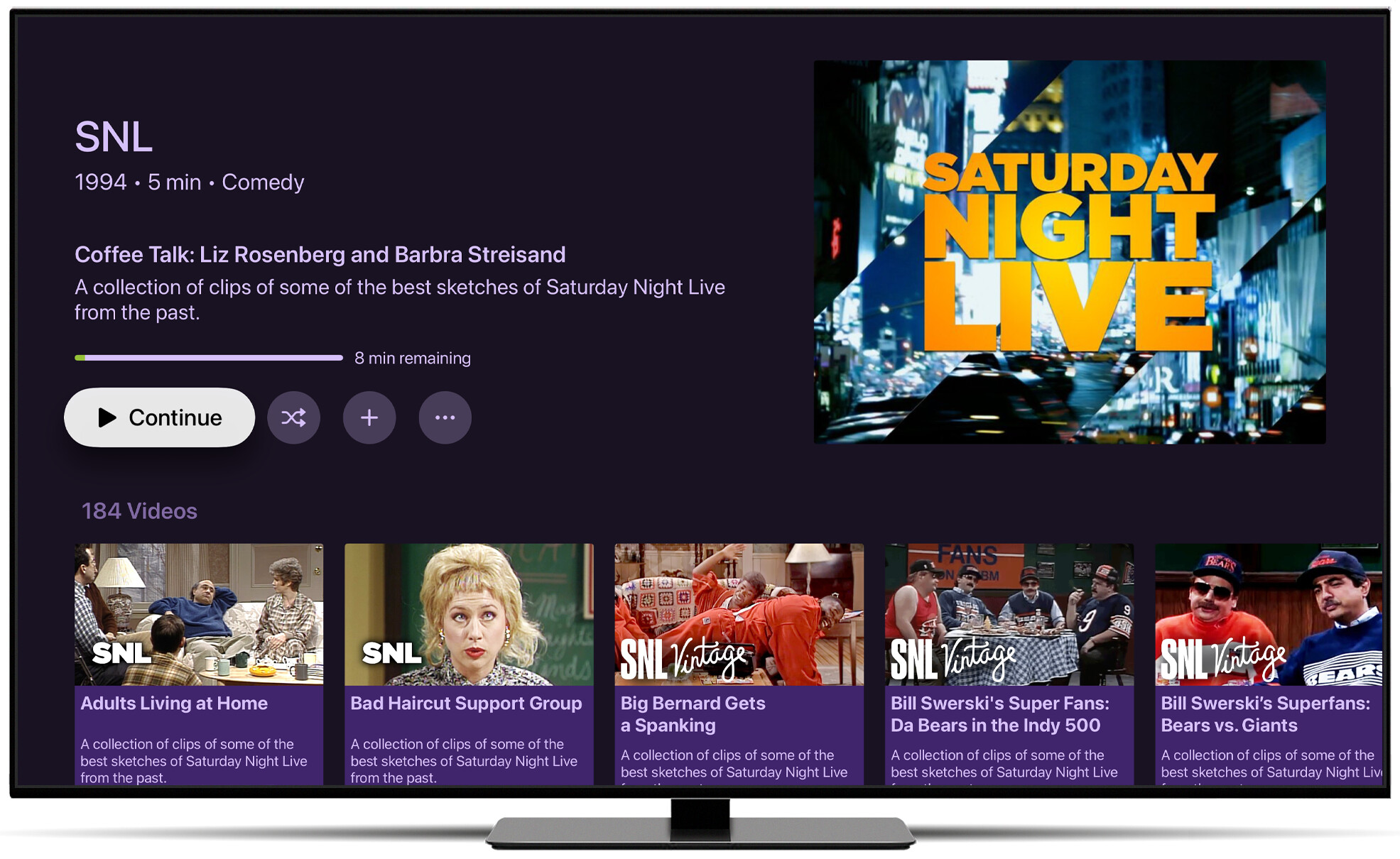
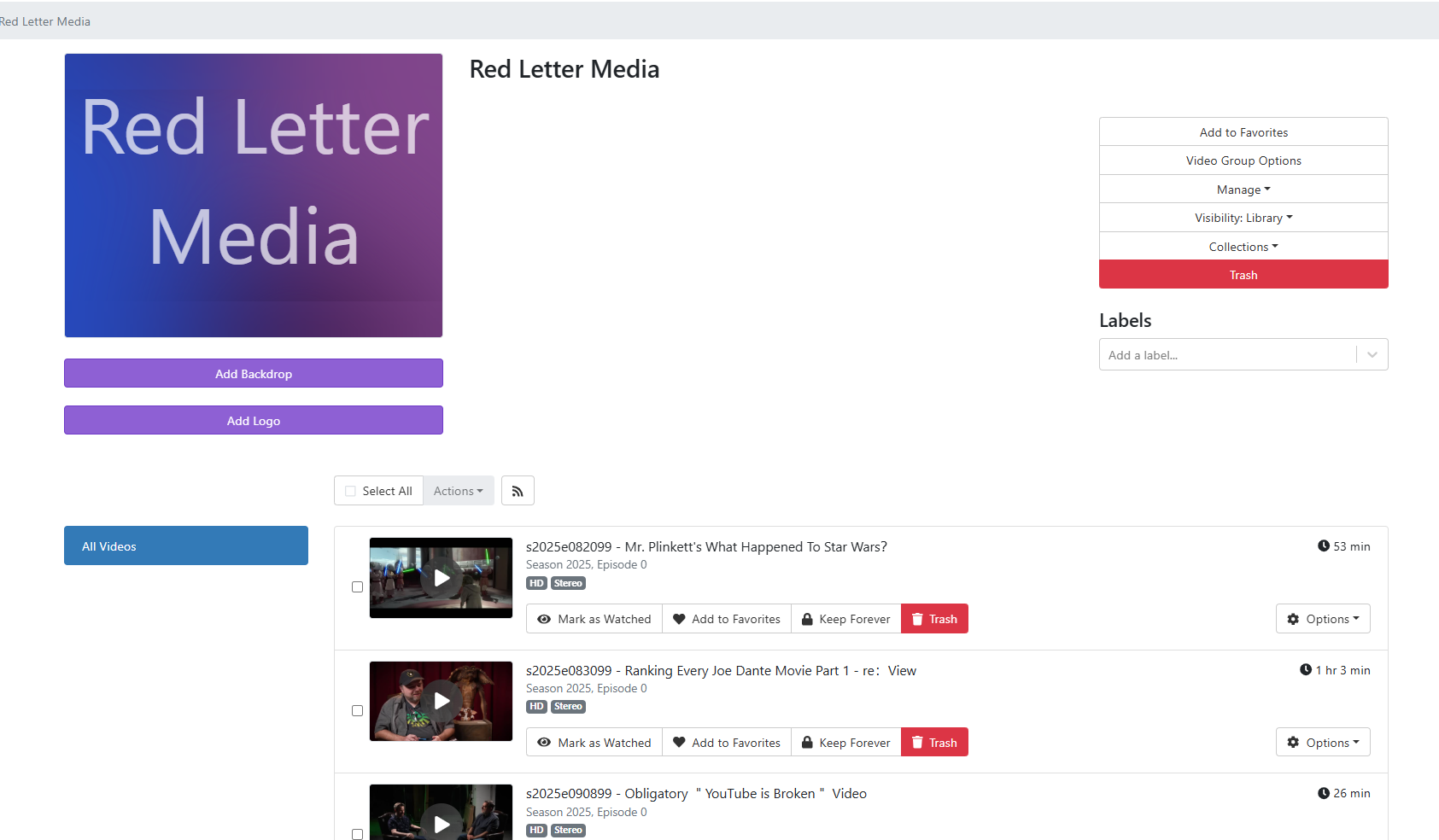
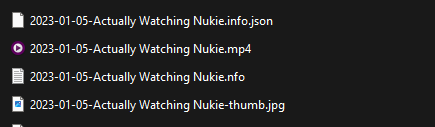
I use Pinchflat for some automated downloads from YouTube. These videos are downloaded into their own Video Groups. Pinchflat writes metadata for videos as a sidecar info.json file.

Youtub3r will attempt to use this info.json file update the metadata and artwork for videos in Video Groups.

The result is something that just runs in the background ensuring any Video Groups tagged the appropriate way get clean metadata and artwork.

There are just a few simple conventions you need to follow to make this work.

Check out the readme on the project for more information on how it works.
7 Likes

This is slick! The only issue I ran into was some missing documentation. It doesn't mention that the video group path must be passed into the youtub3r container (in addition to the environment variable).

Aside from that, it would be amazing if the channel art could be added to the channel group automatically (maybe could be grabbed via Pinchflat's "Download Series Images" option).

Doesn't it? Did you see this and it's not clear enough maybe? One of the absolute hardest things to communicate to people is volumes and directories when it comes to Docker.

VIDEO_PATH

The path you give Youtub3r must be the path to the root directory of your YouTube video groups. This is the same path you added as a Video Source in Channels.

Oh, maybe you meant literally mounting the volume? I figured that was assumed, but I'll see if I can do better.

This wouldn't work well as Video Groups, like TV Shows, want a 4:3 aspect image. So you're better off just doing that yourself. It's just a once and done thing when setting up your new Video Group, so it's not too bad.

Excited about this functionality. I have been using the other method you created for a while. But you're right, it's a bit of extra work to use it to update after adding a video to each time. This seems more set and forget.

However, I have very little knowledge of using Docker (I am on Windows). However, I figured out pretty easily setting up Pinchflat and it is working perfectly. I did change the output path template as you suggested and verified that Download Metadata is checked to on. I can see the json file beside my downloaded video files.

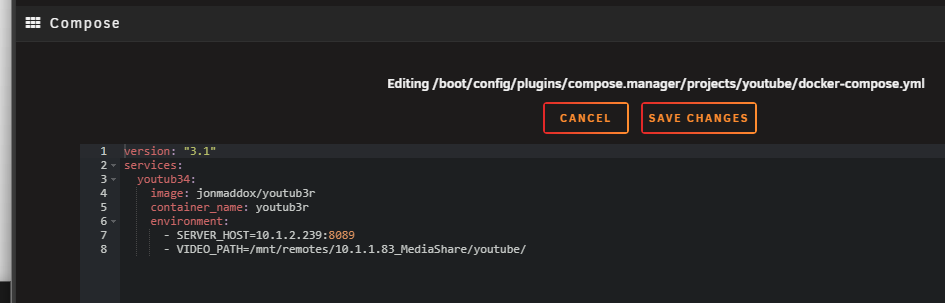
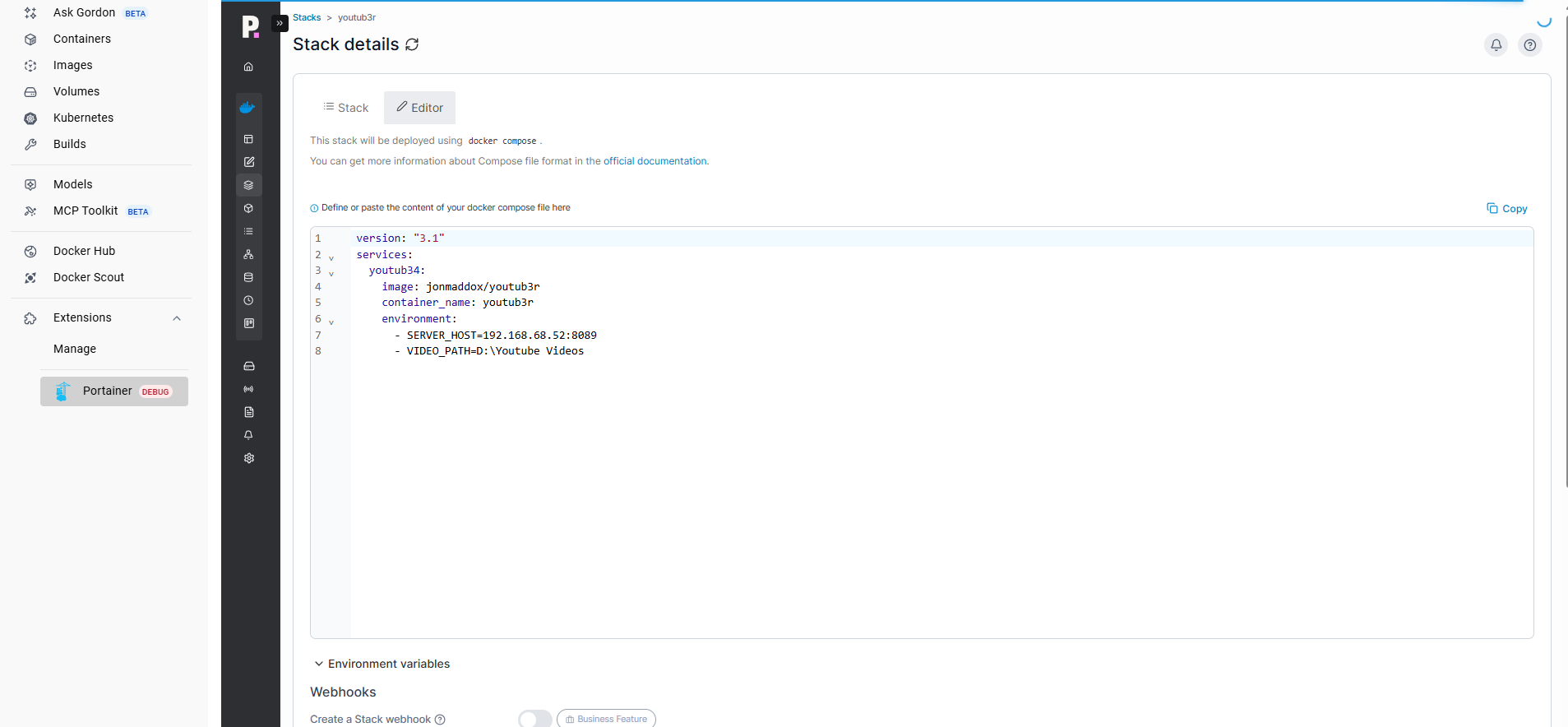
Now, I installed Youtub3R in docker (I am using Portainer extension in Docker on windows) and using the editor that is in Portainer I pasted your compose file and changed the server host path and added my folder location D:/Youtube Videos to video path line. This is the same path I put into Pinchflat and it is working there. However, it doesn't seem like anything is changing in my videos that I downloaded and have set in Channels. Just so you know, I deleted the other source I was using before and setup and new folder to use with Pinchflat and started fresh with newly downloaded videos.

I am including a screenshot of my compose file in portainer in case you see something I am missing.

In hindsight, it was a bad assumption on my part to assume the sample command was complete (since the container obviously needs read access to the video metadata files). But I've been conditioned over the years to assume sample docker commands contain all required variables/volumes, and since one of the variables is the path, I just assumed it was all that was needed. Then seeing output in the container logs that indicated the files were located, it took me a bit to realize I needed to pass in the volume as well.

Just thought I'd mention it in case it helps the next person :grinning:

As for the channel art, that makes sense. And agreed, it's not too bad, especially since there are already some other one-off setup that needs to be done per Video Group.

You're not mounting your YouTube directory into youtub3r, so it can't see your files.

I suppose I should change this. Instead of you setting the path, I should just make you mount your directory to a specific directory.

I'll make that change soon. it will be more self explanatory.

1 Like

That would be good because I have no idea what you're talking about! lol

I don't know what it means when you say "mount your directory to a specific directory". Like, where is that exactly?

It is just a problem of I don't really know how to navigate around in docker outside of "input the code in that editor and move on". lol

Man this is an awesome project - have often wanted to pull youtube into plex/channels but always have issues with metadata without heavy manual work

So i setup pinchflat and downloaded a full channel

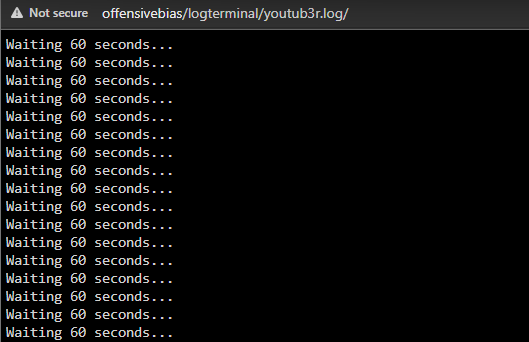
And i setup your container with compose - and it continues to just say "waiting 60 seconds" and doesn't seem to find anything

Any suggestions?
image

1 Like

oh and i'm also pulling the json
image

Your probably didn’t tag the Video Group correctly.

From the README:

It will only attempt this for videos in your library that are part of Video Groups with the label youtube or genre YouTube applied.

1 Like

Thank you i had missed that detail - So now the files look like this

I have title and picture but i don't have description - and the show itself isn't pulling a picture like your example of snl

It doesn't pull the video's description due to YouTube video descriptions tending to be literally 2000 words of affiliate links and chapter definitions that are of no use in Channels.

As for the image, I'm not sure why it's not showing. I've never seen it not work.

View Details on the video and click on the File ID link to expose the JSON properties of the file and scroll down looking for ThumbnailURL to see if it's even set.

i meant that the playlist/channel doesn't have a picture - but i would assume that there wouldn't be one available - will have to set that manually - the thumbnails pull fine and I've changed my settings so those are shown

As mentioned in another message in this thread, it does not apply art to the Video Group:

Thanks

This solves a long running ask I've had to handle youtube stuff - appreciate it a lot

All i need now is nfo :slight_smile:

@maddox I went down a rabbit hole a bit with this project today. I was working to get Project One-Click deployments set up for Pinchflat and this project, but couldn't get it working.

It turned out the script wasn't able to handle the sort of mix of slashes and backslashes you get when a Windows directory is bound to a Linux container.

Anyway I have it running now, with an updated Ruby script to fix that primary problem, plus I added quite a bit more output to the console (aka the Portainer Log in my case).

It now looks like this processing (lines from the end of one pass and the beginning of the next):

Scrubbing /youtube/IMY2/I’ll be watching you.. [pu_K3q-36Zk].mp4...
Dir exists? /youtube/IMY2 -> true
Video exists? /youtube/IMY2/I’ll be watching you.. [pu_K3q-36Zk].mp4 -> true
Info JSON exists? /youtube/IMY2/I’ll be watching you.. [pu_K3q-36Zk].info.json -> true
PUT /dvr/files/6491 -> 200
200 - scrubbed I’ll be watching you..
Scan completed at 2025-09-25 20:05:43 +0000
Waiting 60 seconds...
Starting scan at 2025-09-25 20:06:43 +0000  SERVER_URL=http://media-server8:8089  VIDEO_PATH=/youtube  DRY_RUN=false
Fetched 97 groups
Matched 3 YouTube-labeled groups
Group videos-be889e6132a18b470637eb82770b79b6e527a3b83a6308fad572b41055f1e418 has 16 files
Scrubbing /youtube/The Wailin' Jennys/2011-07-06-Light of A Clear Blue Morning.mp4...
Already verified, skipping file.

If you're good with that, I'll go ahead and submit a PR...

Absolutely. Never ask to submit a PR. Just submit a PR.

OK, I made good on my threat and this change has been made as of the latest release.

YOU NO LONGER SET THE VIDEO PATH AND INSTEAD MOUNT YOUR VIDEOS DIRECTORY TO A PATH.

This is a breaking change and you'll need to change your config:

Video Directory

Youtub3r needs access to your YouTube video files and their corresponding info.json files created by Pinchflat.

You must mount your video directory into the container at /youtube_videos.

This directory must be the root directory of your YouTube video groups. This is the same path you added as a Video Source in Channels.

Looking good on my test dataset (last line of first pass, and first line of second pass shown):

Scrubbing /youtube_videos/IMY2/I’ll be watching you.. [pu_K3q-36Zk].mp4.
200 - scrubbed I’ll be watching you..
Waiting 60 seconds...
Scrubbing /youtube_videos/The Wailin' Jennys/2011-07-06-Light of A Clear Blue Morning.mp4.
Already verified, skipping file.