
Good suggestion, just updated to the pre-release build and have the same "Blocked by Google: This browser or app may not be secure" issue. Bummer.
Usually that error has to do with an outdated chrome version or not using https://yourip:8089 from the server. When in troubleshooting do you have a chrome version number higher than 114. Also what server are you running?
Running on a Synology, I've used the support checks and updated the chrome build, did that first and made sure I was running through an external connection to have full https: when making the request and not running locally which bypasses the https... everything in troubleshooting is green.
TV Everywhere
Chrome version up to date: 129.0.6668.59
Definitely odd as the account is doing the family share workaround, the account doesn't have a passkey or 2FA, and is just used for this and haven't had issues until a few days ago.
Hmm interesting. How did you get Chrome updated beyond 114 on your synology nas? My Channels DVR server is installed locally on the machine. It doesn't give me the option to be updated to anything newer than that. Do you have Channels DVR installed as a container or Virtual Machine?
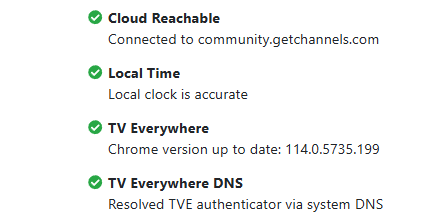
Is your Channels DVR updated to the latest version?
My Channels DVR TVE docker containers are using Chrome v132
Here's how to update the Channels DVR provided Chrome.
This method still works for my docker containers and the Synology Package Install
1 Like
Thank you. I didn't realize that was a way to do it. What happened to the simple Click Here to Update Chrome from the troubleshoot if it was outdated. I was only able to get it to 129. Going to restart NAS and try again if I can get it to 132.
After restart no change. Latest version it would upgrade to is 129.0.6668.59. I can't get 132. So maybe thats part of the issue.
Is it installed using the Synology Package Install or the Channels DVR TVE docker?
Synology Package.
v129 is the latest version you'll get with the Synology Package install.
TY for checking.
At least it's newer than the v114 you had
Very true.
No, newer versions are not able to run on Synology
You would have to use Container Station if chrome version is important for your provider
Ty good to know. So that means if Youtube TV starts blocking older versions like 129 or older and you have the Synology Package version installed for Channels DVR you will need to move your server from that to a Container or Virtual Machine that can upgrade to a newer version of Chrome/Chromium.That might be what @Matt_Edmunds might be running into now.
1 Like
I don't know if you'll get a different reply from Aman, but for me it seems that CDVR TVE has always been a whack-a-mole game.
Never knew if it's the chromium version or what. I went back and forth between Synology Package and Docker trying to get the latest Chrome version. I never knew if it was the Chrome version, the chromedata folder and what it was holding, etc. And the devs never said.
We don't know either 
Yeah I can’t remember if it’s the Synology package version or I installed it. It was sooooo long ago. But I updated it via the troubleshoot and it went to 129. I then tried going to pre-release seeing if maybe there was a fix there but no dice. Bummer because this was the main way I consumed channels tv content after moving away from a strong antenna signal. I guess I’ll have to get creative.