
New bnhf/ah4c:latest (aka bnhf/ah4c:2025.09.23) pushed this morning with updates to scripts/zinwell/livetv and zinwell.m3u.
Just tried your bmitune.sh it works great. also tweaked my m3u a little the dashes were not needed
see below:
#EXTM3U

#EXTINF:-1 channel-id="102.1" channel-number="" tvc-guide-stationid="" tvg-group="" tvg-logo="",CBS 2 NEXTGENTV
http://{{ .IPADDRESS }}/play/tuner/021

#EXTINF:-1 channel-id="104.1" channel-number="" tvc-guide-stationid="" tvg-group="" tvg-logo="",NBC 4 NEXTGENTV
http://{{ .IPADDRESS }}/play/tuner/041

#EXTINF:-1 channel-id="147.1" channel-number="" tvc-guide-stationid="" tvg-group="" tvg-logo="",WNJU 47 NEXTGENTV
http://{{ .IPADDRESS }}/play/tuner/471
Picture quality is not as good as my hdhomeruns or adbtuner so I would appreciate it if there is somethning we can do about that.
Screenshot below from vlc
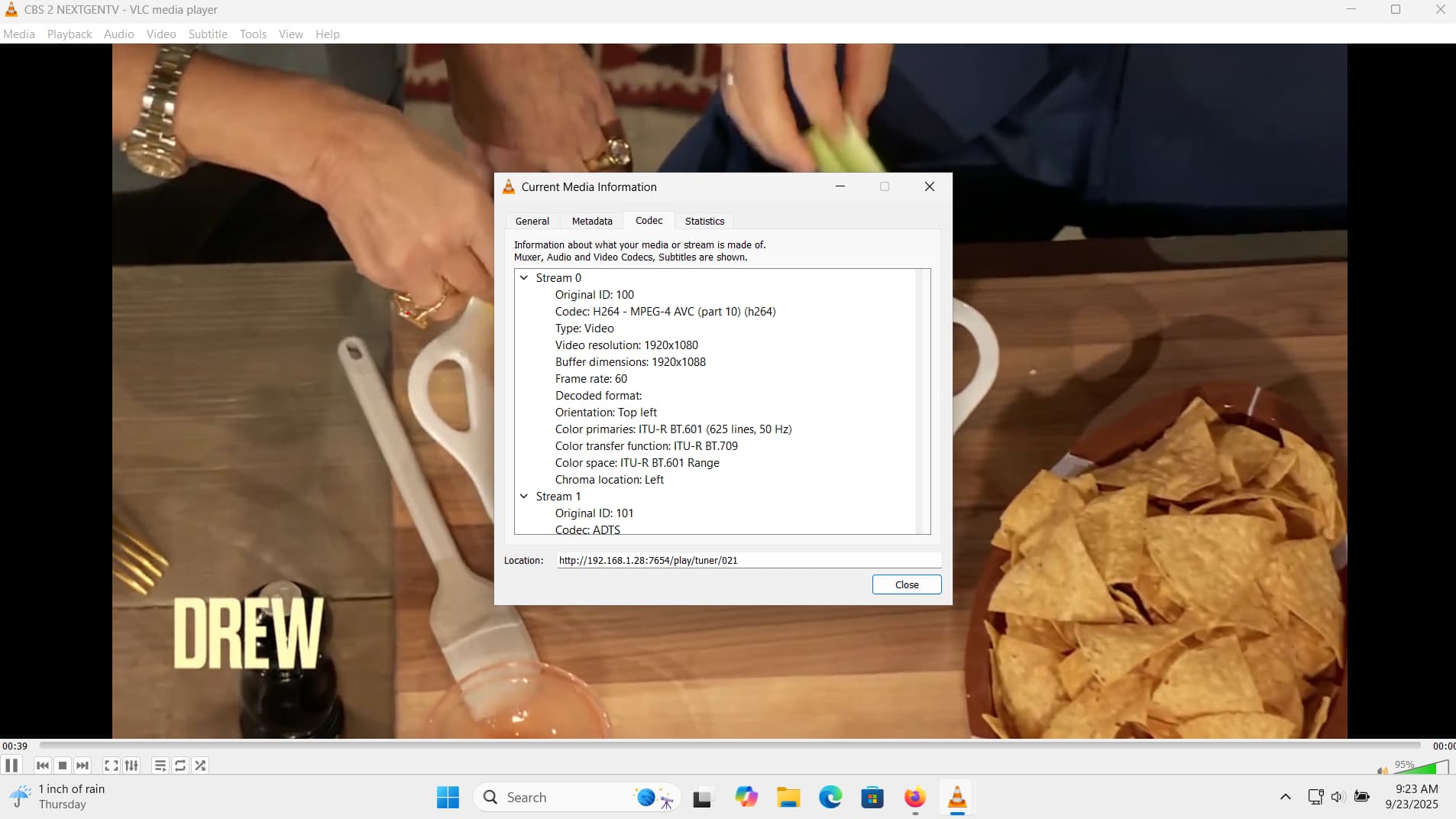
Also the bitrate is much lower in channels than what I have set on my linkpi
1 Like
ah4c is just a proxy, so the stream Channels is getting is what your encoder is putting out. Check the settings on your encoder, but maybe this is the HDR issue previously discussed in the ADBTuner thread?
1 Like
I switched my linkpi to cbr and upped the contrast. looks much better on cbs. nbc still looks dark screenshot below
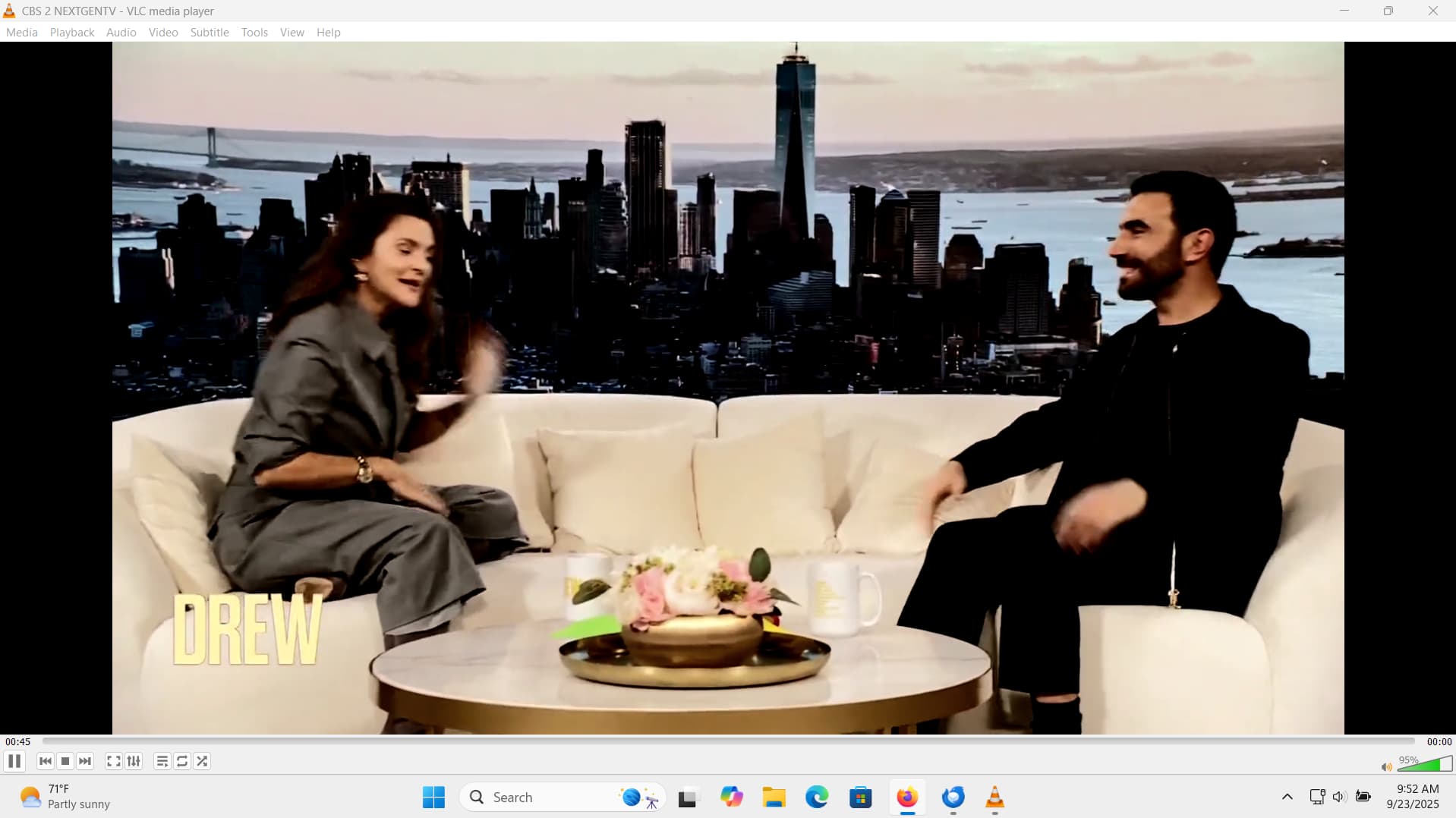

That looks like HDR, at least on NBC, and probably both channels. ah4c does have the capability to pipe a stream through its included ffmpeg, but the resource requirements for the ah4c container will go from basically nothing to an unknown something (if you follow what I mean). The idea would be to tone map HDR to SDR.
It may also be possible to use Intel Quick Sync, but that's untested, and of course you'd need an Intel GPU. I don't get the slightest whiff of a TV signal here in the mountains, so it'd be up to you to get things setup and to do the testing. This all assumes that your Docker host computer isn't the usual low-end, outdated gear so many use. 
I should also mention adb does not work on wifi, it requires ethernet.
1 Like
I actually have an nvidia gpu. how would I do this? thanks
I believe this has mostly been used by people capturing from internal cards, but I remember somebody awhile back using it with an encoder -- however, I can't find that thread atm.
Right now, you're using env vars like:
TUNERx_IP=
ENCODERx_URL=
For each virtual tuner. This would change to:
TUNERx_IP=
ENCODERx_URL=
CMDx_DEVICE=
CMDx=
If this works the way I think it should (it's not something I've needed myself), you'd leave ENCODERx_URL blank, and put that value in CMDx_DEVICE. Then, your ffmpeg command would go in CMDx.
You can look at the sullrich/ah4c repo for some specific examples using encoder/capture cards.
Keeping the current structure of the ah4c Docker Compose, you'd add the following (one for each tuner, with their actual numbers like: 1, 2, 3, 4) in the environment: section of the compose, and the above values would go in the Environment variables section of the Portainer-Stacks Editor:
- CMD1=${CMD1}
- CMD1_DEVICE=${CMD1_DEVICE}
I'd start with some really simple ffmpeg command, that would allow you to confirm it's working and get a feel for the performance hit.
EDIT: It's possible you leave the ENCODERx_URL value as is, leave CMDx_DEVICE blank, and just put your ffmpeg command in CMDx. Try it that way first. This post, and a few after it, are the ones I was thinking of:
getting the following error:
[ERR] Failed to run command exec: ""ffmpeg": executable file not found in $PATH
I added the following to my stack:
  - CMD1_DEVICE=
- CMD1="ffmpeg -i http://192.168.1.70:8090/stream0 -c:v h264_nvenc -vf yadif=0:-1:1,hqdn3d,flags=lanczos -c:a copy -f mpegts -"Probably something to do with the shell running ffmpeg not inheriting the $PATH, because ffmpeg is there and it's on the path.
Try: /usr/bin/ffmpeg
EDIT: Or, try losing the double quotes...
noe I get the following:
[ERR] Failed to run command fork/exec "/usr/bin/ffmpeg: no such file or directory
Did you try 
now I get:
[EXECUTE] Stderr: '+ channelID=471
Worked for me, using an ffmpeg command to send a blank screen for 5 seconds. Here's the Docker Compose, and the env vars I used:
 services:
  ah4c: # This docker-compose typically requires no editing. Use the Environment variables section of Portainer to set your values.
    # 2025.09.13
    # GitHub home for this project: https://github.com/bnhf/ah4c.
    # Docker container home for this project with setup instructions: https://hub.docker.com/r/bnhf/ah4c.
    image: bnhf/ah4c:${TAG:-latest}
    container_name: ${CONTAINER_NAME:-ah4c}
    hostname: ${HOSTNAME:-ah4c}
    dns_search: ${DOMAIN:-localdomain} # Specify the name of your LAN's domain, usually local or localdomain
    ports:
      - ${ADBS_PORT:-5037}:5037 # Port used by adb-server
      - ${HOST_PORT:-7654}:7654 # Port used by this ah4c proxy
      - ${SCRC_PORT:-7655}:8000 # Port used by ws-scrcpy
    environment:
      - IPADDRESS=${IPADDRESS} # Hostname or IP address of this ah4c extension to be used in M3U file (also add port number if not in M3U)
      - NUMBER_TUNERS=${NUMBER_TUNERS} # Number of tuners you'd like defined 1, 2, 3 or 4 supported
      - TUNER1_IP=${TUNER1_IP} # Streaming device #1 with adb port in the form hostname:port or ip:port
      - TUNER2_IP=${TUNER2_IP} # Streaming device #2 with adb port in the form hostname:port or ip:port
      - TUNER3_IP=${TUNER3_IP} # Streaming device #3 with adb port in the form hostname:port or ip:port
      - TUNER4_IP=${TUNER4_IP} # Streaming device #4 with adb port in the form hostname:port or ip:port
      - TUNER5_IP=${TUNER5_IP} # Streaming device #5 with adb port in the form hostname:port or ip:port
      - TUNER6_IP=${TUNER6_IP} # Streaming device #6 with adb port in the form hostname:port or ip:port
      - TUNER7_IP=${TUNER7_IP} # Streaming device #7 with adb port in the form hostname:port or ip:port
      - TUNER8_IP=${TUNER8_IP} # Streaming device #8 with adb port in the form hostname:port or ip:port
      - TUNER9_IP=${TUNER9_IP} # Streaming device #9 with adb port in the form hostname:port or ip:port
      - ENCODER1_URL=${ENCODER1_URL} # Full URL for tuner #1 in the form http://hostname/stream or http://ip/stream
      - ENCODER2_URL=${ENCODER2_URL} # Full URL for tuner #2 in the form http://hostname/stream or http://ip/stream
      - ENCODER3_URL=${ENCODER3_URL} # Full URL for tuner #3 in the form http://hostname/stream or http://ip/stream
      - ENCODER4_URL=${ENCODER4_URL} # Full URL for tuner #4 in the form http://hostname/stream or http://ip/stream
      - ENCODER5_URL=${ENCODER5_URL} # Full URL for tuner #5 in the form http://hostname/stream or http://ip/stream
      - ENCODER6_URL=${ENCODER6_URL} # Full URL for tuner #6 in the form http://hostname/stream or http://ip/stream
      - ENCODER7_URL=${ENCODER7_URL} # Full URL for tuner #7 in the form http://hostname/stream or http://ip/stream
      - ENCODER8_URL=${ENCODER8_URL} # Full URL for tuner #8 in the form http://hostname/stream or http://ip/stream
      - ENCODER9_URL=${ENCODER9_URL} # Full URL for tuner #9 in the form http://hostname/stream or http://ip/stream
      - CMD1=${CMD1} # Typically used for ffmpeg processing of a device's stream
      - CMD2=${CMD2} # Typically used for ffmpeg processing of a device's stream
      - STREAMER_APP=${STREAMER_APP} # Streaming device name and streaming app you're using in the form scripts/streamer/app (use lowercase with slashes between as shown)
      - CHANNELSIP=${CHANNELSIP} # Hostname or IP address of the Channels DVR server itself
      - ALERT_SMTP_SERVER=${ALERT_SMTP_SERVER} # The domainname:port of the SMTP server you'll be using like smtp.gmail.com:587. This is for sending ah4c alerts if tuning fails.
      - ALERT_AUTH_SERVER=${ALERT_AUTH_SERVER} # The auth server for the e-mail you'll be using like smtp.gmail.com
      - ALERT_EMAIL_FROM=${ALERT_EMAIL_FROM} # The e-mail address you'd like your ah4c failure alert e-mails to show as being from.
      - ALERT_EMAIL_PASS=${ALERT_EMAIL_PASS} # Gmail and Yahoo both support the creation of app-specific e-mail passwords, and this is the way to go! It's NOT recommended to use your everyday e-mail password.
      - ALERT_EMAIL_TO=${ALERT_EMAIL_TO} # The e-mail address you'd like your alert e-mails sent to.
      #- ALERT_WEBHOOK_URL=""
      - LIVETV_ATTEMPTS=${LIVETV_ATTEMPTS} # For FireTV Live Guide tuning only, set maximum number of attempts at finding the desired channel
      - CREATE_M3US=${CREATE_M3US:-false} # Set to true to create device-specific M3Us for use with Amazon Prime Premium channels -- requires a FireTV device
      - UPDATE_SCRIPTS=${UPDATE_SCRIPTS:-true} # Set to true if you'd like the sample scripts and STREAMER_APP scripts updated whether they exist of not
      - UPDATE_M3US=${UPDATE_M3US:-true} # Set to true if you'd like the sample m3us updated whether they exist of not
      - TZ=${TZ} # Your local timezone in Linux "tz" format
      - SPEED_MODE=${SPEED_MODE:-false} # Set to false if you'd like the target streaming app to be closed after each tuning cycle (limited script support).
      - KEEP_WATCHING=${KEEP_WATCHING:-235m} # In supported scripts, set the delay before resending a tuning deeplink to prevent "Are you still watching?" type messages. Examples: Use 4h for 4 hours or 240m for 240 minutes.
      - AUTOCROP_CHANNELS=${AUTOCROP_CHANNELS} # Space separated list of channels (by number) with black borders on 4 sides to autocrop while maintaining aspect ratio. Requires LinkPi Encoder!
      - LINKPI_HOSTNAME=${LINKPI_HOSTNAME} # Hostname or IP address of your LinkPi encoder. For use with AUTOCROP_CHANNELS.
      - LINKPI_USERNAME=${LINKPI_USERNAME} # LinkPi username. For use with AUTOCROP_CHANNELS.
      - LINKPI_PASSWORD=${LINKPI_PASSWORD} # LinkPi password. For use with AUTOCROP_CHANNELS.
      - USER_SCRIPT=${USER_SCRIPT} # A custom user script to be run at container start. If placed in /HOST_DIR/olivetin, only the script name is required, like ./userscript.sh
    volumes:
      - ${HOST_DIR:-/data}/ah4c/scripts:/opt/scripts # pre/stop/bmitune.sh scripts will be stored in this bound host directory under streamer/app
      - ${HOST_DIR:-/data}/ah4c/m3u:/opt/m3u # m3u files will be stored here and hosted at http://<hostname or ip>:7654/m3u for use in Channels DVR - Custom Channels settings
      - ${HOST_DIR:-/data}/ah4c/adb:/root/.android # Persistent data directory for adb keys
    restart: unless-stopped
As always, I don't recommend editing the compose directly, but rather put the env vars (which are unique to you, in the section designed for that in the Portainer-Stacks Editor). Here are mine:
TAG=latest
CONTAINER_NAME=ah4c
HOSTNAME=ah4c
DOMAIN=localdomain tailxxxxx.ts.net
ADBS_PORT=5037
HOST_PORT=7654
SCRC_PORT=7655
IPADDRESS=htpc6:7654
NUMBER_TUNERS=2
TUNER1_IP=firestick-rack1:5555
ENCODER1_URL=http://encoder_48007/0.ts
CMD1=ffmpeg -i ${ENCODER1_URL} -ss 5 -c:v copy -c:a copy -f mpegts -
TUNER2_IP=firestick-rack2:5555
ENCODER2_URL=http://encoder_48007/4.ts
CMD2=ffmpeg -i ${ENCODER2_URL} -ss 5 -c:v copy -c:a copy -f mpegts -
STREAMER_APP=scripts/firetv/channels
CHANNELSIP=media-server8
ALERT_SMTP_SERVER=smtp.gmail.com:587
ALERT_AUTH_SERVER=smtp.gmail.com
ALERT_EMAIL_FROM=[Redacted]
ALERT_EMAIL_PASS=[Redacted]
ALERT_EMAIL_TO=[Redacted]
LIVETV_ATTEMPTS=
CREATE_M3US=false
UPDATE_SCRIPTS=false
UPDATE_M3US=false
TZ=US/Mountain
SPEED_MODE=false
KEEP_WATCHING=235m
AUTOCROP_CHANNELS=
LINKPI_HOSTNAME=[Redacted]
LINKPI_USERNAME=[Redacted]
LINKPI_PASSWORD=[Redacted]
USER_SCRIPT=
HOST_DIR=/data
CDVR_M3U_NAME=channels.m3u
This way you can easily swap out an old compose for new, or share it with someone else.
EDIT: Once you get this running, you'll probably want to reduce the output to the Portainer logs, or they'll be flooded.
I'd suggest trying:
-loglevel quiet
between the ffmpeg and the -i
1 Like
that works with -c:v copy but when I switch to -c:v h264_nvenc I get this
Cannot load libcuda.so.1
I'm more of an Intel guy, you're going to need to tell me what's needed to get Nvidia working in a Docker container. I've never build ah4c with Nvidia in mind, and have no way to test.
1 Like
Did you try binding the GPU?
 services:
  ah4c: # This docker-compose typically requires no editing. Use the Environment variables section of Portainer to set your values.
    # 2025.09.13
    # GitHub home for this project: https://github.com/bnhf/ah4c.
    # Docker container home for this project with setup instructions: https://hub.docker.com/r/bnhf/ah4c.
    image: bnhf/ah4c:${TAG:-latest}
    container_name: ${CONTAINER_NAME:-ah4c}
    hostname: ${HOSTNAME:-ah4c}
    dns_search: ${DOMAIN:-localdomain} # Specify the name of your LAN's domain, usually local or localdomain
    ports:
      - ${ADBS_PORT:-5037}:5037 # Port used by adb-server
      - ${HOST_PORT:-7654}:7654 # Port used by this ah4c proxy
      - ${SCRC_PORT:-7655}:8000 # Port used by ws-scrcpy
    environment:
      - IPADDRESS=${IPADDRESS} # Hostname or IP address of this ah4c extension to be used in M3U file (also add port number if not in M3U)
      - NUMBER_TUNERS=${NUMBER_TUNERS} # Number of tuners you'd like defined 1, 2, 3 or 4 supported
      - TUNER1_IP=${TUNER1_IP} # Streaming device #1 with adb port in the form hostname:port or ip:port
      - TUNER2_IP=${TUNER2_IP} # Streaming device #2 with adb port in the form hostname:port or ip:port
      - TUNER3_IP=${TUNER3_IP} # Streaming device #3 with adb port in the form hostname:port or ip:port
      - TUNER4_IP=${TUNER4_IP} # Streaming device #4 with adb port in the form hostname:port or ip:port
      - TUNER5_IP=${TUNER5_IP} # Streaming device #5 with adb port in the form hostname:port or ip:port
      - TUNER6_IP=${TUNER6_IP} # Streaming device #6 with adb port in the form hostname:port or ip:port
      - TUNER7_IP=${TUNER7_IP} # Streaming device #7 with adb port in the form hostname:port or ip:port
      - TUNER8_IP=${TUNER8_IP} # Streaming device #8 with adb port in the form hostname:port or ip:port
      - TUNER9_IP=${TUNER9_IP} # Streaming device #9 with adb port in the form hostname:port or ip:port
      - ENCODER1_URL=${ENCODER1_URL} # Full URL for tuner #1 in the form http://hostname/stream or http://ip/stream
      - ENCODER2_URL=${ENCODER2_URL} # Full URL for tuner #2 in the form http://hostname/stream or http://ip/stream
      - ENCODER3_URL=${ENCODER3_URL} # Full URL for tuner #3 in the form http://hostname/stream or http://ip/stream
      - ENCODER4_URL=${ENCODER4_URL} # Full URL for tuner #4 in the form http://hostname/stream or http://ip/stream
      - ENCODER5_URL=${ENCODER5_URL} # Full URL for tuner #5 in the form http://hostname/stream or http://ip/stream
      - ENCODER6_URL=${ENCODER6_URL} # Full URL for tuner #6 in the form http://hostname/stream or http://ip/stream
      - ENCODER7_URL=${ENCODER7_URL} # Full URL for tuner #7 in the form http://hostname/stream or http://ip/stream
      - ENCODER8_URL=${ENCODER8_URL} # Full URL for tuner #8 in the form http://hostname/stream or http://ip/stream
      - ENCODER9_URL=${ENCODER9_URL} # Full URL for tuner #9 in the form http://hostname/stream or http://ip/stream
      - CMD1=${CMD1} # Typically used for ffmpeg processing of a device's stream
      - CMD2=${CMD2} # Typically used for ffmpeg processing of a device's stream
      - STREAMER_APP=${STREAMER_APP} # Streaming device name and streaming app you're using in the form scripts/streamer/app (use lowercase with slashes between as shown)
      - CHANNELSIP=${CHANNELSIP} # Hostname or IP address of the Channels DVR server itself
      - ALERT_SMTP_SERVER=${ALERT_SMTP_SERVER} # The domainname:port of the SMTP server you'll be using like smtp.gmail.com:587. This is for sending ah4c alerts if tuning fails.
      - ALERT_AUTH_SERVER=${ALERT_AUTH_SERVER} # The auth server for the e-mail you'll be using like smtp.gmail.com
      - ALERT_EMAIL_FROM=${ALERT_EMAIL_FROM} # The e-mail address you'd like your ah4c failure alert e-mails to show as being from.
      - ALERT_EMAIL_PASS=${ALERT_EMAIL_PASS} # Gmail and Yahoo both support the creation of app-specific e-mail passwords, and this is the way to go! It's NOT recommended to use your everyday e-mail password.
      - ALERT_EMAIL_TO=${ALERT_EMAIL_TO} # The e-mail address you'd like your alert e-mails sent to.
      #- ALERT_WEBHOOK_URL=""
      - LIVETV_ATTEMPTS=${LIVETV_ATTEMPTS} # For FireTV Live Guide tuning only, set maximum number of attempts at finding the desired channel
      - CREATE_M3US=${CREATE_M3US:-false} # Set to true to create device-specific M3Us for use with Amazon Prime Premium channels -- requires a FireTV device
      - UPDATE_SCRIPTS=${UPDATE_SCRIPTS:-true} # Set to true if you'd like the sample scripts and STREAMER_APP scripts updated whether they exist of not
      - UPDATE_M3US=${UPDATE_M3US:-true} # Set to true if you'd like the sample m3us updated whether they exist of not
      - TZ=${TZ} # Your local timezone in Linux "tz" format
      - SPEED_MODE=${SPEED_MODE:-false} # Set to false if you'd like the target streaming app to be closed after each tuning cycle (limited script support).
      - KEEP_WATCHING=${KEEP_WATCHING:-235m} # In supported scripts, set the delay before resending a tuning deeplink to prevent "Are you still watching?" type messages. Examples: Use 4h for 4 hours or 240m for 240 minutes.
      - AUTOCROP_CHANNELS=${AUTOCROP_CHANNELS} # Space separated list of channels (by number) with black borders on 4 sides to autocrop while maintaining aspect ratio. Requires LinkPi Encoder!
      - LINKPI_HOSTNAME=${LINKPI_HOSTNAME} # Hostname or IP address of your LinkPi encoder. For use with AUTOCROP_CHANNELS.
      - LINKPI_USERNAME=${LINKPI_USERNAME} # LinkPi username. For use with AUTOCROP_CHANNELS.
      - LINKPI_PASSWORD=${LINKPI_PASSWORD} # LinkPi password. For use with AUTOCROP_CHANNELS.
      - USER_SCRIPT=${USER_SCRIPT} # A custom user script to be run at container start. If placed in /HOST_DIR/olivetin, only the script name is required, like ./userscript.sh
    volumes:
      - ${HOST_DIR:-/data}/ah4c/scripts:/opt/scripts # pre/stop/bmitune.sh scripts will be stored in this bound host directory under streamer/app
      - ${HOST_DIR:-/data}/ah4c/m3u:/opt/m3u # m3u files will be stored here and hosted at http://<hostname or ip>:7654/m3u for use in Channels DVR - Custom Channels settings
      - ${HOST_DIR:-/data}/ah4c/adb:/root/.android # Persistent data directory for adb keys
    runtime: nvidia
    deploy:
      resources:
        reservations:
          devices:
            - driver: nvidia
              count: all
              capabilities: [gpu]
    restart: unless-stopped
usually doing this works for me on Intel
 services:
  ah4c: # This docker-compose typically requires no editing. Use the Environment variables section of Portainer to set your values.
    # 2025.09.13
    # GitHub home for this project: https://github.com/bnhf/ah4c.
    # Docker container home for this project with setup instructions: https://hub.docker.com/r/bnhf/ah4c.
    image: bnhf/ah4c:${TAG:-latest}
    container_name: ${CONTAINER_NAME:-ah4c}
    hostname: ${HOSTNAME:-ah4c}
    dns_search: ${DOMAIN:-localdomain} # Specify the name of your LAN's domain, usually local or localdomain
    ports:
      - ${ADBS_PORT:-5037}:5037 # Port used by adb-server
      - ${HOST_PORT:-7654}:7654 # Port used by this ah4c proxy
      - ${SCRC_PORT:-7655}:8000 # Port used by ws-scrcpy
    environment:
      - IPADDRESS=${IPADDRESS} # Hostname or IP address of this ah4c extension to be used in M3U file (also add port number if not in M3U)
      - NUMBER_TUNERS=${NUMBER_TUNERS} # Number of tuners you'd like defined 1, 2, 3 or 4 supported
      - TUNER1_IP=${TUNER1_IP} # Streaming device #1 with adb port in the form hostname:port or ip:port
      - TUNER2_IP=${TUNER2_IP} # Streaming device #2 with adb port in the form hostname:port or ip:port
      - TUNER3_IP=${TUNER3_IP} # Streaming device #3 with adb port in the form hostname:port or ip:port
      - TUNER4_IP=${TUNER4_IP} # Streaming device #4 with adb port in the form hostname:port or ip:port
      - TUNER5_IP=${TUNER5_IP} # Streaming device #5 with adb port in the form hostname:port or ip:port
      - TUNER6_IP=${TUNER6_IP} # Streaming device #6 with adb port in the form hostname:port or ip:port
      - TUNER7_IP=${TUNER7_IP} # Streaming device #7 with adb port in the form hostname:port or ip:port
      - TUNER8_IP=${TUNER8_IP} # Streaming device #8 with adb port in the form hostname:port or ip:port
      - TUNER9_IP=${TUNER9_IP} # Streaming device #9 with adb port in the form hostname:port or ip:port
      - ENCODER1_URL=${ENCODER1_URL} # Full URL for tuner #1 in the form http://hostname/stream or http://ip/stream
      - ENCODER2_URL=${ENCODER2_URL} # Full URL for tuner #2 in the form http://hostname/stream or http://ip/stream
      - ENCODER3_URL=${ENCODER3_URL} # Full URL for tuner #3 in the form http://hostname/stream or http://ip/stream
      - ENCODER4_URL=${ENCODER4_URL} # Full URL for tuner #4 in the form http://hostname/stream or http://ip/stream
      - ENCODER5_URL=${ENCODER5_URL} # Full URL for tuner #5 in the form http://hostname/stream or http://ip/stream
      - ENCODER6_URL=${ENCODER6_URL} # Full URL for tuner #6 in the form http://hostname/stream or http://ip/stream
      - ENCODER7_URL=${ENCODER7_URL} # Full URL for tuner #7 in the form http://hostname/stream or http://ip/stream
      - ENCODER8_URL=${ENCODER8_URL} # Full URL for tuner #8 in the form http://hostname/stream or http://ip/stream
      - ENCODER9_URL=${ENCODER9_URL} # Full URL for tuner #9 in the form http://hostname/stream or http://ip/stream
      - CMD1=${CMD1} # Typically used for ffmpeg processing of a device's stream
      - CMD2=${CMD2} # Typically used for ffmpeg processing of a device's stream
      - STREAMER_APP=${STREAMER_APP} # Streaming device name and streaming app you're using in the form scripts/streamer/app (use lowercase with slashes between as shown)
      - CHANNELSIP=${CHANNELSIP} # Hostname or IP address of the Channels DVR server itself
      - ALERT_SMTP_SERVER=${ALERT_SMTP_SERVER} # The domainname:port of the SMTP server you'll be using like smtp.gmail.com:587. This is for sending ah4c alerts if tuning fails.
      - ALERT_AUTH_SERVER=${ALERT_AUTH_SERVER} # The auth server for the e-mail you'll be using like smtp.gmail.com
      - ALERT_EMAIL_FROM=${ALERT_EMAIL_FROM} # The e-mail address you'd like your ah4c failure alert e-mails to show as being from.
      - ALERT_EMAIL_PASS=${ALERT_EMAIL_PASS} # Gmail and Yahoo both support the creation of app-specific e-mail passwords, and this is the way to go! It's NOT recommended to use your everyday e-mail password.
      - ALERT_EMAIL_TO=${ALERT_EMAIL_TO} # The e-mail address you'd like your alert e-mails sent to.
      #- ALERT_WEBHOOK_URL=""
      - LIVETV_ATTEMPTS=${LIVETV_ATTEMPTS} # For FireTV Live Guide tuning only, set maximum number of attempts at finding the desired channel
      - CREATE_M3US=${CREATE_M3US:-false} # Set to true to create device-specific M3Us for use with Amazon Prime Premium channels -- requires a FireTV device
      - UPDATE_SCRIPTS=${UPDATE_SCRIPTS:-true} # Set to true if you'd like the sample scripts and STREAMER_APP scripts updated whether they exist of not
      - UPDATE_M3US=${UPDATE_M3US:-true} # Set to true if you'd like the sample m3us updated whether they exist of not
      - TZ=${TZ} # Your local timezone in Linux "tz" format
      - SPEED_MODE=${SPEED_MODE:-false} # Set to false if you'd like the target streaming app to be closed after each tuning cycle (limited script support).
      - KEEP_WATCHING=${KEEP_WATCHING:-235m} # In supported scripts, set the delay before resending a tuning deeplink to prevent "Are you still watching?" type messages. Examples: Use 4h for 4 hours or 240m for 240 minutes.
      - AUTOCROP_CHANNELS=${AUTOCROP_CHANNELS} # Space separated list of channels (by number) with black borders on 4 sides to autocrop while maintaining aspect ratio. Requires LinkPi Encoder!
      - LINKPI_HOSTNAME=${LINKPI_HOSTNAME} # Hostname or IP address of your LinkPi encoder. For use with AUTOCROP_CHANNELS.
      - LINKPI_USERNAME=${LINKPI_USERNAME} # LinkPi username. For use with AUTOCROP_CHANNELS.
      - LINKPI_PASSWORD=${LINKPI_PASSWORD} # LinkPi password. For use with AUTOCROP_CHANNELS.
      - USER_SCRIPT=${USER_SCRIPT} # A custom user script to be run at container start. If placed in /HOST_DIR/olivetin, only the script name is required, like ./userscript.sh
    volumes:
      - ${HOST_DIR:-/data}/ah4c/scripts:/opt/scripts # pre/stop/bmitune.sh scripts will be stored in this bound host directory under streamer/app
      - ${HOST_DIR:-/data}/ah4c/m3u:/opt/m3u # m3u files will be stored here and hosted at http://<hostname or ip>:7654/m3u for use in Channels DVR - Custom Channels settings
      - ${HOST_DIR:-/data}/ah4c/adb:/root/.android # Persistent data directory for adb keys
    devices:
      - /dev/dri:/dev/dri/
    restart: unless-stopped
I can't speak to what's required for Nvidia, but for Intel at least, containers needs to built with support for hardware acceleration in mind -- before passing through /dev/dri will do anything. ah4c was not originally built that way, but as of a month or two ago it's based on debian:bookworm-slim, so it won't be hard to add support for Intel.
Would need to use Nvidia base docker image
1 Like
I imagine the Docker Compose version of these flags would be required as well?