a little more specific info:
ffprobe -v quiet -show_streams -select_streams v:0 http://192.168.1.70:8090/stream0
[STREAM]
index=0
codec_name=h264
codec_long_name=H.264 / AVC / MPEG-4 AVC / MPEG-4 part 10
profile=High
codec_type=video
codec_tag_string=[27][0][0][0]
codec_tag=0x001b
width=1920
height=1080
coded_width=1920
coded_height=1080
closed_captions=0
film_grain=0
has_b_frames=0
sample_aspect_ratio=N/A
display_aspect_ratio=N/A
pix_fmt=yuvj420p
level=41
color_range=pc
color_space=bt470bg
color_transfer=bt709
color_primaries=bt470bg
chroma_location=left
field_order=progressive
refs=1
is_avc=false
nal_length_size=0
ts_id=1
ts_packetsize=188
id=0x64
r_frame_rate=120/1
avg_frame_rate=60/1
time_base=1/90000
start_pts=7592831999
start_time=84364.799989
duration_ts=N/A
duration=N/A
bit_rate=N/A
max_bit_rate=N/A
bits_per_raw_sample=8
nb_frames=N/A
nb_read_frames=N/A
nb_read_packets=N/A
extradata_size=38
DISPOSITION:default=0
DISPOSITION:dub=0
DISPOSITION:original=0
DISPOSITION:comment=0
DISPOSITION:lyrics=0
DISPOSITION:karaoke=0
DISPOSITION:forced=0
DISPOSITION:hearing_impaired=0
DISPOSITION:visual_impaired=0
DISPOSITION:clean_effects=0
DISPOSITION:attached_pic=0
DISPOSITION:timed_thumbnails=0
DISPOSITION:non_diegetic=0
DISPOSITION:captions=0
DISPOSITION:descriptions=0
DISPOSITION:metadata=0
DISPOSITION:dependent=0
DISPOSITION:still_image=0
DISPOSITION:multilayer=0
[/STREAM]
edit:
I tweaked the colors a little and it looks nice
my stack looks like
services:
  ah4c: # This docker-compose typically requires no editing. Use the Environment variables section of Portainer to set your values.
    # 2025.09.13
    # GitHub home for this project: https://github.com/bnhf/ah4c.
    # Docker container home for this project with setup instructions: https://hub.docker.com/r/bnhf/ah4c.
    image: bnhf/ah4c:${TAG:-latest}
    container_name: ${CONTAINER_NAME:-ah4c}
    hostname: ${HOSTNAME:-ah4c}
    dns_search: ${DOMAIN:-localdomain} # Specify the name of your LAN's domain, usually local or localdomain

    ports:
      - ${ADBS_PORT:-5037}:5037 # Port used by adb-server
      - ${HOST_PORT:-7654}:7654 # Port used by this ah4c proxy
      - ${SCRC_PORT:-7655}:8000 # Port used by ws-scrcpy
    environment:
      - IPADDRESS=192.168.1.28:7654 # Hostname or IP address of this ah4c extension to be used in M3U file (also add port number if not in M3U)
      - NUMBER_TUNERS=5 # Number of tuners you'd like defined 1, 2, 3 or 4 supported
      - TUNER1_IP=192.168.1.71 # Streaming device #1 with adb port in the form hostname:port or ip:port
      - TUNER2_IP=192.168.1.72 # Streaming device #2 with adb port in the form hostname:port or ip:port
      - TUNER3_IP=192.168.1.73 # Streaming device #3 with adb port in the form hostname:port or ip:port
      - TUNER4_IP=192.168.1.74 # Streaming device #4 with adb port in the form hostname:port or ip:port
      - TUNER5_IP=192.168.1.75 # Streaming device #5 with adb port in the form hostname:port or ip:port
      - ENCODER1_URL=http://192.168.1.70:8090/stream0 # Full URL for tuner #1 in the form http://hostname/stream or http://ip/stream
      - ENCODER2_URL=http://192.168.1.70:8090/stream1 # Full URL for tuner #2 in the form http://hostname/stream or http://ip/stream
      - ENCODER3_URL=http://192.168.1.70:8090/stream2 # Full URL for tuner #3 in the form http://hostname/stream or http://ip/stream
      - ENCODER4_URL=http://192.168.1.70:8090/stream3 # Full URL for tuner #4 in the form http://hostname/stream or http://ip/stream
      - ENCODER5_URL=http://192.168.1.70:8090/stream4 # Full URL for tuner #5 in the form http://hostname/stream or http://ip/stream
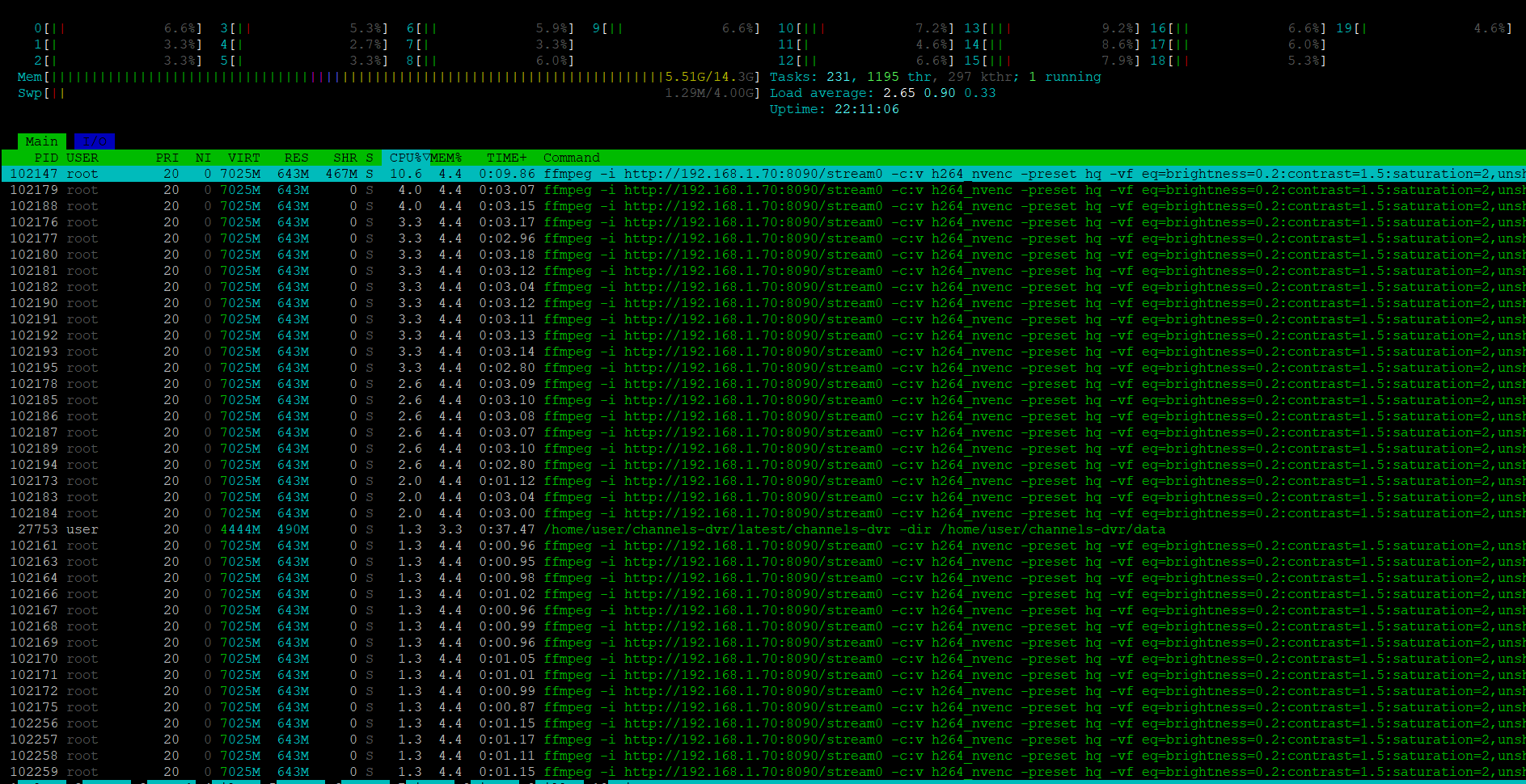
      - CMD1=ffmpeg -i http://192.168.1.70:8090/stream0 -c:v h264_nvenc -preset hq -vf eq=brightness=0.2:contrast=1.5:saturation=2,unsharp=5:5:1.0:5:5:0.0 -pix_fmt yuv420p -b:v 70M -minrate 50M -maxrate 95M -bufsize 150M -c:a copy -f mpegts - # Typically used for ffmpeg processing of a device's stream
      - CMD2=ffmpeg -i http://192.168.1.70:8090/stream1 -c:v h264_nvenc -preset hq -vf eq=brightness=0.2:contrast=1.5:saturation=2,unsharp=5:5:1.0:5:5:0.0 -pix_fmt yuv420p -b:v 70M -minrate 50M -maxrate 95M -bufsize 150M -c:a copy -f mpegts - # Typically used for ffmpeg processing of a device's stream
      - CMD3=ffmpeg -i http://192.168.1.70:8090/stream2 -c:v h264_nvenc -preset hq -vf eq=brightness=0.2:contrast=1.5:saturation=2,unsharp=5:5:1.0:5:5:0.0 -pix_fmt yuv420p -b:v 70M -minrate 50M -maxrate 95M -bufsize 150M -c:a copy -f mpegts - # Typically used for ffmpeg processing of a device's stream
      - CMD4=ffmpeg -i http://192.168.1.70:8090/stream3 -c:v h264_nvenc -preset hq -vf eq=brightness=0.2:contrast=1.5:saturation=2,unsharp=5:5:1.0:5:5:0.0 -pix_fmt yuv420p -b:v 70M -minrate 50M -maxrate 95M -bufsize 150M -c:a copy -f mpegts - # Typically used for ffmpeg processing of a device's stream
      - CMD5=ffmpeg -i http://192.168.1.70:8090/stream4 -c:v h264_nvenc -preset hq -vf eq=brightness=0.2:contrast=1.5:saturation=2,unsharp=5:5:1.0:5:5:0.0 -pix_fmt yuv420p -b:v 70M -minrate 50M -maxrate 95M -bufsize 150M -c:a copy -f mpegts - # Typically used for ffmpeg processing of a device's stream
      - STREAMER_APP=scripts/zinwell/livetv # Streaming device name and streaming app you're using in the form scripts/streamer/app (use lowercase with slashes between as shown)
      - CHANNELSIP=192.168.1.28 # Hostname or IP address of the Channels DVR server itself
      - UPDATE_SCRIPTS=true
      - CREATE_M3US=false # Set to true to create device-specific M3Us for use with Amazon Prime Premium channels -- requires a FireTV device
      - TZ=US/Eastern # Your local timezone in Linux "tz" format
      - HOST_DIR=/data
   #    - NVIDIA_VISIBLE_DEVICES=all
   #    - NVIDIA_DRIVER_CAPABILITIES=all


    restart: unless-stopped
  #  deploy:
  #    resources:
  #      reservations:
  #        devices:
  #          - driver: nvidia
  #            count: 1
  #            capabilities: [gpu]
    volumes:
      - ${HOST_DIR:-/data}/ah4c/scripts:/opt/scripts # pre/stop/bmitune.sh scripts will be stored in this bound host directory under streamer/app
      - ${HOST_DIR:-/data}/ah4c/m3u:/opt/m3u # m3u files will be stored here and hosted at http://<hostname or ip>:7654/m3u for use in Channels DVR - Custom Channels settings
      - ${HOST_DIR:-/data}/ah4c/adb:/root/.android # Persistent data directory for adb keys


    # Default Environment variables can be found below under stderr -- copy and paste into Portainer-Stacks Environment variables section in Advanced mode
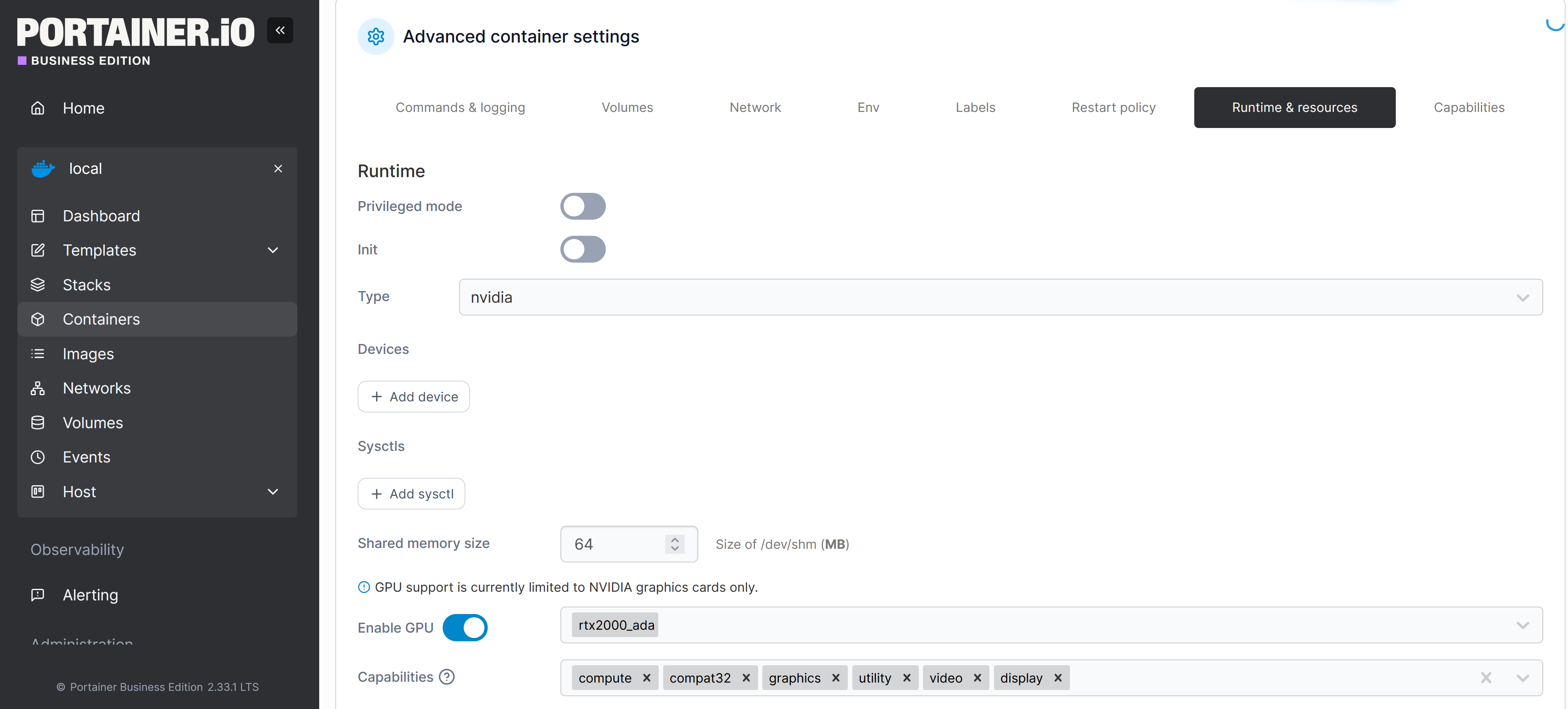
afterwords I have to go into containers/ah4c/edit and set the following